DA Migration Part 3 — DirectAdmin + CustomBuild on Debian 12
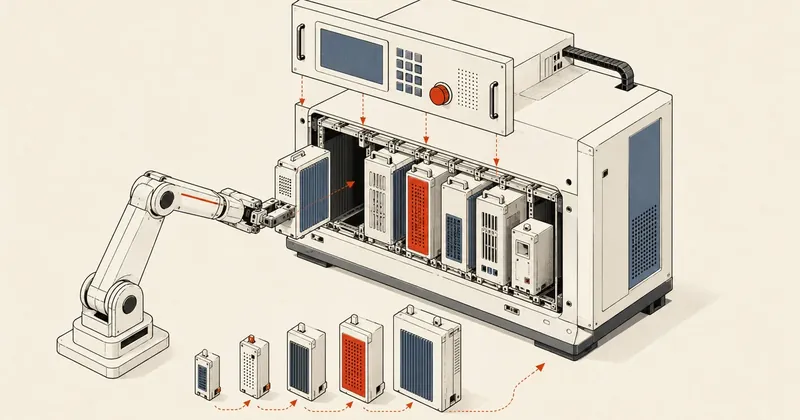
Now that the staging machine is ready, I will install the full DirectAdmin stack on the VM while it is still behind NAT, so everything is ready before the actual cutover.
In parts 1 and 2, I prepared the VM and NAT, then took apart the old RAID to build a ZFS mirror on Proxmox. If you have not read those two parts, I recommend going back first, because I will pick up right where they left off — a staging machine sitting behind NAT, waiting for me to assemble the stack.
Part 3 covers installing DirectAdmin and the entire stack on the staging VM. I connect over SSH through the port forwarded in part 1 (I mapped <port> to the VM). Everything happens on a machine that is not yet visible from outside. I will finish configuring it first, then move on to the cutover in part 4.
Why Debian 12 Instead of Debian 13
My answer is straightforward: there was no choice. If you hold a DirectAdmin Legacy License, Debian 13 (trixie) will not work. I tried installing it myself once, and setup.sh immediately returned a blunt error.
legacy code-base does not support debian13 system,
downgrade your system or upgrade DirectAdmin license
The meaning is clear — the legacy codebase does not support Debian 13 yet. There are two ways forward: downgrade the system or upgrade the license to a Modern subscription. Anyone who wants to pay for a subscription is welcome to, but for this job, I settled on Debian 12 (bookworm). The reasoning is straightforward — Debian 12 has LTS support through 2028, enough to make this migration worthwhile, and it works with my existing license without any extra cost.
If you hold a Legacy License, stick with Debian 12 as your base. Do not jump to Debian 13 until DirectAdmin officially supports it in the legacy code-base. Otherwise, setup.sh will refuse to run from the start.
Installing DirectAdmin with setup.sh
The first step is to download setup.sh and make it executable, then run it with all the settings passed through environment variables. I like this approach because it makes the entire installation non-interactive, avoids answering questions one by one, and gives me a record I can reuse.
wget https://download.directadmin.com/setup.sh
chmod 755 setup.sh

DA_HOSTNAME=server.example.com \
DA_ETH_DEV=<eth-dev> \
[email protected] \
DA_ADMIN_USER=admin \
DA_ADMIN_PASSWORD='<strong-password>' \
DA_NS1=ns1.example.com \
DA_NS2=ns2.example.com \
DA_CHANNEL=stable \
DA_SKIP_CUSTOMBUILD=1 \
  bash setup.sh '<license-key>'
The deliberate choice here is DA_SKIP_CUSTOMBUILD=1 — I prevent setup.sh from running CustomBuild during installation because I want to control every part of the stack myself in the next step. Letting it install the defaults first would mean wasting time rebuilding over them.
Pitfalls I Hit While Running setup.sh
There are three things I want to flag first, because I lost time to them myself.
The variable is named DA_ETH_DEV, not DA_ETHERNET_DEV — some older documentation still uses ETHERNET_DEV. I followed it and got caught out: setup did not accept the value, and I lost half an hour before spotting the problem. Check the machine's actual interface name first (on Debian, it is often something like enpXsY), then enter it exactly.
The license key is a positional argument, not an environment variable — it must go at the very end, after bash setup.sh, rather than before it as an environment variable like the other settings. Put it in the wrong place and DA activation will fail.
While this machine is behind NAT, DA detects the VM's private IP (such as 192.168.1.x on the internal Proxmox network) and immediately writes it into the config. This is normal for an installation behind NAT, but remember that it will need to be changed to the real public IP at cutover. I am saving the full details for part 4.
A machine installed behind NAT will have its private IP embedded in several configuration files. Do not start tracking down and changing those entries yet. Leave them for now and handle them together at cutover to keep the process orderly.
Understanding License Ping-Pong
DirectAdmin legacy licenses have a behavior you need to know about before installing a second machine — the rule is "the DA instance started most recently wins" (last DA started wins). Once the new machine activates the license, the old machine's DA panel is immediately cut off.
That sounds alarming, but the impact is actually quite limited, because it affects only the old machine's admin panel. The services that actually serve customers — mail, web, FTP — continue running normally on the old machine, because they run separately from the DA panel and do not depend on its license to keep running. Customers will not notice anything: websites stay up and mail keeps flowing. The only thing temporarily lost is access to the old machine's admin panel.
Old machine — DA panel
- Logged out immediately
- Admin panel inaccessible
Old machine — services
- Web serving normally
- Mail flowing both ways
- FTP available
Knowing this makes planning the cutover less stressful, because there is no need to worry that activating the new machine will take every customer offline. It will not; it affects only the interface I use to administer the machine.
CustomBuild — Assembling PHP, MariaDB, and the WAF
Once DA is installed, I reach the core of this part: assembling the stack with CustomBuild. I configure everything in one pass, then run a single build for the whole stack.
cd /usr/local/directadmin/custombuild

./build set php1_release 8.2
./build set php1_mode php-fpm
./build set php2_release 8.1
./build set php3_release 5.6
./build set php4_release 7.4
./build set php5_release 8.3
./build set php6_release 8.4
./build set php_opcache yes
./build set php_imagick yes
./build set php_igbinary yes
./build set php_redis yes

./build set webserver nginx_apache
./build set modsecurity modsecurity
./build set modsecurity_ruleset comodo

./build set rspamd yes
./build set fail2ban yes

./build set ftpd proftpd
./build set mysql 10.6
./build set mysql_inst mariadb

./build all d
I configure multiple PHP versions (from 5.6 through 8.4) because customers on a real shared hosting server use different versions. Some older sites still need 5.6 or 7.4, while newer projects want 8.x. Having several slots to choose from is essential on a machine like this. I set php1 to 8.2 and enable php-fpm as the default.
For the web server, I choose nginx_apache: nginx sits in front as a reverse proxy, with Apache behind it, combining nginx's speed with Apache's .htaccess flexibility. I enable ModSecurity with the Comodo ruleset as the WAF, rspamd for spam filtering, and fail2ban to protect against brute-force attacks. The database is MariaDB 10.6, and FTP uses proftpd.
The final command, ./build all d, builds the entire stack in background mode. It takes roughly 1 to 2.5 hours, depending on the machine's specifications. A slower machine will take longer, so I can do something else while it runs.
Options Removed from Newer CustomBuild Versions — Stop Setting Them
This is an easy mistake to make, especially when copying an old script. In CustomBuild version 1.700 and later, several options are gone because they are now handled automatically or have been merged into other options. Running ./build set for an option that no longer exists will not do what you expect, or may simply return an error.
These are the options you can stop setting:
default_php— unnecessary, because php1 is already the default automaticallyphp[2-8]_mode— no need to set each slot individually; set onlyphp1_mode, and the other slots inherit itftp_with_tls— proftpd already includes TLS; there is no need to enable it separatelyhttp2andhttp3_quic— nginx 1.30+ includes support and enables it automaticallyeximconf_release— this is now auto-managed by the system; do not pin the version yourself
Before running ./build set for anything, always run ./build options first to check whether that option actually exists in the installed version. Never guess based on old scripts or old docs. CustomBuild's available options change between versions.
PHP OPcache Overrides — Settings That Disappear Every Time
This lesson cost me several rounds of reconfiguration before I figured it out — CustomBuild rewrites 10-directadmin.ini every time I run ./build php_*. Anything I write into that file is wiped out. Having to configure OPcache again after every rebuild was frustrating.
The fix is to use PHP's file loading order to my advantage — PHP loads files in php.conf.d alphabetically. Files starting with higher numbers load later, and values loaded later override earlier ones. So I just put my custom config in a file that sorts after 10-*, such as one starting with 99-. It will always override DirectAdmin's values, and crucially, CustomBuild does not touch my 99-*.ini files.
cat > /usr/local/php82/lib/php.conf.d/99-custom-opcache.ini <<EOF
opcache.memory_consumption=256
opcache.max_accelerated_files=20000
opcache.validate_timestamps=1
opcache.revalidate_freq=60
opcache.interned_strings_buffer=16
EOF

for ver in 56 74 81 82 83 84; do
    [ -d /usr/local/php${ver}/lib/php.conf.d ] && \
        cp /usr/local/php82/lib/php.conf.d/99-custom-opcache.ini \
           /usr/local/php${ver}/lib/php.conf.d/
done
The lower script copies 99-custom-opcache.ini into every installed PHP slot, applying the same settings to all versions in one go. The [ -d ... ] condition checks that the slot actually exists before copying.
The result is that my OPcache settings survive every rebuild, with no need to configure them again. The same principle works for overriding any other php.ini settings that CustomBuild keeps overwriting.
For anything CustomBuild overwrites on every rebuild, move the custom overrides into a file starting with a high number (such as 99-). They will survive every time, because CustomBuild only touches the files it creates.
Custom Data to Copy from the Old Machine
The staging machine with its fresh DA installation is empty; it does not yet have everything accumulated on the old machine. There are several things DA does not migrate automatically, so I have to bring them over myself. I copy these over before the cutover.
# DNSSEC keys
scp -r root@<old-server>:/var/named/*.{ksk,zsk}* root@<new-server>:/var/named/
scp -r root@<old-server>:/var/named/*.signed root@<new-server>:/var/named/

# DA custom hooks
scp -r root@<old-server>:/usr/local/directadmin/scripts/custom/* \
       root@<new-server>:/usr/local/directadmin/scripts/custom/

# DA custom templates
scp -r root@<old-server>:/usr/local/directadmin/data/templates/custom/* \
       root@<new-server>:/usr/local/directadmin/data/templates/custom/

# System configs
scp root@<old-server>:/etc/aliases root@<new-server>:/etc/aliases
scp root@<old-server>:/etc/hosts.deny root@<new-server>:/etc/hosts.deny
Going through each group — for DNSSEC keys in /var/named/, I need to bring over both the keys (ksk/zsk) and the signed zones, or DNSSEC will stop working for signed domains after the migration; DA custom hooks are scripts I wrote to modify DA's behavior; custom templates are templates I have adapted (such as the layout of configs DA generates); and system configs such as /etc/aliases and /etc/hosts.deny contain years of accumulated settings that need to come along too.
The allow-transfer and also-notify settings in named.conf that point to the slave NS must be edited manually. DA does not overwrite this section. If you forget, zone transfers to the secondary NS will fail silently.
Part 3 Summary
By the end of this part, the staging machine has DA and the full stack: multiple PHP versions, MariaDB, nginx+apache, ModSecurity, rspamd, and fail2ban, along with the custom data brought over from the old machine. Everything is still behind NAT, waiting for the actual switch.
The really difficult work comes next — part 4 covers the actual cutover and the 17 problems I encountered after the migration, including NAT IPs left in configs, license activation on the new machine, and several other things missing from the manual. That is where the interesting details are.
If I remember anything else or find something I have not explained fully, I will come back and add it later. Feel free to choose different options from mine; the principles are the same. Just make sure everything is configured before cutover, and the rest will be much easier.
Want us to set this up?
Get help with server setup, configuration, migration, or troubleshooting. Save time for the work that matters.
Hit something like this? Stuck somewhere?
Come trade notes on the LinuxThai board

Comments 0
No comments yet — be the first