Recovering Old Website Images with Wayback Machine CDX API + Python

The owner of a website had passed away, and the family wanted to preserve it exactly as it was as a memorial, but images hotlinked from other sites had become broken placeholders throughout — archive.org has an API to recover them, for free, and it worked better than expected.
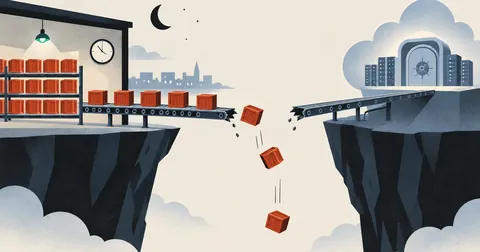
I happened to be working on a website over a decade old. Its creator had passed away, and the family wanted to preserve everything exactly as it was as a memorial. The problem was that the owner had hotlinked many of the images from other sites — some from Facebook CDN, others from image hosting sites that had shut down. Once the sources went offline, the images became broken placeholders throughout the site.
Finding each image manually was out of the question (I counted over three hundred), so I wrote a script to get help from archive.org — the script in this article is the one I actually used, with only the paths and domain name replaced with fictional values.
The principle: CDX API
Wayback Machine has an API called CDX for querying "what has been archived for this domain?" For example:
http://web.archive.org/cdx/search/cdx?url=oldsite.com&matchType=domain
  &filter=statuscode:200
  &filter=mimetype:image/(jpeg|png|gif)
  &collapse=urlkey
  &output=json&limit=5000
  &fl=timestamp,original
matchType=domainincludes the entire domain and its subdomainsfilter=mimetype:image/...includes only imagescollapse=urlkeykeeps one record per duplicate URL- Returns JSON as pairs of
[timestamp, original URL]
Then, to retrieve the actual files, use this URL format:
http://web.archive.org/web/<timestamp>id_/<url เดิม>
It means "get the raw original file" — without it, archive.org will inject a toolbar/rewrite HTML, which leaves you with a corrupt file when fetching an image
A 3-step approach — without touching the HTML
The key is to download images to the original paths referenced by the HTML — every character of the site's structure stays the same, with nothing to rewrite.
The full script
# -*- coding: utf-8 -*-
# กู้รูปที่หายจาก archive.org Wayback -> วางที่ path เดิมที่ HTML อ้าง (ไม่แตะ HTML)
import os, re, glob, json, urllib.parse, urllib.request, sys, time
DR = '/home/webuser/domains/oldsite.com/public_html'

# 1) รวบรวม missing refs (path ที่ HTML อ้างแต่ไฟล์ไม่มี)
missing = {}   # rel_path -> basename(lower)
for f in glob.glob(DR + '/**/*.htm*', recursive=True):
    try:
        s = open(f, encoding='latin-1', errors='ignore').read()
    except Exception:
        continue
    for m in re.findall(r'src=["\']([^"\']+\.(?:jpg|jpeg|png|gif))["\']', s, re.I):
        if m.startswith(('http://', 'https://', '//')):
            continue
        rel = urllib.parse.unquote(m.split('?')[0]).lstrip('/')
        p1 = os.path.normpath(os.path.join(os.path.dirname(f), rel))
        p2 = os.path.normpath(os.path.join(DR, rel))
        if os.path.exists(p1) or os.path.exists(p2):
            continue
        missing[rel] = os.path.basename(rel).lower()
print(f'missing refs: {len(missing)}')

# 2) ดึงรายการรูปที่ archive ไว้ทั้งโดเมน
def fetch(url, timeout=60):
    req = urllib.request.Request(url, headers={'User-Agent': 'Mozilla/5.0 recovery'})
    return urllib.request.urlopen(req, timeout=timeout).read()

cdx = ("http://web.archive.org/cdx/search/cdx?url=oldsite.com&matchType=domain"
       "&filter=statuscode:200&filter=mimetype:image/(jpeg|png|gif)&collapse=urlkey"
       "&output=json&limit=5000&fl=timestamp,original")
rows = json.loads(fetch(cdx))
rows = rows[1:] if rows and rows[0][0] == 'timestamp' else rows
arch = {}   # basename(lower) -> (timestamp, original) เอา snapshot ล่าสุด
for ts, orig in rows:
    bn = urllib.parse.unquote(orig.split('?')[0]).rsplit('/', 1)[-1].lower()
    if bn:
        arch[bn] = (ts, orig)
print(f'archived images: {len(arch)}')

# 3) จับคู่ด้วย basename แล้วโหลดมาวาง path เดิม
rec = lost = fail = 0
for rel, bn in missing.items():
    if bn not in arch:
        lost += 1
        continue
    ts, orig = arch[bn]
    way = f'http://web.archive.org/web/{ts}id_/{orig}'
    dest = os.path.normpath(os.path.join(DR, rel))
    if not dest.startswith(DR) or os.path.exists(dest):
        continue
    try:
        data = fetch(way, timeout=45)
        if len(data) < 200:       # กันได้หน้า error มาแทนรูป
            fail += 1
            continue
        os.makedirs(os.path.dirname(dest), exist_ok=True)
        open(dest, 'wb').write(data)
        os.chmod(dest, 0o644)
        rec += 1
        time.sleep(0.15)          # อย่ายิงรัว เกรงใจ archive.org
    except Exception:
        fail += 1
print(f'RESULT: recovered={rec} lost={lost} fail={fail}')
Points to highlight in the script
- Match by basename because the original hotlinked image URL (such as a CDN URL) differs from the path referenced by the site, but the filename is usually the same
- Check len(data) < 200 — sometimes the response is an HTML error page instead of an image; a real image file could never be that small
- dest.startswith(DR) prevents path traversal from unusual filenames in the old HTML
- time.sleep — archive.org is free to use; don't hit it with a DDoS
Actual results
In my case: 378 paths referenced missing images, and I recovered 35 images. The rest had never been saved by archive.org (most of the Facebook CDN images were inaccessible to the crawler in the first place).
That sounds like a small number, doesn't it — but when I looked through the site, almost all the permanently missing images were on orphan pages that were no longer linked from the home page. Every page that visitors could actually reach had all its images, so I considered the job done.
If you want images to stay with your site for years, download and store them on your own hosting from the start. Don't hotlink — when the source goes offline, the images disappear
If you have an old website with broken images, feel free to adapt the script for your own use. It's free and worked better than expected. If I missed anything in the explanation or made any typos, I'll come back and fix them later.
Want us to set this up?
Get help with server setup, configuration, migration, or troubleshooting. Save time for the work that matters.
Hit something like this? Stuck somewhere?
Come trade notes on the LinuxThai board
Comments 0
No comments yet — be the first