A Graph Froze When Its Cache Key Was Saved Before the Layer Was Built

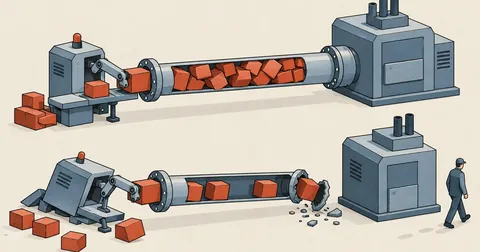
A rendered layer cache has one contract—the saved key must refer to something that has actually finished building. Save the key before building, then have the build fail halfway through, and the cache will keep serving a half-built layer with nothing to indicate that it is broken.
1-minute summary
- Symptom / problem
- A real-time chart in C# freezes while data keeps arriving, from three stacked bugs
- Who should read
- People building real-time chart UIs with cached render layers keyed by a cache key
- Fix in short
- Fix the List created with a negative capacity, include live-data inputs in the key, and commit the key only after the build succeeds, while catching per-frame exceptions.
I have a real-time monitoring application I wrote in C#. Its main job is to plot measured values over time. Data arrives several times per second, and one day a user sent a brief report: "The graph isn't moving," even though the backend feeding it data was working normally. I spent quite a while tracking it down because my very first guess was wrong. In the end, I found three causes stacked together, and the one that made the freeze "permanent" was the order of two lines in the cached layer builder. I decided to write it down.
I have rewritten the class names, variable names, and code structure in this article to make them generic, but the sequence of events, numbers, and error messages are real.
The Symptoms and My First Wrong Guess
The screen is a bar chart, with each bar summarizing the values for one time interval. All closed bars are drawn onto a static layer cached as a bitmap, while the forming bar and the latest-value line are drawn in an overlay every frame. The static layer is rebuilt only when its key changes, which is a standard approach for charts where you do not want to redraw thousands of lines every frame.
My first guess was that the data source had stopped sending. I used a tool to dump the shared memory used to transfer the data. It turned out I was half right. The tab left open was displaying a dataset whose source really had temporarily stopped sending. Its latest value was 12,175 seconds old, while another dataset that was still receiving data was only 0.2 seconds old. If I had stopped there, I would probably have replied, "No data is arriving; this isn't a bug," and closed the issue.
But there was also an actual exception sitting in the screen's log, which the explanation about the data source stopping did not account for.
# log ของหน้าจอ (ตัดชื่อเมธอดจริงออก)
System.ArgumentOutOfRangeException: Non-negative number required. (Parameter 'capacity')
   at System.Collections.Generic.List`1..ctor(Int32 capacity)
   at ChartView.BuildStaticLayer(...)
   at ChartView.BuildFrame(...)
   at Window.OnSize(...)        # เกิดตอน WM_SIZE
The dataset that had temporarily stopped receiving data explained the "not moving" symptom convincingly well. If I had not continued into the log, I would have missed the exception entirely. My rule now is that if the log contains an exception the current explanation has not addressed, the job is not finished.
Layer One: Negative Capacity When Zooming In
The line throwing the exception preallocated a list based on the number of visible bars.
// ของเดิม: ดัชนีซ้ายไม่มี clamp ด้านบน
int loIdx = (int)Math.Floor(IndexAtX(pane.X)) - 1;       // แท่งซ้ายสุดที่ต้องวาด
int hiIdx = (int)Math.Ceiling(viewRight) + 1;            // แท่งขวาสุดที่ต้องวาด
int count = Math.Min(n - 2, hiIdx) - loIdx + 1;          // n = จำนวนแท่งทั้งหมด
var pts = new List<float>(count * 2);                    // x,y ต่อจุด -> ติดลบได้
Normally, loIdx is always less than n - 2, because the screen is wide enough to show hundreds of bars. But my mode for following the latest data leaves 20 bars of empty space on the right. If you zoom in until the whole screen fits fewer than about 20 bars—for example, 60 px per bar on a 1000 px-wide screen, which shows fewer than 17 bars—the left edge of the screen moves past the newest bar. The entire screen is empty space.
Working through the numbers with 500 bars of data, the right edge of the view is at index 499 + 20 = 519. The screen can show 1000 / 60 = 16.7 bars. The left edge is at index 502.3, giving loIdx = 501, while the upper limit is n - 2 = 498. The resulting count is 498 - 501 + 1 = -2, doubled to -4, and new List<float>(-4) immediately throws an exception. The stack pointed toward WM_SIZE because the window size had just changed, requiring a new frame with the new screen width.
I first wrote a test that reproduced the same stack, then fixed it. The fix was to clamp every index before using it to size anything, and to clamp it while it was still a double.
// clamp ก่อน cast: double ที่เกินช่วงหรือเป็น NaN แล้ว cast เป็น int ไม่ใช่การ clamp
static int ClampIdx(double v, int lo, int hi)
{
    if (hi < lo) return lo;
    if (double.IsNaN(v) || v <= lo) return lo;
    if (v >= hi) return hi;
    return (int)v;
}

int LoIdx => n <= 0 ? 0  : ClampIdx(Math.Floor(IndexAtX(pane.X)) - 1, 0, n - 1);   // อยู่ใน [0, n-1]
int HiIdx => n <= 0 ? -1 : ClampIdx(Math.Ceiling(viewRight) + 1, -1, n - 1);       // อยู่ใน [-1, n-1]
The point to emphasize is the order of clamping and casting. In C#, casting a double outside the int range, or NaN, in an unchecked context produces a value that the language specification does not define. Writing Math.Clamp((int)v, lo, hi) is therefore unsafe, because the number has already gone wrong during the cast. Besides these two indices, I also added limits to the grid-line loops and ensured that layout cells could not have negative dimensions in the same pass.
Layer Two: The Key Was Saved Before the Build
A single exception while shrinking the window should not freeze the graph permanently. The next frame should be able to redraw. I went back to the layer builder and found this sequence.
// ของเดิม: บันทึก key ก่อน แล้วค่อยสร้าง
ulong key = LayerKey(geom, data);
if (key != _layerKey)
{
    _layerKey = key;                 // <-- ประกาศว่า "เลเยอร์ตรงกับ key นี้แล้ว"
    BuildStaticLayer(geom, data);    // <-- throw กลางทาง = เลเยอร์ครึ่งใบ
}
DrawCachedLayer();
When BuildStaticLayer threw an exception halfway through, _layerKey had already been written. The next frame calculated the same key, found a match, skipped the build, and reused the half-built layer. It would keep reusing it until some other input changed the key.
Worse, this half-built layer was not merely incomplete. Its draw-command list contained a PushClip with no matching Pop, because the code had failed before reaching the closing line. Every replay of this list left an unmatched clip, which Direct2D treats as invalid, causing EndDraw to return a failure for the entire draw session. As a result, every region my code had marked as "drawn" in that session still contained pixels from the old frame. My original code ignored the return value of EndDraw, without writing a single line to the log.
Layer Three: The Key Had No Live-Data Inputs
One question still remained: why did incoming data not change the key and trigger a layer rebuild on its own? The answer was that the static layer's key at the time had no inputs that changed with live data. The forming bar lived in the overlay, so the static layer was rebuilt only when a bar closed, the y-axis range changed, or the user panned the graph. With a stagnant dataset and nobody touching the screen, none of these three events occurred for a long time. The chart_rebuilds counter in the statistics line therefore stayed still.
This was a bug in the key design itself. A cached layer's key must "name" every input that the layer draws. If the layer draws anything that depends on the latest dataset, that dataset's version number must be in the key too. I added the series version number and three fields from the latest data point—sequence number, time, and value—to the key.
ulong LayerKey(Geom g, Series s)
{
    var h = new HashCode();
    h.Add(g.Pane); h.Add(g.Spacing); h.Add(g.ViewRight);      // เรขาคณิตของมุมมอง
    h.Add(g.YMin); h.Add(g.YMax);                              // ช่วงแกน y
    h.Add(s.ClosedCount);                                      // จำนวนแท่งที่ปิดแล้ว
    h.Add(s.LiveVersion);                                      // เลขรุ่นของข้อมูลสด
    h.Add(s.LastSeq); h.Add(s.LastTime); h.Add(s.LastValue);   // ข้อมูลจุดล่าสุด
    return (ulong)h.ToHashCode() | 1UL;                        // ไม่ให้เป็น 0 ซึ่งสงวนไว้แปลว่า "ไม่มีเลเยอร์"
}
The cost is more frequent layer rebuilds: once per frame where the data changes, but not once per incoming data point, because frame updates are already coalesced by a 60 Hz frame clock. Three data points arriving before the next frame still cause just one rebuild, which I verified with a separate test.
The Fix: Commit the Key Only After the Build Completes
The fixed layer builder looks like this.
ulong key = LayerKey(geom, data);
if (key != _layerKey || _layerScene.Count == 0)
{
    _layerKey = 0;                   // ระหว่างสร้าง ถือว่ายังไม่มีเลเยอร์ที่ใช้ได้
    _layerDirty = true;
    try
    {
        BuildStaticLayer(geom, data);
    }
    catch
    {
        _layerScene.Clear();         // ทิ้งของครึ่งใบ ห้ามเหลือไว้ให้เฟรมถัดไป
        throw;
    }
    _layerKey = key;                 // commit หลังสำเร็จเท่านั้น
    _rebuilds++;
}
Save the key, then build
The code is one line shorter and works correctly whenever the build succeeds. But when it fails, the cache remembers the half-built layer as current and keeps serving it until another input changes the key, which might never happen.
Set the key to 0, build, then commit
No valid key exists during the build. The failure path clears the draw-command list and rethrows the exception so the caller knows. The next frame is guaranteed to find a key mismatch, so it rebuilds on its own without anyone having to trigger it.
This rule applies to every kind of cache, not just rendered layers: finish writing the content first, then write whatever says "this is valid" as the final step. It is the same issue as web caches that do not update after deployment. I previously traced all five layers in my article on web caches. The only difference is that those were multiple cache layers across machines, while this is a single cache layer within one process.
A Frame Exception Is a State Bug Until Proven Otherwise
Fixing the first two issues eliminated this bug, but I did not want the next exception in the rendering path to do the same thing again. I added a handler at the frame renderer. The principle is that when a frame fails halfway through, I do not know what it has left partially written. Anything that might have been partially written must be treated as invalid.
void RenderNow()
{
    try
    {
        var scene = BuildFrame();
        if (!_gfx.Render(scene)) { FrameFailed(null); return; }   // EndDraw ล้ม ก็นับเป็นเฟรมเสีย
        _presented++;
    }
    catch (Exception e) { FrameFailed(e); }
}

void FrameFailed(Exception? e)
{
    _frameErrors++;                                   // ออกในบรรทัดสถิติทุก 10 วินาที
    string sig = e == null ? "draw session failed" : e.GetType().FullName + ": " + e.Message;
    if (_seen.Count < 64 && _seen.Add(sig))           // log เต็มครั้งเดียวต่อ error ที่ต่างกัน
        _log.Error("frame failed: " + (e?.ToString() ?? sig));
    _chart.InvalidateLayer();                         // key = 0 สร้างเลเยอร์ใหม่
    _gfx.InvalidateFrame();                           // ลืมทุก region ที่เคยหมายว่าวาดแล้ว
    SetTimer(_hwnd, TimerRetry, 250, IntPtr.Zero);    // เฟรม retry ที่ 4 Hz
}
I deliberately included three details. First, log the full message only once per distinct error, then just count subsequent occurrences. Otherwise, a bug that happens every frame will flood the log with stack traces until other lines are impossible to find. Second, retry frames run at 4 Hz rather than retrying immediately. If the fault is transient, the next frame can repair itself. If it is persistent, the UI thread will not spin and consume all the CPU. Third, the frame_errors counter appears in the regularly emitted statistics line, so anyone opening the log can immediately see that it is nonzero.
The renderer itself also needed changes to fulfill three parts of the contract.
- Always close the draw session, however drawing ends. If a session is left open,
BeginDrawwill fail on every subsequent frame. - Check the return value of
EndDrawevery time. If it fails, forget the saved frame and the table tracking which regions have been drawn, because nothing from that session can be trusted. - Clips must be paired within each drawing operation. Do not leave a
PushClipfrom one primitive waiting for aPopfrom the next primitive. - On a path that throws during drawing, close the session in
catchfirst, clear the region table, then rethrow the exception.
bool drawing = false;
try
{
    ctx.BeginDraw(); drawing = true;
    PaintDirtyRegions(ctx, scene);
}
catch
{
    if (drawing) { try { ctx.EndDraw(); } catch (Exception) { } }   // ห้ามทิ้ง session ค้าง
    _painted.Clear();
    throw;
}
if (drawing && ctx.EndDraw().Failure)
{
    _painted.Clear();            // session นี้ถูกทิ้งทั้งชุด region ที่หมายไว้ไม่จริงแล้ว
    return false;
}
Added Tests and Live Verification Results
The first-layer bug came from a view I had never imagined anyone reaching. The added tests therefore covered more than that one case: they swept every boundary I could think of.
[Fact]
public void BuildFrame_never_throws_and_keeps_clips_balanced()
{
    (int w, int h)[] sizes = { (1, 1), (40, 30), (320, 200), (1000, 600), (1920, 991) };
    float[] spacings = { 0.4f, 1f, 9f, 60f, 400f };                    // px ต่อแท่ง
    double[] rights = { double.NaN, double.PositiveInfinity, double.NegativeInfinity,
                        1e12, -1e12, -5, -1, 0, 0.5, 10, 480, 498, 499, 500, 519, 520, 600, 5000 };
    foreach (var (w, h) in sizes)
    foreach (float sp in spacings)
    foreach (double right in rights)
    foreach (bool touch in new[] { false, true })
    {
        var view = TestView.With(bars: 500, w, h, sp, right, touch);
        var scene = view.BuildFrame();                                 // ต้องไม่ throw
        Assert.Equal(scene.Count(DrawKind.PushClip), scene.Count(DrawKind.PopClip));
    }
}
5 screen sizes, down to 1x1 px, multiplied by 5 bar spacings, multiplied by 18 view-boundary values—including NaN, positive and negative infinity, positive and negative 1e12, and values beyond both ends of the data—multiplied by mouse and touch modes, for 900 combinations in total. None may throw, and all clips must be paired. The other two added tests inject a failure halfway through the build and verify that the next frame rebuilds the layer, and verify that three data points arriving before a frame produce just one rebuild.
After installing the fixed version, I watched the statistics lines from the live machine for 60 seconds.
# บรรทัดสถิติ ห่างกัน 60 วินาที (ตัดฟิลด์อื่นออก)
frames ... frame_errors 0 ... chart_rebuilds 428
frames ... frame_errors 0 ... chart_rebuilds 512
The rebuild counter moved from 428 to 512, and frame_errors was 0. These were two readings I could not observe before the fix: the first did not move, and the second did not yet exist.
Every cached layer must now answer three questions before passing review: does the key name every input the layer draws, is the key written after the build succeeds, and if the build throws halfway through, what could be left partially written for the next frame to pick up? The third question is one I had never asked myself before.
The difficulty of this bug was not in any one part. Negative capacity is an ordinary bug, and a key without live-data inputs is an incomplete design. But saving the key before building and ignoring the return value of EndDraw turned a single crash into a permanently frozen screen with no log output. My rule now is that an exception in the frame-rendering path is a state bug until proven otherwise, and anything that might have been partially written must be cleared before drawing continues. If you have cached layers in your own application, take a look at the order of these two lines. If I have left anything out of the explanation or made a typo, I will come back and correct it later.
Hit something like this? Stuck somewhere?
Come trade notes on the LinuxThai board


Comments 0
No comments yet — be the first