Auditing CCTV Directly with ISAPI and ffprobe RTSP, Bypassing the NVR

A green camera status on the NVR screen does not mean the camera is working properly. It only means the NVR can still connect. What I actually need to know is the model, the firmware year, and the resolution and frame rate of the outgoing stream, which means asking the camera itself.
I was looking over the camera system in a building I had taken over maintaining: sixteen cameras, several brands, installed at different times. The documents I received consisted of purchase records and an installation layout, with no equipment inventory listing each camera's model or firmware. The NVR screen only showed channel names and online status, which was not enough to decide which cameras needed replacing first. So I wrote a script to query every camera directly, bypassing the NVR, and rebuilt the entire inventory. It took less than a day, and I ended up with something I could rerun every month as a health check.
The IP addresses in this article are examples; the commands and code are real.
Scope: My own equipment, with credentials I am authorized to use
This needs to come first. Everything I describe here involves inspecting equipment I maintain, on a network I maintain, using passwords handed over to me with the job. It is an audit of my own asset inventory, not an attempt to gain access to cameras that are not mine.
The scripts in this article use credentials I am already authorized to use, taken from the handover documents. They match each camera to its credential set, because equipment installed in different years often has different passwords set by different contractors. Any camera that matches none of the sets is marked "needs a reset at the device," rather than subjected to further attempts. Running a script like this against equipment that is not yours is illegal and is not what this article is about.
Another rule I follow is never to embed passwords in script files. I read them only from environment variables, because these scripts eventually get copied around, sent to other technicians, or accidentally committed to git.
# ชุด credential ที่เราได้รับมอบมา วางไว้ใน environment ไม่ใช่ในไฟล์
export CAM_CREDS='admin:<PASSWORD>,admin:<PASSWORD>'
export NVR_CRED='admin:<PASSWORD>'
python cam-audit.py --net 192.168.10.0/24
import os

# "admin:<PASSWORD>,admin:<PASSWORD>" -> [("admin","..."), ("admin","...")]
CREDS = [tuple(c.split(":", 1)) for c in os.environ["CAM_CREDS"].split(",") if ":" in c]
Why query cameras directly instead of checking the NVR screen?
Only shows what the NVR remembers
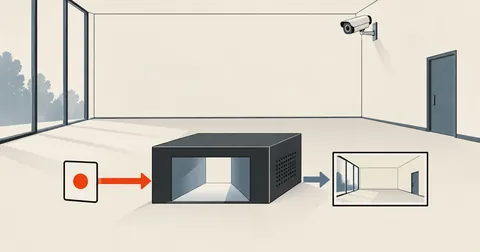
Online status only means "the NVR can connect." Channel names are assigned by someone, not read from the camera. The resolution and bitrate shown are the values the NVR requested when the channel was added. If someone changes the camera settings later, the NVR screen does not know about it.
Gets actual data from the device
The model, firmware, serial, and MAC come from the camera's own ISAPI. The codec, resolution, and frame rate are read from the actual outgoing stream using ffprobe, not from values someone wrote down.
The case that made me stop trusting the NVR screen was a channel showing a perfectly green online status, yet ffprobe revealed that its stream resolution was much lower than it should have been. Someone had changed the setting on the camera and forgotten to change it back. I could have spent another ten years looking at the NVR screen without finding that.
ISAPI deviceInfo: Equipment inventory in one command
Hikvision cameras and models using the same firmware family expose an HTTP API called ISAPI. Authentication uses HTTP Digest, not Basic. The endpoint with the most complete inventory information is /ISAPI/System/deviceInfo, which returns XML.
I can try it with curl first to check that it is actually accessible, then write the script.
curl -s --digest -u "admin:$CAM_PW" \
  http://192.168.10.211/ISAPI/System/deviceInfo | head -20
The five fields I actually extract are model, firmwareVersion, serialNumber, macAddress, and deviceName. The returned XML is very flat, with no complicated namespaces, so I use regex to extract them directly without bringing in an XML parser.
import re, requests
from requests.auth import HTTPDigestAuth

def tag(t, x):
    m = re.search("<%s>([^<]*)</%s>" % (t, t), x)
    return m.group(1) if m else ""

def isapi_info(ip, creds, timeout=6):
    """ถาม deviceInfo ด้วยชุด credential ที่เราถือสิทธิ์อยู่ ตัวไหนตรงก็คืนข้อมูล"""
    last = None
    for user, pw in creds:
        try:
            r = requests.get("http://%s/ISAPI/System/deviceInfo" % ip,
                             auth=HTTPDigestAuth(user, pw), timeout=timeout)
            if r.status_code == 200 and "DeviceInfo" in r.text:
                return dict(ok=True, user=user,
                            model=tag("model", r.text),
                            fw=tag("firmwareVersion", r.text),
                            serial=tag("serialNumber", r.text),
                            mac=tag("macAddress", r.text).upper(),
                            name=tag("deviceName", r.text))
            if r.status_code == 401:
                last = "auth-mismatch"          # ชุดนี้ไม่ใช่ ลองชุดถัดไป
        except Exception as e:
            last = type(e).__name__
    return dict(ok=False, err=last or "no-credential-matched")
A camera returning no-credential-matched is not necessarily broken. It usually means a previous contractor set its password and never handed it over. I note in the inventory that it needs a physical reset the next time I am up a ladder, rather than sitting there trying to find the password.
Besides deviceInfo, there are two other endpoints I use often. The first provides network settings, showing whether the camera uses DHCP or a static address. The second provides encoding settings for the streaming channel.
B = "http://%s" % ip
net = requests.get(B + "/ISAPI/System/Network/interfaces/1/ipAddress",
                   auth=auth, timeout=6).text
vid = requests.get(B + "/ISAPI/Streaming/channels/101",
                   auth=auth, timeout=6).text

nmode = tag("addressingType", net)          # dynamic หรือ static
codec = tag("videoCodecType", vid)          # H.264 / H.265
res   = "%sx%s" % (tag("videoResolutionWidth", vid), tag("videoResolutionHeight", vid))
fps   = tag("maxFrameRate", vid)            # ค่านี้คูณ 100 มา ต้องหารกลับ
gop   = tag("GovLength", vid)               # ระยะห่างคีย์เฟรม
brt   = tag("videoQualityControlType", vid) # CBR / VBR
br    = tag("constantBitRate", vid) or tag("vbrUpperCap", vid)
One detail to watch is that ISAPI returns maxFrameRate multiplied by a hundred. A value of 2500 means 25 fps, not 2500 fps. The channel number in the path /Streaming/channels/101 means channel 1, stream 1 (main stream). For the sub stream, it is 102.
Brands without ISAPI can still be checked with RTSP and ffprobe
The actual network has another ten older cameras with no HTTP API available, only web interfaces requiring old plugins that modern browsers no longer support. But every one of them still provides RTSP, which is enough for an audit, because what I really want to know is what the outgoing video looks like, not how attractive the web interface is.
ffprobe, bundled with ffmpeg, does this very well. I tell it to output only the stream metadata as JSON and exit, without downloading any images.
ffprobe -v error -rtsp_transport tcp -rw_timeout 5000000 \
  -select_streams v:0 \
  -show_entries stream=codec_name,width,height,r_frame_rate,bit_rate \
  -of json "rtsp://admin:[email protected]:554/profile1"
Three options are essential: -rtsp_transport tcp, because UDP can suffer packet loss on networks with many cameras and stall for a long time; -rw_timeout 5000000, which is five seconds in microseconds—without it, a camera that accepts TCP but sends no data will leave the process hanging until I press Ctrl-C; and -v error, to keep stdout pure JSON, ready to parse.
I wrap it in a Python function like this.
import subprocess, json

def rtsp_probe(ip, creds, path="profile1", timeout=14):
    for user, pw in creds:
        url = "rtsp://%s:%s@%s:554/%s" % (user, pw, ip, path)
        try:
            p = subprocess.run(
                ["ffprobe", "-v", "error", "-rtsp_transport", "tcp",
                 "-rw_timeout", "5000000", "-select_streams", "v:0",
                 "-show_entries", "stream=codec_name,width,height,r_frame_rate,bit_rate",
                 "-of", "json", url],
                capture_output=True, text=True, timeout=timeout)
            if p.returncode == 0 and '"streams"' in p.stdout:
                s = (json.loads(p.stdout).get("streams") or [{}])[0]
                fr = s.get("r_frame_rate", "?")
                if "/" in str(fr):                      # "25/1" -> 25
                    num, den = str(fr).split("/")
                    fr = "%g" % (int(num) / int(den)) if int(den) else fr
                br = s.get("bit_rate")
                br = str(int(br) // 1000) if br and br.isdigit() else "N/A"
                return dict(ok=True, user=user, codec=s.get("codec_name", "?"),
                            res="%sx%s" % (s.get("width", "?"), s.get("height", "?")),
                            fps=fr, kbps=br)
        except subprocess.TimeoutExpired:
            continue
        except Exception:
            continue
    return dict(ok=False)
RTSP paths vary by brand. One family uses profile1, another uses Streaming/Channels/101, and some use live/ch0. The fastest way to find the path is to check the manual for that model. If there is no manual, I try these three first; they cover more than half of what I encounter on the Thai market.
Build the inventory and save it as an HTML page
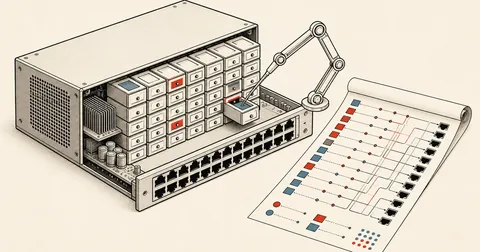
Terminal output is not the result I need, because I also have to send it to the building owner. So I have the script generate a single HTML file with a table of all cameras and their status, ready to open in a browser without installing anything.
rows = []
for ch, ip in cameras:                       # [(1,"192.168.10.211"), ...]
    info = isapi_info(ip, CREDS)
    if info["ok"]:
        stream = rtsp_probe(ip, [(info["user"], cred_of(info["user"]))])
        rows.append(dict(ch=ch, ip=ip, vendor="ISAPI", model=info["model"],
                         fw=info["fw"], mac=info["mac"] or macof(ip),
                         codec=stream.get("codec", "-"), res=stream.get("res", "-"),
                         fps=stream.get("fps", "-"), ok=True))
    else:
        stream = rtsp_probe(ip, CREDS)       # ไม่มี ISAPI ก็ยังเช็คสตรีมได้
        rows.append(dict(ch=ch, ip=ip, vendor="RTSP only", model="(ไม่มี API)",
                         fw="-", mac=macof(ip),
                         codec=stream.get("codec", "-"), res=stream.get("res", "-"),
                         fps=stream.get("fps", "-"), ok=stream["ok"]))

n_on = sum(1 for r in rows if r["ok"])
print("cameras:", len(rows), "reachable:", n_on)
For macof(ip), I pull data from the router's ARP table and DHCP leases, because many cameras are DHCP clients with their IP addresses fixed through MAC-based reservations. Having the MAC in the inventory means that when a camera fails and gets replaced, I immediately know which reservation entry needs updating.
What I inevitably find in the first audit
Having done this at several sites, I find the first results usually look similar.
First, at least one camera has been dead for a long time without anyone noticing, because its channel sits in a bottom corner of the monitor that nobody looks at.
Second, most cameras still have the firmware version they were installed with, never updated since day one. This needs to be assessed case by case. Cameras that are not exposed to the internet and sit in an isolated VLAN carry much less risk, but I still need to know how old each one is.
Third, the camera settings do not match expectations. Some have lower frame rates than they should. Others still use H.264 even though the model supports H.265, with a storage requirement difference of almost half.
Fourth, some cameras still use DHCP without an IP reservation. One day their IP changes and the NVR can no longer find them. The symptom is "the camera suddenly disconnected on its own," with no apparent cause.
- Confirm the scope before starting: all equipment is under my care, and the credentials are those handed over to me.
- Put credentials in the environment, not in script files, and run from a machine on the same network.
- Query ISAPI deviceInfo to collect model, firmware, serial, and MAC. For cameras without an API, move to the next step.
- Run ffprobe against the actual RTSP stream to collect codec, resolution, frame rate, and bitrate.
- Cross-reference the router's ARP table or DHCP leases to fill in MAC addresses and check that every camera has an IP reservation.
- Generate an HTML report and save it by date. Run it again the following month and compare. Missing cameras need an on-site inspection.
Make it a monthly health check, not a one-time task
The real value of these scripts is not in the first run. It is in running them again, because camera systems tend to go untouched until someone needs recorded footage, and by then it is too late. Set cron to run once a month and save the JSON by date, and any changes become immediately visible.
Personally, I consider a camera system handed over without an equipment inventory an unfinished job. The cost of an inventory is half a day spent writing a script. The cost of not having one is a day spent up a ladder checking cameras one by one to work out which is which. Anyone adapting this structure to other brands can change the endpoints and RTSP paths as needed. The sequence of pinging, querying the API, and verifying with the actual stream works the same across all brands.
Still on my plan is adding a snapshot from every camera and assembling them into a contact sheet, so I can see at a glance whether the camera angles still match their original positions, along with checking whether the camera clocks agree with NTP, because incorrect timestamps make recorded footage unusable as a reference. If I have left anything unexplained or made any typos, I will come back and correct them later.
Hit something like this? Stuck somewhere?
Come trade notes on the LinuxThai board
Comments 0
No comments yet — be the first