Debian fixes 3 zlib CVEs, including CVE-2026-85091: check now
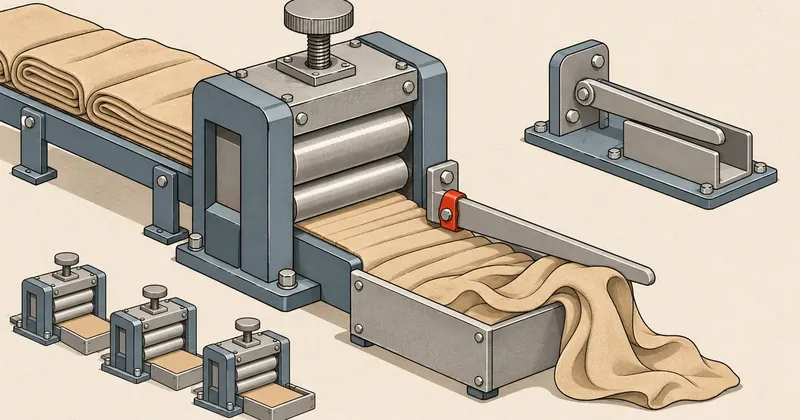
Debian trixie administrators should schedule a zlib update soon, then restart every process that has loaded the library, prioritizing checks on apps that write gzip and handle errors involving external data.
1-minute summary
- Symptom / problem
- zlib มีลูปคำนวณ CRC ที่ใช้ CPU ค้าง และมีปัญหาเขียนเกินขอบเขต heap หลังเขียน gzip ไม่สำเร็จ ผลกระทบขึ้นกับวิธีที่แอปเรียกใช้
- Who should read
- เครื่อง Debian ที่มีแพ็กเกจ zlib ในรุ่นที่ tracker ระบุว่ากระทบ รวมถึง container และแอปที่ฝังสำเนาไลบรารีไว้เอง
- Fix in short
- อัปเดตแพ็กเกจตามสาย Debian ตรวจเลขรุ่นเต็ม เริ่มบริการที่ใช้ไลบรารีใหม่ และอัปเดตสำเนาใน image หรือแอปแยกต่างหาก
I saw that Debian issued DSA-6613-1 for zlib on 7 Nov 2026, so I put together the points to check. This round covers both problems that can make services unresponsive and out-of-bounds memory writes. Debian says code execution may also be possible if an app processes data crafted for an attack. Having zlib installed does not establish that every web app on the machine is exposed to external attacks; that depends on which parts of the library the app calls.
What this zlib update fixes
zlib is a library for compressing data, calculating checksums, and reading and writing gzip. The problems in this advisory affect different code paths.
| Vulnerability | Problem area | What to check in the app |
|---|---|---|
| CVE-2026-27171 | A loop in x2nmodp() related to crc32_combine64() and crc32_combine_gen64() may never terminate |
Whether external data can influence calls to this calculation path |
| CVE-2026-76844 | After write() fails, gz_write() retains a pointer to the caller's buffer; a subsequent write may overflow the heap |
Whether the app continues writing after an error, or calls gzclearerr() and retries |
| CVE-2026-85091 | After a non-blocking write cannot continue, calling gzprintf() or gzvprintf() may cause gz_vacate() to overflow the heap |
Whether the app writes gzip this way; also read the concerns about older versions below |
For CVE-2026-76844, the Debian tracker says that a write error can trigger the problem; it is not limited to non-blocking writes and includes EPIPE on a blocking descriptor. For versions before 1.3.1.2, triggering it requires calling gzclearerr() after a failed write, then calling a write again.
High scores, but check which paths the app calls
SUSE rates CVE-2026-85091 as important and assigns it a CVSS 3.1 score of 8.1 with the vector CVSS:3.1/AV:N/AC:H/PR:N/UI:N/S:U/C:H/I:H/A:H, while the CNA, VulnCheck, assigns 7.4 with the vector CVSS:3.1/AV:N/AC:H/PR:N/UI:N/S:U/C:N/I:H/A:H. The difference is in the impact on data confidentiality. Neither score comes from Debian.
Both assessments rate exploitation as difficult, with a network attack vector, no privileges required, and no user interaction required. But the app must also call the affected code. A high score is therefore a reason to check promptly, not evidence that simply exposing a website immediately allows RCE.
The DSA states DoS and possible code execution, but does not report actual attacks. CVE-2026-27171, CVE-2026-76844, and CVE-2026-85091 are not listed in the 6 Nov 2026 version of KEV, according to the JSON in CISA's official repository, so that version has no date added or due date for any of the three CVEs. Absence from KEV does not mean there have been no attacks.
Fixed versions and concerns about older versions
This table is based on DSA-6613-1 and the zlib source package page. Compare the full Debian package version. Debian may backport patches into an existing version without changing the upstream version number.
| Debian release | Package version | Status for this set of vulnerabilities |
|---|---|---|
| trixie before the update | 1:1.3.dfsg+really1.3.1-1 |
Marked vulnerable in the tracker |
| trixie security | 1:1.3.dfsg+really1.3.1-1+deb13u1 |
All fixes covered by the DSA |
| bookworm | 1:1.2.13.dfsg-1 |
Still marked vulnerable in the tracker; no fixed bookworm version in the table checked |
Sources still differ on the affected version range for CVE-2026-85091. The CVE record lists versions 1.3.1.2 through 1.3.2, but the Debian tracker also marks the original trixie and bookworm packages as vulnerable.
In Debian bug #1146895, someone pointed out that neither release contains gz_vacate(), so they should fall outside this CVE's version range. However, testing found that older versions could crash after a write error, so the Debian maintainer has not changed their status to not affected while the CVE's scope is under review. CVE-2026-76844 directly describes the conditions in older versions, and the tracker says the same patch fixes both CVEs.
I therefore would not judge a version safe solely because that function name is absent. Anyone using bookworm should keep following advisories for that release. Even if apt says there are no updates left, that does not mean this vulnerability has been fixed. Do not install trixie packages across releases just to make the version number pass a check.
Update the packages, then restart services that use them
- Check the system release Record the package versions and repository sources, making sure they match the Debian release in use.
- Install the patch Update zlib from that release's repository, then check the full version number.
- Restart processes Check which services still use the old library and prioritize restarts according to their impact.
- Find separate copies Update containers and apps that bundle or statically link zlib, then test normal workloads.
Start by checking the system release and installed packages.
cat /etc/os-release
dpkg-query -W -f='${binary:Package}\t${Version}\n' zlib1g
apt-cache policy zlib1g
For trixie, check that the system can receive packages from its own release's security repository, then update. After update, there must be no errors that leave the system using old indexes. Read the list of changes before confirming installation as well.
sudo apt-get update
sudo apt-get install --only-upgrade zlib1g
If zlib1g-dev or libraries for other architectures are also installed, update all of them, especially on build machines that use the static library. Updating only the runtime package does not change binaries that have already been built.
Check the version number after installation. The example below applies only to trixie packages. This command checks the installed package version; it does not check whether existing processes have loaded the new library.
installed_zlib=$(dpkg-query -W -f='${Version}' zlib1g) || exit 1
printf '%s\n' "$installed_zlib"
if dpkg --compare-versions "$installed_zlib" ge '1:1.3.dfsg+really1.3.1-1+deb13u1'; then
    printf '%s\n' 'Installed trixie package meets the DSA fixed version'
else
    printf '%s\n' 'Installed package is below the DSA fixed version'
fi
If needrestart is already installed, use list mode to review the list, then use interactive mode to select services to restart when their impact is acceptable, following the Debian manual.
sudo needrestart -r l
# หลังจัดรอบ restart บริการเรียบร้อยแล้ว
sudo needrestart -r i
sudo needrestart -r l
For containers, rebuild the image and recreate the container with the patch. For apps that bundle or statically link zlib, use a version fixed by the vendor or rebuild against a patched library. Updating the host does not change the zlib copies inside these images or apps. Retest compression tasks and background jobs, then read the further checks in Debian Server Security Checks.
This DSA does not provide a workaround that applies to every app. Administrators may restrict workloads that accept data from untrusted sources, or temporarily stop components that write gzip and are exposed to this problem. Review the code and test the impact first. This helps reduce risk, but cannot replace a patch.
Checking for attacks: separate symptoms from evidence
The sources cited in this post do not provide IOCs such as malware hashes or attacker destinations. I recommend checking for repeated process crashes, sustained CPU usage, or write errors while generating gzip, then correlating them with the app's input data and the time of the incident. These symptoms are starting points for investigation, not evidence that an attack has occurred.
journalctl -p warning -b --no-pager
This command shows only warnings and errors from the current boot. Also examine application logs and earlier history for the period you suspect. If you find a crash, retain the logs and core dump to determine whether zlib was actually involved. Finding no unusual messages does not guarantee that no problem has occurred.
How I would prioritize this
I would schedule a maintenance window to update trixie. If an app uses external data to write gzip and retries writes after errors, I would move the update up the queue. For bookworm, I would keep following the issue until a patch is available for that release.
Sources: Debian DSA-6613-1 (https://lists.debian.org/debian-security-announce/2026/msg00532.html), Debian DSA tracker (https://security-tracker.debian.org/tracker/DSA-6613-1), Debian zlib tracker (https://security-tracker.debian.org/tracker/source-package/zlib), CVE-2026-27171 (https://security-tracker.debian.org/tracker/CVE-2026-27171), CVE-2026-76844 (https://security-tracker.debian.org/tracker/CVE-2026-76844), CVE-2026-85091 (https://security-tracker.debian.org/tracker/CVE-2026-85091), Debian bug #1146895 (https://bugs.debian.org/cgi-bin/bugreport.cgi?bug=1146895), SUSE CVE-2026-85091 (https://www.suse.com/security/cve/CVE-2026-85091.html), zlib upstream fix (https://github.com/madler/zlib/commit/df84af25dc19), CISA KEV JSON version dated 6 Nov 2026 (https://raw.githubusercontent.com/cisagov/kev-data/develop/known_exploited_vulnerabilities.json), CVE records (https://github.com/CVEProject/cvelistV5/tree/main/cves/2026), Debian needrestart (https://manpages.debian.org/trixie/needrestart/needrestart.1.en.html), Debian apt-get (https://manpages.debian.org/trixie/apt/apt-get.8.en.html), Debian dpkg (https://manpages.debian.org/trixie/dpkg/dpkg.1.en.html) Information as of 7 Nov 2026, based on the date of the Debian advisory summarized here. I'll come back and update this later.
Want us to set this up?
Get help with server setup, configuration, migration, or troubleshooting. Save time for the work that matters.
Hit something like this? Stuck somewhere?
Come trade notes on the LinuxThai board

Comments 0
No comments yet — be the first