Ubuntu Kernel CVE-2026-99999 Patch: Check Flavor, Plan a Reboot
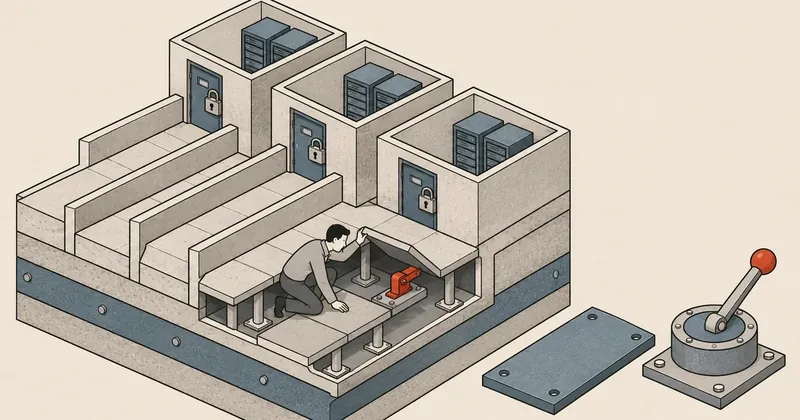
Ubuntu server and VM host administrators should check their release and kernel flavor, then schedule updates and reboots, prioritizing machines that let multiple users run code and SEV-SNP hosts.
1-minute summary
- Symptom / problem
- kernel มีข้อผิดพลาดหลายส่วน รวม checksum metadata ใน IPv4 และการเข้าถึงหน่วยความจำ VM แต่ละช่องโหว่มีเงื่อนไขโจมตีต่างกัน
- Who should read
- Ubuntu release และ kernel flavor ที่ระบุในแต่ละ USN แต่ละประกาศครอบคลุมต่างกัน ต้องตรวจให้ตรงกับเครื่องที่ดูแล
- Fix in short
- อัปเดตแพ็กเกจจากคลังที่ตรงกับ release และ flavor รีบูตแล้วตรวจ kernel ที่กำลังรัน ส่วน SEV-SNP ต้องทำตามข้อกำหนด firmware ของ AMD เพิ่มด้วย
I noticed several Ubuntu kernel update notices dated 10 Nov 2026, so I have collected the ones relevant to server and VM work below. CVE-2026-99999 is rated Critical in CVSS 3.1 and has a Local attack vector. Before updating, check that both the Ubuntu release and kernel flavor match.
Which notices match the kernel you are running?
This table lists Ubuntu releases according to the official notice index. For kernel flavors and fixed package versions, check the details of each USN. I have left package version numbers out of this draft because I could not open the USN detail pages to recheck them.
| USN | Ubuntu releases covered by the notice |
|---|---|
| 9022-1 | 24.04 LTS |
| 9023-1 | 24.04 LTS |
| 9024-1 | 24.04 LTS and 22.04 LTS |
| 9025-1 | 24.04 LTS and 22.04 LTS |
| 9026-1 | 22.04 LTS (Azure) |
| 9029-1 | 22.04 LTS (Raspberry Pi) |
| 9032-1 | 18.04 LTS, 16.04 LTS and 14.04 LTS |
| 9033-1 | 16.04 LTS and 14.04 LTS |
| 9034-1 | 14.04 LTS (AWS) |
| 9035-1 | 14.04 LTS |
The number of USNs is not the number of vulnerabilities, because a single CVE can appear in several notices. That is why I have not added up the CVE counts from each notice.
How severe is CVE-2026-99999?
Ubuntu explains that the flaw is in IPv4 handling of packets with invalid checksum metadata. The skb_checksum_help function may corrupt the network header. The patch adds a check of checksum_start before calculating the checksum.
The same page gives CVSS 3.1 = 9.3 Critical with the vector CVSS:3.1/AV:L/AC:L/PR:N/UI:N/S:C/C:H/I:H/A:H, while CVSS 4.0 = 6.9 Medium uses CVSS:4.0/AV:L/AC:L/AT:N/PR:L/UI:N/VC:N/VI:L/VA:H/SC:N/SI:N/SA:N, and the Ubuntu priority is Medium. The two vectors specify different privilege requirements: CVSS 3.1 has PR:N, while CVSS 4.0 has PR:L. When comparing scores, check both the CVSS version and the conditions in the vector.
Both vectors specify AV:L. Exposing a website to the internet alone does not establish that this CVE can be exploited directly, but machines that let users run code or already have compromised accounts need prompt assessment of the local conditions.
The statuses on Ubuntu's pages are still inconsistent: the notice index lists USN-9022-1 dated 10 Nov 2026 as fixing the Linux kernel, and the CVE page links to this USN. However, the CVE page, updated on 9 Nov 2026, still lists linux for 24.04 as Vulnerable / work in progress alongside 6.8.0-149.149. I therefore do not treat this number as a fixed version. It needs to be checked again against the USN details and the packages in the repository.
CVE-2026-99999, CVE-2023-20585, CVE-2022-23036 and CVE-2022-23037 are not yet in the 9 Nov 2026 edition of KEV, according to CISA's official JSON file. Absence from KEV does not mean there have been no attacks.
VM hosts need additional AMD and Xen checks
CVE-2023-20585 is linked to USN-9024-1, USN-9025-1 and USN-9026-1 on Ubuntu's CVE page. The issue concerns Reverse Map Table checks when the IOMMU accesses a host buffer. According to AMD-SB-3016, an attacker needs privileges and control of an already compromised hypervisor before they could write data that affects the memory integrity of an SEV-SNP guest.
AMD requires both SEV firmware and OS updates, as well as shutting down SNP guests and starting them again according to AMD's procedure, so this also requires coordination with the physical host administrator or cloud provider. Rebooting only the guest is not enough to establish that the host and firmware have both been fully patched.
Ubuntu links CVE-2022-23037 to USN-9033-1 and USN-9034-1, while Xen XSA-396 describes both CVE-2022-23036 and CVE-2022-23037. The first is in blkfront; the second is in netfront. Both involve a race when the frontend revokes access previously granted to the backend for guest memory, potentially allowing a malicious backend to continue reading or writing that memory after I/O has completed. Guest kernels using these frontends need to be checked too.
For networking, Ubuntu's CVE page also links USN-9032-1 to CVE-2026-53086, a race in the timeout handler of the bcmgenet driver. The handler stops every transmit queue even though only one queue has timed out. Before prioritizing the patch, check whether the machine uses this hardware and driver.
Update the matching flavor and schedule a reboot
Start by checking the release, running kernel, installed packages and holds.
cat /etc/os-release
uname -r
dpkg-query -W -f='${binary:Package}\t${Version}\n' 'linux-image*'
apt-mark showhold
pro status
If the packages require Ubuntu Pro/ESM, first check your entitlement and enabled services with pro status as described in the ESM guide. Then check whether the repositories used by the machine have the required package versions yet.
- Match the release and flavor Compare the packages in the USN and check repositories and Pro/ESM entitlement.
- Prepare a maintenance window Back up data, arrange console access and manage VM workloads.
- Install the patches Check the upgrade list and external modules before rebooting.
- Verify after boot Check the running kernel and actual services. For SNP, also check firmware and guest restarts.
Update according to the Ubuntu guide, check that the kernel metapackage for your flavor is present, and review a simulated run before installing.
sudo apt update
sudo apt upgrade --simulate
sudo apt upgrade
If the kernel is still not being upgraded, check holds and dependencies first. If you use DKMS, check the module build results too. Once installation is complete, reboot during the maintenance window you prepared.
sudo systemctl reboot
Check after updating and look for anomalies
After reconnecting, check both uname -r and the package version of the running kernel. Successful package installation does not establish that the machine has booted into the new kernel.
uname -r
dpkg-query -W -f='${binary:Package}\t${Version}\n' "linux-image-$(uname -r)"
systemctl --failed
sudo journalctl -k -b --no-pager
Compare the package version against the same release and flavor in the USN details. Then test networking, storage, and any web or mail services the machine provides. If the machine boots into the old kernel, check which kernel was selected at boot and find out why the new kernel cannot be used before closing the task.
Kernel Oops, panics, I/O problems and VM crashes can provide supporting clues, but finding these symptoms does not confirm a compromise, and their absence does not confirm safety.
Which machines I would prioritize
I would prioritize scheduling patches and reboots for machines that let multiple users run code and hosts that use SEV-SNP to protect guests. For other machines, check the conditions of each CVE, then schedule maintenance once all flavor checks are complete.
Sources: Ubuntu Security Notices index and USNs 9022-1, 9023-1, 9024-1, 9025-1, 9026-1, 9029-1, 9032-1, 9033-1, 9034-1, 9035-1. Vulnerability information comes from Ubuntu CVE-2026-99999, Ubuntu CVE-2026-53086, AMD-SB-3016, Xen XSA-396, CISA KEV, and the CVE pages and Ubuntu guides linked in the article. I checked the information on 10 Nov 2026, using the 9 Nov 2026 edition of KEV. I still could not open the USN package version details to check them; I will come back and add those later.
Want us to set this up?
Get help with server setup, configuration, migration, or troubleshooting. Save time for the work that matters.
Hit something like this? Stuck somewhere?
Come trade notes on the LinuxThai board

Comments 0
No comments yet — be the first