Debian Tomcat 10 — Check Realms and Patch CVE-2026-101296 Now
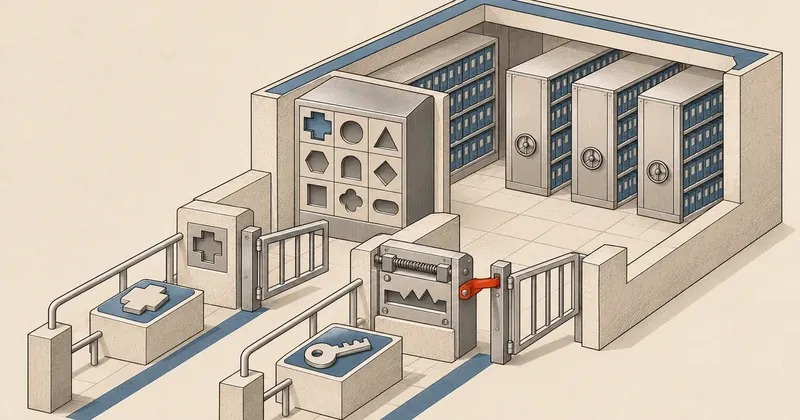
Tomcat administrators who use Realms for authentication should check the conditions immediately and update promptly if affected. They also need to restart the service and test that access is denied where expected.
1-minute summary
- Symptom / problem
- Realm บางรูปแบบอาจยอมรับผู้ใช้ที่ไม่มีในฐานข้อมูล หรือยืนยันตัวตนผ่านโดยไม่ได้รับรหัสผ่านที่ถูกต้อง
- Who should read
- Tomcat ที่ใช้ DataSourceRealm กับวิธียืนยันตัวตนบางแบบ หรือ JNDIRealm ที่ตั้ง SASL แบบอื่นนอกเหนือจาก GSSAPI
- Fix in short
- ตรวจรุ่นแก้จากประกาศ Debian ของ release ที่ใช้ อัปเดตแพ็กเกจที่เกี่ยวข้อง รีสตาร์ต Tomcat และตรวจการล็อกอินกับสิทธิ์ของแอป
I came across Apache's announcement about authentication bypass in Tomcat 10, so I put together the Realm conditions and checks to run after patching. If you manage Java websites on Debian, check how your applications authenticate users. Even after a successful package update, you still need to check whether all relevant CVEs have been fixed.
Keep the scope of the Debian advisory clear
DLA-4889-1 dated 9 Nov 2026 fixes CVE-2026-68569 in Debian 12 bookworm with package 10.1.60-1~deb12u1, but does not include CVE-2026-101296. According to the Debian Security Tracker, this version still has CVE-2026-101296, so this advisory cannot confirm that both are fixed.
I checked the information through 13 Nov 2026. The table below lists Apache's upstream versions. For Debian packages, you need to compare the CVE list and fixed package version for the release you use separately.
| Item | What to check | Fixed version in Apache's 10.1 branch |
|---|---|---|
| CVE-2026-68569 | DataSourceRealm with methods such as CLIENT-CERT or SPNEGO | Patched in 10.1.58, but the version released for download is 10.1.59 |
| CVE-2026-101296 | JNDIRealm using non-GSSAPI SASL | 10.1.61 |
| Debian packages | Release, package version, and CVE list in the advisory | Must be verified separately from the upstream version number |
The two sources list different fixed versions. Apache explains that the release candidate for 10.1.58 did not pass the vote, so you need to download 10.1.59 to get this group of patches. The CVE record lists 10.1.58 as the fixed version. You can compare the Tomcat 10 security page and the CVE record for CVE-2026-68569.
Severity depends on the authentication mechanism in use
Apache rates both issues as Important. CISA ADP, in the CVE record for CVE-2026-68569, assigns CVSS 3.1 8.1 High with the vector CVSS:3.1/AV:N/AC:L/PR:L/UI:N/S:U/C:H/I:H/A:N. This score applies to this CVE, not to the package as a whole.
This vector indicates that the attack can be carried out over a network, requires low privileges, and requires no user interaction. The impacts on confidentiality and integrity are High, while the impact on availability is None. However, Red Hat scores the same CVE at 8.2, assessing the required privileges and integrity impact differently from CISA ADP, so you should also check who assigned the score.
For CVE-2026-101296, Apache's CNA section does not include a CVSS score, but CISA ADP in the CVE record provides these scores:
- CVSS 3.1 8.1 High, vector
CVSS:3.1/AV:N/AC:H/PR:N/UI:N/S:U/C:H/I:H/A:H - CVSS 4.0 9.1 Critical, vector
CVSS:4.0/AV:N/AC:L/AT:P/PR:N/UI:N/VC:H/VI:H/VA:N/SC:N/SI:N/SA:N
Red Hat assigns CVSS 3.1 7.4, assessing the availability impact as None, unlike CISA ADP's High in CVSS 3.1. Apache's Important rating and the CVSS scores are separate assessments.
Neither CVE is listed in the 10 Nov 2026 edition of KEV, according to the KEV JSON in CISA's official repository. Absence from KEV does not confirm that no exploitation has occurred.
The vulnerabilities are described as authentication bypass, but that does not mean every Tomcat server allows login without a password. The Realm and authentication method must match the conditions. Servers that do not match still need regular security updates.
Which Realms are affected, and where to look
CVE-2026-68569 affects Tomcat 10.1.0-M1 through 10.1.57 when certain authentication methods, such as CLIENT-CERT or SPNEGO, are used. A user may authenticate even without an account in DataSourceRealm. Access permissions still depend on the application's configuration; this does not mean access to every application is possible.
CVE-2026-101296 affects Tomcat 10.1.0-M1 through 10.1.60 when JNDIRealm uses SASL other than GSSAPI. The system skips credential validation, allowing authentication without submitting the correct password. Apache recommends updating this branch to 10.1.61. Details are in Apache's CVE record.
DataSourceRealm reads accounts from a database through a JDBC DataSource, while JNDIRealm reads from an LDAP directory. Check Realms at the Engine, Host, and Context levels, because an application can define its own Realm to override one inherited from a higher level, as described in Apache's Realm guide.
Update through the installation source, then restart every instance
This example is for Debian packages and the tomcat10 service. If you use a container, unpack Tomcat manually, or run it embedded in an application, you also need to update the copy the application actually uses.
Check the release and package, then compare Installed and Candidate after refreshing the cache, as described in Debian's apt-cache manual.
cat /etc/os-release
dpkg-query -W -f='${binary:Package}\t${Version}\n' tomcat10 libtomcat10-java
sudo apt update
apt-cache policy tomcat10 libtomcat10-java
apt changelog tomcat10
Read the advisory alongside the changelog. If a CVE search returns nothing, do not conclude that there is no patch yet, because retrieving the information may have failed. If Candidate equals Installed, that means APT has selected the installed version as the Candidate; you still need to compare it with the fixed version in the advisory.
- Check what is actually running Identify the release, installation source, and Realm for each application.
- Compare with the advisory Confirm the fixed package version and the CVEs it covers.
- Prepare for downtime Back up the configuration and prepare a rollback plan before updating.
- Update and restart Have the JVM load the new libraries, then check every instance.
- Test permissions Check both accounts that should authenticate and requests that should be denied.
sudo apt install --only-upgrade tomcat10 libtomcat10-java
# ทำต่อเมื่อการอัปเดตสำเร็จ และอยู่ในช่วงหยุดบริการที่เตรียมไว้
sudo systemctl restart tomcat10
sudo systemctl is-active tomcat10
Read the list of packages that will change before confirming. If apt update or installation fails, resolve the error first. A restart is required for the JVM to load the new code; reloading the configuration cannot replace it. An active status only tells you that the service is running; you still need to test the application.
I recommend restricting access to applications whose Realms match the conditions, using the administrative controls already available. This temporarily reduces exposure; it is not a patch. Avoid changing LDAP or Kerberos mechanisms without testing the effect on login.
Check after updating and look for unusual access
The Apache advisories referenced here do not provide an IOC list. I recommend comparing logs from Tomcat, the application, and the authentication system, looking for access without a matching login log or usernames absent from the account store. Investigate anything you find, but this information alone cannot identify which CVE caused it.
dpkg-query -W -f='${binary:Package}\t${Version}\n' tomcat10 libtomcat10-java
sudo systemctl show tomcat10 -p MainPID -p ExecMainStartTimestamp
sudo journalctl -u tomcat10 -b --no-pager
These commands show the version, process start time, and service logs. You also need to read the application logs alongside LDAP or account database logs. In a test environment, try both accounts that should authenticate and cases that should be denied, then check the results for each application.
If you find unexplained access, preserve the evidence and restrict entry points according to your incident response plan. A patch does not undo the effects of earlier access. For a broader checking approach, see Read-only Debian server security checks.
How I prioritize the fixes
I treat externally accessible applications whose Realms match the conditions as urgent work for the nearest maintenance window. Access needs to be restricted while waiting. Servers that do not match can receive patches on their regular schedule, but patch coverage still needs to be confirmed, every instance restarted, and permissions fully tested.
Sources: Apache Tomcat Security, Apache CNA — CVE-2026-68569, Apache CNA — CVE-2026-101296, Apache Realm How-To, Debian apt, Debian systemctl. Information checked through 13 Nov 2026, with KEV status based on the 10 Nov 2026 edition. I'll come back and update this later.
Want us to set this up?
Get help with server setup, configuration, migration, or troubleshooting. Save time for the work that matters.
Hit something like this? Stuck somewhere?
Come trade notes on the LinuxThai board


Comments 0
No comments yet — be the first