Brief 500s during Laravel deploys: cache deleted before rebuild

The errors that appeared for a fraction of a second during deployment were not in my code. They were in the sequence of cache commands. Deleting before rewriting means there is a period when there is no file to read.
1-minute summary
- Symptom / problem
- During deploy, view:cache, config:cache and route:cache leave a short gap where real requests get a 500.
- Who should read
- People deploying Laravel on a machine that always has users on it.
- Fix in short
- Warm only the expired templates instead of deleting everything, and build the config and route caches aside, then rename them over atomically.
I happened to open the production logs of a client's Laravel site and found a few lines of 500 errors right when I was deploying. The site returned to normal on its own afterward, and nobody reported that they could not access it. But the logs showed that real requests from real people had been affected. The first message was filemtime(): stat failed while I was running view:cache, and the other was require(bootstrap/cache/routes-v7.php): Failed to open stream while running route:cache. The cause was not the code I had written, but the sequence of Laravel's own cache commands. This article explains how I tracked it down and the deployment method I built to eliminate the gap. I have changed or removed all folder names, script names, and queue system endpoints in this article, leaving only the actual sequence of events.
If your site has users around the clock, every command that "deletes and recreates" during deployment leaves a gap waiting for a request to hit it. The more traffic the site gets, the more certain it is that requests will fall into even a brief gap.
Two symptoms that look unrelated
The first symptom came from the Blade cache. The command php artisan view:cache works in two stages. First, it calls view:clear to delete all compiled files. Then it recompiles every template. Between those stages, if a request arrives and needs to render a page, Laravel looks for the compiled file, cannot find it, and compiles it on demand. But if two processes compete to write the same file, or the file is deleted while another process is running stat on it, the result is filemtime(): stat failed. I found this message in the production logs.
The second symptom came from the config and route caches. Both commands call clear before writing a new file. If a request arrives after routes-v7.php has been deleted but before the new file has finished being written, Laravel's bootstrap code may see different states when checking whether the route cache exists and when actually requiring it. This produces Failed to open stream and becomes a 500. I encountered this on two deployments.
Delete everything, then recompile
The period after deletion but before compilation is complete is a period with no files ready to use. Its duration depends on the number of templates on the site. The larger the site, the wider the gap.
Delete the old file, then write a new one
The gap is much shorter, but it is not zero. A request only has to arrive at that exact moment to get a 500 that appears and disappears on its own—the kind that is hardest to diagnose.
Both symptoms have the same root cause: commands that "destroy the old version first, then build the new one." I decided to address that principle rather than fix each command individually. The goal was to keep the files that requests need to read available at all times.
A commonly confused trap: old templates that will not update
Before getting to the fix, I want to distinguish another trap that looks similar but is a separate issue: deploying and having the site keep serving old HTML. Blade recompiles a template only when the source file's mtime is newer than the compiled file's mtime (this is handled by isExpired). If an archive is extracted while preserving the original mtime, the source file may be "older" than the compiled version, so it will not be recompiled. The fix is to extract with an option that sets mtime to the current time (tar --touch), or touch the files after extraction.
# แตกไฟล์โดยไม่รักษา mtime เก่า
tar --touch -xzf release.tgz -C /path/to/app

# กรณีฉุกเฉิน: ทำให้ทุก template ใหม่กว่าของที่คอมไพล์
find resources/views -name '*.blade.php' -exec touch {} +
I confirmed this part from my own old notes; it is not in the script currently on the machine, so I am describing it only as something I observed in the past. And if your symptom is simply "the old page remains after deployment," with no 500s, I have collected the layer-by-layer investigation in Old pages after deployment: checking each cache layer. This article covers a different issue: rebuilding the cache and bringing the site down in the process.
Fixing the view cache: compile only expired templates and delete nothing
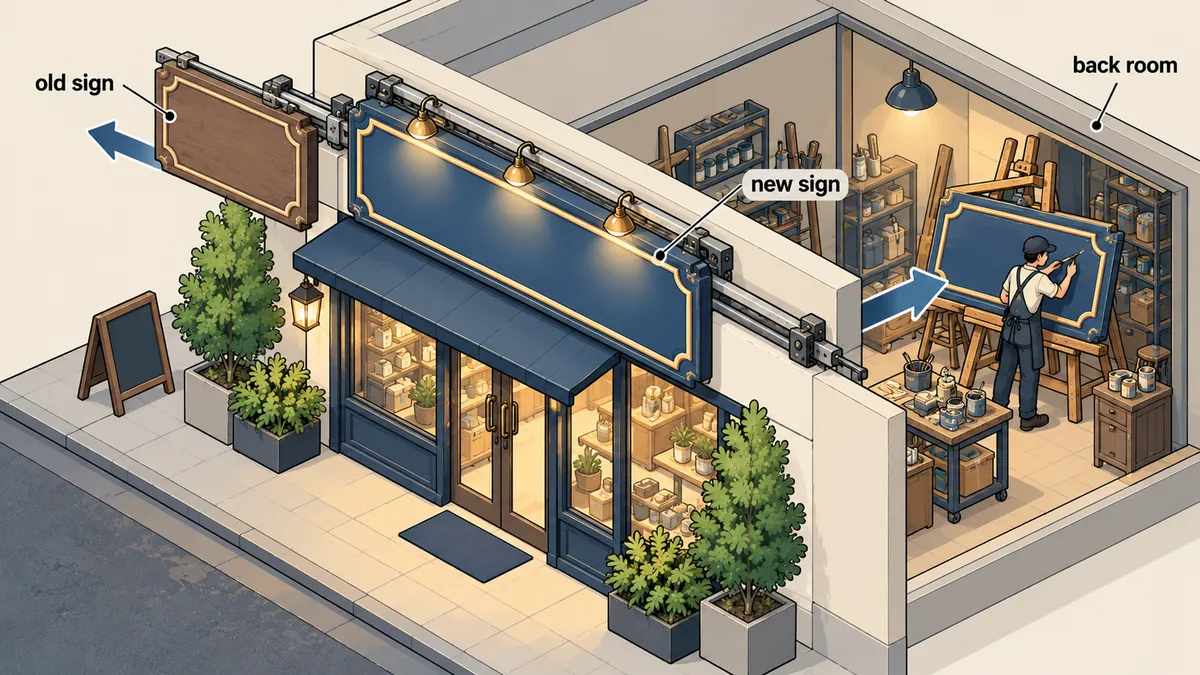
My rule is simple: if a template has not expired, leave it alone, and never delete the compiled files. My app:view-warm command therefore does just one thing: walk through every template, ask the compiler whether it has expired, recompile over the existing file if it has, and otherwise move on. In the actual code, this command extends ViewCacheCommand to reuse the existing functionality. The version below is a shortened rewrite for readability.
<?php

namespace App\Console\Commands;

use Illuminate\Console\Command;
use Symfony\Component\Finder\Finder;

class ViewWarm extends Command
{
    protected $signature = 'app:view-warm';
    protected $description = 'Compile only expired Blade templates; never delete compiled files';

    public function handle(): int
    {
        $compiler = app('blade.compiler');
        $compiled = 0;

        foreach ((new Finder)->in(resource_path('views'))->files()->name('*.blade.php') as $file) {
            $path = $file->getRealPath();
            if ($compiler->isExpired($path)) {   // mtime ต้นทางใหม่กว่าไฟล์คอมไพล์ หรือยังไม่มีไฟล์คอมไพล์
                $compiler->compile($path);       // เขียนทับ ไม่ลบก่อน
                $compiled++;
            }
        }

        $this->info("compiled $compiled expired template(s)");
        return self::SUCCESS;
    }
}
The result is that every request during deployment always finds a compiled file. It may be the old version or the new one, but it is never missing. New files are written one at a time, without deleting the entire folder. If I put the home page under load while running view:cache and count the 500s, then compare that with running view-warm, the difference should be clear for the reasons above.
Fixing the config and route caches: build alongside, then rename over
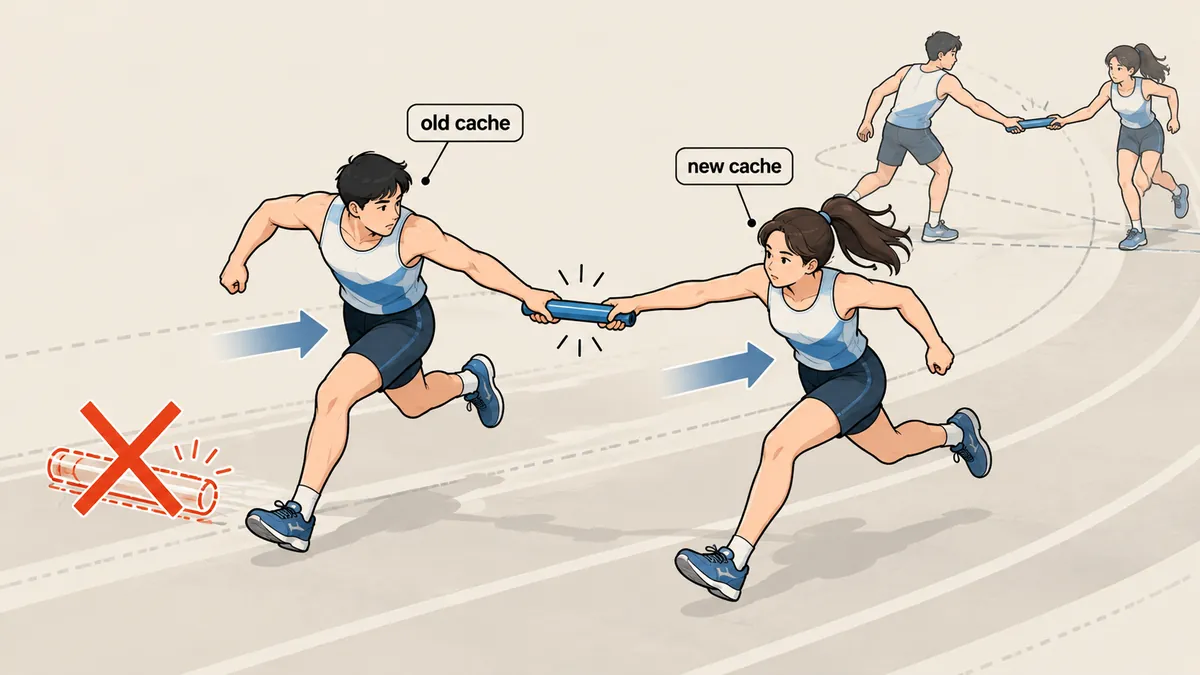
For the config and route caches, I use the same approach as writing a file safely: instead of writing directly over the live file, I have the command build a temporary file beside it, then rename() it over the live file. This single operation changes the live file from the old version to the new one instantly (atomically on the same filesystem). The mechanism is that Laravel reads cache file locations from the environment variables APP_CONFIG_CACHE, APP_ROUTES_CACHE, and APP_EVENTS_CACHE. I run each cache command in a child process with these variables pointing to temporary files. The command's clear step then deletes only the temporary file, leaving the live file untouched.
<?php

namespace App\Console\Commands;

use Illuminate\Console\Command;
use Illuminate\Support\Facades\Process;

class CacheSwap extends Command
{
    protected $signature = 'app:cache-swap';
    protected $description = 'Rebuild config/routes/events caches without a missing-file gap';

    public function handle(): int
    {
        // ลำดับ: config -> routes -> events
        $jobs = [
            ['config:cache', 'APP_CONFIG_CACHE', app()->getCachedConfigPath()],
            ['route:cache',  'APP_ROUTES_CACHE', app()->getCachedRoutesPath()],
            ['event:cache',  'APP_EVENTS_CACHE', app()->getCachedEventsPath()],
        ];

        foreach ($jobs as [$cmd, $envKey, $live]) {
            if (! $this->swap($cmd, $envKey, $live)) {
                $this->error("swap failed: $cmd");
                return self::FAILURE;
            }
        }
        return self::SUCCESS;
    }

    private function swap(string $cmd, string $envKey, string $live): bool
    {
        $tmp = preg_replace('/\.php$/', '', $live) . '.swap-' . getmypid() . '.php';

        $r = Process::env([$envKey => $tmp])->run([PHP_BINARY, 'artisan', $cmd]);

        if ($r->successful() && is_file($tmp)) {
            return rename($tmp, $live);          // อะตอมมิก: ไฟล์จริงไม่เคยหายไป
        }
        @unlink($tmp);                           // ล้ม: ทิ้งไฟล์ชั่วคราว ไฟล์จริงยังเป็นของเดิม
        return false;
    }
}
The temporary file must be in the same folder as the live file, because a rename across filesystems is not atomic. If a cache command fails, the temporary file is deleted, the live file remains exactly as it was, and FAILURE is returned so the deployment script knows. As for opcache, I can call opcache_invalidate only on the CLI side. PHP-FPM sees the new file based on mtime when validate_timestamps is enabled, so I need to wait a while before testing. I have this set to around 60 seconds.
There is a rule I have written into the code and always follow: never run optimize:clear on production, because clearing the config cache has brought the site down before.
Other options I considered
Before writing these two commands, I looked through the alternatives most people use. The first is enabling maintenance mode with php artisan down during deployment. This is the simplest and safest approach in terms of preventing 500s, but visitors get a 503 page instead, which I do not like for a client's site that needs to stay available. The second is deploying a complete new release folder and switching a symlink. This is a very good method that fully solves the problem, but it requires restructuring the folders and the entire deployment script, which is much more work. I chose to address it at the command level first.
Safe, but users see a maintenance page
Nobody gets a 500, but there is a period when the site provides no service at all. Suitable for work that allows downtime, unsuitable for a site that must stay available.
The site stays available, with no gap
No downtime and no folder restructuring. The cost is writing and maintaining two additional commands, along with needing a good understanding of opcache.
Personally, I think that if the hosting setup allows switching releases with a symlink, that should be the first choice, because it handles code, caches, and vendor together in one operation. My two commands are a shortcut for environments that are not yet ready for restructuring, depending on what suits each host. No single method is best everywhere.
The full deployment sequence, through a queue polled by cron every minute
My deployment is not a single script. It is a queue of jobs that cron picks up every minute. Each job passes through these checks in order. I put the steps with the least potential for damage first.
- Check for conflicts by comparing the sha256 of the live file on the server with the baseline sha256 the submitter saw when editing. A mismatch means someone else has already changed this file, so the job fails.
- Lint with php -l, compile Blade and run php -l on the result, and validate JSON.
- Reject code that adds new calls to exec, eval, or Process. A person must review it.
- Back up the live files before overwriting them.
- Write the new files. If there are migrations, dump the database first, then run
migrate --force. - Run
app:cache-swap, thenapp:view-warm. - Wait for opcache, then smoke test: GET the home page, sample pages for routes affected by these files, and URLs specified by the submitter.
- On even one 5xx, automatically roll back both files and caches.
Notice that migrations are not automatically undone, because reversing schema changes against live data is more dangerous. Instead, I report the dump file location and leave the decision to a person.
The final lesson: migrations run before the new config cache is built
In the sequence above, migrations run before the new config cache is built, which has a side effect worth understanding. One of my migrations calls Artisan::call to build a knowledge index during the migration itself. Because that command runs before the new config cache is built, it may see old config values. I can confirm this from the step order and from the fact that I have already wrapped the call in try/catch with report() in the migration. But the actual failure case comes from old notes; I did not keep the logs.
// ในไฟล์ migration: ห้ามให้การ backfill ทำให้ migration ล้ม
public function up(): void
{
    Schema::table('example_items', function (Blueprint $table) {
        $table->string('locale', 5)->default('th')->after('id');
    });

    try {
        Artisan::call('app:build-index');   // เป็นแค่ความพยายาม ไม่ใช่เงื่อนไขของ schema
    } catch (\Throwable $e) {
        report($e);                          // บันทึกไว้ แต่ไม่ทำให้ migration ล้ม
    }
}
I addressed this in two ways: wrap the call in try/catch so the migration does not fail because the index cannot be built, and let the index fill in later through model events, with the command always available to rerun manually. But the real lesson I take from this is never to perform a data backfill inside a migration. Let migrations handle only the schema, and move the data backfill into a separate command that runs after deployment, once the new cache has been swapped in.
Test it and see for yourself
What I always want from a fix like this is to see the difference myself, rather than believe it has improved just because the reasoning sounds right. I use a load tool such as ab or hey to keep requests running against the home page while executing the commands, then count the 500s returned.
# เทอร์มินัล A: ยิงโหลดค้างไว้ แล้วนับ status ที่ไม่ใช่ 200
hey -z 60s -c 20 https://staging.example.com/ | grep -E "Status code|\[5"

# เทอร์มินัล B: รันทีละแบบในช่วงเวลานั้น เปรียบเทียบสองรอบ
php artisan view:cache        # รอบที่ 1 (แบบเดิม)
php artisan app:view-warm     # รอบที่ 2 (แบบใหม่)

# ดูล็อกแอปว่ามี stat failed / Failed to open stream ไหม
grep -E "stat failed|Failed to open stream" storage/logs/laravel.log | tail -n 20
I am not including measured results in this article because every site is different, in its template count, disk speed, and traffic volume. What you should see is that the first run has a chance of returning 5xx responses, while the second should return none. Personally, if the second run still returns 5xx responses, I take that to mean something else is wrong beyond the cache gap, and the logs need further investigation before drawing any conclusions.
One thing I still want to add is a smoke test that compares the number of templates recompiled over existing files with the number of files changed in that job, so it can immediately catch changed files with old mtimes. If I have left anything incomplete or got anything wrong here, I will come back and update it later.
Want us to set this up?
Get help with server setup, configuration, migration, or troubleshooting. Save time for the work that matters.
Hit something like this? Stuck somewhere?
Come trade notes on the LinuxThai board



Comments 0
No comments yet — be the first