Migrate Billing Without Resets: Keep bcrypt, Rehash at Login

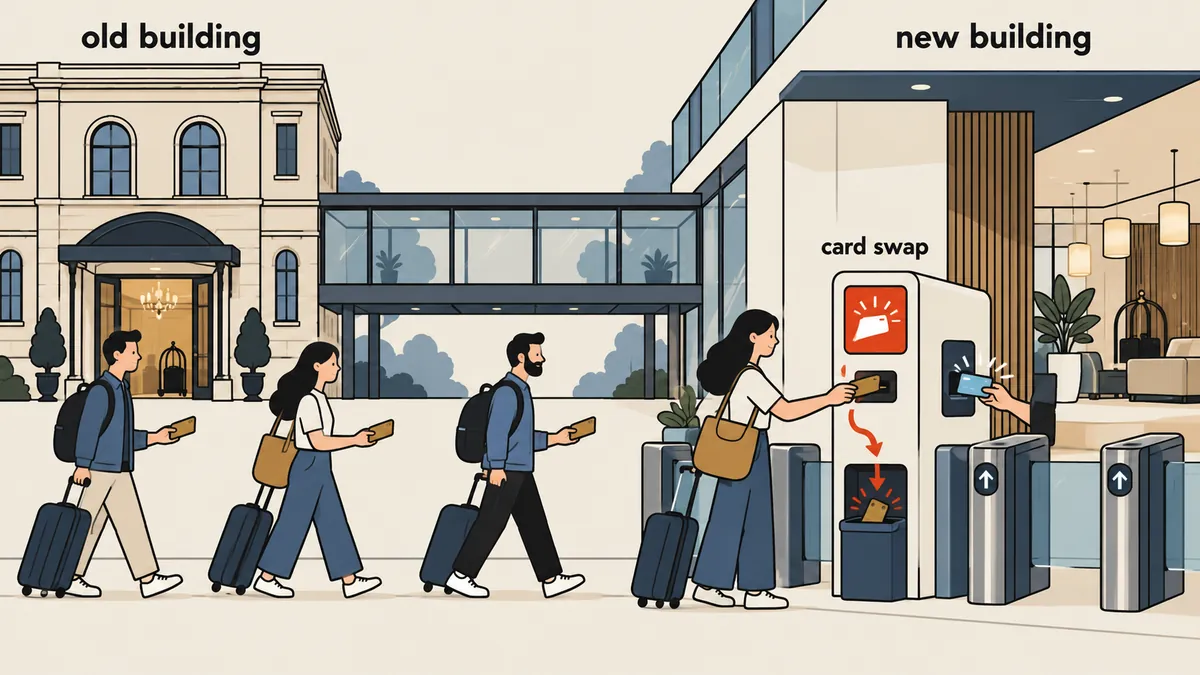
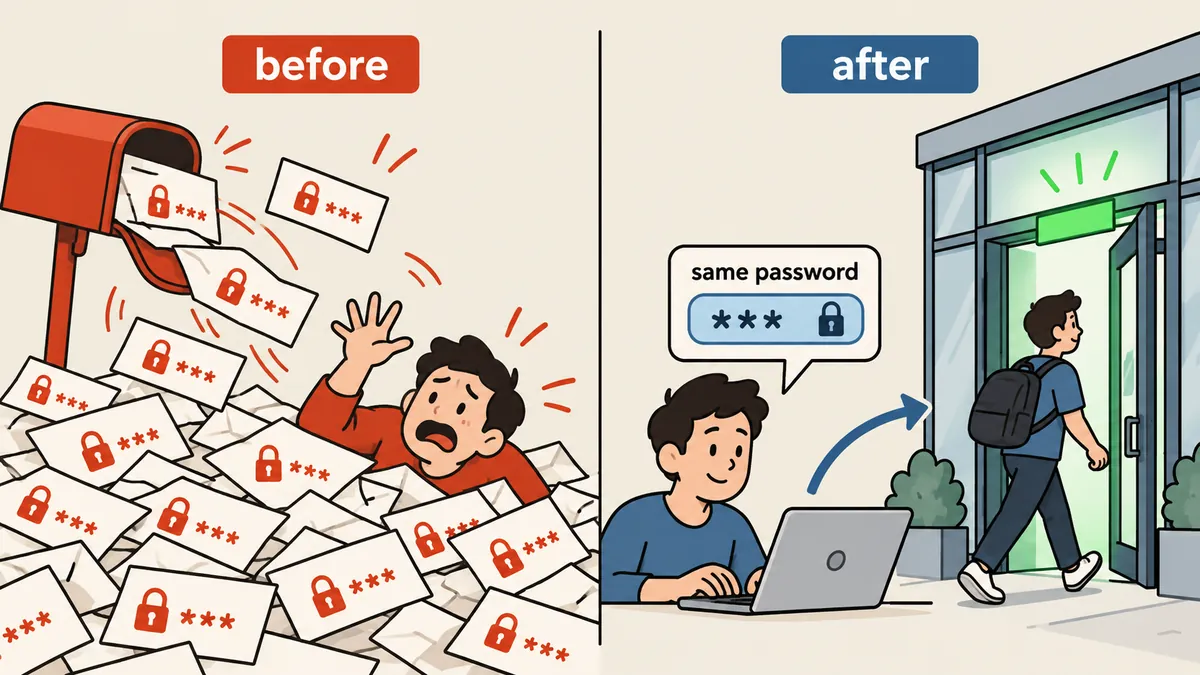
Customers should not need to know that the backend has changed. If the old system uses plain bcrypt hashes, I can keep them for a one-time check, then replace them with hashes from the new app when each customer first logs in successfully.
1-minute summary
- Symptom / problem
- Moving an old billing system to Laravel without making customers reset their passwords.
- Who should read
- People migrating a legacy system with bcrypt hashes into a Laravel app.
- Fix in short
- Keep the old bcrypt in legacy_password, check it with password_verify, and rehash on first login, following a freeze, import, compare, switch and rollback plan.
The project owner had just one requirement when I was about to migrate billing from an old commercial package to a Laravel app I wrote: customers had to log in with their existing email addresses and passwords, with no emails forcing them to set new passwords. So the first question I had to answer was whether the old password hashes could actually be reused.
This is about an "old billing system sold as a software package." I will not name it or compare brands. All the numbers have been changed to generic values, but the verification and migration methods apply to any system that stores passwords as plain bcrypt hashes.
Step zero: can I take the hashes with me?
The decision for the entire project depended on one experiment. I pulled the user table from a copy of the old database dump (using a database user with SELECT privileges only), then checked the shape of the hashes. Every customer account and every administrator had a string starting with $2a$, all exactly 60 characters long. That suggested plain bcrypt, but "suggested" was not enough. I had to prove it with one account whose actual password I knew.
<?php
// รันครั้งเดียวบนเครื่องส่วนตัว กับบัญชีทดสอบที่ผมรู้รหัสอยู่แล้ว
$hash       = '$2a$10$ตัดไว้ไม่ให้เห็นของจริง';   // ค่าจากตารางผู้ใช้ของระบบเก่า
$knownPlain = getenv('KNOWN_PLAIN');            // อ่านจาก env ไม่เขียนลงไฟล์

var_dump(strlen($hash));                         // int(60)
var_dump(substr($hash, 0, 4));                   // string(4) "$2a$"
var_dump(password_verify($knownPlain, $hash));   // bool(true) = ไม่มีเกลือเพิ่ม ไม่มีชั้น md5
The result was true. That was the whole answer. If it had been false, it would have meant the old system used a separate salt, applied md5 first, or added another layer of encryption. The plan to keep existing passwords would not work, and I would have to use password resets instead. Do not write any code until this line returns true.
When testing an account whose password I know, I must not print the password in logs or put it in command history. I passed it through an environment variable, then closed the terminal. If you do not know the password for any account, create a test account in the old system yourself instead of guessing a customer's password.
Why not put the original hashes in the password column?
My first thought was simple: just put the original hashes in password in the new user table. Laravel can check bcrypt, right? But I dropped that idea quickly, for three reasons.
$2a$and$2y$are different bcrypt prefixes. When configured to verify the algorithm, Laravel's hasher rejects formats it did not generate itself. I did not want to depend on whether the next version would be more lenient or stricter.- Once imported hashes are mixed with regular hashes in the same column, six months later nobody will be able to tell which rows still use the old ones.
- I wanted the old hashes to "disappear" after their first use. With a separate column, clearing them means setting it to NULL in one statement.
So I created a separate nullable column called legacy_password and put the original hashes there. For users who have never logged in, password contains a random value nobody knows.
ALTER TABLE users
  ADD COLUMN legacy_password VARCHAR(255) NULL AFTER password,
  ADD COLUMN login_disabled  TINYINT(1) NOT NULL DEFAULT 0;

-- ใครยังไม่เคยล็อกอินเข้าระบบใหม่ ดูได้จากตรงนี้
SELECT COUNT(*) AS not_yet_migrated FROM users WHERE legacy_password IS NOT NULL;
Password validation: password_verify, then rehash on successful login
The core is a single user provider that extends Laravel's Eloquent user provider and overrides only the password validation method. Both the customer portal and the admin panel use it, so nobody can enter the panel with an old password and skip the rehash step.
class LegacyAwareUserProvider extends EloquentUserProvider
{
    public function retrieveByCredentials(array $credentials)
    {
        // อีเมลในระบบเก่าพิมพ์ใหญ่เล็กปนกัน เทียบแบบไม่สนตัวพิมพ์
        $email = strtolower(trim((string) ($credentials['email'] ?? '')));
        return $this->newModelQuery()->whereRaw('LOWER(email) = ?', [$email])->first();
    }

    public function validateCredentials(Authenticatable $user, array $credentials): bool
    {
        if ($user->login_disabled) {
            return false;
        }

        $plain  = (string) ($credentials['password'] ?? '');
        $legacy = $user->legacy_password;

        if ($legacy !== null && $legacy !== '') {
            if ($plain === '' || ! password_verify($plain, $legacy)) {
                return false;
            }
            // ถูกต้อง: hash ใหม่ด้วย hasher ของแอป แล้วทำลายของเก่า
            $user->forceFill([
                'password'        => $this->hasher->make($plain),
                'legacy_password' => null,
            ])->save();

            return true;
        }

        return parent::validateCredentials($user, $credentials);
    }
}
I ran into three details in practice. First, someone who was both a customer and an administrator in the old system might have two passwords. So I allowed legacy_password to hold multiple hashes separated by | (bcrypt does not contain that character anyway), then tried them one at a time. Second, I imported accounts that had been closed in the old system to preserve their invoice history, but set login_disabled to prevent access. If an old customer returns, I can enable their account individually from the admin panel. Third, the password reset flow works as usual because it overwrites password with a new value without involving the old column.
What I like about this method is that there is no fixed deadline requiring customers to hurry up and do anything. They migrate whenever they log in.
Make imports repeatable, and verify every row
The import is an artisan command that reads only from a copy of the old database dump, never writes back, and is designed to produce the same result no matter how many times it runs. The one important rule is that it writes legacy_password only when the user is new or still holds an old hash. Users who have already been rehashed will not be overwritten with old hashes again.
# รอบซ้อม ไม่เขียนอะไรลงฐานข้อมูลใหม่
php artisan legacy:import --dry-run

# ของจริง รันซ้ำได้
php artisan legacy:import

# ตรวจเทียบทุกแถวและทุกยอด ผ่านเมื่อไม่มีบรรทัด MISMATCH
php artisan legacy:verify
The verifier compares every row against the source and checks that the totals for paid invoices match one to one. If the totals differ, I stop and find the missing row rather than rounding the numbers and moving on.
Once all the data is imported, I still need another comparison against "reality outside the database." Hosting statuses in the old database do not always match the actual control panel. This time, most accounts marked suspended in the old system had actually expired, so I changed them to expired. Some pending entries were changed to cancelled, and a few were actually in use, so I corrected them to active. I checked domain expiry dates against the registrar, and almost all matched. Just one domain was no longer in our account, so I marked it as external.
Trust the old database
Long-expired customer accounts appear active, and invoices go to the wrong people.
Correct statuses before launch
Statuses match what is actually running, and records outside our account are marked separately.
Cutover: freeze first, then switch, with rollback always available
The cutover sequence matters more than the code. I planned the rollback before taking the first step.
The most important thing is to stop the old system first, because if it stays open, customers may submit payment slips or change their details while I am importing, leaving the two sides out of sync without me noticing. I made every path under /portal/ return 503 with a Thai maintenance page, then commented out all three scheduled jobs for the old system, leaving markers so I could restore them. I then took a dump at that point and kept it as the freeze point.
# .htaccess ของระบบเก่าช่วงแช่แข็ง
RewriteEngine On
RewriteCond %{REQUEST_URI} ^/portal/ [NC]
RewriteRule ^ - [R=503,L]
ErrorDocument 503 /maintenance.html
# คอมเมนต์ cron ของระบบเก่าด้วยเครื่องหมายที่ค้นเจอ เก็บของเดิมไว้ก่อน
crontab -l > /root/cutover/crontab.before
crontab -l | sed 's/^\([^#]\)/#FROZEN# \1/' | crontab -

# ถอย: เอาเครื่องหมายออก
crontab -l | sed 's/^#FROZEN# //' | crontab -
After that, I installed the new app as a separate instance, using the same hostname but pointing the docroot to a different location through a symlink. I kept the old system's files in a renamed folder, set the branding and mail settings through .env, imported the data, and ran verify. Only after it passed did I switch using a script. Customers' old URLs redirect to the corresponding pages in the new system. I tested with a test account whose hash was still in the old format: login worked, every page returned 200, and it worked on mobile too.
For the customer announcement email, I waited for the project owner to tell me to send it. I did not send it myself even though the system was ready, because an announcement at the wrong time could turn customers' billing concerns into a bigger issue than the system itself.
Test all four password validation paths
The password validation code is short, but one mistake can prevent everyone from logging in—or worse, let a wrong password through. So I wrote tests for all four paths before connecting it to the real system: a correct old password, an incorrect old password, an account that has already been rehashed, and an account with login disabled. The first test is the most important because it proves that after one login, the old hash is gone and the new hash works.
public function test_legacy_login_rehashes_once(): void
{
    // password_hash ให้ $2y$ แต่ PHP ตรวจ $2a$ ได้เหมือนกัน เลยสลับหัวให้เหมือนของเก่า
    $legacy = '$2a$' . substr(password_hash('sample-pass', PASSWORD_BCRYPT), 4);
    $user = User::factory()->create([
        'legacy_password' => $legacy,
        'password'        => Str::random(40),
    ]);

    // อีเมลพิมพ์ตัวใหญ่ทั้งหมดก็ต้องเข้าได้
    $this->post('/login', ['email' => strtoupper($user->email), 'password' => 'sample-pass'])
         ->assertRedirect();

    $user->refresh();
    $this->assertNull($user->legacy_password);                    // hash เก่าถูกทำลาย
    $this->assertTrue(Hash::check('sample-pass', $user->password)); // hash ใหม่ใช้ได้
}
The second test uses a wrong password and must confirm that legacy_password remains unchanged, character for character. If it is cleared or overwritten when the password is wrong, something is writing before checking. The third test covers an account that has already taken the special path: its next login must use the regular parent::validateCredentials path. In the fourth test, login_disabled must reject login even with the correct password. All of these run only on databases whose names end in _test. I configured the base test class to refuse to run if the name does not match.
Another reason I chose to read from a dump rather than connect directly to the old system's database during import is that if even one line in the import command is wrong, I do not want it to have a chance to touch a system that still holds real data. A database user with SELECT only, together with a frozen copy, means the worst mistake requires another import, which the command is already designed to support.
Precautions I keep as reminders to myself
- Never record plain text passwords anywhere during testing, including logs, chats, and command history.
- If some customers never log in, their old hashes will remain in the database forever. Set a cleanup date, such as requiring a reset after a number of months according to your policy.
- Write a rollback script alongside the switch script. Test that restore actually works before cutover day, rather than merely having it written down.
- Monitor for a full month before retiring the old system, so monthly and annual billing cycles come through and expose problems.
I could use this method because the test account passed password_verify directly. Systems that use md5, a separate salt, or reversible encryption need a different approach, such as accepting password resets or writing a validator for that specific format and then rehashing the same way. The principle remains the same: check with the old method once, then replace it with the new one.
Another approach worth comparing is logging in across databases using Flarum's user table. That approach does not copy hashes anywhere; it checks them directly at the source. This one migrates them and discards the source. If you want to know where else this billing system went wrong, read a billing system that renews services when invoices are issued, which came from the same job.
Choose whichever method suits you, but my conclusion is that if the hashes can be carried over, this approach lets customers go on without noticing anything. That is what a good system migration should be. If I have left anything out or made a typo, I will come back and fix it later.
Want us to set this up?
Get help with server setup, configuration, migration, or troubleshooting. Save time for the work that matters.
Hit something like this? Stuck somewhere?
Come trade notes on the LinuxThai board

Comments 0
No comments yet — be the first