Mailbox Compromised or Just Password Guessing? Prove It First

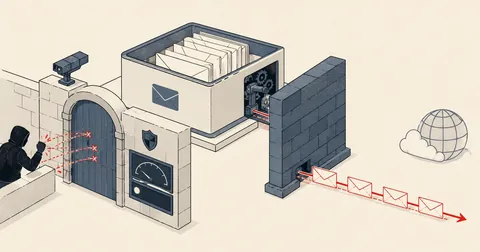
Only one piece of evidence separates compromised from merely targeted by password guessing—whether an unfamiliar IP actually authenticated successfully. Everything else is supporting observation, insufficient grounds to notify anyone.
One night, I was going through a mail server's main log and found a customer account receiving hundreds of login attempts from abroad every day. I nearly wrote an email telling the customer that their account had been compromised and they needed to change the password immediately. But I happened to stop and think before sending it, then went back through the evidence. It turned out the account had not been compromised, and the actual explanation was something else entirely. I kept this set of checks to use every time.
Telling a customer that their email account has been compromised is more than routine technical advice. It is an allegation. Once sent, the customer has to change the password on every device that uses the account and arrange scans of the office computers. Some have to notify business partners that emails sent during that period may not be genuine. If I report it incorrectly, the customer bears the entire cost, and the next time I report a real incident, they will not believe me. So I set myself a rule: never use the word compromised until there is evidence that answers one question.
Has an IP that should not belong to the customer authenticated successfully at least once? If so, the account is compromised, without dispute. If not, even a thousand password guesses a day from five hundred IPs still do not constitute a compromise, and I must never write to the customer saying their account is compromised. The number of failures is not evidence of success. It is evidence of failure.
This article is strictly about establishing evidence and reaching a verdict. I have already covered detecting unusual outbound mail in Detecting Mailboxes Compromised to Send Spam, and firewall handling in Automatic Unblocking for Mail and Unblocking an Office IP Caught in the Fallout from a Ghost Device in the Office. I will not repeat the unblocking procedures here.
The decisive evidence is A=login: in the main log
Exim marks the line recording a message entering the queue with <=, followed by details of where it came from and how it authenticated. The most important field is A=. If it appears as A=login:ชื่อบัญชี, it means the password used that time was correct. The server checked it and accepted it. This was not an attempt or a guess.
2026-07-15 16:39:43 1abcde-0000000G33P-2dT1 <= [email protected]
  H=(rcxxd) [203.0.113.218] P=esmtpsa X=TLS1.3:TLS_AES_256_GCM_SHA384:256
  A=login:[email protected] S=3549
  T="Immediate Opening - Part-Time & Flexible" for [email protected]
That single line tells me four things: who sent the message, which IP it came from, which account authenticated successfully, and what the subject was. I therefore use these lines as the primary material for every investigation. Lines containing authenticator failed represent failures, which belong in a separate pile and must never be mixed in.
# ทดสอบชี้ขาด: ทุก IP ที่ยืนยันตัวตนสำเร็จในนามบัญชีนี้ มีใครบ้าง
[email protected]
LOGS="mainlog.4 mainlog.3 mainlog.2 mainlog.1 mainlog"

for L in $LOGS; do grep -aE " <= .*A=[a-z_]+:$ACCT" "/var/log/exim/$L"; done \
 | while IFS= read -r l; do
     ip=$(echo "$l" | grep -oE '\[[0-9.]+\]' | tail -1 | tr -d '[]')
     cc=$(geoiplookup "$ip" 2>/dev/null | grep -oE '[A-Z]{2},' | head -1 | tr -d ',')
     echo "$cc $ip"
   done | sort | uniq -c | sort -rn
The first trap is that I must use tail -1, not head -1 when extracting the IP from brackets, because the first bracketed address on the line is the LAN address announced by the customer's mail client, such as 192.168.10.20. Only the last one is the actual IP that reached the server. Picking the wrong one makes every connection appear to come from a LAN, which tells me nothing · The second trap is that the search pattern must include a trailing comma, because the country lookup tool prints GeoIP Country Edition followed by the country code. Searching for just two uppercase letters returns IP from GeoIP on every line, breaking the entire country comparison without displaying any error.
Case A: a confirmed compromise, with four layers of evidence
For the first account I checked, the output from the command above was clear from the first line.
distinct IP ที่ยืนยันตัวตนสำเร็จในนามบัญชีนี้
 201 x 203.0.113.55    US   โฮสต์คลาวด์ต่างประเทศ (ชื่อเครื่องเป็นแบบที่ผู้ให้บริการคลาวด์ตั้งอัตโนมัติ)
  11 x 198.51.100.30   TH   เน็ตบ้าน/สำนักงานของลูกค้า
   7 x 198.51.100.92   TH   เน็ตบ้าน/สำนักงานของลูกค้า
   6 x 198.51.100.71   TH   เน็ตบ้าน/สำนักงานของลูกค้า
   4 x 203.0.113.144   US   โฮสต์คลาวด์ต่างประเทศ
   ... ที่เหลือเป็นไอพีไทยของออฟฟิศทั้งหมด
The first layer of evidence was 201 successful authentications from a single foreign cloud host, which was neither the customer's workplace nor an employee's phone. The second was the hostname announced in the greeting: an automatically assigned Windows server hostname from the cloud platform, not an employee's computer name. The third was a histogram of message subjects, evidence that even a nontechnical reader could understand immediately.
# หัวข้อเมลที่ถูกส่งออกในนามบัญชีนี้ เรียงตามจำนวน
for L in $LOGS; do grep -aE " <= .*A=[a-z_]+:$ACCT" "/var/log/exim/$L"; done \
 | grep -oE 'T="[^"]*"' | sort | uniq -c | sort -rn | head
 190  T="Proof of payment - <ชื่อสายการบิน> NFT Penalty Invoice."
   6  T="Price list Inquiry"
   4  T="Proof of payment - <ชื่อธนาคาร>"
   1  T="SuperMailer Test email"
The fourth layer was the destinations. I extracted the destination domains and found mostly Russian and Ukrainian free email providers, followed by organizations in Central Asia. Yet the account belonged to a Thai company trading domestically, with no business relationship with any of those destinations.
# โดเมนปลายทางที่ถูกส่งไปในนามบัญชีนี้
for L in $LOGS; do grep -aE " <= .*A=[a-z_]+:$ACCT" "/var/log/exim/$L"; done \
 | grep -oE 'for [^ ]+@[^ ]+' | awk -F@ '{print $2}' | sort | uniq -c | sort -rn | head
The most interesting number in this table is the zero in the middle. The IP that took over the account never guessed the password incorrectly, even once. That means the password was not cracked through guessing; it was already known. This points to password-stealing software on a device using that mailbox, or the same password having leaked from another service. This matters a great deal when talking to the customer, because if the source is a device infected with password-stealing software, changing the password alone will not resolve it. The new password will leak through the same route within days. The devices need scanning too.
Another detail I always include in the report is the name of the software the intruder used. In this case it was SuperMailer, a bulk email application, which let one message with its own test subject slip out at the start. This evidence ruled out every other explanation, because there was no reason for an accounting employee to use bulk email software from a foreign cloud server.
Case B: the one I nearly reported incorrectly, with scarier numbers than Case A
The second account was on the same domain, and initially everyone in the discussion, including me, had already concluded that it was probably affected too, because it had far more login attempts than the first case. But running the same decisive command produced the opposite result.
# แยกสองกอง: IP ที่เคยสำเร็จ กับ IP ที่ล้มเหลวอย่างเดียว
OK=$(mktemp); FL=$(mktemp)
for L in $LOGS; do grep -aE " <= .*A=[a-z_]+:$ACCT" "/var/log/exim/$L"; done \
 | while IFS= read -r l; do echo "$l" | grep -oE '\[[0-9.]+\]' | tail -1 | tr -d '[]'; done \
 | sort -u > "$OK"
for L in $LOGS; do grep -a 'authenticator failed' "/var/log/exim/$L" | grep "set_id=$ACCT"; done \
 | sed -nE 's/.*\[([0-9.]+)\].*/\1/p' | sort -u > "$FL"

echo "IP ที่ยืนยันตัวตนสำเร็จ : $(wc -l < "$OK")"
echo "IP ที่ล้มเหลวอย่างเดียว : $(comm -13 "$OK" "$FL" | wc -l)"
rm -f "$OK" "$FL"
IP ที่ยืนยันตัวตนสำเร็จ : 10      -> ไอพีไทยของออฟฟิศลูกค้าทั้งหมด
IP ที่ล้มเหลวอย่างเดียว : 516     -> ไม่มีสักตัวที่เคยสำเร็จ
Compromised
- A foreign IP succeeded 201 times
- That IP never failed
- 190 messages had fake invoice subjects
- No business ties to the destinations
- Bulk email software was used
Not compromised
- All 10 successful IPs belonged to the office
- 516 foreign IPs all failed
- No unusual outbound mail at all
- The account name was on a list commonly used by attackers
- The password had not been cracked
The correct explanation for Case B was that the account name was on a target list for credential stuffing using passwords leaked elsewhere. It was an easy-to-guess name found across many domains worldwide. More than a hundred foreign IPs tried each day, each making only one or two attempts to stay below the firewall's detection threshold, spreading the attempts into a distributed attack. But the password had not been cracked. The correct message to the customer in this case was: your account name is being targeted, but your password is still secure—not: your account has been compromised. Those two statements lead the customer to take completely different actions.
The real cause of the office's mail sending failures was inside the office
The story did not end there, because the customer's original complaint was that the entire office intermittently could not send email. Assuming foreign attacks caused this would send the troubleshooting in the wrong direction. So I changed focus to examine only failures originating from the office's own IP and identify which account was involved.
# ในบรรดาการยืนยันตัวตนที่ล้มเหลว ซึ่งมาจากไอพีของออฟฟิศเอง เป็นของบัญชีไหน
DOM=example.com
for L in $LOGS; do grep -a 'authenticator failed' "/var/log/exim/$L" | grep "set_id=[^ ]*@$DOM"; done \
 | sed -nE 's/.*\[([0-9.]+)\].*set_id=([^ )]+).*/\1|\2/p' \
 | grep -E '^(198\.51\.100\.)' \
 | awk -F'|' '{print $2}' | sort | uniq -c | sort -rn
1336  [email protected]
   2  [email protected]
Of the 1,338 total failures, 1,336, or 99.85 percent, came from one account—the same account as Case B, whose password was still secure. The picture was now this: some automated device in the office was holding an old password. It might have been a document scanner that sends email, a printer, a back-office system, or a web form. It kept trying to send email with the wrong password more than ten times an hour.
The rule that counts authentication failures to ban an IP has no concept of customers or attackers. It sees only one IP exceeding the failure threshold within a short period, then bans it for 1,800 seconds. As a result, everyone in the office loses the ability to send from every mailbox at once, and it resolves itself when the time expires. This repeats every one to two hours, matching the customer's description of intermittent service exactly. This is a customer-side configuration error, not an attack. Distinguishing the two is crucial, because they require different fixes in different places.
Why allowlisting office IPs one at a time does not solve it
Once the cause was clear, everyone's first solution was to put the office IP on the allowlist. I checked how often this office's IP actually changed, because its internet service assigned a new IP every time it reconnected.
These numbers ruled out the options one by one. Adding individual IPs would not work because the address changed sixteen times in four weeks, and I had no way to know what it would be next month. Grouping them into /24 networks would not help either, because almost all sixteen IPs were in different /24s, with only one network happening to contain two. Allowlisting entire /16s was an option to reject from the outset.
Ten /16 networks contain roughly six hundred and fifty thousand addresses, all in ranges used by that provider's general customers. The logs from the same period also showed IPs from those same ranges attacking this very domain. Such an allowlist would let those attackers try passwords without limit in exchange for fixing one customer's symptoms. The tradeoff is not worth it. The right approach is an allowlist that renews itself based on proven behavior, rather than a list of entries left in place indefinitely.
What I do after confirming a compromise
If the evidence is complete and I determine that the account is compromised, I always follow this sequence. Steps two and four are where people most often make mistakes.
- Cut off access first Block the source IP that authenticated successfully, including the reason in the command so anyone reading it later knows why it was blocked.
- Change the password after looking up the account owner in the domain list; do not guess the username The system username and domain name often differ. Guessing incorrectly and changing someone else's password creates a second incident.
- Inspect the mail queue before deleting anything Visually review the queued messages first, then delete only those from that account. Do not clear the entire queue, because other customers' mail is in the same queue.
- Deliver the new password through a channel other than email The fact that the old password leaked without any guessing means a device reading this mailbox is infected with password-stealing software. Emailing the new password to the same mailbox leaks it again immediately.
- Remind the customer about every configured device Have them update all devices together. Otherwise, a device still holding the old password becomes the next ghost device and gets the office IP banned as in Case B.
# หาเจ้าของบัญชีจากรายการโดเมน ปลอดภัยกว่าเดาชื่อผู้ใช้จากชื่อโดเมน
OWNER=$(grep -rl '^example\.com$' /usr/local/directadmin/data/users/*/domains.list \
        | sed -E 's#.*/users/([^/]+)/.*#\1#')

URL=$(/usr/local/directadmin/directadmin api-url --user="$OWNER")
curl -sk "${URL}/CMD_API_POP" \
  --data-urlencode action=modify \
  --data-urlencode domain=example.com \
  --data-urlencode user=service \
  --data-urlencode passwd="<รหัสใหม่>" --data-urlencode passwd2="<รหัสใหม่>"
# ที่ควรได้กลับมา: error=0&text=Account%20password%20changed
# ตรวจก่อน แล้วค่อยลบเฉพาะของบัญชีนั้น
exim -bpc                                   # จำนวนที่ค้างในคิวตอนนี้
exiqgrep -i -f 'service@example\.com'       # ดูรายการก่อน
exiqgrep -i -f 'service@example\.com' | xargs -r exim -Mrm
Write reports that separate findings from likelihoods
The last thing I changed after Case B was how I wrote reports. I used to combine everything into a narrative. Now I use three fixed sections: first, facts supported by log lines; second, interpretation; and third, what is still unknown. These three must never be mixed in the same paragraph.
For facts, I write: I found 201 successful authentications from a foreign IP between the specified start and end dates · For interpretation: This pattern is consistent with the password having leaked beforehand, rather than being cracked through guessing · For what is still unknown: The source of the password leak is not yet known; the devices using this mailbox need to be inspected to confirm it · Simply separating these three parts lets the customer immediately see what is certain and what is an assumption, and saves me from having to retract statements later.
The lesson I took from both cases was the same: tools that count authentication failures cannot see account compromises at all, because someone with the correct password never fails. The signal that catches these people is outbound mail volume, not the number of failed logins. Conversely, a huge number of failed logins does not mean anyone got in. So I stopped using failure graphs to reach a verdict and switched to the single question at the start of this article. Feel free to adapt these commands to your own server's log format. If I have left anything out or made a typo, I will come back and correct it later.
Want us to set this up?
Get help with server setup, configuration, migration, or troubleshooting. Save time for the work that matters.
Hit something like this? Stuck somewhere?
Come trade notes on the LinuxThai board


Comments 0
No comments yet — be the first