qcow2 or ZFS — Why I Switched After 12 Years on the Same Server
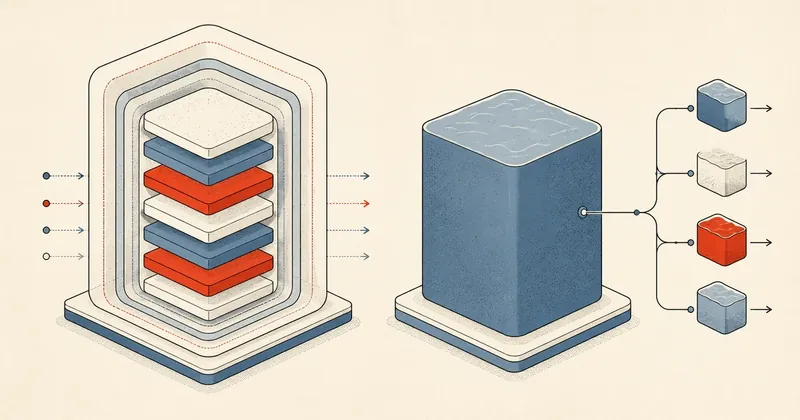
I installed this server in 2014 and have never reinstalled it. Looking back at why I chose that storage layer at the time, I surprised myself quite a bit, so I wanted to tell the full story.
In part 2 of the migration series, I briefly covered moving from mdadm RAID1 + ext4 + qcow2 to ZFS mirror + raw zvol. After finishing that article, I started wondering why I had chosen that stack in 2014, and whether it was current or already behind the technology available then. I asked Claude to work through the evidence on the server to find out when it had actually been installed. The results surprised me quite a bit, so I wanted to tell the full story in case anyone else is still weighing up their storage layer.
This article is not a migration how-to (that is in part 2 of the series). It is a record of "why I made this decision at this point in time," which I think is more useful than a collection of tricks.
12 Years on This Server — Never Reinstalled
Before getting into storage, I want to trace this server's history. I checked dpkg.log alongside kernel file dates and the filesystem creation date of /boot, which let me reconstruct the upgrade sequence fairly accurately rather than guess.
| Period | PVE version | Debian | Kernel | Evidence |
|---|---|---|---|---|
| 2014-06-18 | PVE 3.2 | Debian 7 (wheezy) | 2.6.32 / 3.10 | fs creation date of /boot |
| Around 2015–2017 | PVE 4.x | Debian 8 (jessie) | 4.x | — |
| Around 2017–2021 | PVE 5.x | Debian 9 (stretch) | 4.15 | dpkg.log from 2021 still shows Debian 9 packages + pve-kernel-4.15.x |
| 2021-10 | Upgraded to PVE 6.x | Debian 10 (buster) | 5.4 | dpkg.log shows installation of pve-kernel-5.4.x + pve-manager 6.4 |
| 2023-04 | PVE 6.4 (final 6.x) | Debian 10 | 5.4 | dpkg.log shows pve-manager upgrades within the 6.4 series |
| 2024-06 | Upgraded to PVE 7.x | Debian 11 (bullseye) | 5.15 | Kernel file vmlinuz-5.15.x-pve |
| Around Dec 2025 | Upgraded to PVE 8.x | Debian 12 (bookworm) | 6.8 | Kernel file vmlinuz-6.8.x-pve |
| 2026-05 | PVE 8.4.x (current) | Debian 12 | 6.8.12-x-pve | Latest kernel |
So the system started with PVE 3.2 / Debian 7 on 18 June 2014 and has reached PVE 8.4.x / Debian 12 / kernel 6.8 today. It is around 12 years old, having gone through 5 PVE major versions plus 5 Debian major versions "without ever reinstalling." Every step was an in-place upgrade.
This was possible because Debian and PVE already have policies for upgrading along a supported path: stretch → buster → bullseye → bookworm, with an official guide for each jump. The same server, the same disks, the same configuration, all the same VMs, and the same customers. Who would think a single server could run for 12 years through 8 major OS versions — but that is what happened.
A Brief Aside — Why Debian Instead of Red Hat
I have been using Linux since 2539 BE, around 30 years now, and have worked through almost all of Red Hat, Mandrake/Mandriva, Slackware, Fedora, CentOS, and Ubuntu. My simple conclusion from that experience is this:
Unless I am prepared to pay for a proper RHEL subscription, I will stay away from the Red Hat family.
The reason is that policies on that side keep changing: Fedora → CentOS → CentOS Stream → AlmaLinux / Rocky / EuroLinux, and others. I cannot predict who will stay, who will shut down, or who will pivot, and I cannot keep up. On top of that, I have to keep rewriting documentation for every major release.
I chose Debian because I can keep updating it over the long term without changing distributions. Its policies and timeline are clear: stretch → buster → bullseye → bookworm → trixie, with an official dist-upgrade path every time. PVE itself chose Debian as its base for the same reason.
That is why my server has stayed on Debian/PVE for 12 years without a reinstall. It is not down to my skill; the distribution was designed to last and provides a clear upgrade path.
2014 — Why I Did Not Use ZFS from the Start
At the time, the storage options available to an ordinary PVE user were:
- mdadm RAID + ext4 + qcow2 — I chose this
- mdadm RAID + ext4 + raw image
- LVM-thin
- ZFS — still very new and not yet stable
I chose qcow2 for the following 4 reasons.
1. ZFS on Linux Was Not Yet Settled
ZFS on Linux (ZoL) really got started around 2013 and became production-ready around 2014–2015. But when I installed this server (18 June 2014), ZFS was not even in the main Proxmox repo. I had to add a 3rd-party repo and install it myself. The DKMS module also needed recompiling after every kernel update, and the conflict between the CDDL license and the GPL kept ZFS out of the mainline kernel.
At the time, I could not even find original Thai articles about ZFS, only translations from English. I normally read English documentation anyway, so that was not a problem. Another factor was that Proxmox itself received very little attention back then; everyone was still using VMware. Choosing PVE in that era made me something of an early adopter.
So I did not take a serious interest in ZFS. I just knew what it was and intended to let others try it until it settled down before following.
But qcow2 + mdadm proved robust, and there was no need to change. Moving nearly a hundred users and around 500 GB of data was not something to take on while everything was working well. What finally forced me to act was CentOS EOL; otherwise, I probably would have left it alone.
2. PVE Had Not Yet Made ZFS a First-Class Option
The PVE 3.x installer did not support ZFS rootfs at the time. Support only arrived with PVE 4.x in 2015, and it was still experimental. Anyone wanting ZFS as root had to follow the gradually updated Wiki guide. The PVE web panel also had far fewer ZFS-aware features than it does now.
Today (PVE 8.x), ZFS is a first-class option. The installer supports ZFS rootfs natively, and the web UI includes ZFS storage management, replication, and snapshot controls. It is very different from 12 years ago.
3. Confidence in "Simple Recovery"
This mattered most to me at the time. Around 1 year before installing this server (in 2013), I had a server fail. I did not lose the data; the problem was that the hardware needed replacing, and the NOC did not yet offer remote KVM. I had to go to the site myself, find replacement hardware, and set everything up again. Recovery within 24 hours was not possible. One of my major customers could not accept that downtime, and I ultimately lost that customer.
mdadm + ext4 + qcow2 kept working, with no data loss. But hardware failure + no remote access to handle it myself + replacement hardware that I could not find in time added up to "longer than the window" a major customer could accept. The problem was not lost data; recovery was too slow.
After that incident, I decided that my next storage layer had to make it "easy to recover within a few hours if something breaks," rather than several days. Manual steps had to be kept to a minimum, because if the admin (me) was not at the site, the on-site person needed to be able to follow a guide.
I laid out the qcow2 recovery plan at the time as this 3-hour recovery plan:
The rough steps were:
- If a data disk failed — replace it (PVE rootfs usually survived because it was on a separate disk/RAID set)
- Create a new mdadm RAID through the PVE shell
- Mount the external HDD containing the backup
- Copy the qcow2 backup to PVE's images directory
- Import the VM config and start the VM — customers could use the service again
If PVE rootfs also failed (very rare in my experience), I would add a "reinstall PVE" step, taking roughly another hour.
I have actually used this procedure 2 times in these 12 years — it really took 3 hours, with limited impact on customers.
Another point is that I have always used mdadm software RAID and have never used a hardware RAID controller. The reason is that the NOC did not offer remote KVM back then. Getting into a RAID controller's BIOS settings was very difficult and required physical access every time. I ruled out hardware RAID when choosing the stack.
Had I chosen ZFS at the time, the recovery plan would not have been much more complicated. Pool import, disk replacement, and degrade/resilver are all standard operations. My problem then was that I would have needed to read much more documentation. I was not worried about my "confidence" in reading and following it; it was the "time" spent reading that I did not want to give up while new customers kept coming in.
4. qcow2 Had Trade-offs I Could Accept
- 3 layers of fsync amplification (qcow2 → ext4 → mdadm) — but customers used MariaDB lightly at the time, with no high-IOPS workloads
- No native snapshots as fast as ZFS — but I rarely used snapshots; nightly vzdump was enough
- No free compression — disks were still cheap then, so adding disks made more sense than enabling compression
- No ARC cache — but all available RAM was already allocated to VMs, with no separate budget for the storage layer
All of these were acceptable trade-offs at the time.
12 Years Later — What Changed
| Aspect | 2014 (at installation) | 2026 (at migration) |
|---|---|---|
| ZoL maturity | Beta-ish, with problems | Production-ready for 10+ years (bundled by PVE) |
| PVE ZFS integration | Manual install | Native installer + web UI |
| Community in TH | Small, experts hard to find | Larger, with Thai blogs/YouTube |
| My own knowledge | Had never taken ZFS seriously | Still had not — but Claude helped read docs + plan + lab |
| Hardware (CPU/RAM) | Installed in 2014 | Unchanged, except for HDD → SSD at one point |
| Database workload | Light | Heavier MariaDB use + WP transient lookups |
| Customer expectation | Customers could accept downtime | Ever less downtime, with expectations of quick snapshot rollback |
Crucially — The Disks Were Starting to Show Their Age
The server's CPU/RAM hardware is still the same as in 2014, but the disks were starting to show symptoms. Several months before the migration, I saw recoverable degraded events on the mdadm RAID, but they were becoming more frequent (previously once every 2 years, then 3 times in the last year). I was getting uneasy, and switching to ZFS with checksums now would let me detect silent corruption immediately, before customers noticed.
mdadm + ext4 protects against a whole disk dying, but does not recognize silent bit-rot — bits gradually changing without an error report. ZFS stores a checksum for every block. During a scrub, it verifies them and can repair data automatically from the other mirror disk. This is prevention the qcow2 stack does not provide.
Why Move During the Debian Migration — Why Not Separately? Why Not at EOL?
Many people are probably thinking, "I could have migrated to ZFS 1–2 years earlier instead of waiting for CentOS 7 EOL," or "EOL was in mid-2024, so why wait until 2026?"
The honest answer — I was lazy.
It all had to be done manually. Read the migration documentation and look at how many commands it takes, then add the real-world circumstances of nearly a hundred customers and around 500 GB of user data. One mistake would make rollback a lot of work. So I let qcow2 + mdadm keep running, even after CentOS 7 had reached EOL.
Claude Made It Possible This Time
Claude handled almost 100% of this migration. I barely used the terminal myself, only going in to check whether Claude was issuing the right commands over SSH and whether the system was down.
For work my mentor would normally handle (the person I turn to when I have a problem), I had Claude read the old configuration and handle it directly, while writing a record of every step for me to keep.
If I had done it manually, I certainly would not have finished within 12 hours — even 2–3 days might not have been enough.
With technology making things this convenient today, the work became much easier, so it was finally time for me to do it.
But Be Careful — Claude Is Still Not 100%
I do not recommend that someone with no relevant knowledge simply tell Claude to do the work. Claude still went off track many times, and I had to press stop and ask it to redo things repeatedly.
If I did not know what was right and wrong, I would have let it continue and run into problems later. I could direct it smoothly because my 30 years of Linux knowledge (I started in 2539 BE) still played an important role. Claude is an accelerator, not a replacement.
As for the technical tricks used in the migration, such as degrading mdadm to a single disk while the VMs kept running, then using the other disk to build a ZFS pool in parallel, along with vzdump backups as insurance before every critical step — I have already covered those in part 2 of the migration series. Anyone interested can read more there.
Lesson Learned — AI Tooling Is What Actually Changed the Calculus
The main point I want to share — honestly, throughout these 12 years, I did not pay much attention to ZFS. "Easy recovery" was still my first priority. I knew ZFS and newer storage layers existed and read about them occasionally, but I did not seriously build up my knowledge because qcow2 + mdadm worked, and my recovery plan had proved itself over 12 years.
What really changed things was Claude.
These days, I direct all the work through my editor. With Python on the machine, Claude can put together almost anything. But my workflow is not "spend half a year reading ZFS docs before starting."
My actual workflow is "start doing it, then ask Claude to look things up when I get stuck," like this:
- Start right away, following the rough steps Claude lays out
- Hit a pain point along the way (an error, an edge case, or a decision I am unsure about)
- Ask Claude to search the internet for that issue
- While Claude searches, click the reference links myself to see where the information comes from
- If it is credible, turn it into my own skill and use it immediately, without waiting
- When Claude starts executing the revised plan, watch
- If it starts going wrong, stop it and provide the correct information
Scolding it is not enough; I also have to give it the correct information, or it will keep making mistakes. AI is not good at everything. I have been in hosting since 2545 BE (starting as a reseller with my mentor, then getting my own server at an IDC several years later, eventually leading to this machine). I have knowledge AI does not have — real cases and real edge cases from 20+ years of my customers. I have to feed that back to it.
This is what is different from 10 years ago. Back then, if I did not read things myself, I could not do anything. Now, "reading + trying" can happen together, interactively, reducing the time needed to feel confident from months to hours for technology that is documented well enough.
Today's AI tools completely change the calculus of adopting new technology. If anyone has not tried them yet, I recommend giving them a try.
But be careful: AI is not a silver bullet. It cannot bring back the customer I lost in 2013 if I choose the wrong time to adopt new technology. Claude does reduce research time, but a recovery plan + backup as insurance remain essential foundations. I still run vzdump before every critical operation, whether ZFS is involved or not. That is a habit I will not give up.
Summary — Why This Was the Right Time
- ZFS is mature now PVE ships it natively with good web UI integration
- Claude helps read docs + plan + sanity-check commands I do not have to spend years building muscle memory before doing the work myself
- My hardware is showing its age ZFS checksums + scrubs can catch silent corruption
- The Debian migration already had a blast radius Changing storage at the same time made good use of my disk slots
- My recovery plan is still around 3 hours (ZFS import from a backup pool + restore VMs), much like in the qcow2 era. What changed is the addition of better prevention (checksum + scrub) alongside recovery
Chosen for "easy recovery"
- A straightforward recovery plan that on-site staff could follow
- No need to read lots of docs before starting
- Trade-offs (3 fsync layers, no checksum) were acceptable then
- Robust, running for 12 years with no data loss
Switched for "better prevention"
- checksum + scrub detect silent corruption
- native snapshot + quick rollback
- compression / ARC included for free
- Recovery plan still around 3 hours, as before
Checking pool health after the migration is easy with a single command.
$ zpool status
  pool: rpool
 state: ONLINE
  scan: scrub repaired 0B in 00:42:13 with 0 errors
config:
        NAME        STATE     READ WRITE CKSUM
        rpool       ONLINE       0     0     0
          mirror-0  ONLINE       0     0     0
            sda3    ONLINE       0     0     0
            sdb3    ONLINE       0     0     0
errors: No known data errors
And I schedule a monthly scrub so it routinely verifies checksums on its own.
$ zpool scrub rpool
$ systemctl list-timers | grep zfs
Closing Thoughts
For anyone installing a new PVE server in 2026, I recommend ZFS from the start. There is no need to go through the qcow2 era as I did. The PVE installer already includes a ZFS rootfs option, the community is well established, and, crucially, Claude/AI can serve as an on-call assistant. There is no need to spend half a year reading ZFS docs before feeling ready to start.
For anyone whose production server currently uses qcow2/LVM and is still stable, there is no rush to migrate. The same decision-making approach I used in 2014 still applies in 2026. If the workload has not changed and the recovery plan works, keep things as they are. Wait for a major migration and change storage at the same time; it is better value for the effort.
Writing this post gave me a chance to reflect on this server's 12 years. When work gets busy, I usually take its stability for granted. This article therefore documents real experience, beyond just a trick explaining "I did it this way" to "why I made this decision at this point in time."
Use qcow2 or ZFS as it suits you. The principles are the same: the recovery plan must prove itself, and do not touch storage that is working well without a reason. If I think of anything else, I will come back and update this.
Want us to set this up?
Get help with server setup, configuration, migration, or troubleshooting. Save time for the work that matters.
Hit something like this? Stuck somewhere?
Come trade notes on the LinuxThai board
Comments 0
No comments yet — be the first