Two Login Launches Left Two Daemons Writing the Same File
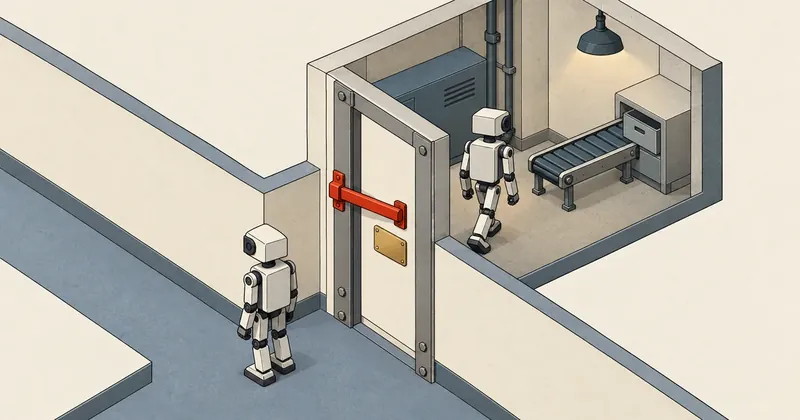
A pidfile means checking first and writing afterward. There is always a gap between those two steps. If slow work gets in the middle, that gap becomes wide enough for another process to walk straight through.
1-minute summary
- Symptom / problem
- A daemon was launched at login by two routes, both saw an empty pidfile, and both ran all day
- Who should read
- Developers of Windows daemons that must run as a single instance
- Fix in short
- A pidfile checks and then writes, which always leaves a gap. Switch to an operating system byte-range lock.
I have a real-time data collector daemon running on a Windows machine. Its job is to connect to the source application, fetch data in batches, and merge it into daily files. On August 3, that machine had two instances of the same daemon running all day, writing to the same storage location, even though the code already had a pidfile guard against duplicate instances. I had to go back and look at what that guard actually protected against.
The filenames, task names, and function names in this article have all been replaced with generic names. The sequence of events, timing figures, and code structure are real.
Symptoms: two daemons writing the same daily file
This daemon writes by merging and replacing: it reads the file for the day, merges in the latest batch of data, writes a temporary file, then renames it over the original. This is safe as long as there is only one writer. When two instances do the same thing to the same file, the one that replaces it last overwrites the result of the earlier replacement. Rows that the first instance just merged in, but that the second instance does not yet have, disappear on the next write without any error, because each instance sees every write as successful.
Two daemons writing by merging and replacing do not visibly collide. The file is not corrupt and opens normally. Every cycle logs a successful write. What gets lost is the losing instance's rows, which silently disappear on the next cycle. Nothing warns you about this kind of damage. You have to prevent it at the source by keeping the second instance from starting work at all.
This machine had more than one way to launch the daemon at login: a shortcut in the Startup folder, an autostart script, and a Task Scheduler task. On the day of the incident, two mechanisms fired roughly 20 seconds apart. I wrote separately about why there were two launchers and which one should own startup in A watchdog and autostart competing to launch a daemon. This article stays with one question: even if the daemon was launched twice, why did the duplicate-instance guard let both through?
The old guard: read the pid, then write
The old guard followed a common pattern. Its outline looked like this. I have rewritten it to show the structure rather than copying the entire function.
# รุ่นเดิม (โครงโดยย่อ) - อ่านก่อน แล้วค่อยเขียน
import os
from pathlib import Path

def single_instance_old(pidfile: Path) -> bool:
    if pidfile.exists():
        text = pidfile.read_text().strip()
        if text and pid_is_running(int(text.split()[0])):   # (1) ถาม
            return False
    pidfile.write_text(str(os.getpid()))                    # (2) จด
    return True
Nothing looks wrong when you read it. If the file exists and the pid inside is still alive, back off. Otherwise, write your own pid. I had always trusted this function because it worked in manual testing: leave the first instance running, launch a second, and the second exits immediately. What I had not considered was that those manual tests left minutes between the two instances. The first had finished writing long before the second checked.
Where this function was called mattered just as much. The old version called it after connecting to the source application, for a reason that sounded sensible at the time: if the connection failed, there was no point wasting time reserving anything.
What actually happened: both blocked in attach for around 30 seconds, then checked together
Connecting to the source application is a blocking call. Just after login, the source application had not finished starting, so this call blocked for around 30 seconds until the other side responded. The first daemon got stuck there. Roughly 20 seconds later, the second was launched and got stuck in the same place. Throughout this period, the pidfile was still empty because neither had reached the line that writes it.
Once the source application was ready, my understanding is that it responded to both instances almost simultaneously. Both returned from attach and checked the pidfile in the same millisecond. Each saw an empty file, wrote its own pid, and entered the main loop. The later write overwrote the first instance's pid, leaving just one pid in the file as usual. There was no way to tell from the file that two instances were running.
This is called TOCTOU: the check and the use of its result happen at different times. Nothing between line (1) and line (2) of the old version guarantees that the world will not change. In manual testing, this gap was only microseconds wide, so I never hit it. But the 30-second slow operation placed before it acted like a barrier. It gathered processes that arrived at different times and released them together. That tiny gap became a direct target every time the machine booted.
Why improving the pidfile still does not finish the job
My first thought was to move the check ahead of attach. That should be enough. It does help in this case because the two instances start 20 seconds apart, so the first finishes writing before the second exists. But the gap between checking and writing is still there. It merely becomes narrow again. If two launchers someday fire just a few milliseconds apart, the same thing happens again.
Pidfiles also have two other problems that I had always worked around with extra code. The first is a stale file. If the daemon is killed or the machine loses power, the file remains with the old pid. You need code to check whether that pid is still alive. The second is pid reuse. The same number may now belong to another program, so the check says it is still there when it is not. Every added layer is another check, which means another gap.
Check, write, and clean up yourself
Acquiring ownership takes two separate steps, always with a gap between them. The file remains after the process dies, so you must check the pid again, and pid numbers can be reused. The only advantage is that you can open the file to see who holds it.
Let the kernel decide
Requesting the lock is a single step. You know immediately whether you got it, with no intermediate window. Whatever causes the process to die, the kernel releases the lock itself, leaving nothing stale. You can still write a pid into the same file for people to read.
The fix: lock 1 byte at offset 1<<30 and let the kernel hold it
The version I use now stops doing its own checks entirely. It opens a lock file and requests a nonblocking byte-range lock. On Windows it uses msvcrt.locking; on Unix-like systems it uses fcntl.flock. If the request fails, another instance holds the lock, so it exits.
import os
from datetime import datetime, timezone
from pathlib import Path

DATA_DIR = Path(os.environ.get("STORE_DIR", "store"))
_LOCK_FD = None                 # ถือไว้ตลอดอายุของโปรเซส
_LOCK_BYTE = 1 << 30            # ไบต์ที่ล็อก อยู่ไกลจากบรรทัด pid มาก

def single_instance(tag: str = "collector") -> bool:
    global _LOCK_FD
    path = DATA_DIR / f"{tag}.lock"
    try:
        DATA_DIR.mkdir(parents=True, exist_ok=True)
        fd = os.open(str(path), os.O_CREAT | os.O_RDWR)
    except OSError as e:
        print(f"[WARN] cannot open {path.name} ({e}) -- continuing without a lock")
        return True
    try:
        if os.name == "nt":
            import msvcrt
            os.lseek(fd, _LOCK_BYTE, os.SEEK_SET)
            msvcrt.locking(fd, msvcrt.LK_NBLCK, 1)      # 1 ไบต์ ไม่รอ
        else:
            import fcntl
            fcntl.flock(fd, fcntl.LOCK_EX | fcntl.LOCK_NB)
    except OSError:
        try:
            os.lseek(fd, 0, os.SEEK_SET)
            held = os.read(fd, 200).decode("utf-8", "replace").strip()
        except OSError:
            held = "?"
        os.close(fd)
        print(f"[WARN] another {tag} already holds {path.name} [{held}] -- exiting")
        return False
    os.lseek(fd, 0, os.SEEK_SET)
    os.ftruncate(fd, 0)
    os.write(fd, f"{os.getpid()} {datetime.now(timezone.utc).isoformat()}".encode())
    _LOCK_FD = fd               # ไม่ปิด ปล่อยเองเมื่อโปรเซสจบ
    return True
There are four details I chose deliberately.
The first is the lock offset. Byte-range locks on Windows are mandatory: other processes cannot read the locked byte range. If I locked the first byte of the file, anyone opening it to see which pid held the lock would be unable to read it. I therefore lock 1 byte at offset 1 << 30, far beyond the end of the file. Windows allows locking a range beyond the end of a file without increasing its size. The pid line at offset 0 remains readable as usual.
The second is that LK_NBLCK and LOCK_NB must always be nonblocking. The later instance must get the result immediately and exit. With a blocking lock, it would sit there as a second process, ready to take over as soon as the first died. That sounds useful, but it puts the restart outside the monitor's view.
The third is that _LOCK_FD is kept in a module-level variable, and nothing closes it. The lock is tied to the file descriptor. If it were left as a function-local variable and some code closed that fd, the lock would be released while the daemon was still running. The only way to release the lock is for the process to end. Whether it exits normally, is killed, or the machine loses power, the kernel handles all the cleanup. There is no stale file to clean up afterward.
The fourth is the branch where opening the lock file fails. I have it warn and continue without a lock. This is a choice: if disk or permission problems prevent creating the lock file, I would rather keep collecting data than stop the daemon entirely. If duplicate instances would cost you more than stopping collection, change this branch to return False.
fcntl.flock locks the entire file and is advisory. Other processes can still read and write the file if they do not request a lock themselves, so the offset is irrelevant. msvcrt.locking, on the other hand, locks a byte range starting at the current file position and actually prevents reads and writes to that range. Both provide the result I need: only one holder, with automatic release when the process ends. But the surrounding details differ. Do not carry assumptions from one over to the other.
Always acquire the lock before attach
Even a correct lock placed in the wrong location still leaves 30 seconds for both instances to block together. Only one will ultimately acquire the lock, but the losing instance will already have connected to the source application once, which should not happen. The sequence in main is therefore:
def main() -> int:
    args = parse_args()
    one_shot = args.once or args.backfill is not None

    # จองก่อนงานที่ช้า - attach ค้างได้ราว 30 วินาที
    if not one_shot and not single_instance():
        return 0

    if not attach_source():
        return 1
    return run_forever(args)
Single-run and backfill modes are exempt and do not need to request the lock, because I invoke these two modes manually while the main daemon is running. Enforcing the lock would prevent me from running them at all. This exception puts responsibility on the person running them to know which time range they are writing.
The losing instance returns 0, not an error code, because another instance already running is a normal system state. Returning an error code would make the launcher see the task as failed and try to launch it again.
Test by narrowing the gap
The lesson from the old version is that manual tests with minutes between launches prove nothing. You have to test with the timing that produces the race.
- Launch two daemons from the same script with as little time between them as possible, then count the processes remaining after attach. There must be 1.
- Check the losing instance's log. It must contain a line saying another collector already holds, along with the holder's pid.
- Open and read the lock file from another window while the daemon is running. You must be able to see the pid and start time. If you cannot read it, the lock is at the wrong offset.
- Force-kill the daemon with taskkill, then launch it again immediately. It must start without requiring any file deletion.
- Launch single-run mode while the main daemon is running. It must work under the exception.
- logoff and login again, let both launch mechanisms fire as they normally would, then count the processes again.
# ยิงสองตัวติดกัน แล้วนับหลังพ้นช่วง attach
1..2 | ForEach-Object {
    Start-Process python -ArgumentList 'collector.py' -WindowStyle Minimized
}
Start-Sleep -Seconds 45
@(Get-CimInstance Win32_Process -Filter "Name='python.exe'" |
  Where-Object { $_.CommandLine -like '*collector.py*' }).Count    # ต้องได้ 1
Get-Content .\store\collector.lock                                # pid + เวลาเริ่ม
This guard only covers processes that call single_instance with the same tag and point to the same storage location. Another script writing daily files directly, or a daemon copy with a misconfigured storage location that overlaps another, is not prevented by this lock. I put the lock file in the storage location itself instead of a temporary folder so that the lock's scope matches the scope of what it protects.
The numbers in this incident
This is a different layer from scheduled tasks that never start after a power outage, which I covered in A 25-hour power outage left missed scheduled tasks gone for good. That article is about too few launches; this one is about too many. The same daemon's practice of writing files by renaming over the original has its own story, in os.replace fails on Windows even though the file is ours.
The conclusion is that a duplicate-instance guard needs to be a single request decided by the operating system, rather than a check followed by a write in our own code, and it must come before the slowest work in startup. I use a lock file because it gives me both the lock and a readable pid line in one place. A Windows named mutex provides the same single-holder behavior if that suits you better. If I have left anything out or made a typo, I will come back and correct it later.
Want us to set this up?
Get help with server setup, configuration, migration, or troubleshooting. Save time for the work that matters.
Hit something like this? Stuck somewhere?
Come trade notes on the LinuxThai board



Comments 0
No comments yet — be the first