WordPress 7.1.5 Fixes Privilege Escalation: Update Now
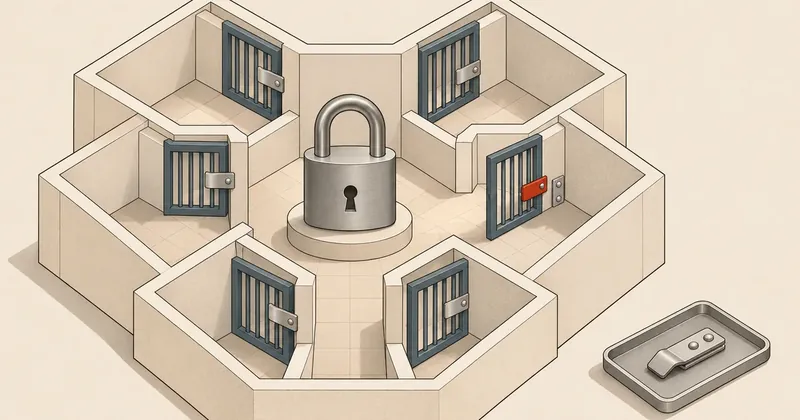
WordPress administrators should back up and update immediately, prioritizing multisite and publicly accessible sites, then verify every installation.
1-minute summary
- Symptom / problem
- WordPress core มีช่องโหว่หลายทาง ทั้งยกระดับสิทธิ์ แทรกสคริปต์ เปิดเผยข้อมูล SQL injection และทำให้บริการหยุดทำงาน
- Who should read
- เว็บไซต์ WordPress ที่ยังไม่ได้แพตช์รอบนี้ รวมถึง multisite และสาขาเก่าที่ HelpHub ระบุว่าได้รับผลกระทบ
- Fix in short
- สำรองฐานข้อมูลและไฟล์ อัปเดตสายปัจจุบันเป็น 7.1.5 หรือใช้รุ่น backport ตรงสาขา แล้วตรวจเลขรุ่น เทียบ checksum และทดสอบทุกเว็บไซต์
I came across the WordPress 7.1.5 announcement dated 18 Nov. 2026. This is a security release that the project team recommends installing immediately, so I have put together the steps for checking the work. If you run multiple WordPress installations, work through all of them, including subsites and publicly accessible test sites.
What happened in WordPress core
This release includes both vulnerability fixes and security hardening. I have selected the main issues to summarize here. The full list is in the announcement and HelpHub.
- An unauthenticated user could escalate privileges through Template Part block attributes, potentially allowing remote code execution, or RCE. The announcement does not give all the conditions.
- In multisite, a subsite Administrator could take over a Super Admin account through menu previews in the Customizer.
- Unauthenticated stored XSS is possible through shortcode attributes in comments. Stored data could become a script when displayed.
- There is SQL injection in
WP_Meta_Querythrough nested relation values. Another issue affects homepage settings in Customizer changeset previews. The announcement does not specify the required privilege level. - The REST API search endpoint exposes private taxonomy terms without authentication, while the comments endpoint exposes email addresses to users with Author privileges or above.
- XML-RPC allows unauthenticated denial of service through batched pingbacks. Another issue exposes information through
wp.getCommentsto users with Subscriber privileges or above.
Updating plugins alone does not fix these core issues. Single-site installations still need patching.
Severity and KEV status
The announcement and HelpHub do not provide CVE numbers, CVSS scores, or vectors, and do not assign a severity level to each vulnerability. I therefore will not guess scores or substitute CVE numbers from an earlier release.
The announcement does not report exploitation in the wild. The vulnerabilities in 7.1.5 are not yet in the 17 Nov. 2026 KEV edition, according to the CISA JSON I checked. That edition predates the 7.1.5 announcement, and absence from KEV does not mean there is no exploitation. I consider an unauthenticated vulnerability that could lead to RCE sufficient reason to patch promptly.
Subsite administrators and Super Admins have different scopes of authority. The vulnerability through Customizer menu previews can cross that boundary. I recommend reviewing the users with both privilege levels and the history of account changes alongside the update.
The vulnerability during upgrades covered in WordPress core is vulnerable during updates is CVE-2026-119977, fixed in 7.1.4. It is separate from the Template Part and multisite issues in 7.1.5 and is already in KEV. If you have not applied the earlier patch, review the precautions for the update process in that article before starting.
Patched versions, including older branches
This table follows HelpHub for 7.1.5. Older branches are affected by different sets of vulnerabilities. Apply the patch for your branch, then plan a move to the current branch. The project's security page states that only the latest version is officially supported.
| Branch | Patched version in this release | Branch | Patched version in this release |
|---|---|---|---|
| 7.1 | 7.1.5 | 6.0 | 6.0.19 |
| 7.0 | 7.0.9 | 5.9 | 5.9.21 |
| 6.9 | 6.9.12 | 5.8 | 5.8.20 |
| 6.8 | 6.8.13 | 5.7 | 5.7.22 |
| 6.7 | 6.7.12 | 5.6 | 5.6.24 |
| 6.6 | 6.6.12 | 5.5 | 5.5.25 |
| 6.5 | 6.5.15 | 5.4 | 5.4.26 |
| 6.4 | 6.4.15 | 5.3 | 5.3.28 |
| 6.3 | 6.3.15 | 5.2 | 5.2.31 |
| 6.2 | 6.2.16 | 5.1 | 5.1.29 |
| 6.1 | 6.1.17 | 5.0 | 5.0.32 |
| 4.9 | 4.9.36 | 4.8 | 4.8.35 |
| 4.7 | 4.7.40 | 4.6 and earlier | No security updates |
The 7.1.5 announcement says backports are still being released, but HelpHub lists the versions in the table as released. These sources differ on this point, so the table follows HelpHub. The Release Archive already shows 7.1.5 as the latest version, dated 18 Nov. 2026.
Back up, update, then check every site
- Take inventory List every installation separately, recording its current version, owner, and whether it is multisite.
- Back up Save the complete database and files, verify that you can restore them, and keep a copy outside web-accessible locations.
- Update Use Dashboard or WP-CLI, select the patched version for your branch, and stop to investigate if errors occur.
- Verify Check the version, checksums, database, and actual operation, and record the results for each site.
Back up both the database and files, including themes, plugins, uploads, and configuration files. Copying the website directory alone does not back up the database. Check that the themes and plugins support the version you are updating to, and prepare a restore procedure.
Run the examples in the installation directory as the account that owns the files, such as webuser. Start by checking the version, following the WP-CLI documentation.
wp core version
wp core check-update
If you use shared hosting without CLI access, go to Dashboard → Updates → Update Now and wait for it to finish. If files cannot be written, send the error message to your hosting provider to investigate. Do not make files writable by everyone just to get the update through.
For the current branch, run one line at a time and check the result. If you use an older branch, change the version number to match the table. If the installed version is already newer, do not force a downgrade. Refer to core update and update-db.
wp core update --version=7.1.5
wp core update-db
For multisite, update core, then use the network-wide database command instead of the single-site command, or use Network Admin → Updates and Upgrade Network as described in the Network Admin guide.
# หลังอัปเดต core แล้ว สำหรับ multisite
wp core update-db --network
wp site list --fields=blog_id,url
The database update command above operates on one multisite network. Other WordPress installations must be handled separately. Record the versions before and after, and test the homepage, login, comments, and pages that use the theme on every subsite. Record anything that fails so you can follow up.
Check after patching and look for anomalies
Check the version number again and compare core files against the official checksums, following the verify-checksums guide. This command is not a malware scan of the entire site.
wp core version
wp core verify-checksums
If checksums cannot be downloaded, do not count the check as passed. If files do not match, investigate the cause. Someone may have modified core, the update may be incomplete, or there may have been an intrusion. Even if all core files match, that does not establish that the database, plugins, and uploaded files are safe.
The announcement and HelpHub pages cited here do not provide IOCs for this release. I recommend checking for unauthorized changes to admin accounts or Super Admin privileges. Look for comments containing unusual scripts and changes to templates, as well as unusual request volumes or errors. These are general preliminary checks and cannot confirm which vulnerability was exploited.
Save logs, copies of files, and the database, along with the relevant time window, before deleting anything or overwriting it with a restore. If there is evidence of an intrusion, handle it as a security incident separately from the patching work. Updating does not undo the effects of an attack that has already occurred.
How I prioritize this release
I would update promptly once backups are ready, starting with multisite and publicly accessible sites. Even though the announcement provides no CVSS scores, I would not wait for the regular maintenance window, because the issues include potential RCE and Super Admin takeover. Allow time to verify the results too. Before closing the work, complete the post-patch checks on every site.
Sources: WordPress 7.1.5 Release, HelpHub 7.1.5 and backported versions, 7.1.4 announcement for earlier context, Release Archive, Updating WordPress, Backup guide, core version, site list, and the command documentation linked in the article. Information checked on 19 Nov. 2026; the KEV edition available to me was dated 17 Nov. 2026. I will come back and update this later.
Want us to set this up?
Get help with server setup, configuration, migration, or troubleshooting. Save time for the work that matters.
Hit something like this? Stuck somewhere?
Come trade notes on the LinuxThai board


Comments 0
No comments yet — be the first