Move 30 Domains to PHP 8.4 via DA API with Snapshots and Rollback
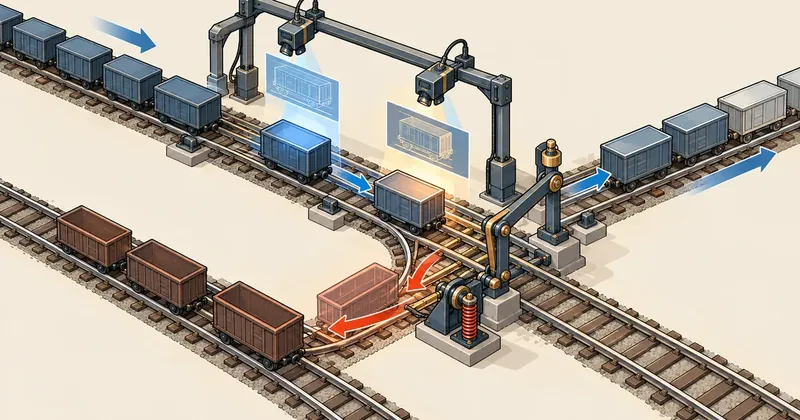
The worrying part of moving PHP versions one domain at a time is not the commands, but checks that report a pass when things still do not work. My approach is to capture the same set of pages before and after, then let the script decide whether to roll back.
1-minute summary
- Symptom / problem
- Moving about 30 domains to PHP 8.4 risks a check that says pass when it has not.
- Who should read
- DirectAdmin admins who must upgrade PHP across many domains.
- Fix in short
- Scan compatibility read-only, snapshot 60 pages before and after, switch via the API, and let the script roll back automatically when a page turns into a 500.
After the news about php2shell requiring an urgent update, I needed to remove PHP 5.6, 7.4 and 8.1 from a DirectAdmin server I maintain and move every domain still pointing to those versions straight to 8.4. That meant dozens of domains and several subdomains. If I clicked through them one by one in the panel, I was not confident I would check every page I needed to, so I wrote scripts to repeat the same steps for each domain. In the end, I did not need to roll back a single domain, but I encountered three pitfalls along the way that checks can miss if you do not know about them. I have written them up here.
I have replaced all domain names, usernames and backup folders in this article with fictional values. The symptoms and sequence of steps are real.
This is a procedure for changing PHP versions in-place on the same server, rather than moving an entire server to a new one. For a full OS migration, read the actual DA cutover series instead. The scripts in this article must run as root and change settings on a live server. Always try them on one test domain first.
Why move one domain at a time through the API instead of clicking in the panel
I set myself three rules. First, manage PHP only through CustomBuild and the DirectAdmin API, without editing the resulting files by hand. Second, every migrated domain must have evidence for a before-and-after comparison, rather than a feeling that "the homepage loads fine." Third, remove the old version's binaries only after passing two separate rounds of checks.
Personally, I do not trust visual checks alone, because many older sites use different code paths for the homepage and deeper pages. I have seen the homepage load while an old event page failed. So I split the work into three pieces small enough to script: scan for compatibility, take snapshots, and switch versions with a rollback decision.
Step 1: Scan for compatibility without changing anything
Before touching a domain's settings, I scan its files. The script takes user:domain and does four things. First, it identifies the likely application (WordPress with core, plugin and theme versions, Laravel, Joomla, or custom code). Second, it runs the 8.4 version of php -l against every .php file, skipping uploads and cache folders and files larger than 2 MB, with 4 parallel jobs at nice 19 to avoid disrupting a server with active customers. Third, it uses grep to find functions removed in 7.x and 8.x, such as each, create_function, mysql_*, ereg* and split, then counts occurrences by function and by file. Finally, it counts old curly offset syntax such as $x{0}, which is a parse error in PHP 8.
#!/bin/bash
# สแกนอ่านอย่างเดียว: ใช้ php 8.4 lint ทุกไฟล์ในเว็บหนึ่งโดเมน
PHP84=/usr/local/php84/bin/php
ROOT=/home/webuser/domains/example.com/public_html

find "$ROOT" -type f -name '*.php' -size -2M \
     -not -path '*/uploads/*' -not -path '*/cache/*' -print0 \
  | xargs -0 -n 20 -P 4 nice -n 19 "$PHP84" -l 2>&1 \
  | grep -v '^No syntax errors' > /tmp/lint-example.txt
echo "lint errors: $(wc -l < /tmp/lint-example.txt)"

# ฟังก์ชันที่หายไปแล้ว นับต่อชื่อ
grep -rnoE '\b(each|create_function|mysql_[a-z_]+|ereg[i]?|split)\s*\(' "$ROOT" \
     --include='*.php' | sed -E 's/.*:([a-z_]+)\s*\($/\1/' | sort | uniq -c | sort -rn

# curly offset แบบเก่า
grep -rnE '\$[a-zA-Z_]+\{[0-9$]' "$ROOT" --include='*.php' | wc -l
The scan separated the problems into several categories that kept recurring across sites: bareword constants, PHP4 constructors whose method names match the class names, each(), create_function(), curly offsets, and nested ternaries without parentheses. I fixed these before each migration. This is why no domain ultimately needed a rollback: the things that would break had already been fixed, rather than passing through luck.
One thing to understand is that php -l catches only parse errors and compile errors. A bareword such as echo FOO; passes lint easily, then fails at runtime with Error: Undefined constant. And no lint tool can tell you about the silently reversed result of 0 == 'o'. This is why I do not trust the scanner alone; I always follow it with snapshots of actual pages. The scan reduces the number of things that will break, while the snapshots catch things I did not anticipate.
Step 2: Snapshot the site before moving
The snapshot script (which I named site-snap) runs on the server itself, making requests directly to the origin with curl --resolve to bypass Cloudflare and its cache. This matters because checking through a caching frontend shows you an old cached page, rather than what the new PHP version has just generated.
It opens the homepage, then collects up to 60 links within the same domain, skipping images, css, js, pdf, logout, admin and feed. For every page it opens, it records three things: the HTTP status, the HTML itself, and the visible text (with script and style removed). When comparing with --diff, it prints which pages changed status, how many lines of text changed, and which pages contain leaked PHP error messages (Deprecated, Warning, Notice, Fatal error), then finishes with a single line: unchanged pages N/M.
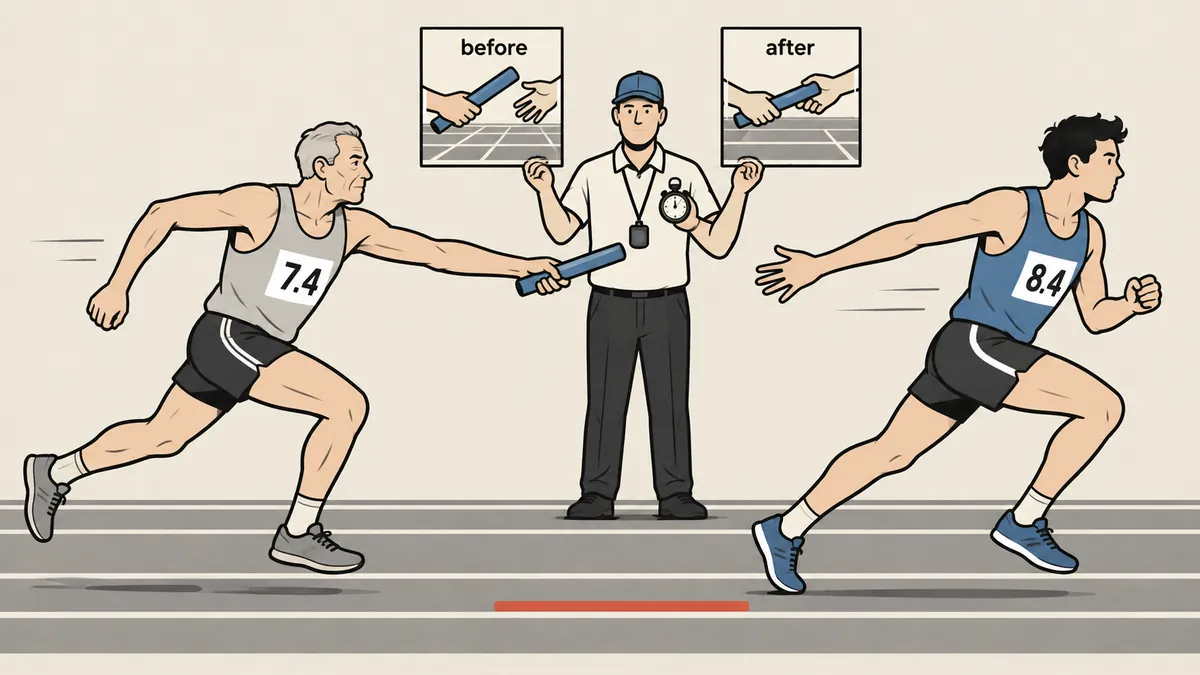
The part I think matters most, though it is easy to overlook, is "the same set of pages." For the after snapshot, the script does not crawl again. It reads and reuses the list of paths from the before snapshot folder. If both rounds crawl afresh, the second round may find a different set of links, making comparison impossible.
The comparison output I read for every domain looks like this (the domain names are fictional, and the numbers only illustrate the format).
$ site-snap --diff before after
status   changed: 0 page(s)
text     changed lines: 2   (/news/ , /contact/)
php-error-text in html: none
unchanged pages N/M
The line I pay the most attention to is php-error-text, because many older sites have display_errors enabled, allowing Deprecated or Warning messages to leak into pages even while the status remains 200. If I looked only at status codes, everything would pass, but visitors would see strange messages in the middle of the page. A nonzero text changed line does not always mean something is broken. Pages with dates, times or visitor counts change naturally. I always read the changed lines myself, rather than letting the script decide based on text. Status is the only thing I let the machine use to decide and roll back automatically.
Step 3: Move through the API, then wait for opcache
Once scanning and fixes are complete, the migration script calls the DirectAdmin API as the domain owner. The command directadmin api-url --user=NAME provides a URL containing a single-use login key. I extract the key for use with curl -u, then POST to CMD_API_DOMAIN with action=php_selector. The php1_select value is the CustomBuild slot number holding 8.4 (check the slot number in your own server's options; I have not included the actual number here).
api() {   # user domain select
    local URL B K
    URL=$(/usr/local/directadmin/directadmin api-url --user="$1" 2>/dev/null | tail -1)
    B=$(echo "$URL" | sed -E 's#https?://[^@]+@([^/]+).*#https://\1#')
    K=$(echo "$URL" | sed -E 's#https?://([^@]+)@.*#\1#')
    curl -sk -u "$K" "$B/CMD_API_DOMAIN" \
         -d "action=php_selector&domain=$2&php1_select=$3&save=yes" >/dev/null
}

bad() {   # นับหน้าที่ต่ำกว่า 500 ก่อน แล้วกลายเป็น 500 ขึ้นไปหลัง
    join <(awk '{print $2, $1}' "$1/codes" | sort) \
         <(awk '{print $2, $1}' "$2/codes" | sort) \
      | awk '$2<500 && $3>=500' | wc -l
}
After the API call, I have the script wait 65 seconds before taking the after snapshot. The reason is that the pool's opcache is set to opcache.revalidate_freq=60, so compiled code is rechecked every 60 seconds. If I take the snapshot immediately after switching, I may get results from old code still held in opcache, so I wait 5 seconds beyond 60 as a margin. I will return to this pitfall below.
The decision step is very short. If bad returns more than 0, the script calls api again with the original slot number (read from php1_select in the backed-up conf file, defaulting to slot 1 if that line is absent), then prints the diff for review. If it returns 0, it prints OK with a count of unchanged pages.
- Always back up the domain's conf file first, then take a before snapshot
- Call the API to switch versions, then wait 65 seconds for opcache to recheck the code
- Take the after snapshot using the same path list, then count pages that went from below 500 to 500 or above
- If even one page changes this way, roll back automatically and read the diff afterward, without rushing
I moved a small batch first, then continued until all remaining domains and subdomains were done. There was not a single rollback.
Pitfall 1: Subdomains do not follow the main domain
I discovered this when all API calls returned success but one subdomain was still running the old version. Calling CMD_API_DOMAIN touches only the main domain's conf file. A subdomain's PHP setting is stored in a separate file, <domain>.subdomains.docroot.override, in the user's data folder. Each subdomain has one line, with the php1_select value URL-encoded within it.
As a result, after moving the main domain to 8.4, a subdomain pinned to 8.2 stays on 8.2. If the same application shares a vendor directory and composer update is run with PHP 8.4, that subdomain immediately returns 500 (I wrote about this separately in the article on composer's platform_check).
So I wrote a separate script to move subdomains.
# php_move_sub.sh SELECT user:domain:sub   (ย่อ)
O=/usr/local/directadmin/data/users/$U/domains/$DOM.subdomains.docroot.override
cp -a "$O" "$BACKUP_DIR/$U-$DOM.override.$SUB"
C0=$(code "$SUB.$DOM")                       # สถานะก่อน (ตาม redirect)

sed -i -E "s/^($SUB=php%31%5Fselect=%3)[0-9]/\1$SEL/" "$O"   # แก้เฉพาะเลขรุ่น

echo "action=rewrite&value=httpd&user=$U" >> /usr/local/directadmin/data/task.queue
/usr/local/directadmin/dataskq d
systemctl reload httpd nginx                 # แล้ว reload php-fpm ของรุ่นนั้นด้วย
sleep 5
C1=$(code "$SUB.$DOM")
if [ "$C0" -lt 500 ] && [ "$C1" -ge 500 ]; then
    cp -a "$BACKUP_DIR/$U-$DOM.override.$SUB" "$O"      # คืนไฟล์ แล้ว rewrite ซ้ำ
fi
I first tried value=phpfpm in the task.queue line, but nothing happened. The value that actually worked was value=httpd. As for da build rewrite_confs, it was unsuitable here because it touches every user. I needed to change one user at a time.
Pitfalls 2 and 3: Redirects and opcache
The second pitfall is that checks after migration must follow redirects. I once checked only https://example.com/ and got 301, which is below 500, so I counted it as healthy. But the apex returned a 301 to www, and the actual failure was on www. So I now use curl -L --max-redirs 4 every time and compare the final status, rather than the status of the first request.
code() {
  curl -sk -L --max-redirs 4 -o /dev/null -w '%{http_code}' \
       -A 'Mozilla/5.0' --max-time 30 \
       --resolve "$1:443:203.0.113.10" "https://$1/"
}
The third is opcache, which I already covered with the 65-second wait, but there is another side to it. If I use another tool to change a site's code (such as updating WordPress core), then use the after snapshot bundled with that tool, it can still show results from the old code. I encountered this while updating one site's core: the after snapshot taken automatically by the tool still showed the old result. I had to take another snapshot after waiting 62 seconds to see the actual result (I cover the core update in the article on upgrading very old WordPress before moving to 8.4).

Another small issue I encountered was needing to pause for 5 seconds after the final reload, because I once saw a single 503 caused by the FPM reload itself. Checking immediately made it look as though the migration had broken the site, but checking again showed it had returned to normal.
A fourth issue concerned the reload sequence after writing a new config. I encountered one WordPress site that would not return to the original version after rollback until I manually ran systemctl reload httpd. So my script now calls reload every time it writes a new config.
curl the homepage once
Fast, but sees only the apex's 301, sees pages cached at Cloudflare, and misses deeper pages that use different code paths
60 pages, direct to origin, follow redirects
Slower, but provides before-and-after figures, catches errors leaked into pages, and supports automatic rollback
The sequence I use
If I were applying this procedure, this is the sequence I would recommend. Personally, I will not move another domain without paired snapshots, because a figure such as unchanged pages 58/60 gives me a very different level of confidence from opening the homepage.
- Run a read-only scan on every domain first, then fix what will break (barewords, old constructors,
each,create_function, curly offsets) before switching versions. - Take a before snapshot, going directly to the origin with
--resolveand always following redirects. - Switch through the API as the domain owner, without editing conf files by hand.
- Wait at least five seconds beyond
opcache.revalidate_freqbefore taking the after snapshot. - Subdomains have a separate override file and need their own script.
- Set a numeric rollback condition: any page going from below 500 to 500 or above, rather than relying on impressions.
- Remove the old version's binaries only after passing two separate rounds of checks.
Anyone writing their own scripts can make them more or less detailed than this as they prefer. All I ask is that there be a rollback condition the machine can evaluate in place of a person. If I have left anything unclear, or the slot details differ between servers, I will come back and add corrections later.
Want us to set this up?
Get help with server setup, configuration, migration, or troubleshooting. Save time for the work that matters.
Hit something like this? Stuck somewhere?
Come trade notes on the LinuxThai board
Comments 0
No comments yet — be the first