Duplicate and Skipped Invoice Numbers from MAX(id)+1
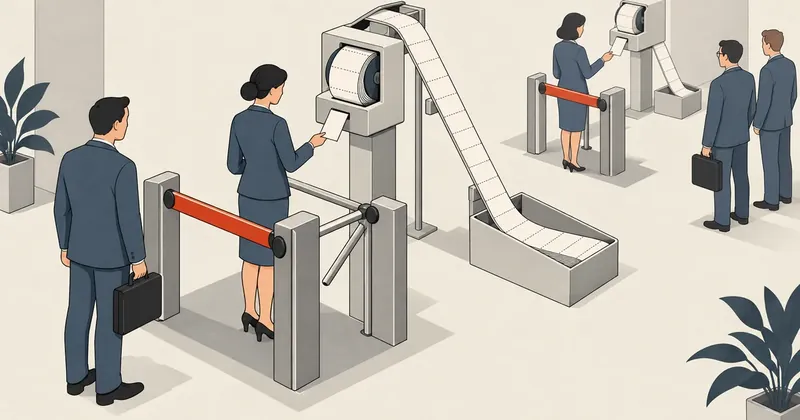
Document numbers that must never repeat or skip look simple until two requests arrive at once. The solution takes just one row and one lock, but it also forces a decision about where and when the number is assigned.
1-minute summary
- Symptom / problem
- Document numbers must be gapless, but MAX+1 or auto-increment breaks when requests arrive at once
- Who should read
- Developers of billing or document systems that need consecutive numbers
- Fix in short
- Use a per-organization sequence table with SELECT ... FOR UPDATE in the same transaction that saves the bill, and accept that an offline POS prints the first slip without a number
I needed to add a tax invoice feature to the backend of a point-of-sale app. It uses Laravel and MariaDB, with multiple organizations sharing one database. The sales terminals run Android, work offline, and sync bills later. I had already postponed this feature once. In an earlier work log, I had briefly noted that I was holding off because "a gapless per-organization counter needs to come first." When it was time to actually build it, I sat down to work out the counter before writing the rest of the code. This article records that design.
Let me be clear from the start: this system has never actually issued duplicate numbers. The title describes what would happen if numbers were assigned using MAX+1. I designed against that from the beginning. The collision demonstration below is a two-request example anyone can reproduce, not an incident from the live system.
The only requirement I use here is that document numbers must be consecutive, with no duplicates or gaps. Who is allowed to issue tax invoices, what information they must contain, and how particular tax situations must be handled are questions for an accountant. I am not offering advice on those matters.
The requirements: consecutive numbers per organization, with ordinary bills consuming none
I wrote down four conditions before starting.
- Numbers must be consecutive within each organization. One organization starts at
INV-00000001and maintains its own count, independently of other organizations. - No duplicates, even when multiple branches and terminals submit bills in the same second.
- No gaps. If saving a bill fails partway through, the number already allocated must not disappear from the sequence.
- Ordinary bills that do not request a tax invoice must not consume numbers. Otherwise, the invoice sequence would be full of gaps.
Conditions 2 and 3 are what rule out the simple approaches.
The first three approaches that came to mind, and why they do not work
The first approach that came to mind was MAX(invoice_number) + 1: read the latest number and add one. Two lines of code, and it works every time when testing alone. The problem is that reading and writing happen in two separate steps. Another request can slip in between them.
-- คำขอ A (เครื่องสาขา 1)                     -- คำขอ B (เครื่องสาขา 2)
SELECT MAX(seq) FROM sales WHERE org_id = 7;
-- ได้ 41
                                              SELECT MAX(seq) FROM sales WHERE org_id = 7;
                                              -- ได้ 41 เหมือนกัน เพราะ A ยังไม่ได้ INSERT
INSERT INTO sales (org_id, seq) VALUES (7, 42);
                                              INSERT INTO sales (org_id, seq) VALUES (7, 42);
-- ผล: มีเลข 42 สองใบ หรือถ้ามี unique index ใบของ B จะล้มด้วย duplicate entry
The second approach is database auto-increment, which certainly avoids duplicates but violates two other conditions. InnoDB's auto-increment counter does not move backward when a transaction is rolled back. The allocated number is simply lost, leaving a gap. It is also a counter for the entire table, not a separate one for each organization. One organization would see its numbers jump around as other organizations make sales.
The third approach is a shortened UUID, which removes the need to think about collisions but is not sequential either. It fails the first condition from the outset.
| Approach | No duplicates | No gaps | Separate per organization | Why it fails |
|---|---|---|---|---|
| MAX + 1 | No | Yes | Yes | Two requests read the same value |
| auto-increment | Yes | No | No | Skips numbers on rollback and counts across the entire table |
| Shortened UUID | Yes | Not applicable | Not applicable | Not sequential |
| Sequence table + row lock | Yes | Yes | Yes | Requests within the same organization must queue |
A per-organization sequence table with SELECT ... FOR UPDATE
What MAX+1 lacks is "a place to queue." I gave it one: a table with one row per organization, storing the next number to issue.
CREATE TABLE invoice_sequences (
  org_id      BIGINT UNSIGNED NOT NULL PRIMARY KEY,
  next_number BIGINT UNSIGNED NOT NULL DEFAULT 1,
  created_at  TIMESTAMP NULL,
  updated_at  TIMESTAMP NULL
) ENGINE=InnoDB;

ALTER TABLE sales
  ADD COLUMN is_tax_invoice   TINYINT(1)   NOT NULL DEFAULT 0,
  ADD COLUMN invoice_number   VARCHAR(20)  NULL,
  ADD COLUMN customer_name    VARCHAR(255) NULL,
  ADD COLUMN customer_tax_id  VARCHAR(13)  NULL,
  ADD COLUMN customer_address VARCHAR(500) NULL,
  ADD UNIQUE KEY uq_org_invoice (org_id, invoice_number);
The number allocator is a single method on the model. I have rewritten it in a more general form, but the core is the same as the actual implementation.
class InvoiceSequence extends Model
{
    protected $primaryKey = 'org_id';
    public $incrementing = false;
    protected $fillable = ['org_id', 'next_number'];

    public static function allocate(int $orgId): string
    {
        return DB::transaction(function () use ($orgId) {
            // SELECT ... FOR UPDATE: คำขออื่นของ org เดียวกันจะรอตรงบรรทัดนี้
            $row = static::where('org_id', $orgId)->lockForUpdate()->first();

            if (! $row) {
                $row = static::create(['org_id' => $orgId, 'next_number' => 1]);
            }

            $n = $row->next_number;
            $row->next_number = $n + 1;
            $row->save();

            return sprintf('INV-%08d', $n);
        });
    }
}
lockForUpdate() turns the query into SELECT ... FOR UPDATE, which requests a write lock on the matching row. A second request for the same row waits until the first commits or rolls back before it can read. The value it reads is therefore always the value after the first request has incremented it. The gap between reading and writing that breaks MAX+1 disappears because the read and write are held under the same lock.
The lock is at row level, so other organizations using their own rows do not have to wait for one another. Only requests from the same organization asking for tax invoices at the same time need to queue, which is a very small volume for a shop.
Four details to cover: a lock alone is not enough
First, allocating the number must happen in the same transaction as inserting the bill. If I allocate a number in one transaction, commit it, then insert the bill in another transaction and the insert fails, the number has been consumed without a bill. That leaves the same kind of gap as auto-increment. With both operations in one transaction, a failed insert also rolls back the increment. The number becomes available to the next request.
$sale = DB::transaction(function () use ($data, $branch) {
    // กันซ้ำก่อนออกเลข: บิลที่เคยรับแล้วต้องไม่ได้เลขใหม่อีกใบ
    $seen = Sale::where('branch_id', $branch->id)
        ->where('local_id', $data['local_id'])
        ->first();
    if ($seen) {
        return $seen;
    }

    // บิลธรรมดาไม่เรียก allocate เลยไม่กินเลข
    $number = ! empty($data['is_tax_invoice'])
        ? InvoiceSequence::allocate($branch->org_id)
        : null;

    return Sale::create($data + [
        'branch_id'      => $branch->id,
        'org_id'         => $branch->org_id,
        'invoice_number' => $number,
    ]);
}, 3);
Nested DB::transaction calls in Laravel sit under the same outer transaction. The allocate call inside therefore does not commit independently first. The lock is held until the outer transaction ends. The final 3 is the number of attempts allowed when a deadlock occurs, and it only takes effect at the outermost level.
Second, the organization's first row. If the row does not exist yet, FOR UPDATE has no row to lock. The first two requests for a new organization may enter the create branch at the same time. The primary key on org_id prevents two rows from being created, but one request will fail with a duplicate error or deadlock. The cleaner approach is to create the sequence row when creating the organization, and keep the create branch as a fallback alongside retries at the outer level.
Third, a unique index is the final safety net. (org_id, invoice_number) on the bills table is not the primary mechanism. But if someone later writes a new path that assigns numbers without going through allocate, the database will reject it instead of silently allowing duplicates. There can be any number of rows where invoice_number is NULL, so ordinary bills do not run afoul of this index.
Fourth, ordinary bills do not call allocate. In the code above, a number is only allocated when the bill requests a tax invoice. Each organization's counter therefore advances only with the actual number of tax invoices.
Moving number allocation into its own short transaction does shorten the time the lock is held. But it allows a number to be lost whenever the next step fails, violating the requirement that made this table necessary in the first place. If the document allows gaps in its numbering, auto-increment is simpler. If it does not, waiting for the lock is a cost that must be paid.
8 tests, and what this test suite cannot prove
This feature has 8 API tests (the full API test suite totaled 141 at the time). They cover the following: ordinary bills receive no number, tax invoice bills receive sequential numbers, numbers increase by one within the same organization, ordinary bills inserted between them consume no numbers, two organizations have independent sequences, customer fields are discarded when the bill is not a tax invoice, bill details return all invoice fields, and validation rejects tax IDs or addresses that are too long.
public function test_non_tax_sale_in_between_does_not_consume_sequence(): void
{
    $a = $this->pushSale(['is_tax_invoice' => true]);
    $this->pushSale(['is_tax_invoice' => false]);          // บิลธรรมดาแทรกกลาง
    $b = $this->pushSale(['is_tax_invoice' => true]);

    $this->assertSame('INV-00000001', $a->json('invoice_number'));
    $this->assertSame('INV-00000002', $b->json('invoice_number'));
}
I need to be clear that these tests run one request at a time. They prove that the sequence is correct and has no gaps, but they do not prove that two concurrent requests will not collide. That part is established by the lock's behavior itself, which can be observed by opening two database client windows.
-- หน้าต่างที่ 1
START TRANSACTION;
SELECT next_number FROM invoice_sequences WHERE org_id = 7 FOR UPDATE;  -- ได้ 42 ทันที

-- หน้าต่างที่ 2 (หน้าต่างแรกยังไม่ COMMIT)
START TRANSACTION;
SELECT next_number FROM invoice_sequences WHERE org_id = 7 FOR UPDATE;  -- ค้างรออยู่ตรงนี้

-- กลับมาหน้าต่างที่ 1
UPDATE invoice_sequences SET next_number = 43 WHERE org_id = 7;
COMMIT;                                                                 -- หน้าต่างที่ 2 ได้คำตอบ 43
If the first window holds the lock longer than innodb_lock_wait_timeout, the second window receives an error instead of waiting indefinitely. This is another reason the transaction around number allocation must stay short. It must not contain external API calls or slow work.
The consequence: offline terminals print the first copy without a number
This is the part that takes the problem beyond a textbook example. Once numbers come from a single row on the server, the number is assigned during sync, not at the time of sale. An offline sales terminal takes payment and immediately prints a copy for the customer. But at that moment, the server does not yet know the bill exists. The printout therefore has no number yet.
I chose to accept this limitation and complete the return path. The server returns invoice_number in the push response. The Android worker writes that number back to the local bill row. Reprinting from the bill details screen after sync therefore includes the number.
{
  "status": "accepted",
  "local_id": "loc-0042",
  "invoice_number": "INV-00000042"
}
if (resp.isSuccessful) {
    // เลขที่เซิร์ฟเวอร์ออกให้ เขียนกลับลงแถวในเครื่องก่อน mark ว่าส่งแล้ว
    resp.body()?.invoiceNumber?.let { dao.setInvoiceNumber(sale.localId, it) }
    dao.markSynced(sale.localId, System.currentTimeMillis())
}
Assign numbers on the server during sync
Numbers follow the order in which bills reach the server, with no unused numbers left over and one place handling allocation. The tradeoff is that the first copy printed offline has no number yet. It must be reprinted after sync to get a copy with a number.
Reserve number ranges for each terminal in advance
Every terminal has numbers available immediately, even offline. But the numbers do not follow chronological order because terminals consume their own ranges at different times. Reserved ranges that are not fully used leave unused numbers, creating the very gaps I was trying to avoid.
There are two versions of the printed invoice heading, determined by the entered data. If both the customer name and a 13-digit tax ID are present, it prints the full form. Otherwise, it prints the abbreviated form. Customer fields are saved to the bill row only when the tax invoice switch is enabled at checkout.
Another detail that must fit with the sync layer is resubmission. A sales terminal may send the same bill more than once if the response is lost in transit. Deduplication using the (branch_id, local_id) pair must happen before allocating a number, in the order shown in the controller code above. Otherwise, one bill will consume two numbers. I wrote about the principle of claiming before doing the work from another angle in Jobs that call external systems must claim their status before sending.
Refunds leave the original number alone
The immediate next question is what happens to that invoice's number when a customer returns an item. In this system, the answer is nothing at all. A saved bill is not modified. A refund is a new row in a separate, append-only table, referencing the original bill. An issued number stays with its original bill permanently. The end-of-day report deducts refunds from the net total.
The technical advantage of leaving the original row unchanged is that there is never a point where a number is released back into the counter. The counter only moves forward, making the sequence logic easy to check.
The same pattern elsewhere: extending memberships from their current end date
Once I had the pattern "lock the owner's row, then read, calculate, and write under the same lock," I used it in another area that looks entirely different: approving payment slips for membership renewals.
The problem is that an organization may submit two payment slips in quick succession. If the new expiry date is calculated as "today plus 30 days," both slips produce the same date. The money from the second slip effectively disappears. The correct formula is new_until = max(วันนี้, วันหมดอายุเดิม) + 30 วัน, and it must be calculated under a lock on the organization row. Otherwise, two concurrent approvals will read the same previous expiry date, which is the same family of bug as MAX+1.
public function approve(int $reviewerId, ?string $note, int $days = 30): ?Carbon
{
    return DB::transaction(function () use ($reviewerId, $note, $days) {
        $org = Org::whereKey($this->org_id)->lockForUpdate()->first();
        $payment = static::whereKey($this->id)->lockForUpdate()->first();

        if ($payment->status !== 'pending') {
            return null;                       // อนุมัติซ้ำใบเดิม: controller ตอบ 409
        }

        $current = $org->subscription_until;
        $base = ($current && $current->gt(today())) ? $current->copy() : today();
        $until = $base->addDays($days);

        $org->update(['subscription_until' => $until]);
        $payment->update([
            'status' => 'approved',
            'reviewed_by_user_id' => $reviewerId,
            'review_note' => $note,
            'extended_to' => $until,
        ]);

        return $until;
    });
}
As a hypothetical example, suppose the organization has no expiry date yet. Approving the first slip on day 1 extends it to day 31. Approving the second slip on the same day uses day 31 as the base, not day 1, so it adds another 30 days from there. The two slips extend the membership consecutively without overlapping. Approving the same slip again returns 409 and adds no days.
- Find the "owner row" for the value that must be sequential or cumulative, such as the organization's sequence row or the organization row itself. If it does not exist, create it.
- Open a transaction and call
lockForUpdate()on that row first, before reading any values. - Read, calculate, write the new value, and save the record that uses it (a bill or approval record) in the same transaction.
- Check the status of the operation under the lock as well. If it has already been done, exit without changing anything and return a code indicating a duplicate.
- Add a unique index on the result as the final safety net.
- Keep the transaction short. Do not call external services while holding the lock.
In summary, gapless sequential numbers require three things together: one row per owner where requests can queue, a lock that holds the read and write together, and a transaction that covers both allocating and using the number. Without any one of them, duplicates or gaps return. Personally, I accept the cost of waiting for the lock and having no number on the first offline printout over having to explain why one invoice number has gone missing. If a system can accept gaps, its owner can choose a lighter approach. If I have left anything out or made a typo, I will come back and fix it later.
Want us to set this up?
Get help with server setup, configuration, migration, or troubleshooting. Save time for the work that matters.
Hit something like this? Stuck somewhere?
Come trade notes on the LinuxThai board


Comments 0
No comments yet — be the first