MDES 2564 Government CCTV Price Limits and a Hikvision PoE BOM

Government CCTV projects do not fall down over the camera brand; they fall down because whoever writes the specifications has not read the reference pricing criteria in full — pricing above the ceiling, writing specifications that lock in a brand, or forgetting the 30-day recording retention rule, then fixing everything after the submission is rejected.
Someone recently asked me to review the CCTV specifications for a sample hospital project funded by a government budget: 4 outdoor cameras + one recorder. Before settling on models or prices, I sat down and read the MDES reference pricing criteria from start to finish, because government procurement is different from buying equipment for home — there are price ceilings that must not be exceeded, minimum specifications that must be met, and a requirement to write specifications that allow several brands to bid. Miss any one of these and the whole submission gets sent back. In this article, I first cover the criteria I need to know, then work through an actual BOM using Hikvision equipment that meets every condition.
The organization name, IP addresses, and actual purchase prices in this article are examples. The reference pricing criteria and minimum specifications are taken from the actual MDES announcement.
The edition to use: June 2564 is still the latest
The reference document is the June 2564 edition of "Reference Pricing Criteria and Basic Specifications for Closed-Circuit Television Systems" from the Ministry of Digital Economy and Society (MDES), announced on 11 June 2564. A common mistake is using criteria from another year, even though the June 2564 edition is still the latest — no replacement was issued from 2565 through 2568, so this edition can continue to be used.
Another source of confusion is that this is a separate document from the "Reference Pricing Criteria for Computer Equipment," which is updated almost every year. MDES publishes the CCTV criteria separately. I always print out the entire document and keep it beside my monitor while writing specifications, because it is very easy to remember numbers incorrectly.
Minimum specifications that must not be lowered
The committee sets a minimum baseline for "every camera." Specifications below this baseline fail from the outset. The key requirements are a minimum Full HD resolution, frame rate, sensor, and PoE port:
Do not specify below this
Resolution >= 1920x1080 (2MP), >= 25 fps, Image Sensor >= 1/3", IR/ICR for night vision, Motion Detection, at least H.264 compression, IPv4, LAN 10/100 + PoE 802.3af/at, and outdoor units must be IP66 and operate from -10 to 50 degrees C
One step above the minimum
2560x1440 to 2688x1520 (4MP), 25-30 fps, 1/3" CMOS, IR + Smart Hybrid Light, H.265+ compression (uses less HDD space than H.264), Gigabit + PoE 802.3af, IP67/IP66 water resistance + IK10 impact resistance, AcuSense for filtering false alarms
Beyond the camera specifications, there is an equally important recording rule, and it is the one people forget most often: record at >= 1080p, >= 10 fps and retain recordings for >= 30 days. This requirement determines the HDD capacity for the entire system. If it is overlooked during design, the disk will turn out to be too small on site, unable to retain even a month's recordings.
General security and public areas have different ceilings and specifications
Before setting prices, I need to distinguish which type of project I am working on, because these two categories have entirely different ceilings and specifications. For "general security" projects (installed within the organization's own grounds, without connecting to a central system), the ceiling for outdoor cameras is 5,700 baht per unit, with no international standards mandated. Projects providing "views of public areas" (roads and public spaces) have much stricter requirements: IP/network cameras only, plus Onvif, IPv6, an SD card slot, SDK/API licensing, WDR, ISO security standards, and an installation report submitted to MDES. The ceiling for outdoor varifocal cameras therefore rises to 22,000 baht per unit.
The sample hospital project I reviewed was for general security within its own premises, so it did not need to carry the full set of public-area requirements. I still chose cameras with Onvif support in case additional system integration is needed later.
The reference price is a ceiling, not the price to pay
The reference prices in these criteria are "ceilings," inclusive of VAT 7% and a minimum 2-year warranty, but excluding installation, cabling, and poles. The key point is that these are ceilings, not the actual prices that must be paid — quoted prices must be at or below these ceilings. These are the figures to remember for a project of this size:
For a setup like this (4 outdoor cameras + an 8-channel NVR + an 8-port PoE switch), the combined reference price ceiling is a little over fifty thousand baht, while the actual retail cost for the whole set is only around one-third of that ceiling. That leaves plenty of room to quote within the limit and add installation, cabling, poles, and the warranty required by the criteria.
Designing a Hikvision BOM that meets every condition
Once I know the ceilings and minimum specifications, selecting equipment becomes a step-by-step process. I follow this order:
- Read the criteria in full, then determine whether the project is for "general security" or "views of public areas," because the two have different ceilings and specifications
- Count the actual installation points and camera locations, then choose the NVR channel count (leave spare channels for expansion)
- Choose every camera to meet >= the minimum specifications, then allow one step above them; I use 4MP instead of matching 2MP exactly
- Calculate HDD capacity from bitrate x camera count x 30 days @ >=10fps before settling on the recorder model
- Set NTP to synchronize with stratum-1 in Thailand, enable Onvif, and set a continuous recording schedule
- Write specifications in terms of "capabilities" so >= 3 brands can compete; do not lock in a model number
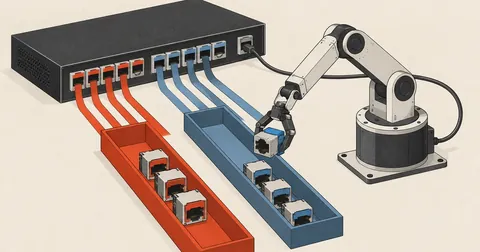
The video path in a PoE system uses one cable for both power and video, with no need to run a power outlet to the camera:
The equipment I selected (prices are example retail ranges, excluding VAT/installation):
- 4-channel NVR with built-in PoE, supporting 8MP per channel — DS-7604NXI-K1 or DS-7604NI-K1/4P(C), priced from the high thousands to the low ten thousands of baht
- 4MP fixed-lens outdoor cameras x3 — DS-2CD1043G2-LIU(F) (2560x1440, Smart Hybrid Light, built-in microphone, IP67, PoE 802.3af), priced in the low thousands of baht each
- 4MP outdoor zoom camera x1 — DS-2CD2646G2-IZS (motorized varifocal zoom 2.8-12mm, AcuSense DarkFighter, WDR 120dB, IP66 + IK10), priced in the high thousands of baht each, for a location requiring zoom for distant views or license plate reading
- 8-port L2 PoE Switch — DS-3E0109P-E(C), to serve distant locations and allow more cameras to be added
- Surveillance HDD (WD Purple) 6-8TB for 30-day retention
Something many people do not realize: this NVR model already has 4 built-in PoE ports and can power 4 cameras directly. If only 4 cameras are needed now, the switch can be left out initially; plug the cameras straight into the NVR's PoE ports and buy a switch when expanding. I included a switch in the specifications because this project plans to add cameras in the next phase.
Checking whether the installed equipment matches the specifications
Once installation is complete, I do not trust the box alone. I check the camera's RTSP stream with ffprobe to verify that the resolution and frame rate actually match the written specifications, because sometimes a sub-stream has been selected without anyone realizing it, producing a smaller image than expected:
# ยิง RTSP ของกล้องมาตรวจ resolution/fps/codec ว่าตรงสเปกไหม (IP เป็นตัวอย่าง)
ffprobe -v error -rtsp_transport tcp \
  -select_streams v:0 \
  -show_entries stream=width,height,codec_name,avg_frame_rate \
  -of default=noprint_wrappers=1 \
  "rtsp://viewer:[email protected]:554/Streaming/Channels/101"
# width=2688
# height=1520
# codec_name=hevc
# avg_frame_rate=25/1     <- ผ่าน: 4MP, H.265, 25fps เกินขั้นต่ำ 1080p/25fps
Another requirement that people overlook is time synchronization with NTP stratum-1 in Thailand (NIMT / Hydrographic Department / NECTEC). If the time shown in the video is wrong, the recordings become difficult to use as legal evidence. I configure chrony on the gateway and point the cameras and NVR to it for NTP:
# /etc/chrony/chrony.conf — เทียบเวลากับ stratum-1 ในไทย (ตามเกณฑ์)
server time.nimt.or.th    iburst   # สถาบันมาตรวิทยาแห่งชาติ (NIMT)
server clock.nectec.or.th iburst   # NECTEC
# ตั้งกล้อง/NVR ให้ชี้ NTP มาที่ gateway ตัวนี้ หรือชี้ตรงไป host เดียวกัน
Calculating HDD capacity for a full 30 days
The "retain >= 30 days" requirement directly determines disk capacity. I do not guess; I calculate it from the camera bitrate multiplied by the camera count and the number of seconds in 30 days:
# ประเมินพื้นที่ HDD ให้เก็บครบ 30 วัน (บันทึกต่อเนื่อง)
BITRATE=4        # Mbps ต่อกล้อง (4MP H.265+ ราวๆ นี้)
CAMS=4
DAYS=30
GB=$(echo "$BITRATE * $CAMS * 86400 * $DAYS / 8 / 1000" | bc)
echo "ต้องการราว ${GB} GB"    # ~5184 GB -> เลือก HDD Surveillance 6-8TB
The result is around 5,184 GB, so a 6-8TB Surveillance HDD is enough for 4 cameras recording continuously with H.265+. Recording only when motion is detected would use even less space, but I usually size for continuous recording first because the criteria use the heaviest workload, and it can be reduced later. That is safer than designing around a disk too small to retain a month's recordings.
Pitfalls that get a submission rejected
The criteria require specifications that allow at least 3 brands to compete, so I write them in terms of "capabilities" — 4MP, H.265 compression, person/vehicle detection analytics, IP66/IK10, Onvif — instead of inserting a model number such as DS-2CD... directly, because the moment a model number appears, only one brand can bid. That violates the conditions and risks a complaint. The Hikvision models I selected are only "references showing that this price is achievable," not models to lock into the specifications
There are three common pitfalls: first, pricing above the reference price ceiling; second, writing specifications that lock in a brand so that 3 bidders cannot compete; and third, forgetting the 30-day recording retention rule and ending up with too little disk space. All three are very easy to fix if the criteria are read in full before starting, but very hard to fix if they only come to light after the submission has been rejected.
I consider the time spent reading the criteria in full once to be far cheaper than revising the paperwork a second or third time. Anyone who wants to adapt this outline by changing the camera count or NVR channels to suit their site and budget is welcome to do so. Just make sure those three points are covered. If I have left anything out or made a typo, I will come back and correct it later.
Want us to set this up?
Get help with server setup, configuration, migration, or troubleshooting. Save time for the work that matters.
Hit something like this? Stuck somewhere?
Come trade notes on the LinuxThai board
Comments 0
No comments yet — be the first