Openness Download: StopModules was unhandled Needs a Callback
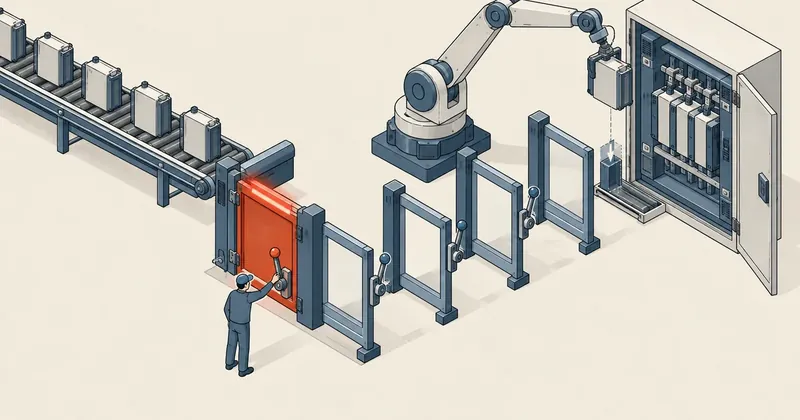
Downloading a program to a PLC through an API gives you no confirmation dialogs to click. Every question the GUI used to ask, such as whether to stop the CPU or overwrite data, goes to our callback instead. If nothing answers, the download fails at the first question.
1-minute summary
- Symptom / problem
- Downloading a program to S7-PLCSIM through DownloadProvider.Download fails with StopModules was unhandled
- Who should read
- Developers using TIA Openness V15.1 with C# who move the download step from the GUI to code
- Fix in short
- Write a callback that answers the questions the GUI used to ask, such as stopping the CPU or overwriting, because with no answer the download fails at the first question
I needed to download programs to S7-PLCSIM V15.1 dozens of times from a script to test batches of PLC program changes one by one. TIA Portal was running in a VM, with the commands coming from outside it. For the first attempt, I chose what seemed like the easiest route: drive the GUI directly, send Ctrl+L, then click Load. The Load preview screen got stuck at Prepare download every time. I gave up on the GUI and switched to calling DownloadProvider.Download through TIA Openness, which failed again with StopModules was unhandled. This article records how I had to write the callbacks to get the download through, with the complete C# file.
I did everything in this article with S7-PLCSIM on a copy of the project. I have never downloaded it to a real PLC. The supplied callback stops the CPU and overwrites system data without asking anyone. If used on a real machine, it will stop the machine mid-cycle. Work on a real PLC requires the engineer responsible for that machine to make the decision and be on site during the download.
Clicking Load remotely through the GUI gets stuck at Prepare download
I started with the GUI because it is the route people use every day: select the PLC, press Ctrl+L, wait for Load preview, then click Load. Sitting at the screen myself, I had no problems. But when I sent keystrokes and clicks from outside the VM, Load preview displayed Prepare download and stayed there every time. I tried several times, with the same result each time.
I did not investigate why it was stuck. Even if I fixed it, driving the GUI would still have the same weakness: having to guess the current state of the window. A task that needs to run dozens of times should be a command that returns text, not a screenshot. I switched everything to Openness. I covered connecting PowerShell to TIA V15.1 from scratch in the article on connecting AI through Openness. This article covers only the download step.
Ctrl+L, then click Load
Gets stuck at Prepare download every time when clicked remotely. Results have to be read from screenshots, and there is no way to know which dialog will pop up with another question.
DownloadProvider.Download
No windows at all. Every question arrives as an object for the callback to answer. The result returns a State and error and warning counts, all of which can be written to a log.
The PowerShell structure for calling DownloadProvider
Openness V15.1 is a .NET Framework DLL. It needs to be loaded from Windows PowerShell 5.1, then attached to a running TIA instance. From there, find the DeviceItem with a SoftwareContainer, which is the CPU, and request its DownloadProvider service. The point to know here is that PowerShell cannot call a generic method such as GetService<T>() directly. You have to retrieve the method through reflection and call MakeGenericMethod yourself.
# download.ps1 - รันด้วย powershell.exe 5.1 ใน desktop session ที่ TIA เปิดอยู่
param([Parameter(Mandatory)][string]$Work,      # เช่น C:\Projects\Work_A
      [string]$Interface = 'PLCSIM',            # ค่า default ชี้ simulator เท่านั้น
      [string]$Confirm = '')
$log = Join-Path $Work 'download.log'
Set-Content $log '' -Encoding UTF8
function L($m) { $m | Add-Content $log -Encoding UTF8 }
$dll = 'C:\Program Files\Siemens\Automation\Portal V15_1\PublicAPI\V15.1\Siemens.Engineering.dll'

function Svc($obj, [type]$t) {                  # GetService<T>() ผ่าน reflection
  $obj.GetType().GetMethod('GetService').MakeGenericMethod($t).Invoke($obj, $null)
}

try {
  [Reflection.Assembly]::LoadFrom($dll) | Out-Null
  Add-Type -ReferencedAssemblies $dll -Path (Join-Path $PSScriptRoot 'DlCb.cs')

  $tia = $null                                  # GetProcesses() ล้มเป็นครั้งคราว ให้ลองซ้ำ
  for ($i = 1; $i -le 5 -and -not $tia; $i++) {
    try { $tia = [Siemens.Engineering.TiaPortal]::GetProcesses()[0].Attach() }
    catch { L "attach retry $i"; Start-Sleep -Seconds 6 }
  }
  if (-not $tia) { throw 'cannot attach to TIA Portal' }
  $prj = $tia.Projects[0]

  foreach ($d in $prj.Devices) { foreach ($di in $d.DeviceItems) {
    $sc = Svc $di ([Siemens.Engineering.HW.Features.SoftwareContainer])
    if (-not ($sc -and $sc.Software -is [Siemens.Engineering.SW.PlcSoftware])) { continue }
    $dp = Svc $di ([Siemens.Engineering.Download.DownloadProvider])
    if (-not $dp) { continue }
    L "PLC $($di.Name)"

    if ($Interface -notmatch 'PLCSIM') {        # ด่านกันโหลดลงเครื่องจริงโดยไม่ตั้งใจ
      if ($env:ALLOW_REAL_DOWNLOAD -ne '1' -or $Confirm -cne $di.Name) {
        throw "refused: real target needs ALLOW_REAL_DOWNLOAD=1 and -Confirm '$($di.Name)'"
      }
    }

    $cmp = Svc $sc.Software ([Siemens.Engineering.Compiler.ICompilable])
    $cr = $cmp.Compile()
    L "compile state=$($cr.State) errors=$($cr.ErrorCount) warnings=$($cr.WarningCount)"
    if ($cr.ErrorCount -gt 0) { throw 'compile failed, download skipped' }
    $prj.Save()

    $mode = $dp.Configuration.Modes.Find('PN/IE')
    $pci = $null
    foreach ($pc in $mode.PcInterfaces) { if ($pc.Name -match $Interface) { $pci = $pc } }
    if (-not $pci) { throw "no PC interface matching '$Interface'" }
    $tgt = $null
    foreach ($t in $pci.TargetInterfaces) { if (-not $tgt -or $t.Name -match 'X1') { $tgt = $t } }
    L "using pc '$($pci.Name)' target '$($tgt.Name)'"

    $opt = [Siemens.Engineering.Download.DownloadOptions]::Hardware -bor `
           [Siemens.Engineering.Download.DownloadOptions]::Software
    $res = $dp.Download($tgt, [DlCb]::PreD, [DlCb]::PostD, $opt)
    L ([DlCb]::Log.ToString())
    L "RESULT state=$($res.State) errors=$($res.ErrorCount) warnings=$($res.WarningCount)"
    function W($ms, $ind) { foreach ($x in $ms) { L "$ind[$($x.State)] $($x.Message)"; W $x.Messages ($ind + '  ') } }
    W $res.Messages '  '
  } }
} catch {
  L ('FAILED: ' + $_.Exception.ToString())
}
L 'DONE'
DownloadOptions uses flags. I combined Hardware and Software with -bor to download both the hardware configuration and the program in one pass. The result returned by Download contains more than a State and error and warning counts: it also has Messages arranged in a tree several levels deep. The W function at the end of the script walks every level and prints each item's State and Message to the log. When a download fails, the line giving the actual reason is often at the deepest level, not in the summary.
I included two things in this structure because I had missed them before. First, always Compile and then call $prj.Save() before Download. Second, the route: select PN/IE mode, then a PcInterface whose name contains PLCSIM and a TargetInterface whose name contains X1. If you do not know which names are available on your machine, first loop through Modes, PcInterfaces, and TargetInterfaces and print them to the log.
StopModules was unhandled and the missing CurrentSelection
The second and third parameters of Download are two delegates. The first is called before the download, and the second after it. On my first attempt, I thought they were just hooks for logging, so I passed in delegates that did nothing. The result was a StopModules was unhandled exception.
The message means exactly what it says. The PLCSIM CPU was in RUN. Downloading hardware and software requires stopping the CPU first, so Openness creates a StopModules configuration and sends it over to ask whether to stop it. Its default value is NoAction. Since my callback did not change it, the answer stayed at NoAction and was considered unhandled. The download never started. Everything the GUI handles through dropdowns on the Load preview screen is this callback's responsibility.
Once I knew I had to answer, I hit the second problem. The documentation says to set the configuration's CurrentSelection, but in V15.1 this property does not exist on the base class DownloadSelectionConfiguration. It exists only on each concrete type, and each uses a different enum type. Casting to each type would require knowing all the types in advance. I used reflection instead: ask the object whether it has a property named CurrentSelection, then, if it does, iterate through all its enum values and select the one with the name I want.
| callback | configuration requested | selected value |
|---|---|---|
| Before download | StopModules | StopAll |
| Before download | OverwriteSystemData | Overwrite |
| Before download | ConsistentBlocksDownload | ConsistentDownload |
| Before download | AlarmTextLibrariesDownload | ConsistentDownload |
| Before download | AllBlocksDownload | DownloadAllBlocks |
| Before download | DifferentTargetConfiguration | AcceptAll |
| Before download | InitializeMemory | AcceptAll |
| Before download | ExpandDownload | Expand |
| Before download | ResetModule | DeleteAll |
| Before download | DownloadCheckConfiguration | Checked = true |
| After download | StartModules | StartModule |
The complete C# callback file
This file compiles directly with Add-Type in PowerShell 5.1. I wrote it entirely in older C# syntax, without string interpolation or ?., because the compiler invoked by Add-Type does not recognize those newer features.
// DlCb.cs - callback ของ DownloadProvider.Download สำหรับ TIA Openness V15.1
using System;
using System.Reflection;
using System.Text;
using Siemens.Engineering.Download;
using Siemens.Engineering.Download.Configurations;

public static class DlCb
{
    // PowerShell อ่าน Log นี้ไปเขียนลงไฟล์หลัง Download จบ
    public static StringBuilder Log = new StringBuilder();

    // ค่าที่เลือกอยู่ตอนนี้ (null ถ้า type นี้ไม่มี CurrentSelection)
    static object Cur(object s)
    {
        PropertyInfo p = s.GetType().GetProperty("CurrentSelection");
        return p == null ? null : p.GetValue(s, null);
    }

    // รายชื่อตัวเลือกทั้งหมดของ configuration ตัวนี้ ไว้ดูใน log
    static string Opts(object s)
    {
        PropertyInfo p = s.GetType().GetProperty("CurrentSelection");
        if (p == null) return "";
        StringBuilder b = new StringBuilder();
        foreach (object o in Enum.GetValues(p.PropertyType)) b.Append(o + ",");
        return b.ToString();
    }

    // V15.1: CurrentSelection ไม่อยู่บน base class เลยต้องหาด้วย reflection
    static void Pick(object s, string want)
    {
        PropertyInfo p = s.GetType().GetProperty("CurrentSelection");
        if (p == null) return;
        foreach (object o in Enum.GetValues(p.PropertyType))
        {
            if (o.ToString() == want) { p.SetValue(s, o, null); return; }
        }
        Log.AppendLine("   !! no option named " + want);
    }

    public static void Pre(DownloadConfiguration c)
    {
        Log.AppendLine("pre: " + c.GetType().Name + " | " + c.Message);
        if (c is DownloadSelectionConfiguration)
        {
            Log.AppendLine("   options: " + Opts(c) + " current=" + Cur(c));
            if (c is StopModules) Pick(c, "StopAll");
            else if (c is OverwriteSystemData) Pick(c, "Overwrite");
            else if (c is ConsistentBlocksDownload) Pick(c, "ConsistentDownload");
            else if (c is AlarmTextLibrariesDownload) Pick(c, "ConsistentDownload");
            else if (c is AllBlocksDownload) Pick(c, "DownloadAllBlocks");
            else if (c is DifferentTargetConfiguration) Pick(c, "AcceptAll");
            else if (c is InitializeMemory) Pick(c, "AcceptAll");
            else if (c is ExpandDownload) Pick(c, "Expand");
            else if (c is ResetModule) Pick(c, "DeleteAll");
            Log.AppendLine("   -> " + Cur(c));
        }
        DownloadCheckConfiguration k = c as DownloadCheckConfiguration;
        if (k != null) { k.Checked = true; Log.AppendLine("   checked"); }
    }

    public static void Post(DownloadConfiguration c)
    {
        Log.AppendLine("post: " + c.GetType().Name + " | " + c.Message);
        if (c is DownloadSelectionConfiguration)
        {
            Log.AppendLine("   options: " + Opts(c));
            if (c is StartModules) Pick(c, "StartModule");
            Log.AppendLine("   -> " + Cur(c));
        }
    }

    // เปิด delegate สำเร็จรูปเป็น property ให้ PowerShell หยิบไปส่งต่อได้เลย
    public static DownloadConfigurationDelegate PreD
    {
        get { return new DownloadConfigurationDelegate(Pre); }
    }

    public static DownloadConfigurationDelegate PostD
    {
        get { return new DownloadConfigurationDelegate(Post); }
    }
}
The most useful part of this file for me was not the selection logic, but the log lines. The callback writes every configuration it receives to a StringBuilder: the type name, the Message, all available choices, and the value actually selected. PowerShell then writes it to a file. When I encountered a configuration type I did not yet know, I did not have to guess its name or available choices. I opened the log, added another else if, and that was it. The log looks roughly like this.
pre: StopModules | <ข้อความจาก TIA>
   options: NoAction,StopAll, current=NoAction
   -> StopAll
pre: OverwriteSystemData | <ข้อความจาก TIA>
   -> Overwrite
post: StartModules | <ข้อความจาก TIA>
   -> StartModule
RESULT state=<State> errors=<n> warnings=<n>
Another detail is the PreD and PostD properties at the end of the file. I expose the delegates as ready-to-use properties, so the PowerShell side can simply write [DlCb]::PreD without having to create a delegate from a static class method itself.
Add-Type with a here-string swallows errors
At first, I embedded the C# code in a here-string in the PowerShell script and passed it to Add-Type -TypeDefinition. It failed, but without giving any details. I could not tell which line was wrong or which type was missing. All I got was a failure message, which gave me nothing to work with.
What worked was moving the C# into an actual .cs file, then calling it by path and merging the error stream into the output so I could see it.
$dll = 'C:\Program Files\Siemens\Automation\Portal V15_1\PublicAPI\V15.1\Siemens.Engineering.dll'
Add-Type -ReferencedAssemblies $dll -Path 'C:\Projects\tools\DlCb.cs' 2>&1 |
  Tee-Object -FilePath 'C:\Projects\tools\addtype.log'
That gave me the full compiler errors with line numbers. Then I hit another trap: the .cs file that the guest had loaded was locked. I could not edit it on the host and overwrite it through the shared folder; I got EPERM back. My workaround was to use a new filename for every edit. And since a type already loaded into a process by Add-Type cannot be changed anyway, each attempt also had to run in a new PowerShell process.
A here-string is convenient when the code is short and already correct. But while you are still trying to get it to compile, it is a good place for errors to hide. Put it in a separate .cs file from the start, and you get both readable errors and syntax highlighting in the editor.
Six other issues and their fixes
Even after the callback worked, downloads did not go smoothly every time. I encountered all six issues below, and almost all had an identifiable cause rather than being random behavior.
| Symptom | Cause | Fix |
|---|---|---|
| The result reports cannot be simulated for 94 items | Support simulation during block compilation under Project properties > Protection is unchecked | Check it and save the project |
| Make sure all other users close their online connection | A stale session from a previously killed TIA instance | Close and reopen PLCSIM |
| Connect to module failed | PLCSIM is not powered on, is still set to the S7-1200 family, or holds another project's IP | Power on and start a new instance matching the CPU family |
| PLCSIM powers off after the first hardware download | It happened after the first hardware download; I did not investigate the cause further | Power on and download again |
| Compilation through Openness fails | A block is still being monitored online | Go offline before compiling |
| GetProcesses() throws type initializer ... TiaPortalAccess | Happens occasionally just after the previous script has released TIA | Retry 5 times, 6 seconds apart |
The issue that came back most often was cannot be simulated for 94 items. I had checked the box, but it returned on the next run. The reason was that the setting was lost whenever the script reopened the project without the previous run having saved it. This setting belongs to the project, not the TIA application. It needs to be checked in the original project used for copying, or saved every time it is checked.
The sequence I use on every run after encountering all these issues
- Check that PLCSIM is powered on and uses the same CPU family as the project.
- Go offline for all blocks first, or compilation will fail.
- Attach to TIA, with up to 5 retries, 6 seconds apart.
- Compile and read the errors in the log. If the count is not 0, stop without downloading.
- Save the project, then call Download with both callbacks.
- Read the RESULT line and callback log every time. If PLCSIM powers off after the first hardware download, power on and download again.
Preventing this script from stopping a real machine's CPU
These callbacks answer StopAll and Overwrite every time without asking. On a simulator, that is what I want. But if the machine running the script ever has a network card that can reach a real PLC, and someone changes the interface name incorrectly, the result is an immediate machine stop. I put two checks in the script from the start.
First, the interface defaults to PLCSIM only. With nothing specified, it can reach only the simulator. Second, if the interface name is not PLCSIM, the script refuses to run unless both an environment variable has been enabled before the run and a confirmation parameter contains the PLC name exactly, character for character. I use -cne, which is case-sensitive and does not accept wildcards.
# ปกติ: ไปได้แค่ simulator
powershell.exe -NoProfile -File download.ps1 -Work C:\Projects\Work_A

# เครื่องจริง: ต้องตั้งใจทำสองอย่างพร้อมกัน ไม่งั้นสคริปต์ปฏิเสธ
$env:ALLOW_REAL_DOWNLOAD = '1'
powershell.exe -NoProfile -File download.ps1 -Work C:\Projects\Work_A `
  -Interface '<ชื่อ network card>' -Confirm 'PLC_1'
The environment variable and typing the PLC name can only prevent mistakes. They do not know what the machine is doing or whether someone is standing inside its working area. That is the responsibility of the engineer on site. I have never enabled this override even once. Every run described here was on a simulator.
Summary
Downloading through Openness means thinking of the code as a replacement for the Load preview screen. Every question that screen used to ask arrives as a configuration for the callback to answer. Any unanswered question stays at NoAction, and the download fails with was unhandled. In V15.1, CurrentSelection has to be set through reflection because the property is not on the base class. The C# should also be in a separate .cs file from the start so compiler errors are visible.
What I have not tested and cannot confirm is its behavior with a real PLC. The configurations requested may differ from those on the simulator, and the appropriate answers certainly need to differ. For example, ResetModule with DeleteAll is not something to answer automatically on a machine running production. Anyone using this file should start by opening the log to see what their setup is being asked, then decide on each answer individually. If I have missed anything in the explanation or encounter a new configuration type, I will come back and update this article.
Hit something like this? Stuck somewhere?
Come trade notes on the LinuxThai board
Comments 0
No comments yet — be the first