Ubuntu Patches CVE-2018-20004; Deluge Needs Another Update
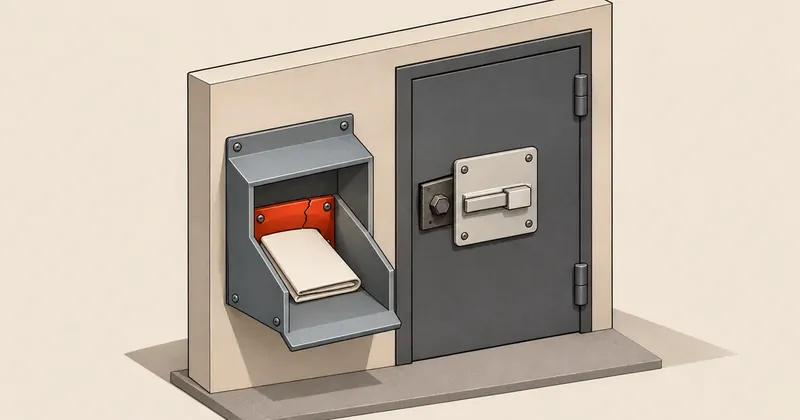
If you use Mini-XML to handle external input or expose Deluge Web UI on the specified Ubuntu releases, check your packages and patch entitlement before the next maintenance window.
1-minute summary
- Symptom / problem
- Mini-XML อาจล่มหรือรันโค้ดเมื่อประมวลผลข้อมูลที่จัดทำมาเฉพาะ ส่วน Deluge อัปเดตรอบก่อนมีข้อผิดพลาดในการจัดแพ็กเกจ ทำให้ช่องโหว่ยังอยู่
- Who should read
- ผู้ใช้ libmxml1 บน Ubuntu 16.04 และ 18.04 รวมถึงผู้ใช้ Deluge Web UI บน Ubuntu 16.04
- Fix in short
- อัปเดต libmxml1 ตามรุ่น Ubuntu และ Deluge เป็น 1.3.12-1ubuntu1+esm2 ตรวจช่องทาง ESM หรือ Legacy แล้วเริ่มโปรแกรมที่เกี่ยวข้องใหม่
I saw Ubuntu's Mini-XML and Deluge notices dated 17 Nov. 2026, so I put together the package checks here. You need to check both the libraries your applications use and software that has been updated but has not actually been patched.
Which packages need which fixed versions
This table lists the package versions Ubuntu identifies as fixed, covering only the Ubuntu releases in the notices. Compare package versions for the same distribution and system release.
| Notice | Ubuntu | Package | Fixed version | Channel listed by Ubuntu |
|---|---|---|---|---|
| USN-9115-1 | 16.04 LTS | libmxml1 |
2.9-0ubuntu2+esm1 |
esm-apps-legacy |
| USN-9115-1 | 18.04 LTS | libmxml1 |
2.10-1ubuntu0.1~esm1 |
esm-apps |
| USN-8979-2 | 16.04 LTS | deluge-common, deluge-web |
1.3.12-1ubuntu1+esm2 |
esm-apps-legacy |
Mini-XML fails when writing and deleting XML
CVE-2018-20004 is a stack-based buffer overflow when Mini-XML writes certain floating point values to XML. Attacker-crafted input may cause writes beyond the allocated space on the stack. Ubuntu says this could crash the application or execute code of the attacker's choosing. This notice covers both Ubuntu 16.04 and 18.04.
CVE-2016-4570 and CVE-2016-4571 occur when Mini-XML deletes and writes XML nodes. Functions recurse without a depth limit, potentially exhausting the stack and crashing the application, causing a denial of service. In USN-9115-1, Ubuntu says these two affect only 16.04.
You also need to check which applications use libmxml1 and whether they pass external input to the affected functions. Having the library installed alone does not establish that an attacker can reach the vulnerability over the network without logging in.
Deluge needs another check after updating
USN-8979-1 dated 3 Nov. 2026 previously listed package version 1.3.12-1ubuntu1+esm1 as fixing the vulnerabilities. However, USN-8979-2 says a packaging error left the Ubuntu 16.04 updates without the patches. You need to update to 1.3.12-1ubuntu1+esm2 and restart Deluge.
CVE-2017-7178 is incomplete CSRF protection in the Web UI. An attacker could trick a user into downloading, installing, and enabling a malicious plugin, leading to code execution. This attack requires user interaction. CVE-2017-9031 is a directory traversal vulnerability in the Web UI that could let an attacker read other files. Details of the vulnerability type are available in the CVE Program record.
If you run the daemon, check the Web UI and access through any reverse proxy as well. A normally functioning daemon does not tell you whether all patches are installed.
If Deluge is still at 1.3.12-1ubuntu1+esm1, update it again according to USN-8979-2, even if the previous maintenance record says it was patched. Confirm the package version after installation and restart the program as well.
How high are the scores, and is exploitation confirmed?
The SUSE page for CVE-2018-20004 shows an NVD CVSS 3.1 score of 8.8, with the vector CVSS:3.1/AV:N/AC:L/PR:N/UI:R/S:U/C:H/I:H/A:H. This vector indicates that exploitation is possible over the network without prior privileges, but requires user interaction. The impacts on confidentiality, integrity, and availability are high. If an application accepts input from untrusted sources, prioritize the fix.
The same source gives SUSE's own score as 4.8, moderate, with the vector CVSS:3.0/AV:L/AC:L/PR:L/UI:R/S:U/C:L/I:L/A:L, and states that SUSE products are not affected. NVD and SUSE assign different scores and vectors: NVD specifies Network access with no prior privileges, while SUSE specifies Local access with low privileges required. You should therefore not use SUSE's score directly to lower the urgency for Ubuntu.
For Deluge, the Ubuntu CVE-2017-7178 page assigns an Ubuntu priority of Medium. The cited Ubuntu notices do not state that exploitation has occurred.
CVE-2018-20004, CVE-2016-4570, CVE-2016-4571, CVE-2017-7178, and CVE-2017-9031 are not in the KEV edition dated 13 Nov. 2026. I checked all 5 entries against the JSON in CISA's official repository. Absence from KEV does not mean there has been no exploitation.
Update to the packages that actually contain the fixes
Start by checking the system release, installed packages, and versions offered by the repositories.
cat /etc/os-release
dpkg-query -W -f='${binary:Package}\t${Version}\t${db:Status-Status}\n' \
  libmxml1 deluge-common deluge-web deluged
apt-cache policy libmxml1 deluge-common deluge-web deluged
sudo pro status --all
If dpkg-query reports that a package was not found, focus on the packages actually installed. For apt-cache policy, check both Installed and Candidate. If you cannot yet access the patch repository, you will not see the version you need to update to.
Ubuntu says 16.04 has passed the ESM period and requires the Legacy add-on in addition to Ubuntu Pro. The notice JSON lists the 16.04 packages under esm-apps-legacy and the 18.04 packages under esm-apps. Before installing, check that your subscription covers them and that the required services are enabled. The Pro status documentation distinguishes ENTITLED, which indicates subscription entitlement, from STATUS, which indicates whether the service is enabled.
- Check scope Record the Ubuntu release, packages, and applications or Web UI actually in use.
- Check entitlement Ensure access to the ESM or Legacy repository containing the patches, and check Candidate.
- Back up and update Save the necessary data and configuration before installing packages.
- Restart the program Check package versions and test normal workloads after updating.
When ready, update the system according to Ubuntu's guidance. Review the changes before accepting them. Do not enable repositories for a different Ubuntu release to mix in packages.
sudo apt update
sudo apt upgrade
dpkg-query -W -f='${binary:Package}\t${Version}\n' \
  libmxml1 deluge-common deluge-web
The notice says Deluge must be restarted. Restart the daemon and Web UI you use through the system's service manager. Applications that have loaded Mini-XML should also be restarted so they use the updated library. Then test normal workloads.
The notices I checked do not provide vulnerability-specific workarounds. If you cannot obtain the patches yet, I recommend restricting access to the Web UI and temporarily suspending affected workloads that process XML from untrusted sources. This reduces risk within the scope of those workloads; it does not replace patching.
Check for signs of a previous compromise
The cited Ubuntu notices do not provide specific IOCs for detecting a compromise. For Deluge, check for unauthorized plugins and unexplained configuration changes. Also inspect Web UI or reverse proxy logs for activity outside normal workloads. For applications using Mini-XML, check whether crashes are linked to incoming XML files. These are general investigation steps and cannot yet confirm exploitation of these CVEs.
systemctl list-units --type=service --all 'deluge*'
sudo journalctl -k --no-pager | grep -Ei 'segfault|stack smashing|mxml|deluge'
If the service uses another name or writes logs to files, check those locations as well. Finding no messages with this command does not confirm that the system is safe, and updated packages do not remove the effects of a previous compromise. If you need to build a further system inspection checklist, see the guidance in Debian Server Security Checks.
I recommend prioritizing fixes for externally accessible Deluge Web UI instances and Mini-XML applications that accept untrusted input. If access is already restricted, schedule the nearest maintenance window, check patch entitlement and all package versions, then test after restarting the programs.
Sources: Ubuntu USN-9115-1 (JSON, notice), Ubuntu USN-8979-2 (JSON, notice), Ubuntu USN-8979-1, SUSE CVE-2018-20004, Ubuntu CVE-2017-7178, CVE Program CVE-2017-9031, Ubuntu 16.04 Legacy, Ubuntu Pro status, Ubuntu update instructions, CISA KEV JSON dated 13 Nov. 2026. Information current through 17 Nov. 2026. I'll come back and update this later.
Want us to set this up?
Get help with server setup, configuration, migration, or troubleshooting. Save time for the work that matters.
Hit something like this? Stuck somewhere?
Come trade notes on the LinuxThai board


Comments 0
No comments yet — be the first