WordPress Core Update Flaw CVE-2026-119977 Is Being Exploited
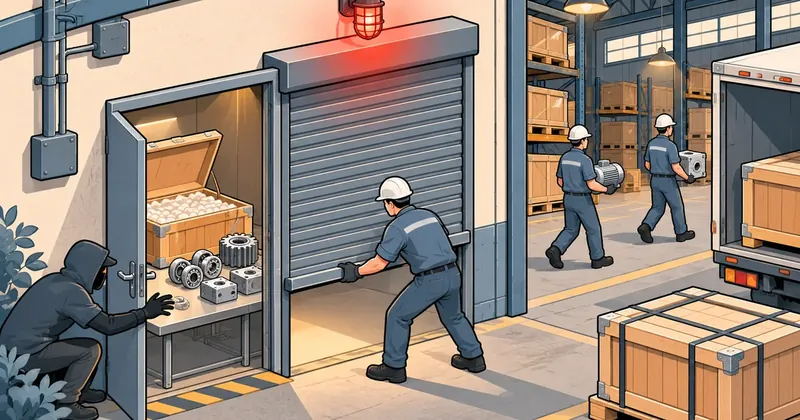
This one differs from most vulnerabilities because the riskiest moment is the update itself. Before you update WordPress, block web access to the updater's temporary folder, then update.
1-minute summary
- Symptom / problem
- WordPress core has a race condition in its update process. An unauthenticated attacker can reach the temporarily extracted installer and get code execution. CISA confirms active attacks.
- Who should read
- Anyone running WordPress 4.7 through 7.1.3, especially servers hosting many sites.
- Fix in short
- Block wp-content/upgrade at the web server or Cloudflare first, then update to 7.1.4 or your branch's backport, then go through logs and files to see whether you were hit.
I saw that on 3 Nov. CISA had added CVE-2026-119977, a WordPress core flaw, to its Known Exploited Vulnerabilities (KEV) catalog. That means there is evidence of real attacks, not just a vulnerability on paper. I went through the WordPress sites I look after first, then put this together for anyone else running WordPress, because this round has a twist: if you just press Update out of habit, the moment you press it is exactly the moment the hole opens.
The flaw is in core, not in a plugin or theme, and it affects every release from 4.7 up to 7.1.3. The WordPress team shipped 7.1.4 on 28 Oct. 2026 with backports to every branch going back to 4.7. CISA gave US federal agencies until 6 Nov. to fix it. That deadline does not bind us, but it tells you how urgent they consider it.
How the flaw works
When WordPress does a full-package core update, it does not overwrite the site's files straight away. It downloads the new release as a zip, extracts the whole thing into a temporary working folder under wp-content/upgrade/, copies the files from there over the old ones, and finally deletes the temporary folder.
Three problems stack up here.
- Before 7.1.4, the temporary folder's name came from the package name, so it could be predicted.
- Between extraction and cleanup, that folder holds a complete copy of WordPress, including the installer
wp-admin/setup-config.php. Patchstack's write-up says this extracted copy can run without the site's configuration. - The old cleanup step also deleted the
index.phpthat stops directory listing in the upgrade folder.
Put those together, and if the web server will serve files under wp-content/upgrade/, an attacker with no account only has to request the installer in the temporary folder while the files still exist. That opens the installer, and from there leads to code execution on the server. The technical name is a time-of-check time-of-use race condition (CWE-367).
It sounds like the attacker would need a lot of luck, since in Wordfence's testing the window was normally only a few seconds. But attackers do not try once and give up. Wordfence saw more than 18,500 requests aimed at the staged installer paths in the first 21 hours after disclosure, and some sources kept polling the same small group of sites for about 14.5 hours. Whichever day a polled site updates at the wrong moment, it gets hit.

The key point is that the update to 7.1.4 is itself still risky, because when you press Update, the code that extracts the files is still the old, vulnerable release. Sites with automatic updates are not safe either, since auto updates use the same folder. So block this folder before every update.
Severity, and why sources score it differently
The severity labels do not agree this time. If you only read WordPress's announcement, you might think there is no hurry.
| Source | Rating | Notes |
|---|---|---|
| WordPress (7.1.4 announcement) | Low | No CVSS score given |
| Wordfence (the CVE's CNA) | CVSS 3.1 = 8.1 High | AV:N/AC:H/PR:N/UI:N/S:U/C:H/I:H/A:H |
| NVD | Still under analysis | At the time of writing |
| CISA KEV | Added 3 Nov. 2026 | Evidence of real attacks, fix due 6 Nov. |
The score stops short of Critical because of AC:H (high attack complexity): several conditions must line up. The site must be running a full-package update, the web server must serve the upgrade folder, and the attacker must land a request while the files exist. But when it works the result is C:H/I:H/A:H: code execution with the full privileges of the site owner's user, and no user account is needed.
At the time of writing, I have not seen a public report of a site actually compromised through this flaw. Wordfence's numbers are requests observed, not sites breached. Still, CISA does not add anything to KEV without evidence of real exploitation, even though it has not published the details of that evidence.
Personally I treat this as urgent, because there is already polling that waits for the moment you update. Servers that host many sites are at higher risk since they go through many updates a month, and on shared hosting a successful installer run gives the attacker the site owner's user privileges straight away.
Which release to update to
You do not have to jump every site to 7.1. The WordPress team backported the fix to every branch that still gets security updates, back to 4.7. Old sites that cannot move to a newer branch yet can update within their branch.
| Branch | Vulnerable | Fixed in |
|---|---|---|
| 7.1 | 7.1.0 - 7.1.3 | 7.1.4 |
| 7.0 | 7.0.0 - 7.0.7 | 7.0.8 |
| 6.9 | 6.9.0 - 6.9.10 | 6.9.11 |
| 6.8 | 6.8.0 - 6.8.11 | 6.8.12 |
| 6.7 / 6.6 | up to 6.7.10 / 6.6.10 | 6.7.11 / 6.6.11 |
| 6.5 / 6.4 | up to 6.5.13 / 6.4.13 | 6.5.14 / 6.4.14 |
| 6.3 / 6.2 / 6.1 / 6.0 | up to 6.3.13 / 6.2.14 / 6.1.15 / 6.0.17 | 6.3.14 / 6.2.15 / 6.1.16 / 6.0.18 |
| 5.9 to 5.0 | all earlier releases | 5.9.20, 5.8.19, 5.7.21, 5.6.23, 5.5.24, 5.4.25, 5.3.27, 5.2.30, 5.1.28, 5.0.31 |
| 4.9 / 4.8 / 4.7 | all earlier releases | 4.9.35 / 4.8.34 / 4.7.39 |
| 4.6 and older | Not listed | No patch; move to a supported branch |
7.1.4 changes three things: the temporary folder gets a random 16-character name, the index.php in the upgrade folder is kept (and recreated if missing), and wp-config.php is no longer copied out during the copy step. Patchstack notes that the last change is not mentioned in WordPress's announcement.
Step 1: block wp-content/upgrade before updating
Always do this before pressing Update. The consistent advice is to block the folder at the web server, virtual host or CDN, and not relying on a file placed inside the upgrade folder, because WordPress clears that folder during cleanup.
Blocking it does not break updates. The WordPress updater reads and writes files in this folder through the filesystem, not over HTTP. During a normal update nobody should need to open a file under wp-content/upgrade/ in a browser.
Apache (including nginx in front of Apache): put this at the very top of the .htaccess in the site root, before the # BEGIN WordPress block.
# Block the updater's temporary folder (CVE-2026-119977)
<IfModule mod_rewrite.c>
RewriteEngine On
RewriteRule ^wp-content/upgrade/ - [F,L]
</IfModule>
If WordPress lives in a subfolder such as /blog/, put it in that subfolder's .htaccess. If you can edit the virtual host config, putting it there is better, because plugins that rewrite .htaccess will not overwrite it.
nginx: use ^~ so this location beats the regex location for .php files that passes them to PHP-FPM. Without ^~, .php files in this folder fall into the PHP location instead, and the deny has no effect on exactly the files that matter.
location ^~ /wp-content/upgrade/ {
    deny all;
}
Check the config with nginx -t before every reload. On DirectAdmin servers running nginx only, add this block through the domain's Custom HTTPD Configurations page. Do not edit the generated config files directly, because they are overwritten the next time configs are rewritten.
Cloudflare: if the site sits behind Cloudflare, one WAF custom rule covers every hostname in that zone. Set the action to Block.
starts_with(http.request.uri.path, "/wp-content/upgrade/")
This layer protects at the edge, but anyone who knows the server's real IP can go around Cloudflare. That is why I recommend using both Cloudflare and the web server rule rather than picking one.
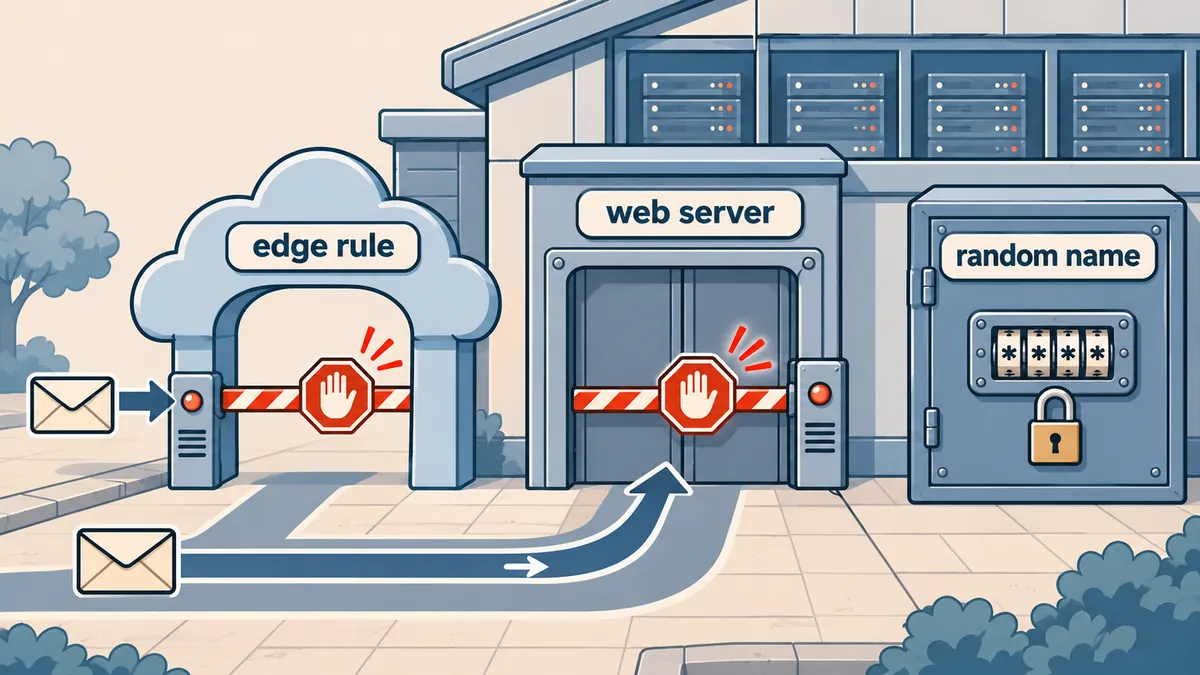
Confirm the block works before moving on. Both lines must return 403.
curl -s -o /dev/null -w '%{http_code}\n' https://example.com/wp-content/upgrade/
curl -s -o /dev/null -w '%{http_code}\n' https://example.com/wp-content/upgrade/test/wp-admin/setup-config.php
If the second line returns 404, the request is still reaching WordPress or PHP and the rule is not working. Check that the rule sits before the WordPress block, and that the nginx location has ^~.
There is no need to remove the rule after updating. Keep it permanently, because between updates this folder holds only index.php and nothing that needs to be reachable from the web.
Step 2: update every site
The trap on multi-site servers is assuming auto updates took care of everything. WordPress does enable automatic minor updates by default, but plenty of sites have them switched off, either on purpose or by a plugin. So check the real version of every site.
List the version of every site on the server from version.php (this example uses the DirectAdmin layout; change the path if you use /var/www).
for f in /home/*/domains/*/public_html/wp-includes/version.php; do
  v=$(grep -o "wp_version = '[^']*'" "$f" | cut -d"'" -f2)
  echo "$v  ${f%/wp-includes/version.php}"
done | sort -V
Find sites that may have auto updates switched off. The result is only a list of files to open and read, not a conclusion, because sites that set these constants to false also match.
grep -lE "AUTOMATIC_UPDATER_DISABLED|WP_AUTO_UPDATE_CORE'?, *false|DISALLOW_FILE_MODS" \
  /home/*/domains/*/public_html/wp-config.php
Update with WP-CLI as the site owner's user, not root, so the files do not end up owned by root.
WP="sudo -u webuser -- wp --path=/home/webuser/domains/example.com/public_html"

$WP core version
$WP core update --minor      # stay on the branch, get the backport such as 6.8.12
# or $WP core update         # move to the latest, 7.1.4
$WP core verify-checksums
$WP core version
- List every site with its version and branch using the script above, including staging sites and forgotten sites that are still online.
- Block wp-content/upgrade with the rule from step 1 and confirm a 403 with curl. Try one site first, then roll it out to all of them.
- Update to 7.1.4 or your branch's backport. Update sites with auto updates disabled by hand, one by one.
- Confirm with
wp core versionandwp core verify-checksumson every site, not a random sample. - Sites on 4.6 or older have no patch. Move them to a supported branch, or block outside access for now.
Step 3: check whether you were already hit
No one has published attacker IPs or file hashes yet, so detection has to rely on behaviour. Start with the web server logs: look for requests to .php files under the upgrade folder, especially around the times your sites updated (DirectAdmin keeps per-domain logs in /var/log/httpd/domains/; adjust the path for other systems. If the site sits behind Cloudflare without mod_remoteip, the IP column will show Cloudflare's IPs).
# Who requested .php files under wp-content/upgrade: IP, time, path, status
zgrep -hE '"(GET|POST) [^"]*/wp-content/upgrade/[^" ]*\.php' /var/log/httpd/domains/*.log* \
  | awk '{print $1, $4, $7, $9}' | sort | uniq -c | sort -rn | head -50

# The alarming case: a POST to setup-config.php that returned 200
zgrep -hE '"POST [^"]*/wp-content/upgrade/[^"]*setup-config\.php[^"]*" 200 ' /var/log/httpd/domains/*.log*
Scanned but blocked
- Requests to upgrade that got 403 or 404
- Coming from many IPs in bursts, sweeping every site
- Times that do not match when the site updated
Signs of access
- A 200 for a
.phpfile under upgrade, GET or POST, especially a POST to setup-config.php - Timing that matches when the site was updating
- A
.phpfile under upgrade that you did not put there - An administrator account or plugin you do not recognise
Then go through files and accounts on each site.
# .php files left under upgrade (normally only index.php)
find /home/*/domains/*/public_html/wp-content/upgrade -type f -name '*.php' ! -name index.php -ls 2>/dev/null

# Admin accounts, active plugins, and core files that differ from the originals ($WP as set in step 2)
$WP user list --role=administrator --fields=ID,user_login,user_email,user_registered
$WP plugin list --status=active
$WP core verify-checksums
If you find something odd, do not delete files or restore over them straight away. First copy the logs for that period and the contents of the upgrade folder somewhere outside the docroot, for example by running this inside public_html as a user that can read the logs: tar -czf ~/evidence-$(date +%F).tgz wp-content/upgrade /var/log/httpd/domains/example.com.log*. Once deleted, you can no longer see what the attacker did.
If you find an unknown admin account or core files failing checksums, treat that site as compromised. Deleting the account is not the end of it: change the database password and the salts in wp-config.php, hunt for webshells across the whole site, and check the same user's other sites too, because on shared hosting every site of that user runs with the same privileges. I wrote up a similar log-hunting case in WordPress returns 500 on some pages but debug.log is empty; the Apache log part works the same way here.
The order I follow
In short, do not press Update this time before the upgrade folder is blocked. Block first, then update. Personally I recommend keeping the deny rule on both the web server and the CDN permanently, because it costs almost nothing, does not affect how the site works, and there is no reason for this folder to be reachable from the web anyway. If you look after a handful of sites, do them by hand; if you have hundreds, script it, depending on your staff and the number of sites you run.
P.S. If you use the free Wordfence plan, the firewall rule for this flaw reaches free users on 27 Nov. 2026 (paid plans got it on 28 Oct.). Do not wait for that date. Wordfence and Patchstack both say a PHP-level firewall plugin is not a substitute for blocking at the web server.
Sources: the WordPress 7.1.4 Security Release announcement (wordpress.org/news) of 28 Oct. 2026, CISA's Known Exploited Vulnerabilities catalog entry of 3 Nov. 2026, and the analyses by Wordfence and Patchstack. If a confirmed compromise is reported or NVD publishes a score, I will come back and update this article.
Want us to set this up?
Get help with server setup, configuration, migration, or troubleshooting. Save time for the work that matters.
Hit something like this? Stuck somewhere?
Come trade notes on the LinuxThai board

Comments 0
No comments yet — be the first