Old WP Breaks on PHP 8.4: Update Core, Then Write a mu-plugin
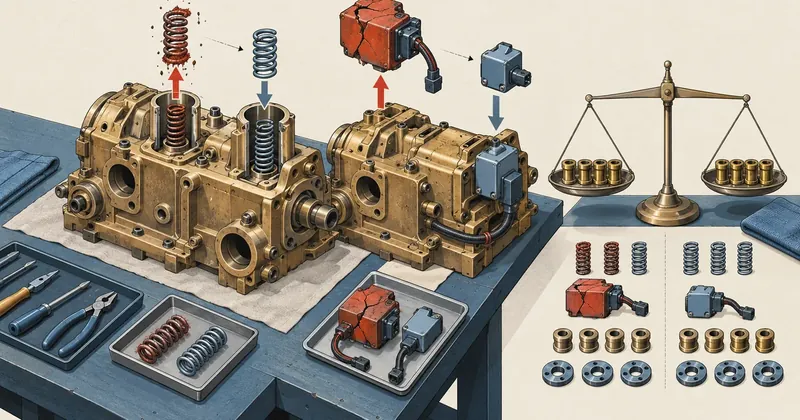
A very old WordPress site that breaks after moving to PHP 8.4 is not always broken because of a plugin. Sometimes core itself cannot handle the new PHP version. I broke the investigation into steps I could verify, then decided what to update and what to replace.
1-minute summary
- Symptom / problem
- WordPress 5.x on PHP 8.4 silently returns 404 on the home page even with all plugins disabled
- Who should read
- Admins of very old WordPress sites moved to a newer PHP
- Fix in short
- The cause is core itself. Update core first with a backup and snapshot, and for dead plugins with no new release write a small mu-plugin and compare results field by field.
I needed to move a client's very old WordPress site off the unsupported PHP 7.4. As soon as I switched the pool to 8.4, the homepage returned a silent 404 without a single warning. I immediately suspected a plugin, and I was wrong. The second site was a different story: a plugin really was broken, with no newer version available. I wrote a small replacement myself. This article covers both cases, along with one other issue: Wordfence blocking its own server.
I have left out the site names, domains, and usernames. All the numbers are real.
Every step that changes files or the database needs a backup that can actually be restored (a database dump and files, excluding uploads), and a snapshot of the site before starting. Without both, do not update core on a site people are using. I use the same approach as in the article on moving PHP versions through the DA API
A silent homepage 404: a three-step diagnosis
The first site was a small company website running WordPress 5.x on PHP 7.4. I switched the pool to 8.4, and the homepage returned 404 with an empty error log: no warnings, no notices. Most people's first move would be to blame a plugin. I worked through it one step at a time. First, I disabled all plugins. The homepage still returned 404. Second, I switched to a default WordPress theme. It still returned 404.
Those two steps ruled out the plugins and theme, leaving WordPress core itself: core 5.x, which was not designed to run on PHP 8.4.
My rule is to avoid spending time updating plugins until I have worked through these diagnostic steps, because the cause may be at the bottom layer. Updating plugins one after another adds so many variables that the cause becomes hard to find.
One caveat with these steps: "disable all plugins" in the admin interface does not include mu-plugins or drop-ins such as object-cache.php and advanced-cache.php, which WordPress loads itself without going through the activation list. If a site has any of these, move them out temporarily during the plugin-disabling step too. Otherwise, the conclusion that "it is not a plugin" could be wrong. In this case, I checked that there were none.
Update core first, while still on 7.4
I chose to update core while the pool was still on 7.4, then move PHP afterward. If I updated core on 8.4 while the old core was broken, I would not even have an admin interface to use. I wrote a script, wp_core_update.sh <user> <domain>, to do the following.
#!/bin/bash
# wp_core_update.sh USER DOMAIN (ย่อ) รันเป็น root, wp-cli รันในนามเจ้าของ
U=$1; DOM=$2
ROOT=/home/$U/domains/$DOM/public_html
B=$BACKUP_DIR/$U-$DOM-$(date +%F-%H%M)
mkdir -p "$B" && chmod 700 "$B"

sudo -u "$U" wp --path="$ROOT" db export "$B/db.sql"
tar -C "$ROOT" --exclude=wp-content/uploads -czf "$B/files.tgz" .

site-snap "$DOM" "$B/before"                      # status + ข้อความที่เห็น
sudo -u "$U" wp --path="$ROOT" core update
sudo -u "$U" wp --path="$ROOT" core update-db
chown -R "$U:$U" "$ROOT"
sleep 62                                          # รอ opcache ตรวจโค้ดใหม่
site-snap "$DOM" "$B/after" "$B/before/paths"

if awk '$1<200 || $1>=300' "$B/after/codes" | grep -q .; then
    echo "[RESTORE] มีหน้าที่ไม่ใช่ 2xx"
    tar -C "$ROOT" -xzf "$B/files.tgz"
    sudo -u "$U" wp --path="$ROOT" db import "$B/db.sql"
fi
Core moved from 5.x to the current 7.x release. All 24 out of 24 pages returned 200, the generator tag changed accordingly, and the visible text diff was 0 lines.
The trap was that the script's own after snapshot still showed the old behavior because of opcache.revalidate_freq=60. I took another snapshot after waiting 62 seconds before I saw the actual result. After that, I had the CLI render the same 24 pages, once with 7.4 and once with 8.4, then compared them byte for byte. Every page was identical: no 404s, no warnings, only deprecation notices from the old menu plugin's template engine.
The script's rollback criteria are deliberately strict: if any page is not 2xx, restore everything, without leaving a decision to be made halfway through. The tar archive excludes wp-content/uploads because user-uploaded images and files are large, and core update does not touch that folder anyway. If your site has important code in uploads, you need to investigate that separately.
Update plugins one at a time, and some new versions are worse
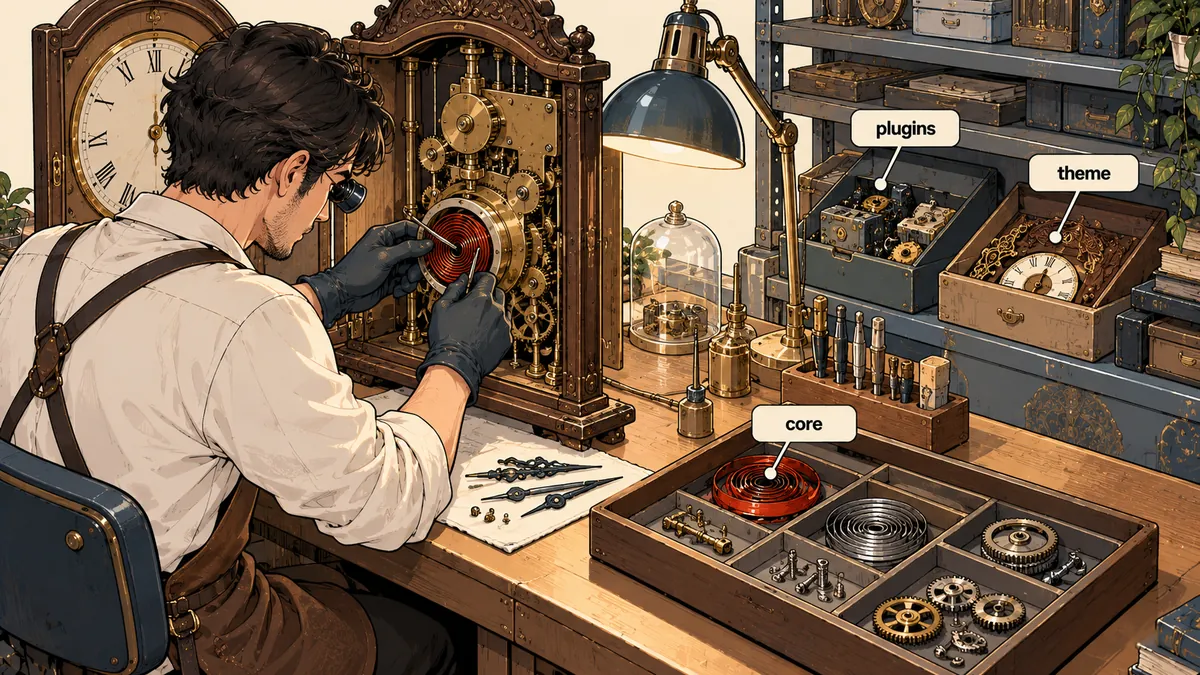
Once core passed, I updated plugins one at a time with another tool I call try-tool. It backs up that plugin's folder, updates it, takes and compares snapshots, then keeps or restores it based on the result. There are no bulk updates.
What I did not expect was that some newer versions really were worse than the old ones. I caught this because I did not trust status 200 alone: I used Playwright to take screenshots and test clicks. I found 2 plugins that I deliberately rolled back: a responsive menu plugin whose mobile hamburger button disappeared in the new version, and a gallery plugin whose new version changed the masonry layout to cards of equal height. I left paid plugins whose owners had not renewed their licenses as they were.
# wp_plugin_try.sh USER DOMAIN PLUGIN (ย่อ) ลองอัปทีละตัว แล้วตัดสินจากผลเทียบ
tar -C "$ROOT/wp-content/plugins" -czf "$B/$PLUGIN.tgz" "$PLUGIN"
site-snap "$DOM" "$B/before"
sudo -u "$U" wp --path="$ROOT" plugin update "$PLUGIN"
sleep 62                                            # opcache
site-snap "$DOM" "$B/after" "$B/before/paths"
site-snap --diff "$B/before" "$B/after"
# เก็บรุ่นใหม่ ถ้าผลเทียบสะอาด และภาพหน้าจอกับการคลิกผ่าน
# คืนรุ่นเดิม ถ้าไม่ผ่าน: rm -rf plugins/$PLUGIN แล้ว tar -xzf "$B/$PLUGIN.tgz"
Fast, but the cause is hard to trace
If the homepage breaks, you will not know which plugin caused it. You can only restore the whole batch, including the updates that worked.
Slower, but each can be restored separately
Only the plugins that got worse (menu, gallery) were restored, keeping the older versions that still worked.
A broken plugin with no newer version
The second site built its catalog pages with a plugin for custom post types and custom fields. After switching to 8.4, every page returned 500 with a fatal error in the plugin's form class:
Fatal error: Unparenthesized `a ? b : c ? d : e` is not supported.
Use either `(a ? b : c) ? d : e` or `a ? b : (c ? d : e)`
PHP 8 makes nested ternary expressions without parentheses a compile error. I tested echo 1 ? 'a' : 0 ? 'b' : 'c'; myself on 8.4 and got this exact message. I rolled back manually. The site was down for about 1.5 minutes, and the web server needed one reload before it came back.
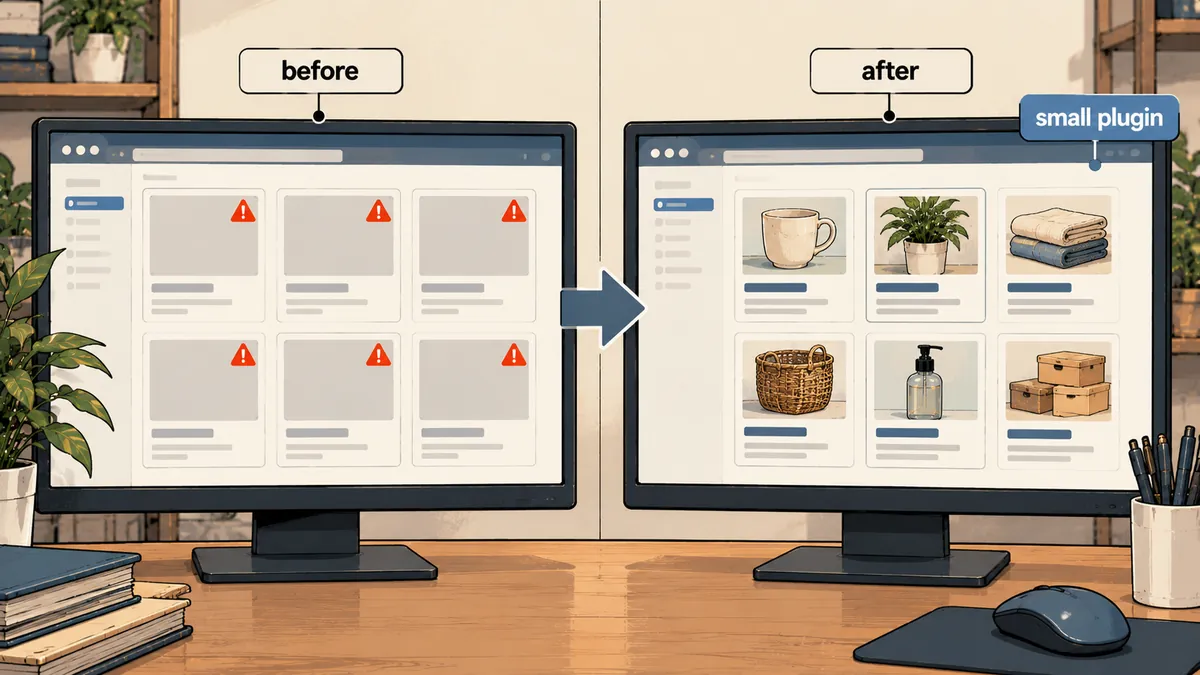
There was no newer version of this plugin that I could use. I discussed it with the site owner, who approved writing a small replacement. I found this an easier decision than I had expected, because the site only used a few of the plugin's features.
If you ask why I did not just add parentheses to the ternary in the plugin file and leave it at that, my honest answer is that a small fix like that is cheaper if it is the only thing broken. But this plugin was written before PHP 8, and nobody could confirm whether there were other problems. The owner chose a small, readable replacement over continuing to carry the plugin's entire codebase. I agreed, but others are free to choose the other route (I covered patching the existing code in a separate article, linked at the end).
Write a single mu-plugin replacement
A mu-plugin is a PHP file in wp-content/mu-plugins/ that WordPress loads automatically every time without activation. I wrote a single file that does four things: reads the option where the old plugin stored its post type definitions, registers 4 post types from those definitions, renders the field types the site actually uses (text, textarea through wpautop, wysiwyg through the the_content filter, images as <img alt="" src>, files, and checkboxes), and builds admin meta boxes from the stored field groups.
The key is that the data is untouched. The values stored in postmeta still use the old plugin's prefix, so if I bring the original plugin back one day, all the data is still there.
<?php
/* wp-content/mu-plugins/legacy-fields-lite.php (โครงย่อ ชื่อ option กับ prefix เป็นค่าสมมติ) */
if (!defined('ABSPATH')) exit;

// เงียบไว้ถ้าปลั๊กอินเดิมยัง active ยกเว้นตอนบังคับด้วย wp-cli เพื่อทดสอบ
function lfl_enabled(): bool {
    if (defined('LFL_FORCE') && LFL_FORCE) return true;
    return !in_array('legacy-fields/legacy-fields.php', (array) get_option('active_plugins', []), true);
}

add_action('init', function () {
    if (!lfl_enabled()) return;
    $defs = get_option('legacy_cpt_definitions', []);        // นิยามที่ปลั๊กอินเดิมเก็บไว้
    foreach ((array) $defs as $slug => $d) {
        register_post_type($slug, [
            'label'       => $d['labels']['name'] ?? $slug,
            'public'      => !empty($d['public']),
            'has_archive' => !empty($d['has_archive']),
            'supports'    => $d['supports'] ?? ['title', 'editor'],
            'rewrite'     => ['slug' => $d['rewrite']['slug'] ?? $slug],
        ]);
    }
}, 5);

function lfl_field(int $post_id, string $key, string $kind = 'text'): string {
    $v = get_post_meta($post_id, 'legacy_' . $key, true);   // prefix เดิมของข้อมูล
    if ($v === '' || $v === null) return '';
    switch ($kind) {
        case 'textarea': return wpautop(esc_html($v));
        case 'wysiwyg':  return apply_filters('the_content', $v);
        case 'image':    return '<img alt="" src="' . esc_url($v) . '">';
        case 'file':     return esc_url($v);
        case 'checkbox': return $v ? 'yes' : '';
        default:         return esc_html($v);
    }
}
This is a shortened outline to show the pattern. The real implementation needs to match the structure the old plugin stored on your site, and you need to read the old code before writing it. I do not recommend writing a replacement from memory.
I deliberately limited the mu-plugin to the field types this site actually uses, without trying to reproduce the entire original plugin. The advantage is that the code is short enough to read and review in one sitting. The disadvantage is that if the owner wants to add a new field type one day, this file will need editing. I told the owner about this from the start.
During testing, the mu-plugin stayed inactive as long as the old plugin was still active. I needed a way to force it to run in the test environment, so I temporarily set a constant in wp-config.php through wp-cli and removed it as soon as testing was done.
wp config set LFL_FORCE true --raw      # เปิดตอนทดสอบบนสำเนาเท่านั้น
# ... เรนเดอร์หน้าที่ต้องเทียบด้วย PHP 7.4 และ 8.4 แล้ว cmp ผลลัพธ์ ...
wp config delete LFL_FORCE              # เอาออกเสมอ
Verify the same output, field by field
Finishing the code does not mean it works. I compared output from three setups: the old plugin on 7.4, the mu-plugin on 7.4, and the mu-plugin on 8.4, using the override (constant) for testing in wp-cli.
| Comparison | Count | Result |
|---|---|---|
| Field render output on 7.4 versus 8.4 | 118/118 | All identical |
| permalink | All checked | Identical |
| Full pages across three test setups | 35/35 | Every page identical |
| fatal error | 0 | None |
Remove the old plugin with rm, not wp plugin delete
The final step was to remove the old plugin. I chose to deactivate it through wp-cli, then delete its folder with plain rm, without using wp plugin delete. The reason is that plugin delete runs the plugin's uninstall routine, and some plugins may be written to delete their own data, including the post type definitions and field values my mu-plugin needs to keep reading.
U=webuser; ROOT=/home/$U/domains/example.com/public_html

# 1) สำรองก่อนทุกครั้ง พร้อมโน้ตวิธีคืน
sudo -u $U wp --path=$ROOT db export $BACKUP_DIR/before-remove.sql
tar -C $ROOT/wp-content/plugins -czf $BACKUP_DIR/legacy-fields.tgz legacy-fields
echo "คืน: tar -xzf legacy-fields.tgz แล้ว wp plugin activate" > $BACKUP_DIR/RESTORE.md

# 2) ปิดด้วย wp-cli แล้วลบโฟลเดอร์ด้วย rm (ไม่รัน uninstall)
sudo -u $U wp --path=$ROOT plugin deactivate legacy-fields
rm -rf $ROOT/wp-content/plugins/legacy-fields
Wordfence blocked its own server
The last issue happened on the same site. I noticed that scheduled posts were not being published on time, and WordPress loopback checks had silently stopped working. I traced it to a Wordfence rate limit rule: "more than 10 requests per minute, block for 30 days." It had blocked the server's own IP (my crawler, WP-cron requests, and loopback requests all came from this IP). It had also blocked one office IP.
I fixed it by removing the two block entries, adding the server's IP (203.0.113.10 in this example) to the Wordfence allowlist, and stopping this kind of crawl from outside, crawling only from the host itself. Before making changes, I also backed up the Wordfence tables and options.
# สำรองตารางของ Wordfence ก่อนแก้ค่า
sudo -u $U wp --path=$ROOT db export $BACKUP_DIR/wf-tables.sql \
    --tables="$(sudo -u $U wp --path=$ROOT db tables 'wp_wf*' --format=csv)"
If scheduled tasks silently stop on a site with a plugin-based WAF, check the plugin's block list before investigating cron. If the server's IP is on the block list, every request the server sends to itself will fail, without an error in the WordPress log.
I took away four points for future work. First, when an old site returns a silent 404 on a new PHP version, disable plugins and change themes before blaming anything. Second, update core on the existing PHP version first, then move. Third, if a plugin is broken and has no newer version, and the site only uses a few of its features, write a small mu-plugin replacement and verify it with numbers. Fourth, remove it with rm, not plugin delete. I covered plugins that need direct code changes separately in the article on what PHP 8 changed. For a 500 with an empty log, see wp-500-empty-debug-log. If I have left anything out of the explanation, I will come back and add it later.
Want us to set this up?
Get help with server setup, configuration, migration, or troubleshooting. Save time for the work that matters.
Hit something like this? Stuck somewhere?
Come trade notes on the LinuxThai board
Comments 0
No comments yet — be the first