Build APM on Windows Part 6: PHP 8.4 with redis and imagick
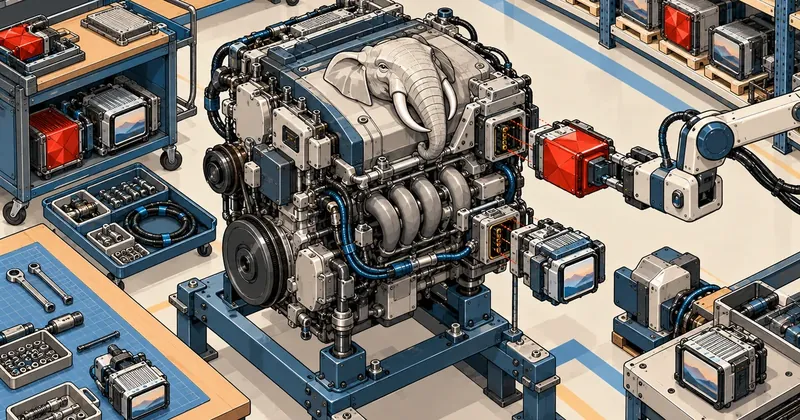
PHP needs the most frequent updates in this stack, and it is the hardest component to build on Windows because the flags differ from Linux. That makes this the most detailed part of the series. Every line of the script is explained, with the actual results you should see.
This is the part I have been waiting for throughout the series: building PHP myself. I started this series because PHP released 8.4.27 to fix two RCE vulnerabilities on 21 October 2026 (the full story is in the php2shell news article), while XAMPP on my machine was still running PHP 8.2.12 from 2023. Waiting for a new bundle would take a long time, so I put the PHP build into a single script, scripts\30-php.ps1. I can change the version number in one file and rebuild on the same day upstream releases a patch.
In this part, I will walk through that script line by line. I have split the process into numbered steps. Each step says which terminal to use, which folder to be in, what you should see, and how to check that it passed. Anyone who has never built a C/C++ project can follow along without guessing.
Run every command in PowerShell 7 (pwsh) as a regular user, not an admin, always with C:\apm-build as the current folder. There is no need to open a Developer Prompt because the script loads the MSVC environment itself.
Before starting, have these four things ready
PHP uses the components prepared in the previous parts. If any are missing, the script will fail, or worse, the build will succeed without imagick and give no warning. That is why I check them every time.
Step 1: Open the right terminal
Press the Windows key, type pwsh, and open PowerShell 7 (the black icon, not the blue icon for the older Windows PowerShell). Then run:
cd C:\apm-build
Check that you are in the right place with this command. You should see this path:
Get-Location
Path
----
C:\apm-build
Step 2: Check that all prerequisites are present
Run these four lines (each line has a comment explaining what it checks and which part it comes from).
Test-Path C:\apm-build\toolchain\php-sdk\phpsdk-starter.bat   # php-sdk จากตอนที่ 2 (00-fetch)
Test-Path C:\apm-build\src\php-8.4.27                         # source ของ PHP จากตอนที่ 2
Test-Path C:\apm-build\build\im-dev                           # header + lib ของ ImageMagick จากตอนที่ 5
Get-ChildItem C:\apm-build\src -Directory -Filter 'pecl-*' | Select-Object -ExpandProperty Name
The expected result is three lines of True, followed by the names of three PECL folders.
True
True
True
pecl-igbinary-3.2.16
pecl-imagick-3.8.1
pecl-redis-6.3.0
If any line returns False, go back and complete the part named in the comment first. Do not run the build yet.
The script adds --with-imagick only when the build\im-dev folder exists. If it does not, the script silently skips it and builds PHP without imagick, with no error. I know this from reading the script; I have not deliberately tested this failure. To prevent it, check that the third line above returns True every time.
Step 3: Know how long it will take
The first run took about 12 minutes on my machine (i5-12500H, RAM 32 GB). The second run, with the cache still present, took 5.0 minutes. Throughout the build, the script prints nothing on screen because it sends everything to a log file. I will explain how to watch the log live in the section on running the build.
Overview of 30-php.ps1 and the -Step modes
The script has one parameter, -Step, with four values. These let you run tasks separately without waiting for the whole process when checking flag names or updating only dependency DLLs.
-Step |
What it does | Log file | When to use it |
|---|---|---|---|
deps |
phpsdk_deps -u -b 8.4 downloads the PHP team's DLL set into build\php-deps |
php-deps.log |
To update libraries only |
help |
Runs buildconf, then prints configure --help |
php-help.log |
To check flag names before editing configure |
build |
Deletes old obj files, runs buildconf, configure, nmake, nmake install, and copies DLLs | php-build.log |
When deps are still present and only options or source have changed |
all |
deps followed by build |
php-all.log |
For the first build and every version update |
Every step runs in the php-sdk environment through a launcher called phpsdk-starter.bat, which loads the vs17 MSVC toolset and adds the SDK's bison and re2c to PATH. This diagram shows the sequence for -Step all.
Here is the entire script from the downloaded kit. I have not removed any lines. Read through it briefly first, then look at the explanations of each section below.
# 30-php.ps1 - build PHP 8.4 NTS x64 (vs17) with php-sdk + PHP-team deps series
# Usage: pwsh scripts\30-php.ps1 [-Step deps|help|build|all]
param([ValidateSet('deps','help','build','all')][string]$Step = 'all')
$ErrorActionPreference = 'Stop'
$Root = Split-Path $PSScriptRoot -Parent
$V    = Get-Content "$Root\versions.json" -Raw | ConvertFrom-Json
$PhpV = $V.sources.php.version

$Sdk   = "$Root\toolchain\php-sdk"
$Src   = "$Root\src\php-$PhpV"
$Deps  = "$Root\build\php-deps"
$Pecl  = "$Root\build\php-pecl"
$Obj   = "$Root\build\php-obj"
$Stage = "$Root\stage\php"
New-Item -ItemType Directory -Force $Deps, $Pecl, $Obj, "$Root\build\logs" | Out-Null

# PECL sources -> build\php-pecl\<extname> (buildconf --add-modules-dir wants ext-named folders).
# Refresh on every run: the folder name carries no version, so a stale copy would be reused silently.
foreach ($e in 'redis','igbinary','imagick') {
    $from = "$Root\src\pecl-$e-$($V.sources."pecl-$e".version)"
    if (-not (Test-Path $from)) { throw "[ERR] $from missing - run 00-fetch.ps1" }
    if (Test-Path "$Pecl\$e") { Remove-Item "$Pecl\$e" -Recurse -Force }
    Copy-Item $from "$Pecl\$e" -Recurse
}

$Configure = @(
  '--disable-all','--disable-zts','--enable-cli','--enable-cgi',
  '--enable-opcache','--enable-opcache-jit',
  '--with-openssl','--with-curl','--enable-zlib','--with-libxml','--with-dom','--with-xml',
  '--enable-xmlreader','--enable-xmlwriter','--with-simplexml','--enable-tokenizer',
  '--enable-session','--enable-filter','--enable-ctype','--enable-phar','--with-iconv',
  '--enable-mbstring=shared','--enable-mbregex','--enable-intl=shared','--with-gd=shared',
  '--with-libwebp','--with-libavif','--with-pcre-jit','--enable-redis-session',  # default-on, but --disable-all turns them off
  '--with-gettext=shared','--with-ffi=shared','--enable-fileinfo=shared','--enable-exif=shared',
  '--enable-bcmath','--enable-calendar','--enable-ftp=shared','--enable-shmop=shared',
  '--enable-sockets=shared','--enable-soap=shared','--with-sodium=shared','--with-xsl=shared',
  '--enable-zip=shared','--with-mysqlnd','--with-mysqli=shared','--enable-pdo',
  '--with-pdo-mysql=shared','--with-pdo-sqlite=shared','--with-sqlite3=shared',
  '--enable-igbinary=shared','--enable-redis=shared','--enable-redis-igbinary',
  $(if (Test-Path "$Root\build\im-dev") { "--with-imagick=shared,$Root\build\im-dev" }),  # from 25-imagemagick.ps1
  "--with-extra-includes=$Pecl",  # redis includes "igbinary/igbinary.h"
  "--with-php-build=$Deps","--enable-object-out-dir=$Obj","--with-prefix=$Stage"
) -join ' '

$task = switch ($Step) {
  'deps'  { "call phpsdk_deps -u -b $($V.php_deps_series) -d `"$Deps`" || exit /b 1" }
  'help'  { "call .\buildconf.bat --force --add-modules-dir=`"$Pecl`" || exit /b 1`r`ncall .\configure.bat --help" }
  'build' { @"
call .\buildconf.bat --force --add-modules-dir="$Pecl" || exit /b 1
call .\configure.bat $Configure || exit /b 1
nmake || exit /b 1
nmake install || exit /b 1
"@ }
  'all'   { @"
call phpsdk_deps -u -b $($V.php_deps_series) -d "$Deps" || exit /b 1
call .\buildconf.bat --force --add-modules-dir="$Pecl" || exit /b 1
call .\configure.bat $Configure || exit /b 1
nmake || exit /b 1
nmake install || exit /b 1
"@ }
}

# configure option changes do not trigger recompiles of existing objects -> always build clean
if ($Step -in 'build','all') {
    foreach ($d in $Obj, $Stage) { if (Test-Path $d) { Remove-Item $d -Recurse -Force } }
    New-Item -ItemType Directory -Force $Obj | Out-Null
}

# Keep XAMPP's php off PATH so configure/tools never pick it up
$env:Path = ($env:Path -split ';' | Where-Object { $_ -notmatch '(?i)xampp' }) -join ';'
$bat = "$Root\build\php-task-$Step.bat"
"@echo off`r`ncd /d `"$Src`"`r`n$task`r`nexit /b 0" | Set-Content $bat -Encoding ascii
$log = "$Root\build\logs\php-$Step.log"
& cmd /c "`"$Sdk\phpsdk-starter.bat`" -c vs17 -a x64 -t `"$bat`" > `"$log`" 2>&1"
$rc = $LASTEXITCODE
Get-Content $log -Tail 40
if ($rc) { throw "[ERR] php step '$Step' failed rc=$rc (log: $log)" }
Write-Host "[OK] php step '$Step' (log: $log)"
if ($Step -notin 'build','all') { return }

# Copy only the dependency DLLs that php/ext actually import (transitively), from deps\bin
. "$PSScriptRoot\lib.ps1"; Enter-VsEnv
$avail = @{}; Get-ChildItem "$Deps\bin\*.dll" | ForEach-Object { $avail[$_.Name.ToLower()] = $_.FullName }
$queue = [System.Collections.Generic.Queue[string]]::new()
Get-ChildItem "$Stage\*.exe", "$Stage\php8.dll", "$Stage\ext\*.dll" | ForEach-Object { $queue.Enqueue($_.FullName) }
$need = @{}
while ($queue.Count) {
    dumpbin /nologo /dependents $queue.Dequeue() | ForEach-Object {
        $n = $_.Trim().ToLower()
        if ($avail.ContainsKey($n) -and -not $need.ContainsKey($n)) { $need[$n] = $avail[$n]; $queue.Enqueue($avail[$n]) }
    }
}
$need.Values | Copy-Item -Destination $Stage -Force
Write-Host "[OK] runtime DLLs: $(($need.Keys | Sort-Object) -join ' ')"

# ImageMagick: CORE_RL_* plus the coder modules (IM_MOD_*) and delegates it loads at runtime, plus its
# config xml files - all next to php.exe/php-cgi.exe, same as the official imagick-on-Windows layout.
$ImBin = "$Root\src\imagemagick-windows\Artifacts\bin"
if (Test-Path "$Stage\ext\php_imagick.dll") {
    Copy-Item "$ImBin\*.dll", "$ImBin\*.xml" $Stage -Force
    Write-Host "[OK] ImageMagick runtime -> $Stage"
}
& "$Stage\php.exe" -v
Reading the script in execution order
I have divided the script into nine sections. Each explains why it is there and which problem I encountered it prevents.
Section 1: Path variables
The line $Root = Split-Path $PSScriptRoot -Parent lets the script work out that its root is C:\apm-build, so it can run from any folder. The number 8.4.27 is not embedded in the script. It reads it from versions.json ($V.sources.php.version). This is the key to the security patch updates I discuss in part 7: change the number in one file, and the script points to src\php-<เวอร์ชันใหม่> automatically.
Section 2: Copy PECL into build\php-pecl
buildconf --add-modules-dir requires folders whose names match the extension names, but the downloaded source is named pecl-redis-6.3.0. The script therefore copies it into build\php-pecl edis, igbinary, and imagick, deleting the old copy and copying again on every run. If the source folder is missing it stops with [ERR] ... missing - run 00-fetch.ps1 instead of carrying on silently.
Symptom You change the redis, igbinary or imagick version in versions.json, fetch the new source, and the build still produces the old extension, without a single error line. Cause The first version of the script copied only when build\php-pecl\<ext> did not exist, and the folder name carries no version, so it kept reusing the stale copy. Fix The script now deletes the folder and copies again every run, so you no longer need to Remove-Item build\php-pecl\... by hand. If you downloaded the kit before the afternoon of 22 Oct, download it again. I know this from reading the script; I have not actually bumped a PECL version to compare both behaviours.
Section 3: The $Configure array
All flags are combined into a single string with -join ' '. I explain them in groups in the next section. Two small details to notice now are the $(if (Test-Path ...im-dev)...) line I mentioned in step 2 and the --with-extra-includes line pointing to the PECL folder, because redis uses #include "igbinary/igbinary.h" directly.
Section 4: Create the commands for each -Step
The $task variable contains the text of the .bat file that will run in the php-sdk environment. There are two small but important details.
callruns another.batfile and then returns to execute the next line. Withoutcall, the following lines will not run.|| exit /b 1stops immediately when the preceding command fails. Otherwise, the batch file continues to nmake even though configure failed, and you get an error unrelated to the real cause.
Why write .\buildconf.bat with a leading .\? My machine has the environment setting NoDefaultCurrentDirectoryInExePath=1, so cmd does not search the current folder for exe or bat files. On my first run, I got 'buildconf.bat' is not recognized even though the file was right there. Explicitly specifying .\ is a fix that works safely on every machine.
Section 5: Delete obj and stage every time
if ($Step -in 'build','all') {
    foreach ($d in $Obj, $Stage) { if (Test-Path $d) { Remove-Item $d -Recurse -Force } }
    New-Item -ItemType Directory -Force $Obj | Out-Null
}
This block came directly from my own mistake. GD had no WebP support on the first run, so I added --with-libwebp and rebuilt. But WebP was still disabled because nmake reused the old .obj files. Changing configure options does not tell nmake that it needs to recompile. The script therefore cleans everything every time. The tradeoff is that repeat builds are not incremental, but I can accept the 5 minutes I measured for a repeat run.
Section 6: Remove XAMPP from PATH
The line $env:Path = ... -notmatch '(?i)xampp' removes paths containing xampp only in this process. It does not touch the system PATH. PHP's configure calls several tools through PATH, and if XAMPP's php.exe or perl comes first, it may pick up the wrong one.
Section 7: Write the .bat file and run it through phpsdk-starter
The script writes build\php-task-all.bat (named according to -Step), beginning with cd /d to enter src\php-8.4.27, then calls:
phpsdk-starter.bat -c vs17 -a x64 -t build\php-task-all.bat
The parameters are: -c vs17 selects the Visual Studio 2022 compiler toolset, -a x64 selects the architecture, and -t specifies the task file to run. All output (stdout and stderr) goes to build\logs\php-all.log. At the end, the script prints the last 40 lines of the log on screen, and if rc is nonzero, it uses throw and gives the log location.
The first line of the log contains this message every time. Do not be alarmed; it does not cause the build to fail.
'vswhere.exe' is not recognized as an internal or external command,
operable program or batch file.
[vcvarsall.bat] Environment initialized for: 'x64'
Sections 8 and 9: Copy DLLs and print php -v
The final two sections find and copy dependency DLLs and the ImageMagick runtime beside php.exe, then print php -v. I explain these separately, with a diagram, under "DLLs that must sit beside php.exe".
The configure command, group by group
The configure line contains more than 60 flags. I have grouped them by function. This list follows the extensions on the production machine I need to match; it is not a list of features I simply decided I wanted.
| Group | Flags | Purpose / reason |
|---|---|---|
| Basics | --disable-all --disable-zts |
Disable every extension first, then enable them explicitly; --disable-zts means NTS because PHP runs through FastCGI in a separate process (mod_fcgid), rather than as a module inside Apache |
| SAPI | --enable-cli --enable-cgi |
php.exe is for testing and running cron scripts; php-cgi.exe is what mod_fcgid calls |
| Performance | --enable-opcache --enable-opcache-jit --with-pcre-jit |
OPcache caches bytecode, JIT compiles hot code, and PCRE JIT speeds up regex |
| Networking and encryption | --with-openssl --with-curl --enable-zlib --with-iconv |
Outbound HTTPS, cURL, compression, charset conversion |
| XML family | --with-libxml --with-dom --with-xml --enable-xmlreader --enable-xmlwriter --with-simplexml --with-xsl=shared |
XML readers/writers used by typical PHP projects |
| Language and sessions | --enable-tokenizer --enable-session --enable-filter --enable-ctype --enable-phar |
Basics used by frameworks |
| Multilingual text | --enable-mbstring=shared --enable-mbregex --enable-intl=shared --with-gettext=shared |
Thai websites inevitably need mbstring and intl |
| Images | --with-gd=shared --with-libwebp --with-libavif --enable-exif=shared --enable-fileinfo=shared --with-imagick=shared,<path> |
GD reads/writes WebP and AVIF, exif reads image metadata, and imagick uses ImageMagick from part 5 |
| Miscellaneous | --enable-bcmath --enable-calendar --enable-ftp=shared --enable-shmop=shared --enable-sockets=shared --enable-soap=shared --with-sodium=shared --enable-zip=shared --with-ffi=shared |
Matches the extensions enabled on the production machine |
| Databases | --with-mysqlnd --with-mysqli=shared --enable-pdo --with-pdo-mysql=shared --with-pdo-sqlite=shared --with-sqlite3=shared |
Connect to MariaDB through mysqlnd (no libmysqlclient required) |
| PECL | --enable-igbinary=shared --enable-redis=shared --enable-redis-igbinary --enable-redis-session |
redis client with the igbinary serializer and session handler |
| Paths | --with-extra-includes --with-php-build --enable-object-out-dir --with-prefix |
Specify the locations of PECL headers, dependency DLLs, obj files, and the installation |
=shared means the extension is built as a separate ext\php_xxx.dll file and needs an extension=xxx line in php.ini to load. Those without =shared are embedded in php8.dll. The configure log summarizes these in a table, which I have condensed here (the actual list has 26 static extensions, 22 shared extensions, and opcache as another separate Zend extension).
| Mode | Extensions |
|---|---|
| shared (22) | exif ffi fileinfo ftp gd gettext igbinary imagick intl mbstring mysqli openssl pdo_mysql pdo_sqlite redis shmop soap sockets sodium sqlite3 xsl zip |
| static (26) | bcmath calendar ctype curl date dom filter hash iconv json libxml mysqlnd pcre pdo phar random reflection session simplexml spl standard tokenizer xml xmlreader xmlwriter zlib |
An observation: openssl is shared too, even though I did not specify =shared. PHP 8.4's configure chooses that itself. So php.ini must contain extension=openssl, or https:// access from PHP will fail. I have already included it in the template in part 7.
Windows flag names differ from Linux
If you have built PHP on Linux before, do not copy the flags directly. I did and immediately got an error. --enable-gd does not work; Windows requires --with-gd and --with-dom (rather than Linux's --enable-* form). Use -Step help to check flag names.
Step 4: Check flag names with -Step help (optional, but very useful)
Run from C:\apm-build.
pwsh -NoProfile -File scripts\30-php.ps1 -Step help
This command takes a few tens of seconds. It produces build\logs\php-help.log, containing the full configure --help output. Try searching only for the flags of interest.
Get-Content build\logs\php-help.log | Select-String -Pattern '--(with|without)-(gd|dom|libwebp|libavif|pcre-jit) '
The expected result (actual lines from my log):
  --without-gd                      Bundled GD support
  --without-libwebp                 webp support
  --without-libavif                 avif support
  --without-pcre-jit                Enable PCRE JIT support
  --without-dom                     DOM support
How to read it: a name beginning with --without- means that option is enabled by default, while --with- means it is disabled by default. The same principle applies to names beginning with --enable- or --disable-. This is why the next trap matters.
The --disable-all trap
--disable-all disables every option, including those normally enabled by default. My first configure run omitted these flags because -Step help showed that they were already enabled by default. But after the build, GD had neither WebP nor AVIF, and PCRE JIT did not work, because --disable-all had disabled them too. The fix is to enable them explicitly: --with-libwebp --with-libavif --with-pcre-jit --enable-redis-session. These are in the script with the comment default-on, but --disable-all turns them off.
If you edit $Configure and rebuild manually (for example, by running nmake in the source folder), the result will not change because the old .obj files are reused. Always run through the script with -Step build. It deletes the obj files first every time.
After a successful build, you can see the actual configure command in config.nice.bat, which configure saves in C:\apm-build\src\php-8.4.27 (the log says Saving configure options to config.nice.bat).
Running the build
Step 5: Open a second terminal to watch the log
Because the script stays silent throughout the build, open a second pwsh window (press the Windows key, type pwsh, and open another instance). Do not run anything there yet. I will return to it in step 7.
Step 6: Start the build in the first terminal
cd C:\apm-build
pwsh -NoProfile -File scripts\30-php.ps1 -Step all
An alternative with the same result is build.cmd -From php, which calls this script with -Step all (PHP is the final step in build.cmd).
The cursor will sit there with no messages. That is normal. Do not press Ctrl+C while waiting, except for the one case described in step 7 where imagick is missing.
Step 7: Watch the live log in the second terminal
Get-Content C:\apm-build\build\logs\php-all.log -Wait -Tail 5
You will see the phases pass in order. Here are actual example lines from my log (I have replaced my machine's paths with C:\apm-build).
The phpsdk_deps phase downloads the 8.4 DLL set (the first few minutes, depending on your internet connection).
Configuration: 8.4-vs17-x64-stable

Processing package ICU-77.1-1-vs17-x64.zip
Processing package apache-2.4.69-vs17-x64.zip
Processing package brotli-1.2.0-vs17-x64.zip
...
Processing package zlib-1.3.2-vs17-x64.zip
Updates performed successfully.
The buildconf and configure phases (check tools, then select extensions).
Rebuilding configure.js
Adding C:\apm-build\build\php-pecl to the module search path
Now run 'configure --help'
PHP Version: 8.4.27

Saving configure options to config.nice.bat
Checking for cl.exe ...  <in default path>
  Detected compiler Visual C++ 2022
  Detected x64 compiler
Checking for link.exe ...  <in default path>
Checking for nmake.exe ...  <in default path>
Checking for bison.exe ...  <in default path>
  Detected bison version 3.3.2
Checking for re2c.exe ...  <in default path>
  Detected re2c version 1.1.1
Enabling multi process build
Enabling SAPI sapi\cgi
Enabling SAPI sapi\cli
...
Enabling extension ext\gd [shared]
...
Enabling extension ..\..\build\php-pecl\imagick [shared]
...
Enabling extension ..\..\build\php-pecl\igbinary\src\php7 [shared]
Enabling extension ..\..\build\php-pecl\redis [shared]
Watch the last three lines: if you do not see imagick [shared], then build\im-dev is missing, as warned in step 2. Press Ctrl+C to stop and fix it first.
Near the end of configure, it prints a summary table you can use to check that the settings match your intentions.
Enabled Zend extensions:
----------------------
| Extension | Mode   |
----------------------
| opcache   | shared |
----------------------

Enabled SAPI:
-------------
| Sapi Name |
-------------
| cgi       |
| cli       |
-------------

| Build type          | Release         |
| Thread Safety       | No              |
| Compiler            | Visual C++ 2022 |
| Target Architecture | x64             |
| Optimization        | PGO disabled    |
| Native intrinsics   | SSE2            |
Thread Safety No means NTS, as intended. PGO disabled means this build does not use profile-guided optimization, which official PHP builds use, so performance may differ slightly from the official binaries. I have not measured that difference.
Next comes nmake (the longest phase). Lines listing .c filenames keep appearing, along with LINK : warning LNK4286 and LNK4217 warnings. Both are just linker warnings in my build and did not cause it to fail. The final phase is nmake install.
        1 file(s) copied.
C:\apm-build\build\php-obj\Release\php_redis.lib
        1 file(s) copied.
401 File(s) copied
Step 8: Wait for the script to finish, then check the final messages
When the first terminal returns to the prompt, scroll to the very end. You should see lines like these (the text after runtime DLLs: lists the copied DLLs, which I explain in the next section).
[OK] php step 'all' (log: C:\apm-build\build\logs\php-all.log)
[OK] runtime DLLs: brotlicommon.dll brotlidec.dll icudt77.dll ...
[OK] ImageMagick runtime -> C:\apm-build\stage\php
PHP 8.4.27 (cli) (built: Oct 22 2026 12:11:45) (NTS Visual C++ 2022 x64)
If the last line is PHP 8.4.27 (cli) ... (NTS Visual C++ 2022 x64), the build has finished and the newly built php.exe runs. This command runs without a php.ini, so the other extensions are not visible yet.
DLLs that must sit beside php.exe
The final section of the script fixes a problem I encountered when first running php.exe after installation: the program would not run at all and exited with code 53, with no window explaining why. The reason was that php.exe and the extensions need external library DLLs such as ICU, OpenSSL, and libsodium, which were in build\php-deps\bin, rather than beside the newly installed files. Windows searches for DLLs in the exe's folder first, and fails when it cannot find them.
The simple fix is to copy the entire DLL folder, but build\php-deps\bin also contains library DLLs that this PHP build does not use (such as PostgreSQL, SNMP, and LDAP libraries). I therefore made the script find only those actually needed.
The mechanism in the script has three parts.
- Create a table of all DLLs in
build\php-deps\bin, keyed by lowercase names ($avail). - Queue every
*.exe,php8.dll, andext\*.dllfile in stage. - Repeatedly take a file from the queue, run
dumpbin /nologo /dependents, and read the names of DLLs it imports. If a name is in$availand has not already been selected, record it in$needand queue that DLL too (because it may import others).
Once the queue is empty, $need.Values | Copy-Item -Destination $Stage copies every recorded DLL beside php.exe. Windows' own DLLs, such as KERNEL32.dll, are not in $avail, so they are skipped automatically.
dumpbin comes from MSVC, which the script loads through Enter-VsEnv in lib.ps1, as explained in part 1.
The 12 names in the diagram come from my first build record (before adding imagick). Your run may differ slightly if the PHP team changes the dependency set. Use the [OK] runtime DLLs: line in the script's output as the actual reference.
The ImageMagick portion
imagick also needs ImageMagick's own DLLs. The script copies all *.dll and *.xml files from src\imagemagick-windows\Artifacts\bin beside php.exe. These include CORE_RL_* (the core and delegates such as webp, png, and tiff), IM_MOD_RL_* (read/write modules for each format), and XML configuration files. They need to sit beside php.exe because that is the layout used by imagick on Windows. The result is a stage\php folder of about 127 MB.
Test that the resulting PHP actually works
stage\php does not have a php.ini yet (I will create it from a template in part 7), so testing requires a temporary ini that loads every extension.
The test ini must load igbinary before the other extensions because redis links against igbinary's serializer. If the order is reversed, redis will fail to load. Also, opcache must be loaded with zend_extension, not extension.
Step 9: Create the test ini
Run from C:\apm-build. This block creates apm-test-php.ini in your TEMP folder.
$P = "stage\php"; $ini = "$env:TEMP\apm-test-php.ini"
$exts = Get-ChildItem "$P\ext\php_*.dll" | ForEach-Object { $_.BaseName -replace '^php_','' } | Where-Object { $_ -ne 'opcache' }
@("extension_dir=`"$((Resolve-Path $P).Path)\ext`"","zend_extension=opcache","opcache.enable_cli=1","opcache.jit=tracing","opcache.jit_buffer_size=64M","extension=igbinary") +
  ($exts | Where-Object { $_ -ne 'igbinary' } | ForEach-Object { "extension=$_" }) | Set-Content $ini
The variables $P and $ini must remain in the same session for the following steps. Do not close the terminal along the way. This command prints nothing on success. Check that the file was created with:
Get-Content $ini | Select-Object -First 6
The expected result is the first six lines of the file.
extension_dir="C:\apm-build\stage\php\ext"
zend_extension=opcache
opcache.enable_cli=1
opcache.jit=tracing
opcache.jit_buffer_size=64M
extension=igbinary
Step 10: Check the version
& "$P\php.exe" -c $ini -v
The expected first line is below. The number must match the version set in versions.json.
PHP 8.4.27 (cli) (built: Oct 22 2026 12:11:45) (NTS Visual C++ 2022 x64)
This is followed by copyright text and lines for Zend Engine and OPcache, which I have omitted here.
Step 11: Check that all important extensions load
& "$P\php.exe" -c $ini -m | Select-String -Pattern '^(gd|igbinary|imagick|intl|mbstring|redis|sodium)$'
The expected result is all seven names, one per line, in alphabetical order. If any are missing, the corresponding php_<ชื่อ>.dll failed to load. Run & "$P\php.exe" -c $ini -r "echo 1;" to see the error messages during loading. My full php -m output had 51 modules, matching every module on the production machine except posix, sysvmsg, sysvsem, and sysvshm, which Windows does not have.
Step 12: Check JIT, WebP, and imagick in one command
& "$P\php.exe" -c $ini -r 'echo json_encode(["jit"=>opcache_get_status(false)["jit"]["on"], "webp"=>gd_info()["WebP Support"], "imagick"=>Imagick::getVersion()["versionString"]]);'
The expected result is one line (the ImageMagick commit number may vary between builds).
{"jit":true,"webp":true,"imagick":"ImageMagick 7.1.2-34 Q16-HDRI x64 a0c4bf729:20261014 https:\/\/imagemagick.org"}
These three values address all the problems I encountered. jit:true confirms that OPcache and JIT work, webp:true confirms that the --disable-all trap has been resolved, and imagick returns the version name of ImageMagick 7.1.2-34, built in part 5.
Step 13: Have imagick read and write actual files
Loading successfully is not enough. I have it create a solid-color image and convert it to four formats.
& "$P\php.exe" -c $ini -r '$i=new Imagick(); $i->newImage(320,200,new ImagickPixel("#3366cc")); foreach(["webp","png","jpg","avif"] as $f){$c=clone $i; $c->setImageFormat($f); echo $f,"=",strlen($c->getImageBlob())," ";}'
The expected result is below. The numbers are the byte counts of the resulting files, and every one must be greater than zero.
webp=1696 png=2266 jpg=5862 avif=1456
This test ini only sets opcache.enable_cli and JIT, because php.exe runs once and exits. The php.ini that part 7 deploys also sets a per-folder opcache.cache_id and a file cache in tmp\opcache, because two APM folders running at once clash over ASLR (symptom and fix are in part 7).
Note: your byte counts may differ slightly. What matters is that all four formats can be written. This build cannot write HEIC, as I mentioned in part 5.
If something fails here
Every row describes a symptom I actually encountered while building PHP, with its cause and fix. Where the fix is already in the script, I note that in the last column.
| Symptom | Cause | Fix |
|---|---|---|
'buildconf.bat' is not recognized |
The environment has NoDefaultCurrentDirectoryInExePath=1, so cmd does not search the current folder |
Call .\buildconf.bat / .\configure.bat (already in the script) |
configure does not recognize --enable-gd |
Windows flag names differ from Linux | Use --with-gd, --with-dom, and check with -Step help |
| GD has no WebP/AVIF, PCRE JIT does not work | --disable-all disables options that are normally enabled |
Add --with-libwebp --with-libavif --with-pcre-jit --enable-redis-session (already in the script) |
| Changing configure does not change the result | nmake reuses the old .obj files | Delete build\php-obj and stage\php before building (the script already does this) |
igbinary/igbinary.h: No such file |
redis includes the header with an igbinary path prefix | --with-extra-includes=build\php-pecl (already in the script) |
php.exe does not run (exit 53) |
Dependency DLLs are not beside the exe | Find them with dumpbin /dependents and copy them (at the end of the script) |
ImageMagick was build with a 64 channel bit mask and that requires a C++ compiler when building imagick |
ImageMagick was built with a 64 bit channel mask, but imagick is written in C | Return to part 5, change Options.cpp to 32 bit, and rebuild ImageMagick |
| Build succeeds but imagick is missing | build\im-dev is missing, so the script skips --with-imagick |
Complete part 5, then run -Step all again |
| After bumping the redis/igbinary/imagick version in versions.json the build still has the old extension | The old kit copied PECL into build\php-pecl only once |
Fixed: the new 30-php.ps1 deletes and re-copies on every run. Download the new kit; no need to delete folders by hand |
[ERR] ...\src\pecl-redis-... missing - run 00-fetch.ps1 |
The PECL source named in versions.json has not been fetched | Run pwsh -File scripts\00-fetch.ps1 -Only pecl-redis,pecl-igbinary,pecl-imagick, then build again |
Class "Imagick" not found when running under Apache |
php.ini has no extension = imagick |
The template in part 7 already includes it. If you deployed earlier, run deploy.cmd -ResetConfig |
If you encounter a symptom not in the table, open build\logs\php-all.log and search for error (case-insensitive). I found that frequent matches that are not problems are filenames containing the word error, such as pcre2_error.c and intl_error.c. These are simply the names of files being compiled.
What you need before moving on to part 7
- The script's final line is
PHP 8.4.27 (cli) ... (NTS Visual C++ 2022 x64) - The
C:\apm-build\stage\phpfolder containsphp.exe,php-cgi.exe,php8.dll, and anextfolder containingphp_imagick.dll,php_redis.dll, andphp_igbinary.dll - The result of step 11 shows all seven names (gd igbinary imagick intl mbstring redis sodium)
- The result of step 12 includes
"jit":trueand"webp":true - Step 13 successfully writes all four formats (webp png jpg avif)
- Part 3 (
stage\apache) and part 4 (stage\mariadb) have also passed, because part 7 installs all three components together
If you just want to use APM without compiling anything, the finished build is at github.com/ChonLaWan/APM-Server. Download APM-1.0.0-win64.zip (about 140 MB) from Releases, compare its sha256 with the attached .sha256 file, unzip it anywhere and run manager\APMManager.exe. The Manager picks free ports, writes the config, issues the certificate and creates the database for you. Its Check for updates button downloads a new release, verifies the sha256 and swaps the binaries without touching your config, databases or sites.
Contents · Previous: Part 5 ImageMagick · Next: Part 7 Deploy, Run, and Update
The next part is the last in the series: installing all three components into C:\APM, starting them for the first time, and the update procedure for the next security release. Personally, I think that if you have read this far and followed every step, you now have a PHP build of your own. I will come back and make further edits later.
Want us to set this up?
Get help with server setup, configuration, migration, or troubleshooting. Save time for the work that matters.
Hit something like this? Stuck somewhere?
Come trade notes on the LinuxThai board
Comments 0
No comments yet — be the first