Reimporting the Old Site Undid My Manual Changes
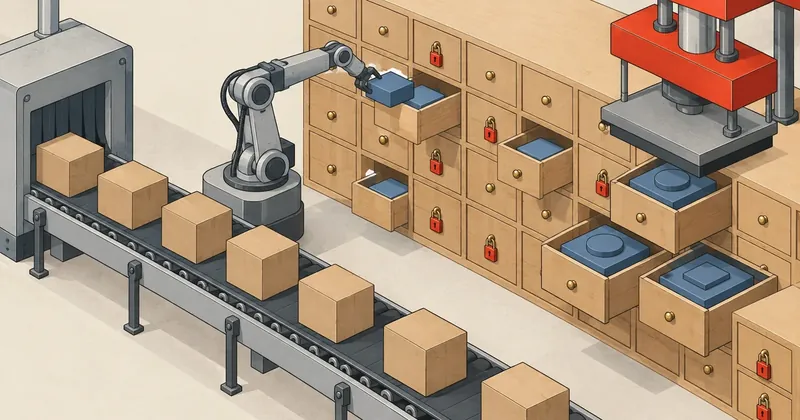
An import command that can run repeatedly without creating duplicate rows can still overwrite people's work. Until the importer knows who owns each field, every sync takes the site back to a time before anyone made any changes.
1-minute summary
- Symptom / problem
- Each new import from the old site overwrites hand edits such as cover images and words the owner asked to change.
- Who should read
- Maintainers of a new site that still imports content from the old one in rounds.
- Fix in short
- Split field ownership into 3 layers, lock the fields people edit, apply overrides last, and run post-import rules on every round.
I took on a job migrating a client's old site to a new site built with Laravel. All the content belonged to the site owner. The owner requested the migration and provided access; I wasn't taking anyone else's content. The problem was that the team was still updating the old site during the transition. I had to import it periodically, and within a single week, five things I had manually fixed on the new site reverted to their old state.
I have replaced all business names, domains, item IDs, and people's names with generic ones. I use old.example.com for the old site and new.example.com for the new one. I also renamed the commands and tables to make them easier to read. The numbers and sequence of events are real.
Symptoms: five fixes reverted in a single week
The import command reads two files, items.jsonl and media.json, produced by the extraction step. I already covered the initial extraction in Migrating an Entire Legacy .aspx Site into a JSON Catalog, and the weekly extraction in the article on fetching only the changes. This article starts once those two files have arrived on the machine, with just one question left: which wins, the values in the files or the values people have edited on the new site?
I designed the import command to be repeatable from the start: it uses the old system's IDs as keys, so running it any number of times does not create duplicate rows. That part worked correctly. But "repeatable" and "does not overwrite manual edits" are two different properties, and I only had the first. The symptoms appeared one by one.
- I replaced 41 cover images on service pages. The next import brought every old image back.
- The 48 duplicate items I had merged (26 products, 14 articles, 8 services) returned to published status.
- The team page had 63 rows representing 35 actual people. After I merged them, the duplicate rows came back.
- A job title the owner had asked me to change across the site reverted to its original wording.
- The owner sent me a direct message saying the selected images should be treated as the masters, and that the old images must stop overwriting them.
The fifth point was not a bug, but it made me stop fixing these issues one at a time. The owner was right: someone who has selected 41 images should not have to select them again every time I sync.
My first mistake: fix it with SQL and leave a note not to overwrite it
I fixed the first four issues the same way: I wrote SQL directly against production for each one, then left myself a note not to overwrite that part on the next import. This failed every time another round came along, for a simple reason: the importer did not read my notes. It only read items.jsonl and wrote every field it knew about.
-- สิ่งที่ผมทำรอบแรก: ตั้งปกใหม่ตรง ๆ บนฐานจริง (เลขในตัวอย่างเป็นเลขสมมติ)
UPDATE services SET cover_media_id = 9051 WHERE id = 118;

-- รอบ import ถัดมา importer ทำแบบนี้กับทุกแถว โดยไม่รู้ว่ามีใครแก้อะไร
UPDATE services SET cover_media_id = 3310 WHERE legacy_id = 2207;
Worse, once I had a master image command, setting a cover through SQL without registering it still resulted in it being reverted. The master command treated the registry table as the source of truth. An unregistered value was just a value that happened to be there.
If the agreement about which fields are off limits exists in someone's head or a notes file, it gets lost when someone else runs the import, or when the person runs it in a hurry. The agreement must live in data that the importer reads itself. Otherwise, every sync is a gamble on who remembers what.
I stepped back and asked a different question: who has permission to write a particular field on a particular item? There were three answers: the source, the person editing through the admin interface, and the rules the owner wanted applied across the site. Each needed a different mechanism.
Layer one: lock manually edited fields
The first layer handles this requirement: once someone edits a field through the admin interface, that field belongs to them from that moment on. The importer must stop writing to it. I added a mapping table called legacy_items to match items on the new site to IDs in the old system. It has four key columns: target_type, target_id, locked_fields (stored as JSON), and duplicate_of.
When saving through the admin interface, a locking function runs before save(). It uses Eloquent's getDirty() to find which fields the person changed, then intersects those with the list of fields the importer writes. There is no need to clutter the locks with fields the importer never touches.
// app/Support/LegacyLock.php
class LegacyLock
{
    /** ช่องที่ importer เขียน ล็อกเฉพาะพวกนี้ */
    private const SYNCED = [
        'title', 'excerpt', 'body_html', 'cover_media_id', 'price_from',
        'seo_title', 'seo_description', 'schedule', 'inclusions', 'images',
    ];

    /** เรียกก่อน save() เสมอ เพราะหลัง save แล้ว getDirty() จะว่าง */
    public static function lockDirty(Model $model, array $extra = []): void
    {
        $fields = array_values(array_intersect(
            array_merge(array_keys($model->getDirty()), $extra),
            self::SYNCED
        ));
        if (! $fields || ! $model->exists) {
            return;
        }
        $li = LegacyItem::where('target_type', get_class($model))
            ->where('target_id', $model->getKey())
            ->whereNull('duplicate_of')
            ->first();
        if ($li) {
            $li->locked_fields = array_values(array_unique(
                array_merge($li->locked_fields ?? [], $fields)
            ));
            $li->save();
        }
    }

    public static function lockedFor(Model $model): array
    {
        return LegacyItem::where('target_type', get_class($model))
            ->where('target_id', $model->getKey())
            ->whereNull('duplicate_of')
            ->value('locked_fields') ?? [];
    }
}
The $extra parameter handles things that are not columns on that model, such as daily schedules, price inclusions, and image galleries. These three live in separate tables, so getDirty() cannot see them. The admin form must explicitly pass the names schedule, inclusions, and images when someone edits those sections.
On the importer side, I replaced the direct fill() call with a fill operation that checks the lock list first. There is just one rule: write if the model does not exist yet, or if the field is not locked.
// ใน importer: fill ที่เคารพช่องที่คนล็อกไว้
private function fillUnlocked(Model $model, array $data, array $locked): void
{
    foreach ($data as $field => $value) {
        if (! $model->exists || ! in_array($field, $locked, true)) {
            $model->{$field} = $value;
        }
    }
}

// ลำดับต่อหนึ่งรายการ
$locked = $model->exists ? LegacyLock::lockedFor($model) : [];
$this->fillUnlocked($model, $row, $locked);
$model->save();

// ของที่อยู่คนละตาราง เช็กแยกทีละก้อน
if (! in_array('schedule', $locked, true)) {
    $this->syncSchedule($model, $item['schedule'] ?? []);
}
if (! in_array('inclusions', $locked, true)) {
    $this->syncInclusions($model, $item['inclusions'] ?? []);
}
if (! in_array('images', $locked, true)) {
    $this->syncImages($model, $item['image_ids'] ?? []);
}

MediaMaster::applyOverrides($model);   // ขั้นสุดท้ายเสมอ ดูหัวข้อถัดไป
If I lock an entire item whenever someone changes anything, that item drops out of sync altogether. Price changes at the source no longer come through. Locking individual fields lets someone edit the teaser while prices and daily schedules still follow the source. The downside is that the list of fields the importer writes must always reflect reality. If I add a field to the importer but forget to add it to SYNCED, that field cannot be locked.
Layer two: overrides that are always applied last
Field locking handles teasers and content, but it is not enough for images, because cover images are not always changed through the admin form. That set of 41 images came from a bulk image replacement I ran at the owner's request. Nobody saved the items individually, so no locks were created. I gave this its own table, media_overrides, which records which image must be used for which image field on which item.
-- โครงย่อของตาราง override: 1 แถว = รูปต้นฉบับของ 1 ช่องรูป
CREATE TABLE media_overrides (
  id          BIGINT UNSIGNED AUTO_INCREMENT PRIMARY KEY,
  target_type VARCHAR(20)  NOT NULL,          -- item | service | post
  target_key  VARCHAR(64)  NOT NULL,          -- กุญแจที่ไม่เปลี่ยนเมื่อ import ซ้ำ
  slot        VARCHAR(20)  NOT NULL DEFAULT 'cover',
  media_id    BIGINT UNSIGNED NOT NULL,
  note        VARCHAR(255) NULL,
  UNIQUE KEY uq_target (target_type, target_key, slot)
) DEFAULT CHARSET = utf8mb4;
The importer calls applyOverrides($model) as the final step after writing everything else. That order is the whole point. Regardless of which image the source sends, and regardless of whether field locking works, if an override row exists, its value wins. The function also adds the image field's name to locked_fields, providing two layers of protection.
Alongside this is a list of prohibited images, stored in ordinary config: QR images and contact banners from the old system. These images are removed from covers, galleries, and the body during import, without waiting for someone to spot them later.
locked_fields
Created automatically when someone saves through the admin interface. Stores only field names, not values. It means the importer must not write to this field. Used for text, prices, SEO, and things people edit one item at a time.
media_overrides
Registered deliberately. Stores the required value. It means that regardless of what wrote earlier, this value is applied last. The result can be checked afterward. Used for master images the owner has selected.
The practical difference is that overrides can be verified, because they store the expected values. The app:media-master --verify command can therefore compare actual covers against the registry and report any mismatches as drift. A field lock only says not to touch a field; it cannot tell whether the current value is right or wrong.
Layer three: post-import rules that must change 0 rows on a second run
The final group consists of things neither of the first two layers can handle: rules that apply across the site's content, such as changing job titles, fixing links that still point to the old site, and merging duplicate team rows. Field locks do not work for these rules, because locking body_html on every item a rule touches would prevent any further content updates from the source.
My approach is to let the importer overwrite the values, then reapply the rules after every import through a set of artisan commands in a fixed order. Each command has three requirements: provide --dry to preview changes before writing, be idempotent, and change 0 rows when run again immediately.
#!/usr/bin/env bash
# post-import.sh — ลำดับตายตัว ห้ามสลับ
set -euo pipefail

# สำรองทั้งก้อนก่อนทุกครั้ง
mysqldump --single-transaction --routines app_db | gzip > "$HOME/backup/pre-import-$(date +%F-%H%M).sql.gz"

php artisan app:import-legacy         # อ่าน items.jsonl + media.json
php artisan app:team-merge            # รวมแถวทีมงานที่เป็นคนเดียวกัน
php artisan app:scrub-people          # ซ่อนบุคคลที่ออกไปแล้ว
php artisan app:content-wording       # คำที่เจ้าของสั่งแก้ทั้งเว็บ
php artisan app:fix-links             # ลิงก์ที่ยังชี้เว็บเก่า
php artisan app:fill-schedules      # แยกตารางรายวันจากเนื้อหา
php artisan app:categorize            # จัดหมวด
php artisan app:dedupe                # ตัวซ้ำ ตามไฟล์ overrides
php artisan app:zone-images           # รูปต่อโซน
php artisan app:content-images        # รูปในเนื้อหา
php artisan app:media-master          # ทับด้วยรูปต้นฉบับ
php artisan app:content-audit         # รวม media-master --verify
I do not rearrange this sequence. Wording fixes run after hiding people, and link fixes run after wording fixes. I put dedupe before the image work so I do not have to select images for items about to be archived. media-master runs near the end because its job is to overwrite everything written by the preceding steps, and audit runs last to check the overall result. I have covered two of the middle commands separately in Replacing Wording Across a Database Without Breaking Compound Words and Old Site Links Embedded in Content.
Proving that every command is actually idempotent is straightforward: run the same set again with --dry immediately after the real run.
# รอบสองแบบไม่เขียน ทุกบรรทัดต้องรายงาน 0
for cmd in team-merge scrub-people content-wording fix-links fill-schedules categorize dedupe media-master; do
  printf '%-18s ' "$cmd"
  php artisan "app:$cmd" --dry | tail -n 1
done

# ตัวตรวจ drift ของรูปต้นฉบับ แยกรันเดี่ยวได้
php artisan app:media-master --verify
If any command reports more than 0 on the second run, that rule is changing its own output, or two commands are overwriting each other's changes. I need to find that before running them on production, because on the live site this means content changes every round without anyone asking for it.
These commands write directly to the database without going through the admin form, so they add nothing to locked_fields. If they created locks, the more than 200 content rows touched by the wording rule would immediately stop receiving updates from the source. Separating "manual edit = lock" from "rule edit = no lock, but rerun every round" is what keeps this system from gradually becoming so rigid that it can no longer sync.
Keep duplicates and team rows, and store tokens in the body
Those 48 duplicate items taught me another lesson: deletion is the worst approach. On the next import, the item still exists at the source. The importer cannot find it on the new site, so it creates it again, bringing me back to where I started. Here is what I do instead:
- Duplicates are archived and can be restored, and their old URLs return a 301 to the retained item. Each duplicate's
legacy_itemsrow hasduplicate_ofpointing to the main item. The importer sees that and skips it. - The duplicate criteria are: the same zone, at least 87% matching content, and the same duration.
- I also record decided pairs in an overrides file on the pipeline side, so they are prevented from returning upstream instead of being discarded downstream every round.
{
  "merge": [
    { "keep": 1204, "drop": 1877, "why": "รายการเดียวกัน ลงสองโดเมน" },
    { "keep": 1530, "drop": 1531, "why": "บทความลงซ้ำ" }
  ],
  "not_duplicate": [
    [2011, 2012]
  ]
}
The IDs in the example are made up, but this is the structure. The not_duplicate field matters as much as merge, because some pairs the machine flags as duplicates are judged by a person not to be duplicates. Without a record of that decision, the machine suggests the same pair again next time.
I use the same principle for the team: 63 rows became 35 people without deleting a single row. Duplicate rows have merged_into_id pointing to the main row and are hidden from the site. The importer skips merged rows. I also archive items that the source itself has deleted, rather than deleting them, and distinguish them from items the source has merely moved to a sibling domain, which is a different case.
Another thing that greatly reduced repeated work was the format of body_html. The content does not store image URLs or internal links directly. It stores tokens, which are resolved at render time.
// เก็บ:  <img src="{{media:3310}}">  <a href="{{legacy:2207}}">ดูรายละเอียด</a>
// แสดง: แปลง token เป็น URL จริง ณ เวลา render
public static function render(string $html): string
{
    return preg_replace_callback('/\{\{(media|legacy):([\w-]+)\}\}/', function ($m) {
        return $m[1] === 'media'
            ? MediaUrl::for($m[2])          // ไฟล์รูปปัจจุบันของ media นั้น
            : LegacyUrl::for((int) $m[2]);  // URL ปัจจุบันของรายการที่มาจาก id เก่า
    }, $html);
}
As a result, changing an image file, changing the URL format, or merging two items into one does not require editing a single body row, because the body never knew the actual URLs in the first place.
The actual sequence before touching production
After all layers were handled, the totals were 401 products, 796 articles, and 249 services.
There are two things to plan for. First, locking is inherently one-way: a locked field stops following the source until someone removes its name from locked_fields. If several people edit the site, there should be a screen showing which fields are locked and a clear way to unlock them. Second, I have to keep the SYNCED field list aligned with what the importer actually writes. Adding a field on one side and forgetting the other leaves a gap. Personally, I find both acceptable compared with making someone select images again on every sync, but how much effort to spend on them depends on the team's size and what is practical.
When a new site still needs to receive data from an old system, the question to ask is who owns each field, rather than whether the import can run repeatedly. Put that answer in a table the importer reads. Lock fields that people edit. Register overrides for values that must always stay fixed, and apply them last. Turn site-wide rules into commands that change 0 rows when repeated. If I have missed an explanation or made a typo, I will come back and fix it later.
Want us to set this up?
Get help with server setup, configuration, migration, or troubleshooting. Save time for the work that matters.
Hit something like this? Stuck somewhere?
Come trade notes on the LinuxThai board
Comments 0
No comments yet — be the first