Canary apt updates on two hosts with health gates and an awk bug

Updating every host at once is a bet that today's packages will not break anything. If two hosts can take over for each other, one should take the risk first while the other waits a day to see the result.
1-minute summary
- Symptom / problem
- Updating every machine at once risks a bad package taking down both
- Who should read
- People running two web VPSs that back each other up
- Fix in short
- Update machine A first as a canary, and update B only after A has run 24 hours, with a backup, config tests, one-service-at-a-time restarts and a health check
I have two front-end servers for a client's website that back each other up. I disabled Debian's unattended-upgrades (but left apt-daily enabled to refresh package lists) because it updated both hosts at the same time with the same packages. If that day's packages had a problem, both hosts would break together, making the backup host pointless. So I wrote my own update script, run by a systemd timer, using a canary approach: host A installs first, then host B follows 24 hours later. Along the way, I found a one-line awk bug that stopped the "follow later" mechanism from working at all. This article covers both the script and that bug. The hostnames, times, and paths in this article are examples I made up.
The run times, reboot days, and hold values in this article are examples, not the schedule of the actual hosts. Before using this, test it on a host that does not serve production traffic, and have someone watch the first run of any script that automatically restarts services.
Why I do not let both hosts update together
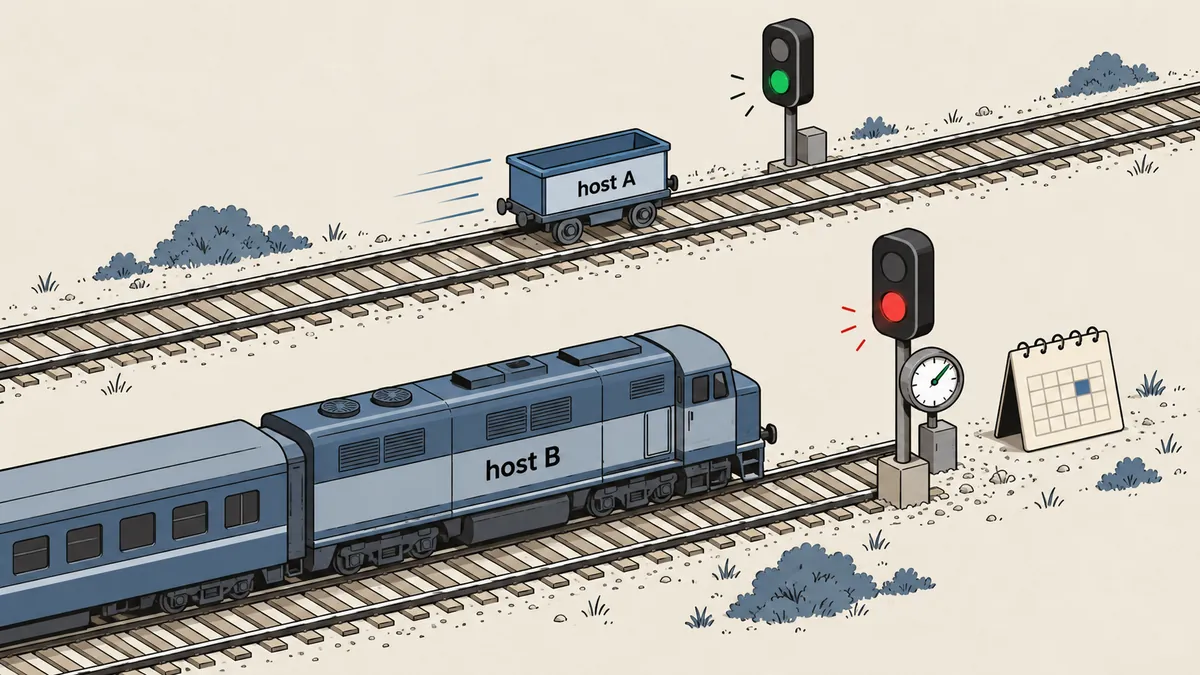
A redundant pair that updates together carries the same risk as a single host. Packages really do get corrected or withdrawn within the same day. If I am not the first to install one, I do not have to be the first to find the problem. So the idea is simple: host A installs new packages immediately (a hold of 0 hours), while host B installs only packages it first saw as available at least 24 hours ago. That means every package B installs has already run on A for a full day.
What I like is that the two hosts do not need to communicate at all. There is no channel and no file to share. Each host records when it first saw a particular package version, then checks its own clock. B follows A simply because B has HOLD_HOURS set to 24 while A has it set to 0. Both hosts run the same script; only the conf file differs.
# /etc/staged-update.conf  (ตัวอย่าง)  ค่าของ A
HOLD_HOURS=0
REBOOT_DOW=2        # วันที่อนุญาตให้รีบูต (2 = อังคาร)
REBOOT_HOUR=5
PEER=host-b         # เครื่องคู่ ใช้เช็กว่าตอบ ping ก่อนรีบูต
# ค่าของ B  ต่างกันแค่สามบรรทัด
HOLD_HOURS=24
REBOOT_DOW=3        # รีบูตคนละวันกับ A
PEER=host-a
seen.txt and the awk bug that stopped anything from being recorded
The core of the hold mechanism is seen.txt, with one line per package in the format package=version first_seen_epoch. On each run, the script does three things: gets the list of upgradable packages from apt and merges it with the existing seen.txt, keeps the original timestamp for packages already seen and assigns the current time to new ones, then selects only packages whose age is at least HOLD_HOURS.
now=$(date +%s)
apt list --upgradable 2>/dev/null \
  | awk 'NR>1 { split($1,a,"/"); print a[1] "=" $2 }' | sort > avail.txt

# รวม seen.txt เดิมกับ avail.txt ใหม่ ใครเคยเห็นเก็บเวลาเดิม ใครใหม่ใส่ now
awk -v now="$now" '
  NR==FNR { seen[$1]=$2; next }
  { print $1, ($1 in seen) ? seen[$1] : now }
' seen.txt avail.txt > seen.new && mv seen.new seen.txt
The code above is the first version I wrote, and it failed without any indication. awk reported no error, mv succeeded, and the script passed every check, but seen.txt was empty on every run. No package ever became old enough to pass the hold. The problem was NR==FNR, a popular awk idiom for asking, "Am I reading the first file?" NR is the cumulative line number across all files, while FNR is the line number within the current file. These values are equal only while reading the first file. But if the first file is empty, there are no lines to increment NR. When awk starts reading the second file, NR and FNR are still equal. So awk treats avail.txt as the "first file," puts its entries in the seen array, and calls next on every line. Nothing is printed. The result is an empty seen.new, which mv then moves over the already empty seen.txt. This repeats forever, and the record of "packages already seen" never grows.
NR==FNR
Works when the first file has at least one line. If the first file is empty, awk treats the second file as the first, prints nothing, and reports no error.
FILENAME==ARGV[1]
Compares the current filename directly with the first argument. It does not depend on the number of lines in either file, so an empty first file is fine.
awk -v now="$now" '
  FILENAME==ARGV[1] { seen[$1]=$2; next }
  { print $1, ($1 in seen) ? seen[$1] : now }
' seen.txt avail.txt > seen.new && mv seen.new seen.txt
I left the lesson as a comment in the script: if the first file might be empty, do not use NR==FNR, and always test the initial run with an empty state. An empty seen.txt is the first case every new host encounters. To see it for yourself, try these two lines.
: > seen.txt; printf 'curl=7.88.1\n' > avail.txt
awk 'NR==FNR{seen[$1]=$2;next}{print $1,"new"}' seen.txt avail.txt   # ไม่มีเอาต์พุต
awk 'FILENAME==ARGV[1]{seen[$1]=$2;next}{print $1,"new"}' seen.txt avail.txt   # curl=7.88.1 new
Once the merge is done, selecting packages ready to install is just a matter of calculating their age, then installing with --only-upgrade so apt does not pull in unrelated new packages. I specify the version explicitly with an equals sign so it installs the version that actually passed the hold, rather than the latest version that appeared afterward.
awk -v now="$now" -v hold="$HOLD_HOURS" '(now-$2) >= hold*3600 { print $1 }' seen.txt > ready.txt
[ -s ready.txt ] || { echo "nothing ready"; exit 0; }
xargs -a ready.txt apt-get install -y --only-upgrade \
  -o Dpkg::Options::=--force-confold -o Dpkg::Options::=--force-confdef
Before installation, I need a way back and a way to mute alerts
The installation part is short. The rest makes it safe enough to run on its own while I sleep. I will go through it in the order the script runs.
- Take a lock with flock to prevent overlapping runs. If a previous run is still active, the new run exits quietly.
- Run a health check before starting. If the host is already broken, do not update it on top of that; send an alert and exit, because I would not be able to tell what caused the failure.
- Check that more than 1 GB of disk space is free, because dpkg running out of space halfway through writing is worse than skipping the update.
- Write a mute timestamp to a file so the alert system that runs every minute can stay quiet for up to 90 minutes, keeping planned restarts from being counted as incidents, and always delete this file at the end.
- Back up /etc as a tar archive, save the version list from dpkg, and dump each database with --single-transaction. Keep the backups for 14 days.
- Install. If it fails partway through, try
dpkg --configure -aonce.
exec 9>/run/lock/staged-update.lock
flock -n 9 || exit 0

health_check || { alert "pre-check failed, skip update"; exit 1; }

avail_kb=$(df --output=avail / | tail -n 1)
[ "$avail_kb" -gt 1048576 ] || { alert "disk < 1 GB, skip"; exit 1; }

echo $(( $(date +%s) + 5400 )) > /run/alert.mute_until      # mute สูงสุด 90 นาที
trap 'rm -f /run/alert.mute_until' EXIT

BK=/var/backups/staged/$(date +%F)
mkdir -p "$BK"
tar -czf "$BK/etc.tgz" /etc
dpkg-query -W -f='${Package}=${Version}\n' > "$BK/dpkg.list"
for db in $(mariadb -N -e 'show databases' | grep -Ev '^(information_schema|performance_schema|sys)$'); do
  mariadb-dump --single-transaction "$db" | gzip > "$BK/db-$db.sql.gz"
done
find /var/backups/staged -mindepth 1 -maxdepth 1 -mtime +14 -exec rm -rf {} +
The health_check line in my script calls a separate script that checks whether the main services are running and the website responds. I have deliberately left its internal checks out of this article, but the principle I want to stress is that a good canary needs a health check that verifies "the website actually responds," rather than just checking that a service is active. Services that are active but return 502 do exist.
Test each system's config, then restore only what failed
After installation, what worries me most is a config file changed during the upgrade that prevents a service from starting on restart, rather than a broken package. So I test each system using its own config validation command. If one fails, I restore only that system's files from the tar archive I just made, leaving the systems that passed alone.
restore_dir() { tar -xzf "$BK/etc.tgz" -C / "$1"; }

nginx -t 2>/dev/null || { restore_dir etc/nginx; alert "nginx config restored"; }
sshd -t   2>/dev/null || { restore_dir etc/ssh;   alert "sshd config restored"; }
nft -c -f /etc/nftables.conf 2>/dev/null || { restore_dir etc/nftables.conf; alert "nft config restored"; }

# ตารางไฟร์วอลล์หาย (เช่น nftables ถูก reload แล้วเหลือแต่ว่าง) -> โหลดใหม่ แล้วรันตัวอัปเดต set allow ซ้ำ
nft list table inet fw >/dev/null 2>&1 || { systemctl restart nftables; /usr/local/sbin/web-allow-update.py; }
I added the last line because this host's firewall has both rules loaded from a file and sets populated dynamically afterward. If the table disappears, restarting nftables restores only the part loaded from the file, so I also have to rerun the script that populates the sets. I explained these dynamically populated sets in Allowing only CDNs and verified bots at the origin, for anyone interested in the mechanism in more detail.
Restart services one at a time, with a health check after each
After an upgrade, replaced libraries leave some services still running old code in memory. needrestart can tell me which ones need restarting. I do not let it restart everything at once, because if something breaks, I will not know which service caused it. My approach is to restart one service at a time, check health after each, allow one retry, and keep a skip list for services that are unsafe to restart during the day.
needrestart -b -r l | sed -n 's/^NEEDRESTART-SVC: //p' | while read -r svc; do
  case "$svc" in
    dbus*|systemd-*|getty*|user@*|auditd*) continue ;;   # ของแกน รอรีบูตรอบหน้าต่าง
  esac
  if [ "$svc" = "ssh.service" ] && ! sshd -t; then continue; fi    # config ssh เสีย ห้าม restart

  systemctl restart "$svc"
  if ! health_check; then
    sleep 5
    health_check || alert "health failed after restarting $svc"
  fi
done
ssh is the only service I give its own check, because restarting with a broken sshd config means locking myself out. So sshd -t must always run first. I leave dbus and systemd-* until the reboot, because restarting them during the day is usually not worth it.
After that, if everything passes and there are no errors, I tell AIDE to accept the new baseline so the daily report does not fill up with files changed by the intentional update. If there is even one error, I do not accept it, so someone can see those differences. Then I run a final health check and send an alert to chat only on failure. Normal runs stay quiet. I do not want a "success" message every night, because it becomes noise that teaches me to stop reading.
Reboot only when necessary, and only if the peer responds
I restart services that can be restarted, but the kernel and core libraries require a reboot. needrestart reports kernel status as KSTA; a value of 2 or 3 means a new kernel is waiting. The script reboots when this condition is met, or when a core service requires it, and only within the configured weekly window. It must also first check that the peer responds to ping. Otherwise, rebooting this host would leave zero hosts running.
ksta=$(needrestart -b | sed -n 's/^NEEDRESTART-KSTA: //p')
core_pending=$(needrestart -b -r l | grep -Ec '^NEEDRESTART-SVC: (dbus|systemd-)')

in_window() { [ "$(date +%u)" = "$REBOOT_DOW" ] && [ "$(date +%H)" = "$REBOOT_HOUR" ]; }

if { [ "$ksta" = 2 ] || [ "$ksta" = 3 ] || [ "$core_pending" -gt 0 ]; } && in_window; then
  ping -c 2 -W 2 "$PEER" >/dev/null && systemctl reboot
fi

How I make the first test less worrying
A script that runs while I sleep needs more tedious testing than an ordinary script. I work through it in order. First, run it on a host that does not serve production traffic, with an empty seen.txt, because that is the state every new host encounters and the state that exposes the awk bug. Second, run it again immediately to check that seen.txt has accumulated entries and the timestamp column has not been overwritten with a new now. Third, set HOLD_HOURS to a very high value and check that ready.txt is empty and the script exits quietly without installing anything. Fourth, simulate a failure by making the health check return a failure once, then check that an alert arrives and no service restarts follow.
Another thing I make a point of doing is reading the logs myself during the first few weeks, even with alerts configured only for failures. "No alerts" can mean everything is fine, or it can mean the script never ran at all. These two cases look the same unless I open the logs. The awk bug above is a perfect example: it did not produce a single alert, but it stopped B from ever installing anything.
A system that alerts only on failure needs another signal confirming that it is still running, such as a summary line at the end of each run's log showing how many packages it saw, installed, and skipped. I can read that single line and tell whether the hold mechanism is working.
Benefits, limits, and when not to rely on canary updates
This kind of canary really does help catch packages that are withdrawn or corrected within the same day, but I do not want anyone to see it as magic. It has three clear limitations.
First, a 24-hour hold means urgent security patches reach B a day late. If a vulnerability is being actively exploited, I do not wait; I install the patch manually on both hosts. This script is designed only for routine updates. Second, the hosts must be similar enough for one's results to represent the other. If A and B differ greatly in both software and load, A passing proves nothing about B. Third, a weak health check lets the whole system fool itself. If it only checks that nginx is running, it will pass even while every page returns 500. That is worse than having no canary, because it gives me false confidence.
For me, a script like this is worth the time spent writing it, because every night it runs quietly is a night I do not have to log in and update things manually. The hold can be 24, 48, or 72 hours, depending on how much risk each person can accept. One thing still on my list is comparing package lists between A and B after each update run, so I can see immediately if the two hosts have quietly drifted apart. If I have written or explained anything incorrectly, I will come back and fix it later.
Want us to set this up?
Get help with server setup, configuration, migration, or troubleshooting. Save time for the work that matters.
Hit something like this? Stuck somewhere?
Come trade notes on the LinuxThai board



Comments 0
No comments yet — be the first