AI in Newer TIA Portal, but Saved Projects Won't Open in V15.1
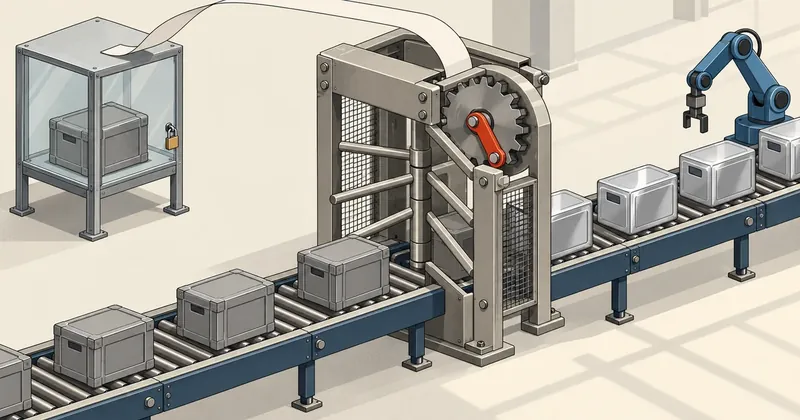
Official AI for TIA Portal is available from V19 onward and runs in the cloud, while every MCP I found is community-built, with V17 as the minimum version, and opening a V15.1 project in a newer version is a one-way upgrade. The first question to answer is not how good the newer version is, but who will be affected if there is no way back.
1-minute summary
- Symptom / problem
- Wanting AI in a newer TIA Portal, but a V15.1 project opened there cannot be taken back
- Who should read
- Maintainers of machines on TIA Portal V15.1 who are considering an upgrade to get AI
- Fix in short
- The official AI needs V19 or later and runs in the cloud, community MCP starts at V17, and the upgrade is one-way. Keep the original separate and deliver on the old version.
All the PLC work I maintain is still on TIA Portal V15.1, and I already connect AI to V15.1 through a bridge I wrote myself (covered in my article on Openness and PowerShell). But lately there has been plenty of news about AI in newer TIA Portal versions, so I wondered whether moving to a newer version would give me a direct AI connection without having to maintain my own scripts. Before reading, I had two assumptions. First, newer versions would probably come with an official MCP built in. Second, if I tried one and did not like it, I could probably save back to an older version, as with other software. After reading the official readmes and the manufacturer's documentation, I found no evidence for the first assumption, while every source I could find agreed that the second was impossible. This article records what I read, how certain the answers are, and what I decided.
Official means I read it directly in the manufacturer's documentation or website and can identify the page. Third-party means an article or website not owned by the manufacturer, not yet checked against official documentation. Tested myself means I have actually done it in the lab. Not yet tested means I need to try upgrading an actual copy before I can confirm it. This work is almost entirely document research. I have not installed a newer version or upgraded a single actual project yet.
Three questions and short answers
I set out three questions before I started reading, because without them I would get lost in lists of new features that did not address the needs of my work.
| Question | Answer | Confidence |
|---|---|---|
| Can newer versions connect directly to AI? | There are two routes. Official AI is a subscription cloud service for V19, V20, V21, while every MCP I found is community-built or third-party | Official + Third-party |
| Do they support existing equipment? | The readme has compatibility sections for programs from V15.1, but some specific equipment groups need testing with a copy | Partly official + Not yet tested |
| Can V15.1 open a project saved in a newer version? | No. It is a one-way upgrade, with no command to save to an older version | Multiple third-party sources agree |
Official AI requires V19 or later and runs in the cloud
The manufacturer's own AI is called Eigen Engineering Agent, previously Engineering Copilot TIA, and became generally available on 20 Apr. 2026. It works as an agent, reasoning through multiple steps and revising its own work, rather than just completing code. All the information in this set is official.
- It works only with V19, V20 and V21. V15.1 is not supported.
- It requires a license for that TIA version, an organizational account with the manufacturer, and a subscription, with a 1-month trial.
- Documented capabilities: creating and editing SCL and LAD, creating test logic, fixing syntax errors, WinCC Unified scripts, configuring drives and PROFINET topology.
- For HMI, the documentation mentions only WinCC Unified, not Comfort panels. This needs careful reading: no mention does not mean it cannot do it, only that there is no evidence yet that it can.
- I found no official documentation on MCP or allowing external AI to connect.
As for whether a constant cloud connection is required, I got that from a third-party source that says it is, so I am keeping that point labeled third-party for now.
The practical consequence of cloud-based AI is that project data is sent to the manufacturer's systems. If the work is covered by a confidentiality agreement or a rule that files must stay on the machine, written permission from the project owner is required first, rather than enabling it and telling them afterward. I have not checked subscription pricing or data retention terms yet.
Every MCP I found is community-built, with V17 as the minimum
I went through the MCP servers for TIA Portal that I could find. They all work the same way: a program on the engineering workstation calls TIA's Openness API and exposes it through MCP for AI to control. None communicates with TIA through another channel. Everything in this section is third-party information. I read each project's page and have not installed or tried any of them yet.
The commercial third-party offering supports V17 through V21 and has 393 tools, including commands to download to a PLC. Others support V18 through V21, V20 and V21, V21 only, or V20 only, depending on the implementation. Another is written in C# on .NET Framework 4.8 and has 96 tools, split into 59 read tools and 37 write tools, with writes enabled only when the --allow-write flag is supplied at startup. I like this design because the default is read-only.
Two observations matter more than the tool count: none supports V15.1, and none is from the manufacturer.
If you want to try one, registering the MCP with a client would look roughly like this. The filename and path are examples; refer to the documentation for the one you choose for the actual values. Notice that args is empty, meaning it starts in read-only mode.
{
  "mcpServers": {
    "tia-readonly": {
      "command": "C:\\tools\\tia-mcp\\TiaMcpServer.exe",
      "args": []
    }
  }
}
A tool with commands to download or change PLC modes effectively gives AI access to the machine's outputs. When the engineering workstation is connected to real machinery, this capability must be disabled and allowed only with a simulator or a PLC on a lab bench. The information in this article is my own survey of documentation, not a safety certification for any tool. Any use on a production line must first go through the control systems engineer responsible for that machine and the project owner, every time.
What newer versions actually add over my existing bridge
I have to ask myself directly whether a direct AI connection is a reason to upgrade, because on V15.1 I can already have AI perform tasks through Openness, from compiling to loading into a simulator. This is something I have tested myself, leaving the question of what newer versions offer that my current setup does not.
My own bridge
No impact on production project files or the people maintaining the site. It already works today. The downside is maintaining my own scripts. Exchanging blocks with AI requires Openness XML or SCL source, and there is no official agent available.
Three ready-made options
I get a ready-made community MCP without writing my own bridge, the SIMATIC SD text file format with the .s7dcl extension for blocks, mentioned on page 37 of the V21 Readme and easier for AI to read and write than XML, and access to the official agent, in exchange for an irreversible upgrade.
Will existing equipment still work? Reading the readme
For this section, I mainly read pages 44 through 57 of the V21 Readme and the V20 installation manual. I discuss equipment by category rather than model because every project is different.
| Topic | What the documentation says | Confidence |
|---|---|---|
| Programs from V15.1 | The V21 Readme has compatibility sections for programs from earlier versions, covering V15.1 through V20, indicating support for upgrades from V15.1 | Official, by implication |
| Know-how protected blocks | After upgrading, they can be loaded and run without entering the password, but editing requires unlocking them in the newer version first (page 44) | Official |
| Blocks with alarms, such as Program_Alarm, ProDiag | Upgrading from V15.1 or earlier requires recompiling and loading before monitoring is possible, and may require putting the PLC into STOP (page 45) | Official |
| GRAPH blocks | Blocks from V15.x must be compiled before monitoring | Official |
| Program behavior | The compiler is revised in each version. In some cases, programs may behave differently, with lists broken down by version from V16 through V20 | Official |
| Migration from STEP 7 Classic or WinCC flexible | V21 no longer supports it (page 9) | Official |
| Comfort panels | V20 still includes WinCC Comfort/Advanced (V20 installation manual, page 9), and the V21 Readme still has a Notes on Comfort Panels section (page 180) | Official |
| Comfort panel images | Stopped at V17, but configuration and downloading are still possible | Third-party |
| S7-1500 CPU and I/O cards | I found no removal list in the readmes I read | Not yet tested |
| Third-party GSD devices, servo drives | I found no documentation addressing them | Not yet tested |
The rows I give the most weight to are alarms and the compiler, because they mean upgrading involves more than just opening a file. Some blocks must be recompiled and loaded again, which may mean stopping the machine, and the readme itself warns that behavior may differ in some cases. Anyone planning to upgrade needs to open the lists for those versions and compare them against their own code first.
For licensing and the workstation, page 14 of the V20 installation manual states that a STEP 7 Professional V20 license can open older versions, including V15.x, and that V20 can be installed on Windows 10 Enterprise LTSC 2021. I have not read the V21 system requirements yet.
Upgrades are one-way: store the original separately before opening
Opening an older project in a newer version upgrades it to that version's format, with no way back and no command to save to an older version. Multiple third-party sources agree on this, but I need to be honest that I found no explicit official statement about this in the readmes I read. What I saw was that every section described only upgrading to a newer version. Another point stated by third-party sources is that after downloading from a newer version to a PLC, an older version can no longer go online with that PLC. This has not yet been checked against official documentation, and I have not tested it.
With no way back, the first thing to do before opening a newer version is to store the original archive separately, make it read-only, and work only with copies.
$src = 'E:\plc-archive\Station_A_V15_1.zap15_1'      # ต้นฉบับ ห้ามเปิดด้วยรุ่นใหม่
$dst = 'E:\plc-upgrade-test\Station_A_copy.zap15_1'  # สำเนาสำหรับทดลอง upgrade

New-Item -ItemType Directory -Force (Split-Path $dst) | Out-Null
Copy-Item $src $dst
(Get-Item $src).IsReadOnly = $true

# hash สองไฟล์ต้องเท่ากัน จดค่าของต้นฉบับเก็บไว้เทียบภายหลัง
Get-FileHash $src, $dst -Algorithm SHA256 | Format-Table Hash, Path
Options A B C and the order I chose
- Option A: keep the current version for deliverables and continue using my own bridge, with no impact on the machinery or the people maintaining the site, in exchange for maintaining my own scripts.
- Option B: install a newer version in a separate VM and upgrade only a copy to check whether it compiles, whether warnings increase, and whether all GSD devices, HMI and drives are present, then try a locally running MCP.
- Option C: migrate the actual machinery to the newer version. The entire line must move together, including every PLC and HMI, and everyone maintaining it must have the newer version. I do not recommend this until option B passes.
Personally, I am choosing option A as my main approach and keeping option B as an experiment. There are too many untested points to risk production project files, and option B can answer them without touching the live setup at all. Teams that are ready to move together and have straightforward equipment may proceed to option C sooner than I do, depending on their readiness.
There is another middle ground: use a newer version to help develop ideas but deliver in the older version, drafting code in SCL and importing it into V15.1 as an external source. I already use this method on the V15.1 side (tested myself, on the V15.1 side only). An .scl file is plain text like this, while LAD must be rewritten in V15.1 itself.
FUNCTION "FC_Scale" : Real
VAR_INPUT
    Raw : Int;
END_VAR
BEGIN
    #FC_Scale := INT_TO_REAL(#Raw) / 27648.0 * 100.0;
END_FUNCTION
To keep uncertain points from getting mixed in with confirmed ones when discussing this with others, I keep the conclusions in a labeled list and have a script extract only the points that still need proving.
claims = [
    ('AI ทางการใช้ได้กับ V19 V20 V21 เท่านั้น', 'ทางการ'),
    ('MCP ทุกตัวที่พบเป็นของชุมชน รุ่นต่ำสุด V17', 'บุคคลที่สาม'),
    ('บล็อกที่มี alarm ต้อง compile และ load ใหม่หลัง upgrade', 'ทางการ'),
    ('upgrade แล้วย้อนกลับไม่ได้ ไม่มี save เป็นรุ่นเก่า', 'บุคคลที่สาม'),
    ('download จากรุ่นใหม่แล้วรุ่นเก่า online ไม่ได้', 'บุคคลที่สาม'),
    ('นำ SCL source เข้า V15.1 เป็น external source ได้', 'วัดเอง'),
    ('อุปกรณ์ GSD ของผู้ผลิตอื่นทำงานครบหลัง upgrade', 'ยังไม่ได้ทดสอบ'),
]

todo = [(text, level) for text, level in claims if level not in ('ทางการ', 'วัดเอง')]
for text, level in todo:
    print(f'[{level}] {text}')
print(len(todo), 'จาก', len(claims), 'ข้อ ยังต้องพิสูจน์')
What I have not checked yet
I am listing these explicitly so readers know where the article stops.
- An actual upgrade of any project, which is the whole of option B.
- V21 system requirements. I read only the V20 installation manual.
- Subscription pricing for the official agent and data retention terms.
- The manufacturer's Project Upgrader tool. I have not read its documentation yet.
- An official statement confirming one-way upgrades and going online after downloading.
For my work, a direct AI connection is not enough reason to move to a newer version, because I can already do it on the current one. What newer versions add is convenience and the official agent, in exchange for an irreversible upgrade and data leaving the machine. I am therefore keeping the current version for now and will experiment with a copy in a separate VM. Once I have results from option B, or find official documentation that resolves points still labeled third-party, I will come back and update this article.
Want us to set this up?
Get help with server setup, configuration, migration, or troubleshooting. Save time for the work that matters.
Hit something like this? Stuck somewhere?
Come trade notes on the LinuxThai board

Comments 0
No comments yet — be the first