Rebuilding DirectAdmin Backups with NFS and POSIX ACL in Production
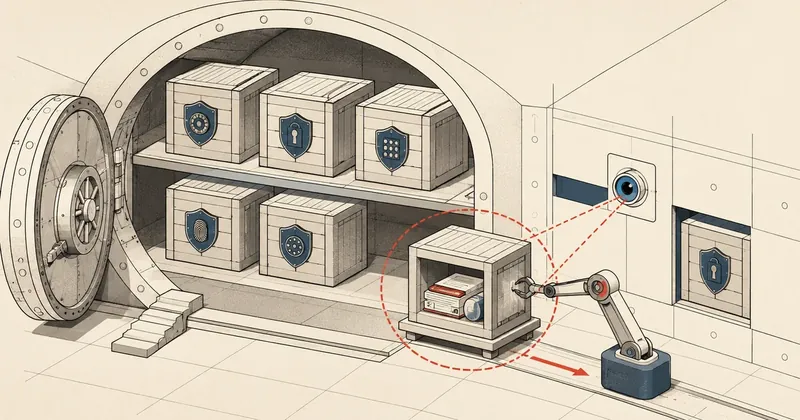
I did not design this system on paper in one sitting — it grew from real problems, one at a time, until it became an architecture I trusted in production. This article records both the wrong turns and the right ones.
After moving my DirectAdmin server from the old machine to a new one, I decided to rebuild the entire backup system. At first, I took the approach of "keep what I have for now, adjust it later," then gradually made changes as problems surfaced, until it became the architecture I use today.
I wrote this article to document the architecture itself, the reasoning behind each decision, and the problems I ran into during implementation. You can adapt it to your own system, because everything here has been used in production, rather than remaining a theory on paper.
Every hostname / IP / UID / day in the examples is fictitious and does not match the real system. You can follow the structure, but do not paste it directly into your own machine — always adjust the path / UID / IP to match your system first.
Placeholders I use in this article:
web1= DA server (the machine running DirectAdmin)bak1= backup host (Proxmox + NFS server)192.168.1.10= IP of web1192.168.1.20= IP of bak11500= UID of the DA admin user on web11700= UID of the backup user on bak1
Phase 1 — The old setup works, so keep it for now
Right after the migration, the old machine's DA backup config still used FTP push to the backup host. That system had been running for years, and I knew it worked — so I intended to keep it for now, without adding risk during a cutover with a short window and everything still up in the air.
The setup at the time was very simple:
- DA Admin Backup ran every night from Monday through Saturday
- It pushed over FTP on port
<port>tobak1 - The backup user on
bak1received files in/mnt/backup/dabak/admin/<dayname>/
I organized mine into daily folders — Monday, Tuesday, and so on — with a rolling 7-day backup, keeping every user every day. Host-level VM snapshots ran separately in parallel, which I will cover toward the end.
I chose to back up every user every day without splitting them into groups because the disk on bak1 was large enough (all users together came to around 200 GB compressed), and I wanted recovery to be straightforward — when something goes wrong, I do not want to work out "which group is this user in, and when were they last backed up?" Every user, every day. Done.
Reality check — DA says FTP information invalid
On the second day after cutover, I opened the DA panel to check Admin Backup — every cron had a failed status. The UI showed a short error: FTP information invalid.
My first thought was, "Probably just the wrong password, or a DNS / IP change during migration." I checked every field — everything was correct. I tried FTP manually from the command line and could log in, run ls, and upload normally.
But DA still failed. I was confused for hours.
Eventually, I discovered three problems stacked on top of one another — a single error message was hiding three causes at once. That is why debugging was so difficult: after fixing one layer, it still failed, so most people would assume they had taken the wrong approach, even though the fix was correct and two more layers were waiting.
Layer 1 — /home/tmp is missing
The DA backup process uses /home/tmp as a scratch dir when generating a repquota dump. Newer DA installers do not create this dir, while older versions did. Mine was therefore missing.
error.log: Cannot find /home/tmp to use for temp repquota dump
The fix:
mkdir -p /home/tmp
chmod 1777 /home/tmp        # world-write + sticky bit
Fixed — still failing. Two more layers to go.
Layer 2 — ProFTPD does not chroot by default
Debian ships its ProFTPD config with DefaultRoot ~ commented out (while CentOS ships it enabled). When DA logs in over FTP, the user ends up at an absolute path in the system filesystem rather than inside their home dir. DA then issues CWD admin/, and the server tries to open /admin/ at the filesystem root — which does not exist — so curl exits with code 9.
The fix is to uncomment the DefaultRoot line to chroot the user into their home:
sed -i 's|^#\s*DefaultRoot\s*~|DefaultRoot ~|' /etc/proftpd/proftpd.conf
systemctl restart proftpd
Still failing — there is a third layer.
Layer 3 — CSF defaults to OUTPUT DROP + DA spawns as non-root
This was the deepest layer and took me the longest. Newer DA versions changed how they spawn the backup task's legacy-handler — it runs as diradmin (UID 999) and nobody (UID 65534), instead of root as older versions did.
This collided with CSF's default policy of OUTPUT DROP for non-root users (which is a good secure default). Packets from the curl process DA spawned for FTP were dropped → timeout → curl exited with code 28.
I had previously used an older DA version that spawned as root, so I had never encountered this problem — as DA added more defense in depth, it also required more explicit CSF rules.
The fix is to allow both UIDs outbound access to the FTP port through the csfpost hook:
# /etc/csf/csfpost.d/10-da-egress.sh
iptables -I OUTPUT -m owner --uid-owner 999  -p tcp --dport <port> -j ACCEPT
iptables -I OUTPUT -m owner --uid-owner 65534 -p tcp --dport <port> -j ACCEPT
csf -r
A debugging strategy that worked
What I want you to take away is this — when you see FTP information invalid on newer DA versions, do not trust that message. Open error.log and look for the curl exit code; it tells you which layer has the problem:
In short, DA's UI does not report the actual cause of FTP problems. The generic error alone is not enough; you have to dig into the error log to see what actually happened.
Phase 2 — Decision: Why not replace it altogether?
After I fixed all three FTP layers, backups worked normally again. But once things settled down, I started thinking further:
- Throughput was around 20 MB/s even though both machines were on the same gigabit LAN — it should be possible to go faster
- The three layers of config I had just fixed were fragile — the next DA or Debian update could break them again
- FTP is an old protocol — separate control and data channels, PASV, optional TLS — with a large attack surface
So I asked myself one question: web1 and bak1 are on the same hardware — is there a way to use a shared filesystem instead of a network protocol?
The available options
I compared three options — the existing FTP setup, NFS, and virtiofs:
My choice
- Throughput around 100-150 MB/s (HDD-bound)
- Moderate overhead (TCP + RPC)
- No VM restart needed
- Mature, 30+ years — known edge cases
- Easy rollback (umount + remove fstab entry)
More capable, but I was not ready to trust it
- Throughput around 100-150 MB/s (equally HDD-bound)
- Lowest overhead (shared mem IPC)
- Lowest CPU cost
- Still a tech preview on PVE 8.x
- Requires a VM restart (around 30s downtime)
The existing FTP setup had throughput of around 20 MB/s, high overhead from PASV/auth/control, and high CPU cost — its only advantage was that it was already running.
A common misconception is that virtiofs will be much "faster" than NFS. In reality, my destination was an HDD with sequential writes of around 100-150 MB/s. Whether I used NFS or virtiofs, both would saturate the HDD before reaching their own limits — so actual speed would be the same. virtiofs only wins on CPU efficiency and latency, neither of which was the bottleneck in my case.
The main concern — vzdump recursion
At the time, I had one concern: if web1 mounted a share from bak1, would vzdump include the share's contents when backing up the web1 VM? If so, the backup would be writing itself in an infinite loop.
After digging into it, I found that it would not. vzdump operates at the block level — it reads VM disks according to the qm config (scsi / virtio / sata / ide). It does not walk the VM filesystem or dereference mount points.
The mental picture that made this easier to understand was that the VM disk contains only an empty mount-point inode, while the actual data lives on the host:
/mnt/dabak/          ← inode มีอยู่ (empty dir mount point)
     └── (data)      ← ไม่ได้อยู่ใน VM disk จริง, อยู่บน host
vzdump reads the VM disk and sees only the empty inode; the contents supplied through NFS/virtiofs are not included.
I always verify before making the change:
# บน Proxmox host
qm config <VMID> | grep -E '^(scsi|virtio|sata|ide)[0-9]'
# ควรเห็นแค่ scsi0 ของ VM — ไม่มี share entries ปะปน
If you use block passthrough such as qm set --scsi1 /dev/sdd, vzdump really will include that device. I do not use that setup; my mount point uses NFS, so it is safe.
Why I chose NFS
After comparing everything, I chose NFS for these reasons:
- Mature, 30+ years — the edge cases have all been encountered and fixed
- No VM restart needed — the change can be made online
- Easy rollback: just umount and remove the line from fstab
- CPU overhead differs only slightly from virtiofs, and my HDD is already the bottleneck, so it will saturate first either way
virtiofs was the best on paper, but at the time it was still a tech preview on PVE 8.x, and I was not ready to put it into production. I can migrate once a release promotes it to stable; these things can be changed.
NFS setup — The actual configuration
Server side (bak1 — Proxmox host)
apt install nfs-kernel-server

mkdir -p /mnt/backup/dabak
chown root:root /mnt/backup/dabak
chmod 755 /mnt/backup/dabak
The /etc/exports file:
/mnt/backup/dabak 192.168.1.10(rw,sync,no_root_squash,no_subtree_check,fsid=0)
Each option has a reason:
rw— DA needs write accesssync— commit writes before replying to the client. Never useasyncfor backups; a power failure midway will corrupt filesno_root_squash— preserve the root UID, because DA sometimes runs mkdir as rootno_subtree_check— improve performance and avoid rename edge casesfsid=0— tell NFSv4 this is the root export
exportfs -ra
systemctl restart nfs-server
systemctl enable nfs-server
showmount -e localhost
Client side (web1 — DA server)
apt install nfs-common
mkdir -p /mnt/dabak
The /etc/fstab file:
192.168.1.20:/mnt/backup/dabak /mnt/dabak nfs vers=4,hard,_netdev,nofail,timeo=600,retrans=2,x-systemd.automount 0 0
I settled on these options after running into problems early on; each has a reason:
vers=4— force NFSv4, preventing fallback to v3, which also requires portmapperhard— if the server goes down, the process waits until it returns. Do not usesoftfor backups, because a failure midway can silently leave corrupted files_netdev— tell systemd to wait for the network before mountingnofail— a mount failure at boot will not leave the machine stuck in emergency modetimeo=600— wait 60 seconds per retry (this value is in tenths of a second for an NFS hard mount)x-systemd.automount— lazy mount; mount only when actually used
I once forgot nofail during testing, and web1 got stuck at boot because bak1 happened to be down. Since then, nofail has been mandatory for every network mount that I do not want holding up the entire machine's boot.
systemctl daemon-reload
mount /mnt/dabak
df -h /mnt/dabak
Change the DA backup config from FTP → Local
In the DA panel, go to Admin Backup and edit each cron:
- Where: change FTP to Local Path
- Local path:
/mnt/dabak/admin/Monday(set according to the day)
If you have many crons and editing them individually takes too long, you can edit /usr/local/directadmin/data/admin/backup_crons.list directly (it uses a URL-encoded format) — but remember that / must be encoded as %2F.
The ACL trap — It worked before, so why did it fail after reboot?
This was the biggest mistake in this system, and I want to describe it in detail because its root cause goes all the way down to the kernel.
After setting up NFS, backups ran — the logs were clean for 6 straight days, so I thought everything was sorted.
On day 7, I rebooted web1 to patch the kernel. After the reboot, syslog started showing:
mkdir(/mnt/dabak/admin) error: Permission denied
I was baffled. The /mnt/dabak/admin folder existed, its owner was correctly set to the DA admin user, and the mount was rw as expected — so where was it failing?
Dead-end debugging (trying everything first)
I checked everything I could think of:
ls -la /mnt/dabak/admin/        # folder ยังอยู่
mount | grep dabak              # mount ปกติ rw
getfacl /mnt/dabak/admin/       # owner DA admin user ครบ
sudo -u <admin> ls /mnt/dabak/admin/             # list ได้
sudo -u <admin> mkdir /mnt/dabak/admin/test      # Permission denied
With all the ownership on the admin/ folder correct — why could I not mkdir under admin/?
The root cause I found
It came down to how the mkdir(2) syscall behaves in the kernel:
The kernel checks "write permission on the parent dir" first, then checks whether the name already exists. If the parent is not writable, it returns EACCES at the first step, before ever reaching EEXIST.
DA's backup logic calls mkdir for every path component (/mnt/dabak, /mnt/dabak/admin, ...) to ensure the path exists. The problem was that my parent directory, /mnt/dabak, had mode 755 and owner root:root.
The DA admin user (UID 1500) fell into the parent's "other" category — with only r-x, not rwx. When it called mkdir(/mnt/dabak/admin), the kernel returned EACCES while checking parent permissions — before reaching the point where it would discover that admin already existed. DA caught this error and reported "Permission denied".
The trap that fools almost everyone is that adding write permission to the admin/ subdir does nothing, because the kernel has already checked the parent first.
So why did it work before the reboot?
This goes one layer deeper. The NFSv4 client had cached a delegation from the previous mount. The cached delegation bypassed the parent ACL check in the fast path. After rebooting and mounting again, there was no cache, so the kernel evaluated every step and exposed the ACL gap that had been there from the start.
That means backups during the first 6 days succeeded by accident, because the cache hid the problem. The config had actually been wrong since setup — it was just waiting for a reboot to expose it.
Do not trust a single test. Resilience must be verified on a fresh mount after reboot to uncover config gaps hidden by the cache. "Save it and run it successfully once" does not prove the system is resilient.
ACL fix — POSIX ACL with numeric UID
The first solution many people think of is chmod 777 on the parent. I did not do that because it is insecure — anyone could write there.
The second is to chown the parent to the DA admin. I did not do that either, because the parent contains other subdirs that use the existing owner — chown would remove ownership that was still needed.
I ended up using POSIX ACL, which provides an additive grant — adding permissions without affecting existing ownership:
# บน bak1
setfacl -m u:1500:rwx     /mnt/backup/dabak/    # admin (UID 1500) มี rwx เพิ่ม
setfacl -m d:u:1500:rwx   /mnt/backup/dabak/    # default ACL → inherit ให้ subdir ใหม่
Check the result with:
getfacl /mnt/backup/dabak/
It must look like this:
user::rwx
user:1500:rwx              ← ใหม่
group::r-x
mask::rwx
other::r-x
default:user::rwx
default:user:1500:rwx      ← inherit
The default ACL (d:) matters — it is the template that new subdirs and files inherit automatically. Without the default, new child folders created by DA will again lack the required permissions.
Why use a numeric UID?
NFSv4 with sec=sys sends numeric UIDs to the backend. bak1 has no user named "admin" from web1 — but POSIX ACL accepts numeric UIDs directly, regardless of names.
I only learned this at that point. Before that, I had entered setfacl -m u:admin:rwx, and getfacl complained that the user was not found, which confused me for a while because it was looking for a username on a machine where that name did not exist.
Health check script — Preventing another loss
After the ACL trap, I started worrying — if fsck ran one day, or I restored a snapshot that did not include the ACL, it could disappear again, and how would I know?
So I wrote a script to check the ACL daily, with auto-repair and alerts. The script runs on bak1, not web1 — because the ACL lives on bak1, checking directly at the source avoids SSH between machines, which would add an unnecessary single point of failure.
#!/bin/bash
# /usr/local/sbin/dabak-acl-health.sh
# Run daily before DA backup starts. Auto-repair if ACL missing.
set -u
TARGET=/mnt/backup/dabak
LOG=/var/log/dabak-acl-health.log
ADMIN_UID=1500

TS=$(date +%F-%H:%M:%S)
log() { echo "[$TS] $*" >>"$LOG"; }

need_repair=0
acl=$(getfacl --absolute-names "$TARGET" 2>/dev/null)
echo "$acl" | grep -qE "^user:${ADMIN_UID}:rwx$"         || need_repair=1
echo "$acl" | grep -qE "^default:user:${ADMIN_UID}:rwx$" || need_repair=1

if [ $need_repair -eq 1 ]; then
    log "ACL missing — repairing"
    setfacl -m u:${ADMIN_UID}:rwx     "$TARGET"
    setfacl -m d:u:${ADMIN_UID}:rwx   "$TARGET"
    # ส่ง alert ออกไป channel ของตัวเอง (ไม่ใส่ในตัวอย่าง เพราะแต่ละคนใช้ไม่เหมือนกัน)
    log "REPAIRED"
else
    log "OK"
fi

# Sanity ของ NFS service ด้วย
systemctl is-active --quiet nfs-server || log "FAIL: nfs-server inactive"
Set up cron:
30 0 * * * root /usr/local/sbin/dabak-acl-health.sh
I scheduled it to run 30 minutes before the DA backup starts — if the check finds the ACL missing, the script repairs it immediately, logs the event, and sends an alert.
During deployment, I also ran a disaster simulation — I actually removed the ACL with setfacl -x u:1500 and d:u:1500, then waited for the cron tick. The script detected it → repaired it → sent an alert. Every step of the pipeline worked.
As for the alert channel — email, chat bot, or monitoring service — I left that out of the example script because everyone uses something different. I will cover mine separately in another article.
Weekly VM-level snapshot
In addition to the daily DA backups, every Wednesday at 1 a.m. (I chose the day with the least user activity), host bak1 takes a vzdump snapshot of the entire web1 VM:
# /etc/cron.d/vm-snapshot-weekly
0 1 * * 3 root /usr/sbin/vzdump <VMID> --mode snapshot --compress zstd --storage local-backup
--mode snapshot— does not shut down the VM; uses a ZFS/LVM snapshot. It only disrupts the VM for around 30 seconds during the snapshot lock--compress zstd— fast, with a much better ratio than gzip- Stored separately from the DA backups (I use
local-backupon a different disk)
The result is 1 additional copy of the entire VM every Wednesday, allowing a full-machine rollback if things go seriously wrong. Daily backups provide per-user tar files for restoring selected users.
Do not take a snapshot on the same day that DA admin backup is writing — they will compete for I/O, and the snapshot may capture files while they are being written. Keeping them on separate days is safer.
Recovery checklist — What to check when backups stall
# 1. mount ขึ้นไหม
ssh root@<server-ip> "mount | grep dabak"

# 2. NFS server ทำงานไหม
ssh root@<server-ip> "systemctl is-active nfs-server"

# 3. ACL ครบไหม
ssh root@<server-ip> "getfacl /mnt/backup/dabak/ | grep 1500"

# 4. admin user เขียนได้จริงไหม (test ที่จะ expose mkdir EACCES trap)
ssh root@<server-ip> "sudo -u <admin> mkdir /mnt/dabak/test-\$\$ && sudo -u <admin> rmdir /mnt/dabak/test-\$\$"

# 5. DA log ล่าสุด
ssh root@<server-ip> "grep 'backup task' /var/log/syslog | tail -5"
If test 4 passes, permissions are not the problem. If it fails, check the ACL or mount options.
I made test 4 a regression check specifically after encountering the ACL trap — if everything is normal, this command should be completely silent. Whenever it shows "Permission denied" = the ACL is missing; repair it immediately.
The final architecture
[ web1 (DirectAdmin) ]                [ bak1 (Proxmox + NFS) ]

  /home/<user>/                          /mnt/backup/dabak/
  /etc/...                                ├── admin/Monday/      ← daily DA tar.zst per user
  /var/named/...                          ├── admin/Tuesday/
                                          ├── admin/Wednesday/
       │                                  ├── admin/Thursday/
       │  push ผ่าน NFSv4 hard mount      ├── admin/Friday/
       └────────────────────────►         ├── admin/Saturday/
            mount /mnt/dabak              └── admin/Sunday/

                                          /mnt/backup/vmdump/    ← weekly VM snapshot
                                            └── (ทุก Wed กลางคืน)
- Daily: DA Admin Backup → NFSv4 →
bak1ext4 (7-day rolling, every user every day) - Weekly: vzdump snapshot of the entire VM on host
bak1(Wednesday night — the day with fewer users) - Cross-UID write: POSIX ACL with numeric UID — additive, preserving existing ownership
- Resilience: hard mount +
_netdev,nofail+ daily ACL health check - Restore at 2 levels: file-level from DA backup, VM-level from Proxmox snapshot
What I learned along the way
While working on this, I also used AI to help iterate through several rounds — some fixes were wrong and some were right before it finally came together. I am getting used to debugging with AI helping me think things through, but I still have to check every step because it can hallucinate.
These are the lessons I took away for others to apply:
- Migrating DA from an older version to a newer one is not frictionless — a minor version changes the privilege model from root to diradmin/nobody. CSF and ProFTPD defaults that used to work will break as a result
- DA's "FTP information invalid" is a misleading error — do not stop at the UI; look in error.log for the curl exit code (1/9/28 = three potentially failing layers)
- vzdump operates at the block level, not the file level — a VM mounting an NFS/virtiofs share from the same host does not cause recursion. But block passthrough (
qm set --scsi1 /dev/...) does - NFS
hard+_netdev,nofailis a reliable combination — hard prevents data corruption,_netdevwaits for the network, and nofail prevents boot from getting stuck - The kernel's
mkdir(2)checks parent write permission before EEXIST — the most important point in this article. For a "Permission denied" error on a file that "seems to still exist," always check parent permissions first - NFSv4 cached delegations can hide config gaps — the final test must use a fresh mount after reboot, rather than "save it and run it successfully once"
- POSIX ACL is better than
chmod 777for shared dirs used across UIDs — additive grants without affecting ownership - POSIX ACL accepts numeric UIDs — no need to create a user on the remote side. NFSv4
sec=syssends numeric UIDs directly - Run health checks at the source of truth — if the ACL lives on
bak1, check it directly onbak1; do not add failure points by hopping back and forth over SSH - Things that "silently disappear" are the biggest enemy of backups — fsck, snapshot restores, and manual edits can all remove ACLs. A daily check catches this
The entire architecture described here came from implementation and troubleshooting in production. I made mistakes myself and had to go back and fix things several times along the way. You can apply this approach to your own system — just adjust the path / UID / IP to match your environment.
My backup system actually has another layer beyond this — off-site backups pulled from bak1 to another machine at a different location, to follow the 3-2-1 backup principle. I will cover that in Part 2, using rclone + rsync daemon over SFTP — the code I wrote runs on Linux/Mac/Windows.
If you have a better trick, such as using Borg/Restic instead of DA admin backup, ZFS send/recv replication, or another approach to 3-2-1, feel free to share it in the comments; I would like to try adapting it too. Whatever works for you, the principles are the same — I will come back and correct any mistakes later.
Want us to set this up?
Get help with server setup, configuration, migration, or troubleshooting. Save time for the work that matters.
Hit something like this? Stuck somewhere?
Come trade notes on the LinuxThai board



Comments 0
No comments yet — be the first