Reading exim mainlog for Stuck Clients — Mail Forensics Part 1

Customers call about mail sending failures almost every day. Sometimes an IP is blocked; sometimes they report a leaked password. I have worked through this often enough to have a standard routine in my head, so I have written down the commands and reasoning here.
Lately, customers have been calling frequently about being unable to send mail. Some have a blocked IP, some report a leaked password, and some are trying to find the office machine using the wrong password that caused the firewall to block their entire IP. I have handled these cases often enough to have a standard sequence in my head, so I took the opportunity to write down the commands and reasoning I use regularly, ready for anyone dealing with a similar case.
The systems I manage run DirectAdmin on Debian, with exim as the mail server and CSF/LFD as the firewall. Anyone using a similar stack should be able to apply this directly. If you use postfix or iptables directly, the same approach applies, but you will need to adjust the regex to match your log format.
The aim of this article series is to give people managing mail servers for multiple domains a quick reference when customers need answers fast, without having to work out the regex again every time.
Placeholder conventions in this article
I have replaced real values with placeholders in every example for safety. Replace them with your own values when using these commands.
customer.com= example customer domain203.0.113.x,198.51.100.x= example public IPs (X.X.X.X / Y.Y.Y.Y)192.168.1.x= LAN IP (RFC1918)[email protected]= example mail account/home/<user>/...= home directory for each account
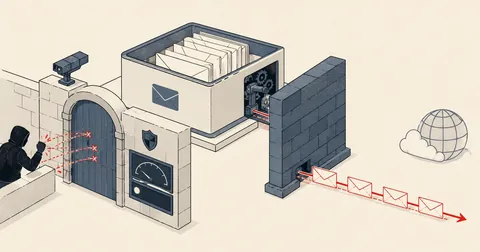
Before getting into the details, take a look at the decision flow based on the symptoms customers call about. Each box corresponds to a section below.
1. Know the logs first — the two I use most
Before I can grep anything, I need to know where the data is and what it looks like. These are the two files I open most often.
/var/log/exim/mainlog— includes success, fail, queue, and delivery events (daily logrotate)/var/log/lfd.log— block events from CSF/LFD (syslog format such asMay 23 ...)
CSF state is stored in these files.
/var/lib/csf/csf.tempban— temporary bans that expire automatically/etc/csf/csf.deny— permanent deny entries (from BFM and manual additions)
SUCCESS line format (authentication passed)
2026-05-23 10:05:38 1wPAm1-... <= [email protected] H=ppp-203-0-113-x.isp.example ([192.168.1.20]) [203.0.113.x] P=esmtpsa A=plain:[email protected] S=1234
What to look for
<=means inbound: the server is receiving mail from a clientH=hostname ([internal])is the client's EHLO identity, along with its LAN IP if provided[203.0.113.x]is this client's actual public IPA=plain:[email protected]is the authenticator plus the account that logged in successfully; this is the most important marker in a success line
FAIL line format (wrong password)
2026-05-23 08:07:19 plain authenticator failed for H=ppp-203-0-113-x.isp.example ([IPv6:::ffff:192.168.1.56]) [203.0.113.x]: 535 Incorrect authentication data ([email protected])
What to look for
authenticator failedis the key marker in a fail line[IPv6:::ffff:192.168.1.56]is the client's LAN IP; only some clients send it[email protected]is the account whose password is being guessed
I have noticed that the same client often fails with plain and then login within the same second, because the mail client tries both mechanisms (PLAIN and LOGIN). This gets counted as 2 failures even though it is really a single attempt. Allow for this when checking LFD thresholds, or you will misinterpret the traffic.
2. Check 1 account — where the wrong passwords come from
The starting case: a customer calls to say [email protected] cannot send mail and keeps getting blocked. My first step is to check which IPs have attempted to log in and how many attempts passed or failed.
Get the totals first.
[email protected]
LOG=/var/log/exim/mainlog

ok=$(grep -c "A=[a-z_]*:$ACCT" $LOG)
fail=$(grep "set_id=$ACCT" $LOG | grep -c 'authenticator failed')
echo "success=$ok  fail=$fail"
This Per-IP table showing OK / FAIL / country / HELO / rDNS is what I use most often to investigate a case.
printf '%-16s %-5s %-5s %-4s %-30s %s\n' 'IP' 'OK' 'FAIL' 'CC' 'HELO (top)' 'rDNS'
echo '------------------------------------------------------------------------------------------'
( grep "A=[a-z_]*:$ACCT" $LOG | sed -nE 's/.*\[([0-9.]+)\].*/\1/p'
  grep "set_id=$ACCT" $LOG | grep 'authenticator failed' | sed -nE 's/.*\[([0-9.]+)\].*/\1/p'
) | sort -u | while read ip; do
    [ -z "$ip" ] && continue
    ok=$(grep -F "$ip" $LOG | grep -c "A=[a-z_]*:$ACCT")
    fail=$(grep -F "$ip" $LOG | grep "set_id=$ACCT" | grep -c 'authenticator failed')
    cc=$(geoiplookup $ip 2>/dev/null | grep -oE '[A-Z]{2},' | head -1 | tr -d ',')
    helo=$(grep -F "$ip" $LOG | grep -oE 'H=\([^)]+\)' | sort | uniq -c | sort -rn | head -1 \
           | sed -E 's/^[ ]*[0-9]+[ ]+H=\(//; s/\)$//')
    rdns=$(getent hosts $ip 2>/dev/null | awk '{print $2}' | head -1)
    printf '%-16s %-5s %-5s %-4s %-30s %s\n' "$ip" "$ok" "$fail" "${cc:-??}" "${helo:--}" "${rdns:--}"
done
geoiplookup returns text such as GeoIP Country Edition: TH, Thailand, where IP is also a pair of uppercase letters appearing before TH. Using just grep -oE '[A-Z]{2}' will match IP first. Use grep -oE '[A-Z]{2},' with the comma, then tr -d ',' to get only the country code.
Check whether it is a bot or a human
Breaking down failures by hour gives a rough idea of who is behind the attempts.
grep "set_id=$ACCT" $LOG | grep 'authenticator failed' \
  | awk '{print substr($2,1,2)":00"}' | sort | uniq -c
Interpretation
- Peaks at 08:00 / 13:00 / 16:00 = an actual office machine (Outlook auto-polling during working hours)
- Even distribution across all hours = a bot or fixed cron retries
- A heavy burst in a short period, such as 10 or more attempts in 1 minute = an actual brute force attack
The latest 10 failures
grep "set_id=$ACCT" $LOG | grep 'authenticator failed' | tail -10
In these 10 lines, I look for
- Repeated
H=(hostname)values; repeats mean the same machine is trying again and again - Which
[IPv6:::ffff:192.168.1.x]appears frequently; that is the LAN IP of the machine using the wrong password - Timestamps less than 5 seconds apart; this means a mail client is retrying automatically
3. Check 1 IP — which accounts it uses
I use this when an IP appears in csf.deny or lfd.log and I want to know whether it is an actual attacker or an office using the wrong password.
Accounts this IP tried and failed to log in to
IP=203.0.113.x
LOG=/var/log/exim/mainlog
grep -F "$IP" $LOG | grep 'authenticator failed' \
  | grep -oE 'set_id=[^ )]+' | sort | uniq -c | sort -rn
Interpretation
- 1 account with hundreds of failures = a stuck client (wrong cached password)
- Failures spread across multiple accounts = credential stuffing (an attacker working through a list of leaked credentials)
- 1 account with earlier successes = a real user who recently changed their password, or a device still using the old one
HELO hostnames announced by this IP
grep -F "$IP" $LOG | grep -oE 'H=\([^)]+\)' | sort | uniq -c | sort -rn | head
H=(DESKTOP-AB1234) followed by Outlook means Windows, H=(iPhone) means a personal device, and H=(localhost) or H=(WIN-XXXXXX) is often a bot or VPS.
LAN IPs announced by this IP, visible only when behind NAT
grep -F "$IP" $LOG | grep -oE 'IPv6:::ffff:[0-9.]+' | sort | uniq -c
Check whether this IP has ever had a success, as a sanity check.
grep -F "$IP" $LOG | grep -oE 'A=[a-z_]*:[^ ]+' | sort | uniq -c
If this IP has had an A= success in the past with the same account that is failing now, treat it as a stuck client and whitelist it, then tell the customer to fix the device. If it has never had a success, treat it as an attacker and leave the block in place. This is enough to make the decision in most cases.
4. Find the machine on the LAN — use the internal NAT IP as a fingerprint
A common case: the customer says the office has several machines and wants to know which one has the wrong password. I use the LAN IP in [IPv6:::ffff:192.168.1.x] as a signature for each machine.
Check which accounts this LAN IP has tried to log in to.
INT=192.168.1.56
LOG=/var/log/exim/mainlog
grep "IPv6:::ffff:$INT" $LOG | grep 'authenticator failed' \
  | grep -oE 'set_id=[^ )]+' | sort | uniq -c | sort -rn
Check which accounts this LAN IP has successfully logged in to, in case the password has changed but the old one is still cached.
grep "IPv6:::ffff:$INT" $LOG | grep -oE 'A=[a-z_]*:[^ ]+' | sort | uniq -c
List all office LAN IPs that have logged in today.
TODAY=$(date +%F)
LOG=/var/log/exim/mainlog
awk -v d="$TODAY" '$1==d' $LOG \
  | grep -oE 'IPv6:::ffff:(10\.|172\.(1[6-9]|2[0-9]|3[01])\.|192\.168\.)[0-9.]+' \
  | sed 's/IPv6:::ffff://' | sort | uniq -c | sort -rn
I often find that not every mail client sends a LAN IP in EHLO. Generally, Outlook on Desktop does, but iPhone, Mac Mail, and webmail do not. If you cannot find any LAN IP, the customer is probably using an iPhone or webmail. Do not immediately conclude that there is no machine in the office.
5. Evidence of a stuck client = the same office IP
I use this when the customer insists that no device has the wrong password. I need to demonstrate that the failing IP is the same IP the office is currently using successfully.
DOM=customer.com
LOG=/var/log/exim/mainlog

echo "== Office IPs (มี success อย่างน้อย 1 ครั้ง) =="
grep "A=[a-z_]*:.*@$DOM" $LOG | sed -nE 's/.*\[([0-9.]+)\].*/\1/p' \
  | sort | uniq -c | sort -rn

echo ""
echo "== OK vs FAIL ต่อแต่ละ IP =="
for ip in $(grep "A=[a-z_]*:.*@$DOM" $LOG | sed -nE 's/.*\[([0-9.]+)\].*/\1/p' | sort -u); do
  ok=$(grep "A=[a-z_]*:.*@$DOM" $LOG | grep -c "\[$ip\]")
  fail=$(grep "set_id=.*@$DOM" $LOG | grep "\[$ip\]" | grep -c 'authenticator failed')
  printf '%-16s OK=%-4s FAIL=%s\n' "$ip" "$ok" "$fail"
done | sort -k3 -t= -rn

echo ""
echo "== LAN IP ที่ login OK (เครื่อง office จริง) =="
grep "A=[a-z_]*:.*@$DOM" $LOG | grep -oE '\(\[192\.168\.[0-9.]+\]\)' \
  | tr -d '()[]' | sort | uniq -c

echo ""
echo "== LAN IP ที่ fail =="
grep "set_id=.*@$DOM" $LOG | grep 'authenticator failed' \
  | grep -oE 'IPv6:::ffff:192\.168\.[0-9.]+' \
  | sed 's/IPv6:::ffff://' | sort | uniq -c
If the failing IP matches the IP the office is using successfully, send a short message along the lines of "Office LAN IP 192.168.1.y has the wrong password, account=user1, 116 failures today," then ask the customer to go and correct the password on that machine. If I keep fixing it for them, the cycle never ends. The cause is a device stuck using old credentials, not the server.
6. Domain audit — which accounts are active or inactive
Before deleting an old mail account, I check whether it has had a success in the past N days, so I do not delete something still in use.
DOM=customer.com
SINCE='2026-05-18'              # วันเริ่มต้นที่จะนับ
LOG=/var/log/exim/mainlog

# Mail accounts ที่ configure ไว้
cat /etc/virtual/$DOM/passwd | awk -F: '{print $1"@'$DOM'"}' | sort > /tmp/conf

# Accounts ที่มี success AUTH ตั้งแต่ $SINCE
awk -v s="$SINCE" '$1 >= s' $LOG \
  | grep -oE 'A=[a-z_]*:[^ ]+@'$DOM \
  | sed 's/^A=[a-z_]*://' | sort -u > /tmp/act

echo "-- INACTIVE accounts (ไม่ login เลยตั้งแต่ $SINCE) --"
comm -23 /tmp/conf /tmp/act

echo ""
echo "-- ACTIVE accounts --"
cat /tmp/act
Always check /etc/virtual/$DOM/aliases first. If the account is used for catch-all or forwarding, keep it. Do not delete an account just because it has no logins, since some accounts only receive forwarded mail and never log in.
7. Server-wide stuck client scan
I run this in the morning before office machines are switched on, to check how many accounts across the server have stuck clients, so I can address them before customers call.
LOG=/var/log/exim/mainlog
tmpok=$(mktemp); tmpfail=$(mktemp)

# ดึงคู่ (IP, account) จาก success ทั้งหมด
grep -a -E 'A=[a-z_]*:[^ ]+@[a-z0-9.-]+' $LOG \
  | sed -nE 's/.*\[([0-9.]+)\].*A=[a-z_]*:([^ ]+).*/\1|\2/p' \
  | sort -u > $tmpok

# ดึงคู่ (IP, account) จาก fail
grep -a 'authenticator failed' $LOG \
  | sed -nE 's/.*\[([0-9.]+)\].*set_id=([^ )]+).*/\1|\2/p' \
  | sort -u > $tmpfail

# จับ IP ที่: success บาง account + fail account อื่นใน domain เดียวกัน = stuck mixed
for ip in $(awk -F'|' '{print $1}' $tmpok | sort -u); do
  for acct in $(grep "^$ip|" $tmpfail | awk -F'|' '{print $2}'); do
    dom=${acct#*@}
    [ "$(grep -c "^$ip|[^@]*@$dom$" $tmpok)" -eq 0 ] && continue
    ok=$(grep -F "$ip" $LOG | grep -c "A=[a-z_]*:$acct")
    fail=$(grep -F "$ip" $LOG | grep 'authenticator failed' | grep -c "set_id=$acct")
    [ "$fail" -eq 0 ] && continue
    printf '%-35s %-16s OK=%-4s FAIL=%s\n' "$acct" "$ip" "$ok" "$fail"
  done
done | sort -k4 -t= -rn

rm -f $tmpok $tmpfail
The output is a list of (account, IP, ok, fail) entries where that IP has successfully logged in to another account in the same domain, a clear sign that the office has a stuck client.
8. False-positive check — was the IP blocked by mistake?
A customer calls to complain that the entire office cannot send mail. Before answering, I check whether the blocked IP belongs to a real customer or an attacker.
TODAY='May 23'                                  # syslog format ไม่ใช่ ISO
LOG=/var/log/exim/mainlog
grep "^$TODAY " /var/log/lfd.log \
  | grep 'Blocked in csf' \
  | grep -oE '([0-9]+\.){3}[0-9]+' | sort -u | while read ip; do
    cc=$(geoiplookup $ip 2>/dev/null | grep -oE '[A-Z]{2},' | head -1 | tr -d ',')
    ok=$(grep -ac "A=[a-z_]*:.*\[$ip\]" $LOG)
    trig=$(grep "$ip" /var/log/lfd.log | tail -1 \
           | grep -oE '\((smtpauth|credscan|distattack|sshd|modsec)\)' | tr -d '()')
    note=''
    [ "$cc" = "TH" ] && note='[!]TH'
    [ "$ok" -gt 0 ] && note="$note success=$ok"
    printf '%-16s %-4s ok=%-3s %-12s %s\n' "$ip" "${cc:-??}" "$ok" "${trig:--}" "$note"
done
mainlog uses ISO format, such as 2026-05-23, while lfd.log uses syslog format, such as May 23. Using the wrong format for the file will return empty grep results without any visible error. This catches many people out.
Interpretation
[!]TH+ more than 0 successes = a real customer; unblock and whitelist for 24 hours- Country is not TH + ok=0 + trigger is smtpauth = an attacker running a brute force attack; leave the block in place
- Country is not TH + ok=0 + trigger is credscan = a scanner or bot; leave the block in place
Unblock and whitelist for 24 hours once confirmed as a customer.
IP=203.0.113.x
csf -dr "$IP"                                                # ลบจาก csf.deny
csf -tr "$IP"                                                # ลบจาก csf.tempban
csf -ta "$IP" 86400 "customer office — manual"               # whitelist 24h
If a ghost device on the LAN is still guessing passwords, simply removing the deny entry will result in another block within minutes. Using csf -ta adds a temporary allow entry with an expiry, letting the customer keep working while I track down and fix the device. I see this case very often.
9. Whitelist behavior — why failures still appear in the log after whitelisting
A classic customer question: why does the log still report wrong passwords after whitelisting? The answer is that the CSF whitelist (csf -a, csf -ta, csf.allow, csf.ignore) operates only at the iptables and lfd layers. Incorrect AUTH attempts continue through.
- They still reach exim
- They still get the response
535 Incorrect authentication data - They still write an entry to mainlog
- lfd still counts them toward the threshold but does not run
csf -d
To actually stop the log entries, I have to fix the client side by changing the password on the machine or removing the account, because whitelisting operates only at the firewall layer, not the auth layer.
The difference between csf.allow and csf.ignore
iptables + lfd
- Lets every packet through
- lfd does not block this IP
- Equivalent to csf -ta, but permanent
lfd only
- iptables can still drop packets under other rules
- Only prevents lfd from running csf -d
- Does not let all packets through like allow
Meanwhile, csf -ta IP TTL is equivalent to csf.allow but has a TTL for automatic expiry.
View all whitelists currently in use.
csf -t | grep -i allow                                       # temp allow (csf -ta)
grep -v '^#' /etc/csf/csf.allow | grep -v '^$'               # permanent
grep -v '^#' /etc/csf/csf.ignore | grep -v '^$'              # lfd-only ignore
10. Pattern reference — how to identify the machine
I keep this section as my own cheat sheet, so I can roughly identify the type of machine from a single line.
HELO hostname patterns
H=(DESKTOP-XXXXX)orH=(LAPTOP-XXXXX)= Windows + OutlookH=(iPhone)/H=(iPad)= iOS MailH=(Macbook-Pro.local)= macOS MailH=(android-XXXX)= Android K-9 or Gmail appH=ppp-203-0-113-x.isp.example= the ISP's default rDNS (HELO not configured on the machine)H=(localhost)/H=(WIN-XXXX)= mostly VPS, bots, or spammersH=(mail-XXX.google.com)= Gmail SMTP relay (legitimate)
Authenticator patterns
A=plain:= most clients (AUTH PLAIN)A=login:= Outlook (AUTH LOGIN)A=cram_md5:= a very old client; suspicious- Both plain and login fail within the same second = the client tried 2 mechanisms, counted as 2 failures
LFD trigger reasons (from /var/log/lfd.log)
(smtpauth)= N SMTP auth failures within X seconds (defaultLF_SMTPAUTH=10/300s)(distattack)= the same account fails from multiple IPs (defaultLF_DISTATTACK=2IPs)(credscan)= HTTP probes for files such as wp-config, .env, .git/config (immediate 24-hour ban)(modsec)= a ModSecurity rule fired N times (defaultLF_MODSEC=10/300s)BFM:dovecot1=N= DirectAdmin Brute Force Monitor for IMAP/POPBFM:exim1=N= DA BFM for SMTP
DirectAdmin BFM calls csf -d directly, without going through LFD, so automatic unblock hooks attached to LFD will not work for BFM blocks. I therefore added a sweep cron job as another safety net, to prevent customers from staying blocked overnight without anyone noticing.
11. Frequently used one-liners — keep these handy
Top 10 IPs with failures today
awk -v d="$(date +%F)" '$1==d' /var/log/exim/mainlog \
  | grep 'authenticator failed' \
  | sed -nE 's/.*\[([0-9.]+)\].*/\1/p' | sort | uniq -c | sort -rn | head
Top 10 accounts whose passwords were being guessed today
awk -v d="$(date +%F)" '$1==d' /var/log/exim/mainlog \
  | grep 'authenticator failed' \
  | grep -oE 'set_id=[^ )]+' | sort | uniq -c | sort -rn | head
Total successes versus failures today
LOG=/var/log/exim/mainlog
TODAY=$(date +%F)
ok=$(awk -v d="$TODAY" '$1==d' $LOG | grep -c 'A=[a-z_]*:')
fail=$(awk -v d="$TODAY" '$1==d' $LOG | grep -c 'authenticator failed')
echo "today: success=$ok  fail=$fail"
Check whether an IP is in every type of whitelist.
IP=203.0.113.x
echo "-- csf.allow (permanent) --"; grep -F "$IP" /etc/csf/csf.allow
echo "-- csf -t ALLOW (temp)    --"; csf -t | grep -i allow | grep -F "$IP"
echo "-- csf.ignore (lfd-only)  --"; grep -F "$IP" /etc/csf/csf.ignore
Workflow summary by symptom
I use this sequence as a mental flowchart when a customer calls.
- Customer complains they cannot send mail: go to section 2, Per-account
- IP keeps getting blocked: go to section 3, Per-IP
- Suspect an office device has the wrong password: go to sections 4 and 5 on LAN and stuck clients
- Customer asks which accounts are used or unused: go to section 6, Domain audit
- Want to audit the entire server: go to section 7, Server-wide stuck scan
- Customer complains about an incorrect block: go to section 8, False-positive check
- Customer asks why log entries still appear after whitelisting: go to section 9, Whitelist behavior
I worked all of this out through trial and error until it became a standard routine in my head. I thought it might be useful, so I wrote it all down here. If you have additional techniques, better regex, scripts to collect stats automatically, or even a dashboard, leave a comment and I will try adapting them. If you are more familiar with postfix or iptables, adjust the regex to suit your own system as needed. The principles are the same.
Want us to set this up?
Get help with server setup, configuration, migration, or troubleshooting. Save time for the work that matters.
Hit something like this? Stuck somewhere?
Come trade notes on the LinuxThai board


Comments 0
No comments yet — be the first