DirectAdmin from CentOS 7 to Debian 12 on Proxmox (Series Index)
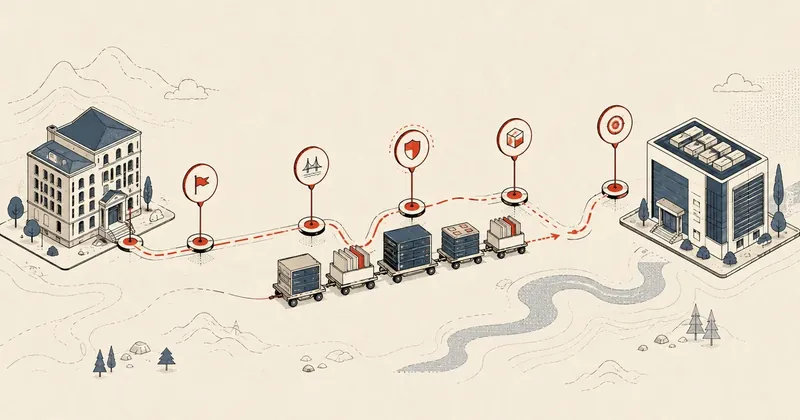
My main DirectAdmin shared hosting server had been running CentOS 7 for almost 10 years. It reached EOL in mid-2024, with more than 80 customers waiting for a move to a new OS. The migration is now done and stable, so I am writing it up as a series.
My main DirectAdmin shared hosting server had been running CentOS 7 for almost 10 years. It reached EOL in mid-2024. I had put this off for quite a while, with more than 80 customer users waiting for a move to a new OS, until I finally got it done late last month. It has now been in production for almost a month, and everything is stable, so I am taking the opportunity to write up the whole process as a series, split into parts so anyone in the same situation can follow along.
This page is the index for the series. I will start with an overview of the migration project, then link to each part below.
Why I had to migrate, and why I chose Debian 12
CentOS 7 has reached EOL and no longer receives security updates. For a server providing shared hosting to external customers, continuing to run an OS without patches is more risk than I can accept. I had to migrate.
I spent quite a while weighing the options for the destination OS.
Rocky / Alma / Ubuntu LTS
- Policies around Red Hat clones are still shifting, and I am not comfortable with the long-term uncertainty
- DirectAdmin's Ubuntu LTS setup carries over quite a lot from the apt-rpm legacy
Debian 12 (bookworm)
- My final choice: stable and straightforward
- Supported until 2028. I will revisit Debian 13 in a little over 2 years and wait for DA to support the new distro then
Debian 12 (bookworm) was ultimately the best fit for me, both in terms of life cycle and compatibility with DirectAdmin.
Overview of the migration project
Before getting into the details of each part, I want to lay out the overview so you can see how the whole process fits together.
The idea is to get the destination server as ready as possible while the old server stays online and serves customers as usual. Once everything on the new server is ready, perform the actual cutover in a short window, then finish with security hardening.
The most important part of this plan, in my view, is pre-staging through NAT from part 1. It let me prepare the configuration and test almost everything on the new server without customers on the old server noticing anything, which took a lot of stress out of the preparation.
Setup used for this series
I did this work on the following setup. If your versions differ, you may see some differences in behavior.
There is something I need to mention upfront: I use a DirectAdmin legacy license, rather than a subscription-based Modern license. If you use a Modern license, you may not encounter some of these issues because DA supports newer distros directly. With a legacy license like mine, some workarounds are needed. I will identify any workarounds specific to legacy licenses in each part.
Downtime was not 0 in practice
I want to be clear about this from the start. My original plan was to achieve 0 downtime, but in practice, customers experienced about 1 hour of downtime.
The main causes were the DA legacy license and slow qcow2 reads during cutover (full details are in part 4). Even though I did not reach the 0 I had hoped for, NAT pre-staging still made the entire preparation process much smoother than doing everything live.
Do not expect exact zero-downtime on a shared host with real customers, especially if you use a DA legacy license. Planning for downtime that is "short and predictable" is more valuable than chasing a 0 that may never happen.
All 5 parts of the series
Below is the full index. Each part builds on the previous one. I recommend reading them in order if you intend to follow the process, but you can also jump to a topic that interests you. The principles in each part can be read independently as well.
Part 1 — Prepare a new VM + NAT pre-stage trick
Part 1: Prepare a new VM + NAT pre-stage
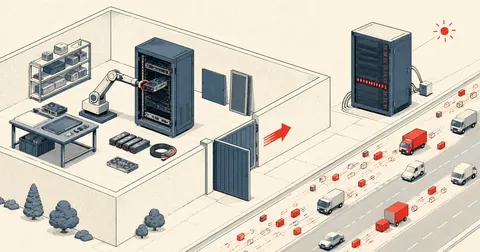
The foundation for the whole series, covering preparation of the destination VM on Proxmox and the NAT pre-stage technique that lets me prepare and test the new server while the old server continues serving customers. If you read only one part, read this one.
Part 2 — Dismantle the old RAID + create a ZFS mirror
Part 2: Dismantle RAID + create a ZFS mirror
This covers dismantling the old RAID array and creating a new ZFS mirror in degraded mode while the old VM remains online. It is a gradual disk transition without taking the service down.
Part 3 — Install DA + CustomBuild on Debian 12
Part 3: Install DA + CustomBuild
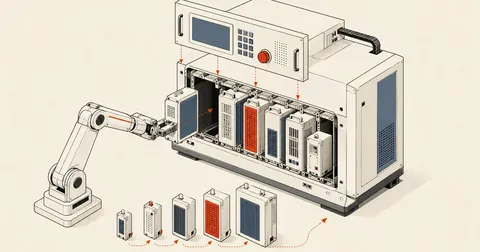
Install DirectAdmin and CustomBuild on Debian 12 with the actual production stack, including multiple PHP slots, nginx + ModSecurity, and rspamd, and configure the new server to match the old one.
Part 4 — Actual cutover + issues encountered
Part 4: Cutover + post-migration issues
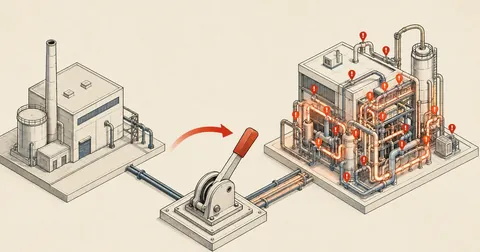
The hardest part: cutting over and migrating the actual data, where I ran into time constraints, along with the issues that surfaced after migration and a fix for each one. This part explains why downtime was not 0.
Final part — Security fixes + hardening
Part 5: Security fixes + hardening
Finish with security cleanup, covering the sudoers wildcard CVE, adjusting OpenSSL SECLEVEL, placing ModSecurity rules before-CRS, and an approach with 5 layers to keep the configuration intact when DA updates.
If you want more detail on smaller topics, such as the pigz wrapper, the csfpost.sh drop-in pattern, or the DA dataskq architecture, leave a comment in the thread for that part. If there is interest, I will write separate articles on them.
Closing
I did all of this with DA 1.700/1.701 on Debian 12.7 and PVE 8.4. If you use a DA Modern license, you may not encounter some of these issues because DA supports newer distros directly. With a legacy license like mine, I had to work through the workarounds along the way.
I am doing this in stages. If anything is missing or incorrect in any part, I will come back and fix it. Feel free to read in order or jump straight to the part you need. The principles are the same throughout.
Want us to set this up?
Get help with server setup, configuration, migration, or troubleshooting. Save time for the work that matters.
Hit something like this? Stuck somewhere?
Come trade notes on the LinuxThai board
Comments 0
No comments yet — be the first