Silent Video and WAV Match, but MP4 Rounds to Milliseconds
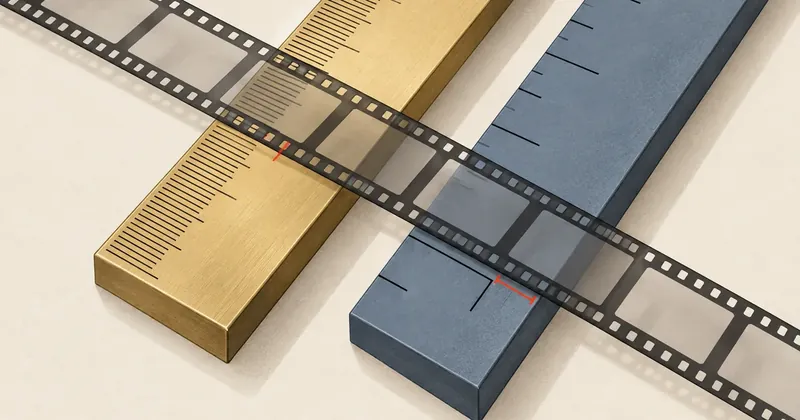
Matching durations down to every frame and sample still does not mean two files report the same duration, because the container stores duration as an integer in its own units, and the default unit is forty-eight times coarser than an audio sample.
1-minute summary
- Symptom / problem
- A silent clip of 203 frames at 24 fps and a WAV of 406,000 samples at 48 kHz are the same length, yet the MP4 reports a different duration.
- Who should read
- People combining video and audio with ffmpeg who need to verify durations.
- Fix in short
- Set the movie timescale to 48000 instead of 1000, which rounds to integer milliseconds, and compare durations with Fraction before every handoff.
I was preparing silent video clips (MP4 files without audio tracks) paired with 48 kHz stereo vocal WAV files to pass to another system for further use. I checked the first pair, which was 5.5 seconds long, on my machine and found that the durations matched, but one receiving system reported that the two files had different durations. I do not know which numbers that system compared, and I need to say upfront that what I found below does not prove it caused that report. I treated this as a precaution and looked through the file pairs I had made for any point where they could be "equal on my machine, but unequal under a strict comparison," and I did find one—a detail that people editing with scripts very often overlook.
I have removed all filenames, project names, and audio content from this article, leaving only the numbers and commands I reproduced on newly generated test files.
Starting point: duration comes from counting frames, not from the file
My edit plan defines clip duration as the frame count divided by fps. The longest clip in the set was 203 frames at 24 fps, which equals 8.458333 seconds. On the audio side, I cut directly from the stem using sample indices, producing 406,000 samples at 48 kHz, also 8.458333 seconds. The counts on both sides line up exactly with no remainder, because 203 x 2000 = 406,000.
At this point I thought I was done, but the problem is that the "actual duration" is not stored in the file as the decimal number I calculated. MP4 stores a pair of integers: a tick count and a timescale (ticks per second), and whatever reads the file divides those two numbers itself.
MP4 stores time as integers in timescale units
An MP4 file stores duration at several levels. Two of them matter here.
| Box in the file | What it stores | Units |
|---|---|---|
| mvhd (movie header) | Duration of the whole file | movie timescale |
| mdhd (media header) | Duration of each track | That track's timescale |
Both levels use integers. If the actual duration is not a whole number of ticks, it has to be rounded down or up when the file is written, whereas a fine enough timescale leaves no remainder at all.
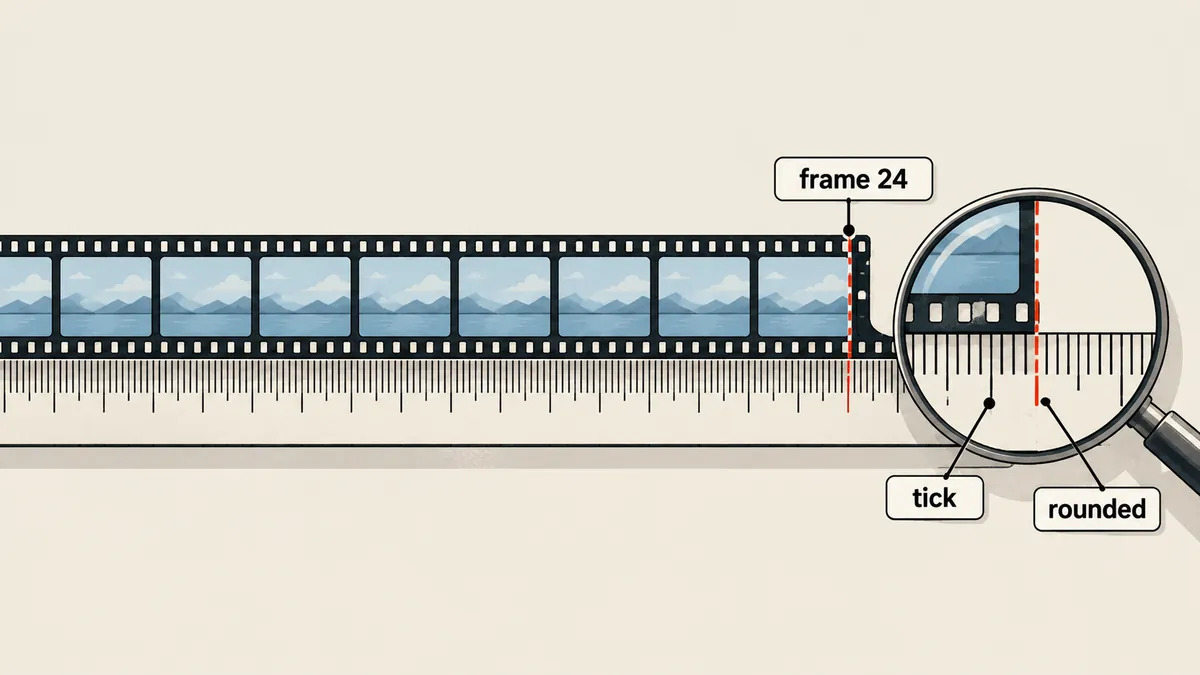
I used ffmpeg to generate a test file containing only 203 video frames at 24 fps, then wrote a short script to read mvhd and mdhd directly, because the ffprobe I used did not show this difference (I will return to that point shortly).
import struct, sys

def read_box_times(path):
    d = open(path, 'rb').read()
    i = d.find(b'mvhd')
    ver = d[i + 4]
    if ver == 0:
        ts, du = struct.unpack('>II', d[i + 16:i + 24])
    else:
        ts, du = struct.unpack('>IQ', d[i + 24:i + 36])
    j = d.find(b'mdhd')
    mts, mdu = struct.unpack('>II', d[j + 16:j + 24])
    return (ts, du), (mts, mdu)

movie, media = read_box_times(sys.argv[1])
print('mvhd timescale', movie[0], 'duration', movie[1], '=', movie[1] / movie[0])
print('mdhd timescale', media[0], 'duration', media[1])
This script finds boxes using a crude string search, which works for a test file with a single video track. For real work, use a parser that walks the box structure correctly.
What I measured, and what I guessed wrong
I initially guessed that ffmpeg with movie timescale 1000 would truncate the value to 8458 ticks, about 0.33 milliseconds shorter than the actual duration. When I ran it on the test file, I got 8459 ticks instead, about 0.67 milliseconds too long. So I guessed the direction wrong, but the principle was right: neither value equals the actual duration.
What puzzled me for a while was that the ffprobe I used (the version installed on my machine) printed the same format-level duration, 8.458333, for both versions of the test file. It looked as though it displayed the duration from the track rather than taking the value directly from mvhd (I inferred this from the results; I did not trace the source code). The difference would therefore appear only when something divided the mvhd values itself, meaning another tool that did not use ffprobe. I am therefore not claiming that any particular tool does this; all I can say is that the data in the files really differs, based on reading the boxes.
I did not measure the video track's default timescale in the actual files before fixing them. The test file generated from an ffmpeg synthetic source had an mdhd timescale of 12288, which may differ from files produced by other sources. This article therefore covers only the movie timescale, for which I have evidence from reading the boxes directly.
The fix: match the timescale to the audio sample rate
This is the encode command I used for the remaining pairs (the second set onward). I enforce the duration with -frames:v using the calculated frame count, rather than using -t with a decimal value.
ffmpeg -ss 12.5 -i src.mp4 -an -frames:v 203 -r 24 -enc_time_base 1:24 \
  -c:v h264_nvenc -preset p4 -cq 19 -pix_fmt yuv420p \
  -video_track_timescale 48000 -movie_timescale 48000 \
  -movflags +faststart out.mp4
# ถ้า NVENC ล้ม ให้ถอยไป libx264
#   -c:v libx264 -crf 18 -pix_fmt yuv420p
I isolated the variables in 3 test files to see how many settings I needed to change for this to work.
| Test file | Timescale flags supplied | mvhd | mdhd (video) |
|---|---|---|---|
| a | None | 1000 / 8459 | 12288 / 103936 |
| b | Both video_track and movie at 48000 | 48000 / 406000 | 48000 / 406000 |
| c | video_track_timescale 48000 only | 1000 / 8459 | 48000 / 406000 |
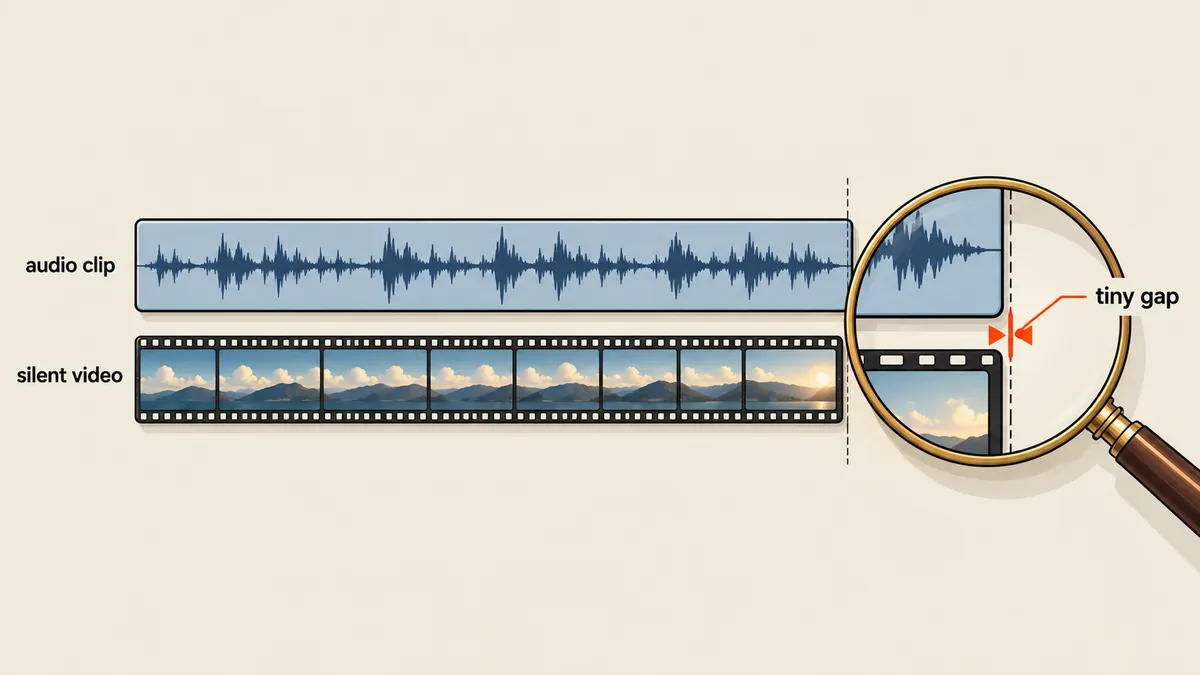
File c is the interesting one. The video track has the required 406,000 ticks, but the whole-file duration in mvhd is still 8459. I had to include -movie_timescale for that value to change. Leaving out either setting still leaves a coarse value in the file.
With timescale 48000 at 24 fps, one frame lasts 48000 / 24 = 2000 ticks, an exact integer. Dividing 1000 by 24 gives 41.667 ticks per frame, which is not an integer.
Check with Fraction before every handoff
I refuse to compare durations using float, because ffprobe prints durations to 6 decimal places: 8.458333, not 8.4583333... That number cannot exactly equal 406000/48000. I therefore have the script extract the integer-based duration_ts and time_base values and multiply them using Python's Fraction.
import json, subprocess
from fractions import Fraction

def probe(path):
    out = subprocess.run(
        ['ffprobe', '-v', 'error',
         '-show_entries', 'stream=codec_type,nb_frames,duration_ts,time_base',
         '-of', 'json', path],
        capture_output=True, text=True, check=True).stdout
    return json.loads(out)['streams']

def video_seconds(path):
    s = probe(path)
    assert len(s) == 1 and s[0]['codec_type'] == 'video', 'ต้องมีแต่ video stream'
    num, den = s[0]['time_base'].split('/')
    return Fraction(int(s[0]['duration_ts'])) * Fraction(int(num), int(den)), int(s[0]['nb_frames'])

FPS, RATE = 24, 48000
frames, samples = 203, 406000
want = Fraction(samples, RATE)
assert want == Fraction(frames, FPS)            # แผนตัดสอดคล้องกันเอง
got, n = video_seconds('out.mp4')
assert n == frames, ('จำนวนเฟรมไม่ตรง', n)
assert got == want, ('ความยาวแทร็กไม่ตรง', got, want)
print('ผ่าน', got, float(got))
I ran this script on file b and it passed (the result was 203/24, which exactly equals 406000/48000). For the WAV, I counted the samples in the file and compared that count against frames * RATE / FPS using Fraction in the same way. I separately checked that the PCM bytes cut from the stem matched the original byte for byte by directly comparing the sample index ranges.
Duration rules that prevent this problem from the start
While fixing this, I noticed a way to eliminate the problem at the source without relying on timescale at all: require clip durations to be whole seconds. If the duration is an integer number of seconds, the tick count at timescale 1000 is always an integer, with nothing to round. I therefore set the following rules for the new set of 27 pairs.
- Clip duration = ceil(end - start), in whole seconds, within a range of 6 to 9 seconds
- Frame count = round(duration x 24) and sample count = duration x 48000; both are integers by definition
- Include 0.25 seconds of padding at each end, but keep the total duration within 10 seconds
- encode using the command above with timescale set to 48000 as a second layer of protection
- Run the script to check every assert; files that fail are not handed off
The 8.458333-second clip, with its duration expressed as a fraction from the frame count, is what led me to this issue. Whole-second durations eliminate the entire problem.
At 30 fps, I use timescale 30000, which gives 1000 ticks per frame, when concatenating clips (I wrote about that separately in Concatenating Dozens of Segments to an Exact Frame Count). For a frame rate of 30000/1001, timescale 30000 gives 1001 ticks per frame, which is also an integer. This is a calculation; I have not tested it on actual files.
I am not saying that timescale caused the receiving system to report a duration mismatch. I only found that MP4 files written with ffmpeg's defaults store duration more coarsely than their paired WAV files, and that I could close that gap at little cost. If your receiving system compares container durations strictly, this may or may not be relevant; you need to measure your own files.
Conclusions and what I now do routinely
There are three things I have carried into my work. First, a media file's duration is a fraction of two integers, not a decimal. Second, when creating file pairs whose durations must match, set both the movie timescale and the video track timescale to the audio sample rate. Third, before handing files to anyone, run assertions using Fraction, frame counts, and sample counts, rather than opening them to see whether they "look the same length."
I have not yet investigated whether other muxer versions round up or down in the same way. The 8459 I measured came only from the ffmpeg version installed on my machine. Anyone citing it needs to repeat the measurement with their own version. I will come back and update this later.
Hit something like this? Stuck somewhere?
Come trade notes on the LinuxThai board

Comments 0
No comments yet — be the first