“If I Don’t Touch It, It Won’t Break” No Longer Works with AI
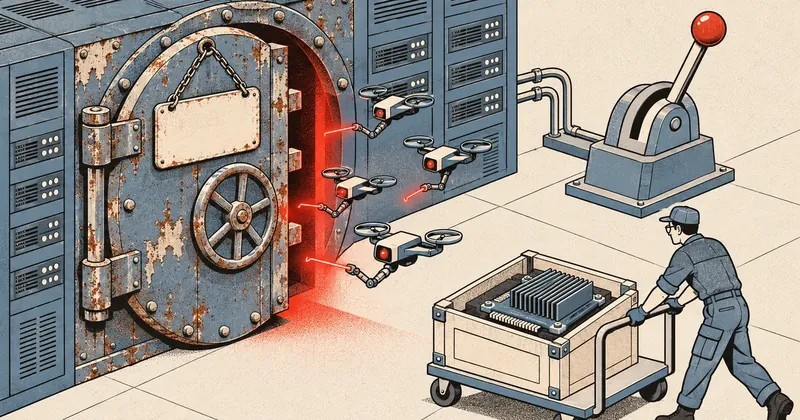
Years of uptime used to be a source of pride for sysadmins. Today, it is a sign of thousands of outstanding patches, in an era when AI helps ordinary people turn vulnerabilities into working attacks within a single day.
1-minute summary
- Symptom / problem
- เครื่องที่ไม่ได้อัปเดตและ reboot มานานสะสมช่องโหว่ kernel หลักพันรายการ ขณะที่การโจมตีเกิดเร็วขึ้นและใช้ความรู้น้อยลงเพราะ AI
- Who should read
- คนดูแลเซิร์ฟเวอร์ Linux โดยเฉพาะ shared hosting หรือเครื่องที่มีผู้ใช้หลายราย
- Fix in short
- อัปเดตสม่ำเสมอ reboot ตามรอบ ดึงแพ็กเกจล่าสุดและเช็กบั๊กก่อนบูต ยืนยัน kernel หลังบูต และตั้งให้เครื่องล้มแล้วกลับมาเองได้เร็ว
On the evening of 17 November 2026, one of the hosting servers I manage suddenly froze for around 45 minutes. It still responded to ping, but SSH, the control panel, and every website on it went silent. I eventually had to reset it from the hypervisor. The cause was almost certainly a critical ext4 bug in a Debian kernel released a few days earlier, for which the package maintainers had already released a fix the day before. It was an odd situation: I had updated the kernel for security, but the update itself brought the server down. Anyone who has worked in this field for a while will probably think of the old saying, “if I don’t touch it, it won’t break.” So I looked into whether that saying still holds. The answer I found was no, and the main reason is not just the number of vulnerabilities, but that far more people can now break into servers than before.
The accounts of AI being used in attacks in this article come from public reports by security companies and AI providers, to show how much the risk has changed. There are no instructions for finding, installing, or using those tools. Most of the figures come from the vendors themselves. I have included sources at the end for further reading.
The night an update froze the server
While going back through the logs, I saw that the weak point was neither “updating” nor “not updating,” but the order of operations. This server installed updates automatically in the morning, then waited for a reboot during the nighttime maintenance window. This is what actually happened.
From this sequence, the fix had been available for several hours before the scheduled reboot. But the reboot process did not fetch fresh packages first, so the server booted into the kernel installed that morning. If I had run apt-get update, upgraded at that point, and spent a minute checking the bug tracker for the kernel I was about to boot, there would have been nothing to write about that night.
I am not telling this story to say that updates are dangerous. Looking in the other direction, a server whose kernel has been left untouched for a year carries another kind of risk, and that risk is much greater today.
Leaving it alone used to work when few people could break in
Long uptime figures used to be a sysadmin’s badge of honor. The most frequently told story is of a NetWare 3.12 server that ran continuously for around 16 and a half years before being retired in March 2013. The reason was not security, but SCSI hard drives that had become unbearably noisy. As far back as 2003, an eWeek article pointed out that servers that never rebooted were likely accumulating unpatched vulnerabilities. Back then, though, people could still accept that risk.
Fewer flaws, fewer people able to exploit them
Kernel vulnerabilities numbered in the tens to hundreds per year. Writing exploit code took real expertise and time. Many servers were on closed networks. Very few people would bother breaking into a small server at a shop or school. Leaving it alone was a manageable bet.
Thousands of flaws, far more people able to exploit them
The kernel receives thousands of CVEs per year. Vulnerabilities are exploited within hours to two days of disclosure, and AI lets people who have never written exploit code assemble attacks. Leaving it alone means leaving the door open and hoping nobody walks past.
Personally, I think “if I don’t touch it, it won’t break” was never wrong in itself. It just rested on one belief: breaking into a server is difficult. That is the assumption that no longer holds.
What has really changed is the attackers, because of AI
This is the point I most want people managing small servers to read. In the past, I could reassure myself that vulnerabilities existed, but few people knew how to use them, and they probably would not be interested in my small servers. That reassurance no longer holds.
A Unit 42 report from late 2025 discussed language models made specifically for crime, with all safety restrictions removed. One was sold as a monthly subscription for around 50 dollars. In testing, it wrote a working ransomware file encryptor complete with a ransom note. Another was available free, could be installed on Linux in around five minutes, and could generate phishing messages and privilege escalation commands. The report said these tools were no longer confined to highly skilled, state-level groups.
AI providers have reported similar cases themselves. In August 2025, Anthropic reported catching an attacker who used an agent-based coding tool to help steal data and extort at least 17 organizations, including hospitals and government agencies. The attacker had AI help decide both which data to take and how to write the extortion letters. Google reported in November 2025 that underground markets already offered AI tools for phishing, malware writing, and vulnerability discovery, and that it had found malware calling a language model during execution to generate commands for exploring a victim’s machine.
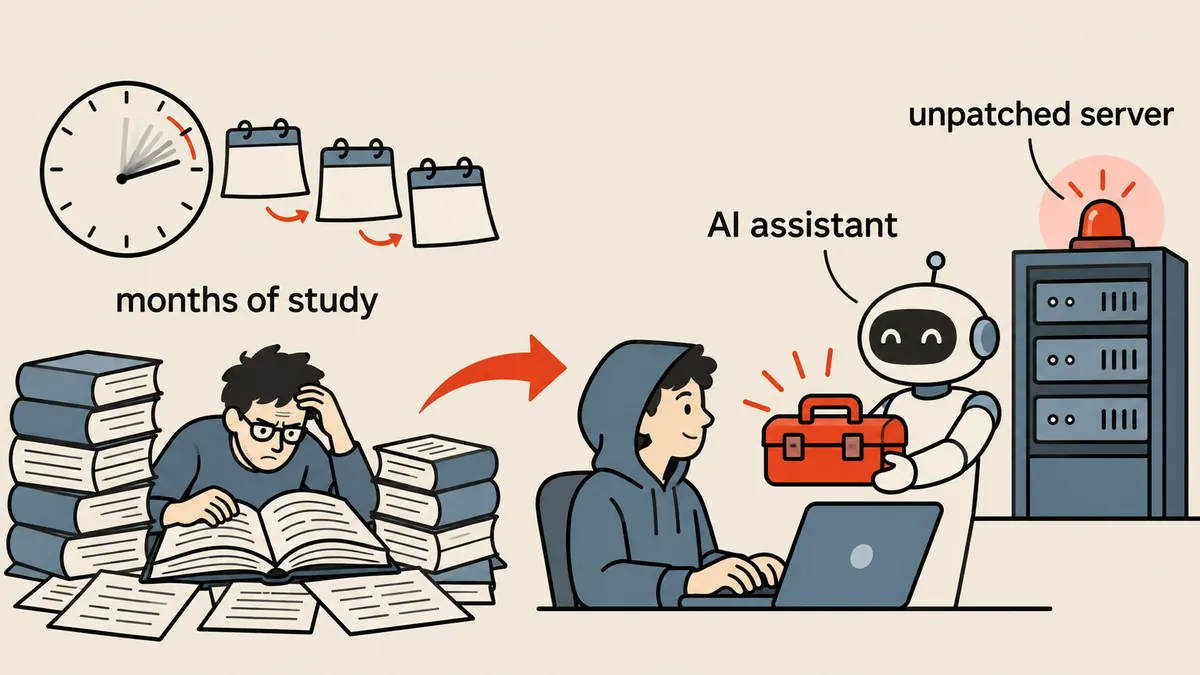
Put simply, I used to defend against a small number of skilled people. Today, I have to defend against many ordinary people with skilled assistants beside them. A server that nobody ever cared about is no longer safe just because nobody cares about it, because scanning the entire internet for unpatched servers costs almost nothing.
Kernel vulnerabilities now number in the thousands, and AI investigates them by the thousand
Since February 2024, the Linux kernel project has assigned its own CVE numbers, issuing one for almost every bug fix that might affect security. The kernel’s annual CVE count has therefore jumped from hundreds to thousands. In 2025, the kernel became the world’s largest issuer of CVEs, and at Kernel Recipes 2026, Greg Kroah-Hartman said it was issuing around 33 per day. This is clearly visible in Debian’s own kernel package changelogs, where the number of CVEs referenced in each release keeps growing.
Most CVEs are never exploited, but numbers this large make it almost impossible to select only the important patches. The stable kernel maintainers said plainly back in October 2024: do not cherry-pick; use the entire stable release.
The report I had to read twice was OpenAI’s, dated 4 November 2026. It tested an agent system investigating 2,308 suspicious locations in the Linux kernel and reproduced 1,724 vulnerabilities in around 30 hours. Of those, 948 allowed privilege escalation from an ordinary user to root and had working exploits produced for them (OpenAI’s own count; some media outlets counted more exploits). That run cost around 1.2 million dollars. The work was done to find vulnerabilities and submit patches to the kernel maintainers, not to attack systems. But it tells me clearly that work that once took experts months can now be done by machines in a day. My takeaway for my own servers is that a low-privilege account on an unpatched server should be treated as almost equivalent to root.
Why this matters so much for shared hosting A single server hosts multiple customers, each running their own code. One outdated plugin can be enough for an attacker to gain an ordinary user shell. If the kernel has outstanding patches, a privilege escalation vulnerability can turn “one website compromised” into “the entire server compromised.” A clear example is CVE-2024-1086 in netfilter, which CISA says ransomware groups have exploited. The affected code had been in the kernel since 2014.
The time from disclosure to exploitation is down to hours
Another thing that has changed is time. VulnCheck reported that around 29% of vulnerabilities confirmed as exploited in 2025 had evidence of attacks before or on the day their CVEs were published. CrowdStrike’s mid-2026 report said 88% of exploitation of vulnerabilities with a published proof of concept occurred within 48 hours, with some groups exploiting them within 24 hours.
Try putting those figures beside a typical server’s update schedule. If I stick to my habit of waiting for a monthly reboot, the server’s exposure could last almost 30 days, while attackers need only a day or two. A monthly reboot is therefore just a minimum, not a goal, and there must be room to reboot ahead of schedule when a vulnerability enters CISA KEV or a privilege escalation vulnerability has exploit code available.
unattended upgrades installs the new kernel on disk, but the server keeps running the old kernel in memory until it reboots. Checking only that apt has nothing pending and feeling reassured gives a false sense of security. Always compare uname -r with the latest installed kernel.
But updating blindly really can break things
If updating were completely safe, this would be an easy story to finish. The reality is that it is not. In December 2023, Debian had to delay the release of 12.3 because kernel 6.1.64 had a bug that corrupted data on ext4, and it announced a temporary pause on updates, especially for systems using unattended upgrades. The night my server froze involved another ext4 bug that several people reported on the same day.
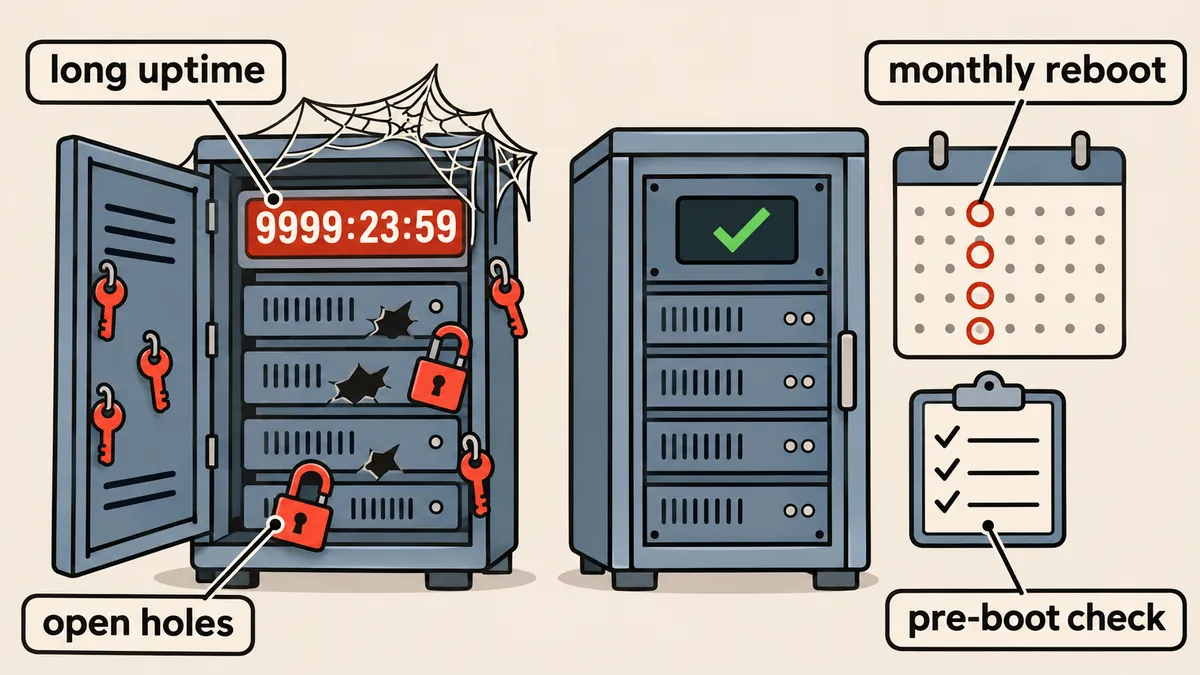
So I see the question as not “whether to update,” but “how to update quickly enough while causing few enough failures.” Personally, I choose frequent reboots with checks before booting, rather than infrequent reboots and hoping for the best on the day. Anyone with the budget for a cluster that can move VMs between hosts, or for RHEL or Ubuntu live patching, can reduce reboot frequency according to their budget and workload. But live patching only buys time; periodic reboots are still necessary in the end.
What I do now, after that night
- Reboot on schedule, and sooner when necessary If a kernel vulnerability enters CISA KEV, or a privilege escalation vulnerability has exploit code available, I do not wait for the scheduled reboot.
- Fetch fresh packages immediately before every reboot I do not rely on the ones installed that morning.
- Check for serious bugs in the kernel I am about to boot If there are bugs rated critical or grave, I wait for a fix.
- Verify after booting I check that the server is actually running the latest installed kernel, and keep the previous one available for rollback.
- Make the server recover from a crash on its own When an oops occurs, have it reboot automatically within around 10 seconds instead of hanging for hours.
- Keep evidence off the server Send kernel logs to another machine through netconsole so oops messages do not disappear along with a stalled disk.
I combined steps 2 and 3 into a small script that runs before every scheduled reboot. On Debian, the apt-listbugs package can fetch a package’s serious bug reports directly from the bug tracker.
#!/bin/sh
# pre-reboot.sh : ดึงแพ็กเกจล่าสุดแล้วดูบั๊กร้ายแรงของ kernel ก่อน reboot
set -e
apt-get update
apt-get -y full-upgrade
# หาแพ็กเกจ kernel ตัวจริงที่ meta package ชี้อยู่ แล้วดูบั๊กระดับ critical / grave
pkg=$(apt-cache depends linux-image-amd64 | awk '/Depends: linux-image-/{print $2; exit}')
echo "kernel ที่จะบูต: $pkg"
apt-listbugs -s critical,grave list "$pkg" || true
# ถ้ามีบรรทัดนี้ แปลว่ามีแพ็กเกจที่ต้อง reboot ถึงจะมีผล
[ -f /var/run/reboot-required ] && cat /var/run/reboot-required.pkgs
After the server comes back up, I compare the running kernel with the latest installed one. If they do not match, it means the wrong kernel booted, or the bootloader still points to the old one.
running=$(uname -r)
newest=$(ls -1 /boot/vmlinuz-* | sed 's|/boot/vmlinuz-||' | sort -V | tail -n 1)
echo "running: $running"
echo "newest : $newest"
[ "$running" = "$newest" ] && echo "OK บูตเข้าตัวล่าสุดแล้ว" || echo "WARN ยังไม่ได้รันตัวล่าสุด"
Step 5 uses two sysctl settings. Place this file in /etc/sysctl.d/, then run sysctl --system.
# /etc/sysctl.d/90-panic.conf
# เมื่อ kernel เจอ oops ให้ panic เลย แล้ว reboot เองใน 10 วินาที
kernel.panic_on_oops = 1
kernel.panic = 10
Step 6 sends logs to another machine on the same network. This example uses placeholder addresses. The logs travel over unencrypted UDP, so this is suitable only for a trusted network. Put the name netconsole in /etc/modules-load.d/netconsole.conf to load it at boot. The destination machine only needs to listen for UDP and write it to a file.
# /etc/modprobe.d/netconsole.conf
# รูปแบบ: <port ต้นทาง>@<IP ต้นทาง>/<interface>,<port ปลายทาง>@<IP ปลายทาง>/
options netconsole [email protected]/eth0,[email protected]/
This setting makes the server reboot immediately on any kind of oops, including one after which it might sometimes keep working. I chose this because, for hosting, hanging for hours is worse than a ten-second reboot. But servers running long jobs or databases that do not tolerate abrupt shutdowns need their own assessment, and a backup that can actually be restored must be in place before enabling it.
For a canary approach that updates one server before moving on to others, I wrote a separate article, Canary apt updates on two servers with a health gate. A list of kernel vulnerabilities recently exploited in the wild is in Six Linux kernel vulnerabilities added to CISA KEV.
A new meaning for a stable server
A FreeBSD user said back in 2005 that what needs to be guaranteed is service uptime, not server uptime. I think that statement holds up even better today. A stable server now means three things to me: services remain available even if the server reboots occasionally, I can reboot confidently because I do it regularly, and the server recovers quickly from a crash with evidence of what caused it. A system that has not rebooted for years is a system whose boot process has not been tested for years, and it often fails on the very day it is forced to reboot.
In the end, “if I don’t touch it, it won’t break” no longer works for internet-connected servers with multiple users, because kernel vulnerabilities arrive by the thousand, the time from disclosure to exploitation is down to hours, and AI with its safeguards removed lets people who never knew how to break into servers start doing so. But the answer is not to update everything immediately without checking. My answer is to update consistently, reboot regularly, check before booting, verify after booting, and make the server recover from crashes on its own. If there is a way to reduce downtime on a single server that I have not mentioned, I would like to hear about it.
References
- Unit 42 via BleepingComputer: Malicious LLMs empower inexperienced hackers
- Anthropic: Detecting and countering misuse of AI, August 2025
- Google Threat Intelligence Group: Threat actor usage of AI tools
- OpenAI: A thousand fewer paths to root
- CrowdStrike 2026 Threat Hunting Report
- VulnCheck: State of Exploitation 2026
- Security Affairs: CVE-2024-1086 used in ransomware attacks
- Debian News: Debian 12.3 image release delayed
- Slashdot: NetWare 3.12 server taken down after 16 years
- eWeek: Could Server Uptime Bring Security Downtime?
If the vendors’ figures change when new reports come out, or I have missed something in the reports, I will come back and update this later.
Want us to set this up?
Get help with server setup, configuration, migration, or troubleshooting. Save time for the work that matters.
Hit something like this? Stuck somewhere?
Come trade notes on the LinuxThai board



Comments 0
No comments yet — be the first