Webshell Sweep: grep Missed Files, So I Built a New Scanner
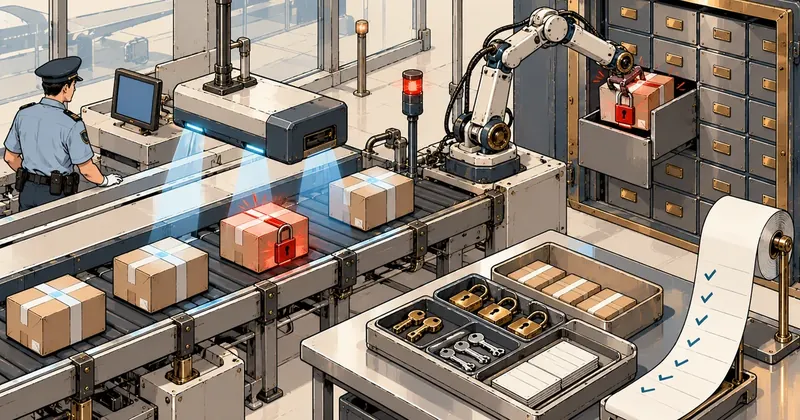
Common webshell signatures only catch files that look like malware. Files written as ordinary, readable code can slip through. I had to go back and build a scanner from what I actually found, then quarantine the files with a way to reverse every step.
1-minute summary
- Symptom / problem
- A first-pass grep for webshell signatures missed files written as plain readable code
- Who should read
- Shared-hosting admins who have to sweep a whole machine for webshells
- Fix in short
- Build a scanner that checks file headers using rules learned from real finds, then proceed in steps, record, lock, verify and move to quarantine with a manifest so every step can be reversed.
After the recent PHP vulnerability news (php2shell) and a compromise of an old CMS on the server, the owner asked me to check the entire machine for traces in read-only mode, covering every domain on a shared hosting server with dozens of accounts. I thought one pass with grep using well-known signatures would finish the job, and it did find more than ten. But a few days later, while investigating a 500 error on one subdomain, I found a whole set of file managers and uploaders that the first pass had missed. This became a record of why I needed to build a new scanner and how I handled the files with a way to undo each step.
I have left out all account names, domain names, filenames, and paths that identify customers. The detection rules shown here are generic textbook examples, not signatures from actual files on my server, and there is no code that can be used to launch an attack.
Open detected files for inspection only as root. Do not copy them into a web root or onto a machine serving websites, and do not run them to see what happens. If you are unsure whether a file is malicious, lock its permissions first. Do not delete it yet, because the evidence and the website owner may still need it.
The first signature-based grep pass found more than ten, and I thought I was done
First, I should say that the system itself was clean. I checked and found no new users, no unfamiliar SSH keys, no new cron jobs, no unfamiliar systemd units, no preload entries, and no ELF binaries that should not have been there. That left the web files in user accounts.
For the first pass, I used common patterns: eval(base64_decode( taking input from a request, system/exec/passthru connected to $_GET or $_POST, and names of well-known shell families. This found more than ten across several accounts. Many were clearly obfuscated code, and some were loaders using CGI. All were old, having arrived in backup files restored from the previous server when the accounts were moved here, rather than being planted after the move. I locked every one in place with chmod 000.
That was the first lesson. Moving accounts from an old server also means bringing old infections along. Scan immediately after a migration instead of waiting for an incident.
What the first pass missed
While investigating a 500 error on one subdomain, I opened a file manager written in ordinary, readable PHP. There was no eval, no base64, and nothing at all to trigger the obfuscation patterns. It looked like an ordinary file management app. Alongside it were upload scripts with random 8-character filenames, scattered across several folders, including folders named to resemble system files or standard hosting folders so that anyone looking through them would not be suspicious.
My own assumption about why the first pass missed them was this (this is an inference, not a confirmed fact): the patterns were looking for obfuscation, while these files did not obfuscate anything. They simply did their work directly.
I used to think, "If there is no eval or base64, it is not a shell." That was wrong. Readable code that does its work directly can provide an entry point just as well. What matters is what the file does and where it sits, not whether it looks frightening.

The second pass: building a scanner from actual samples
I changed my approach from searching with signatures collected by others to writing my own scanner based on what I actually found on my server. There were only a few principles: read only the first 8 KB of every file (most shells reveal their intent in the header), use regex rules, give each rule a HIGH or MED rating, and base every rule on a sample I had inspected myself, rather than adding rules without evidence.
#!/usr/bin/env python3
# header scanner (ตัวอย่างย่อ) อ่านหัวไฟล์ 8 KB แล้วเทียบกฎ
import os, re, sys

HEAD = 8192
RULES = [  # (ระดับ, ชื่อกฎ, regex)  ตัวอย่างแบบตำรา ไม่ใช่ลายเซ็นของไฟล์จริง
    ("HIGH", "eval-decode-from-request", re.compile(rb"eval\s*\(\s*(base64_decode|gzinflate)\s*\(\s*\$_(GET|POST|REQUEST)")),
    ("HIGH", "exec-from-request",        re.compile(rb"\b(system|exec|passthru|shell_exec)\s*\(\s*\$_(GET|POST|REQUEST)")),
    ("HIGH", "request-var-as-function",  re.compile(rb"\$_(GET|POST|REQUEST)\s*\[[^\]]+\]\s*\(")),
    ("HIGH", "preg-replace-e-modifier",  re.compile(rb"preg_replace\s*\(\s*['\"].*/[a-z]*e[a-z]*['\"]")),
    ("MED",  "upload-keeps-raw-name",     re.compile(rb"move_uploaded_file\s*\([^,]+,\s*[^)]*\$_FILES\[[^\]]+\]\[['\"]name['\"]\]")),
]
SKIP_DIRS = {"vendor", "node_modules", "Maildir", "cache"}
IMG = (".jpg", ".jpeg", ".png", ".gif", ".webp", ".ico")

def hits(path):
    with open(path, "rb") as f:
        head = f.read(HEAD)
    if b"//ICB0" in head[:16]:          # ไฟล์เข้ารหัส ionCube ของจริง ข้าม
        return []
    return [(lvl, name) for lvl, name, rx in RULES if rx.search(head)]

high = 0
for root, dirs, files in os.walk(sys.argv[1]):
    dirs[:] = [d for d in dirs if d not in SKIP_DIRS]
    for fn in files:
        p = os.path.join(root, fn)
        low = fn.lower()
        is_php = low.endswith((".php", ".phtml", ".php5", ".phar"))
        if low.endswith(IMG) or not (is_php or low.endswith(".txt")):
            continue
        h = hits(p)
        if re.fullmatch(r"[0-9a-f]{8,}\.php", low):          # ชื่อสุ่มแบบ hex
            h.append(("MED", "hex-named-php"))
        if is_php and any(part.startswith(".") for part in root.split(os.sep)):
            h.append(("MED", "php-in-dot-directory"))         # php ในโฟลเดอร์ชื่อขึ้นต้นด้วยจุด
        for lvl, name in h:
            print(f"{lvl}\t{name}\t{p}")
            high += lvl == "HIGH"
sys.exit(1 if high else 0)
I chose to read only the first 8 KB for two reasons. The first was time: /home contained more than a million files, and reading every file to the end would put too much load on a server customers were actively using. The second was that most shells reveal their intent near the beginning of the file, including the header that loads components, the code that takes request input, and the code that calls dangerous functions. The exception is a shell hidden at the end of a large file, which rules like these will miss. I accepted that limitation and treated a separate ClamAV pass that reads entire files as a way to cover that gap.
Notice that the last two rules look at the file's "location" and "name" rather than its contents. A PHP file in a folder whose name starts with a dot, or with a random eight-character name, can be a more useful signal than its contents in many cases. The scanner also skips ionCube-encoded files (identified by a marker in the header), skips Maildir, vendor, node_modules, and framework cache folders, and treats image extensions as non-code, with an exception for .txt files, which I still inspect. If there is at least one HIGH finding, the script exits with code 1 so it can be integrated into automated jobs.
Before trusting the scanner, I tested its coverage by checking whether the second-pass rules caught every file I had already locked in the first pass. They did. That meant the new rules covered the known files and added files the first pass had missed. I ran it across all of /home, covering more than a million files, and ran ClamAV across every domain as another layer. ClamAV did find one additional item: an old page with a hidden iframe pointing to a malware domain.
Returning exit code 1 when the scanner finds a HIGH makes it usable in automated jobs, but I never let it lock files by itself. A person must always read the results first, because of the false positives described below.
Read every hit before locking, because false positives are real
A sensitive scanner will produce some false positives. I read every hit myself before deciding. Examples that were not shells included a .txt readme containing PHP code as an explanatory example, an auto-prepend file from a WAF installed in an account, and old library code using preg_replace with the /e modifier, as libraries did before PHP 7. I excluded all of these from the lock list.
Personally, I do not allow a script to lock files automatically based directly on scan results. A person must always read them first, because locking the wrong file that a site actually uses will bring the customer's site down, and I am fixing a security problem, not creating a new one.
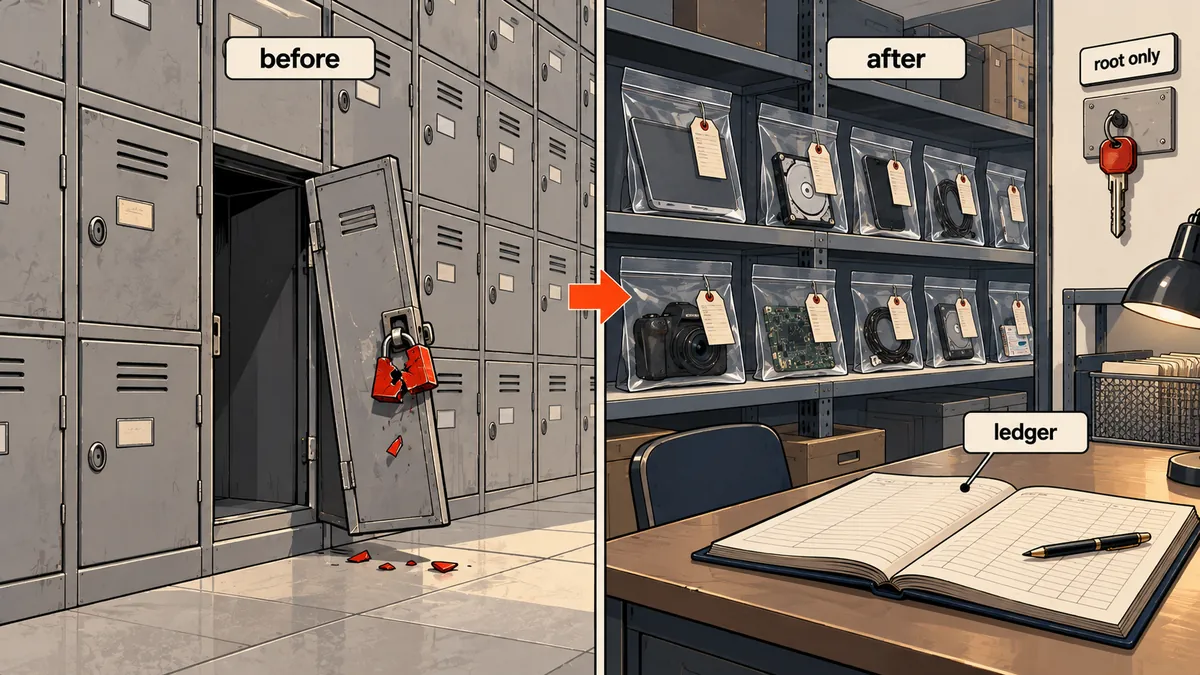
LOCK: record permissions, then chmod 000 in place
My sequence was to lock first and move later. The lockdown script takes a list of files that a person has reviewed, writes a files.tsv containing the mode, owner, sha256, and original path of each file, along with a RESTORE.md explaining how to restore them, and only then runs chmod 000.
#!/bin/bash
# lockdown: อ่านรายการพาธ (ตรวจด้วยตาแล้ว) บันทึกสถานะเดิม แล้วล็อก
LIST=$1
OUT=/root/quarantine/lock-$(date +%F)
mkdir -p "$OUT" && chmod 700 "$OUT"

while IFS= read -r f; do
    [ -f "$f" ] || continue
    printf '%s\t%s\t%s\t%s\n' \
        "$(stat -c %a "$f")" "$(stat -c %U:%G "$f")" \
        "$(sha256sum "$f" | cut -d' ' -f1)" "$f" >> "$OUT/files.tsv"
    chmod 000 "$f"
done < "$LIST"

cat > "$OUT/RESTORE.md" <<'EOT'
คืนไฟล์: อ่าน files.tsv (mode, owner, sha256, path) แล้ว chmod/chown ตามคอลัมน์
ตรวจ sha256 ให้ตรงก่อนคืนทุกครั้ง
EOT
I chose chmod 000 first instead of deleting the files outright for three reasons. First, the attacker immediately loses that entry point because the web server cannot read the file. Second, sites that do not reference the file keep working, so customers do not have to stop doing business. Third, the account owner can still ask me to open and inspect it if they suspect it is their own file.
QUARANTINE: move into root's space with a MANIFEST
Once the person responsible for the work agreed, I moved the locked files into /root/quarantine/DATE-webshells/, preserving the original path structure underneath it, changed the owner to root:root, set file permissions to 600 and folder permissions to 700, checked sha256 again to confirm that the moved files matched the recorded hashes, and then wrote MANIFEST.tsv (mode, owner, sha256, original path) along with restoration notes.
# quarantine: ย้ายเฉพาะที่ sha256 ตรงกับ files.tsv
Q=/root/quarantine/$(date +%F)-webshells
mkdir -p "$Q" && chmod 700 "$Q"
while IFS=$'\t' read -r mode owner sha path; do
    [ -f "$path" ] || continue
    [ "$(sha256sum "$path" | cut -d' ' -f1)" = "$sha" ] || { echo "[SKIP] hash เปลี่ยน $path"; continue; }
    dest="$Q$path"
    mkdir -p "$(dirname "$dest")"
    mv "$path" "$dest"
    chown root:root "$dest"; chmod 600 "$dest"
    printf '%s\t%s\t%s\t%s\n' "$mode" "$owner" "$sha" "$path" >> "$Q/MANIFEST.tsv"
done < files.tsv
find "$Q" -type d -exec chmod 700 {} +
In total, more than twenty items were locked, and almost all were moved into quarantine. The owner had already instructed me to delete the rest earlier. I also grouped them by type in a summary table for the administrator, so someone who had not seen the actual files could understand what had happened.
If I ever need to restore a file (for example, if the owner confirms that it really is theirs), I read its entry in MANIFEST.tsv and restore it using the original values from every column, checking sha256 before putting it back.
# คืนไฟล์เดียวจาก quarantine (รันเป็น root) อ่านค่าจาก MANIFEST.tsv
Q=/root/quarantine/DATE-webshells
P=/home/webuser/domains/example.com/public_html/some/file.php
read -r mode owner sha path < <(awk -F'\t' -v p="$P" '$4==p' "$Q/MANIFEST.tsv")
[ "$(sha256sum "$Q$path" | cut -d' ' -f1)" = "$sha" ] || { echo "hash ไม่ตรง"; exit 1; }
mkdir -p "$(dirname "$path")"
cp -a "$Q$path" "$path" && chown "$owner" "$path" && chmod "$mode" "$path"
Before every restoration, I ask myself whether the file really should go back. If it was previously classified as a shell, the answer is usually no; I ask the owner to create a new, clean file instead.
Another precaution I take is not sending these files to public scanning services, because customer files may contain their information within the code, and the local ClamAV scan already provided enough information for this job. That is my personal view; anyone who prefers a different approach is welcome to use it.
- Record mode, owner, sha256, and the original path in files.tsv before touching the file
- chmod 000 in place so other sites keep running and the owner can still request an inspection
- Read every item and separate real threats from false positives
- Move into root's quarantine, check sha256, then write MANIFEST.tsv
Close entry points after quarantine
Quarantine alone is not enough, because if the entry point that let the files in remains open, new files will arrive again. Here is what I did next: for the one account that was repeatedly targeted, I disabled file_uploads with php_admin_flag[file_uploads]=off in that user's custom pool file, blocked xmlrpc.php on an old blog, removed installers and downloadable backup zip files from the web root (one site had a plugin backup left there), and moved the remains of a WordPress 2.x installation out of a web-accessible folder.
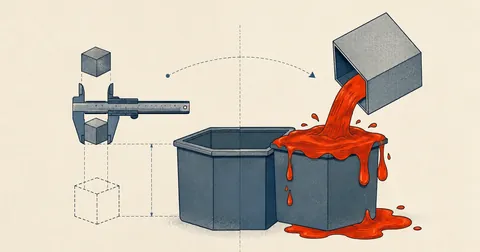
Common signatures
Caught only files that looked like malware: more than ten across several accounts, but missed files written as ordinary, readable code.
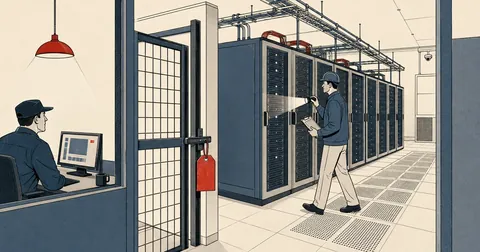
Rules from actual files + location
Check file headers, names, and the folders they sit in, then have a person read every hit before locking and quarantining.
I came away with three points. First, a good scanner needs to be built from what I actually find on my own server. Second, always lock before moving, because that makes every step reversible. Third, scan immediately after migrating accounts from another server. Anyone with a more thorough method or broader rules is welcome to use them. I am using this set because it worked on my server. If I have left anything out of the explanation, I will come back and add it later.
Want us to set this up?
Get help with server setup, configuration, migration, or troubleshooting. Save time for the work that matters.
Hit something like this? Stuck somewhere?
Come trade notes on the LinuxThai board

Comments 0
No comments yet — be the first