Mapping a Building by Phone and Finding True North with GNSS

Modern phones have both a camera that tracks its own position in three dimensions and a dual-frequency, multi-constellation satellite receiver. These two systems work independently on different tasks, but connecting them at the right point lets each supply exactly what the other lacks.
I needed to draw up plans for an old building whose original drawings were no longer available, so I had to take the measurements myself. Normally, I would use a tape measure and a laser distance meter for this kind of work, which give accurate distances, but assembling them into a plan of the entire floor takes a lot of time, especially with rooms whose walls do not meet at right angles.
So I tried writing a small Android app that uses ARCore to capture room corners: I walk over, point the camera at a corner, and press a button to save that point's three-dimensional coordinates. The result is a polygonal plan with its area and perimeter.
A problem appeared immediately when I placed the plan in a georeferenced model: the plan faced an arbitrary direction. This article explains how I fixed that.
This measurement method is only for producing reference drawings for design work. It is not a legal survey and is not a way to determine property boundaries. Errors of tens of centimeters to meters are normal with this method. The heading also has an uncertainty of several degrees. It can be used to lay out plans, estimate usable space, make preliminary drawings, or provide a basis for a technician to remeasure, but it must never be used as a reference for boundaries, setting survey markers, or disputes. Work requiring legally recognized measurements must be performed by an authorized survey official.
The problem: ARCore does not know where north is
ARCore creates its own coordinate system when a session starts. The y-axis points upward, aligned with gravity; that part is certain. But the directions of the x- and z-axes depend on which way I am holding the phone when I open the app. Nothing ties them to true north.
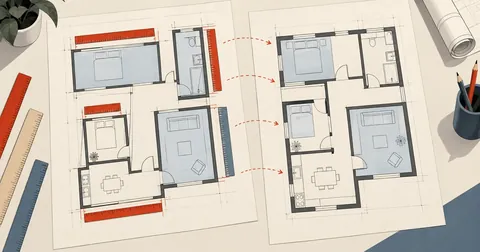
The resulting plan has the correct shape and distances, but it is rotated by an unknown angle. When placed in a georeferenced model, the building sits at an angle to its actual orientation. Rotating it by guesswork gives something that "looks reasonable," but there is nothing to confirm it.
The first solution that comes to mind is the phone's compass, but a compass is not very reliable indoors. Steel framing, electrical cabinets, and motors all interfere with it. I do record compass readings too, but I use them as a separate check, not as the answer.
The idea behind my solution is to walk in a straight line and let the satellites provide the direction.
While I walk around capturing room corners, the phone is already receiving GNSS readings continuously. Every fix provides a free data pair: "where I was in the AR world at that moment" and "where I was in the real world at that moment."
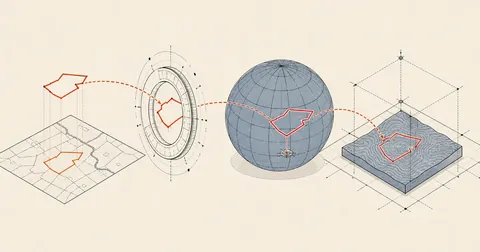
Collecting many such pairs along the walking route produces two sets of points with the same shape and the same units in meters, differing only in rotation and translation. Finding the rotation between these two sets gives the session's heading.
Collect samples while working, without a separate calibration step
At first, I added a "Calibrate" button that I would press before walking in a straight line. In practice, this was annoying because I had to stop working just to walk. So I switched to collecting samples continuously during normal work. The more I walk, the better.
There are three conditions for collecting samples, filtering out bad data at the source.
private val locCb = object : LocationCallback() {
    override fun onLocationResult(r: LocationResult) {
        val l = r.lastLocation ?: return
        lastLoc = l
        // ทิ้ง fix ที่แย่ และทิ้งช่วงที่ AR ยังจับพื้นไม่ได้
        if (!renderer.tracking || l.accuracy > 15f) return
        val last = calSamples.lastOrNull()
        // เก็บเฉพาะตอนที่เครื่อง "ขยับจริง" ไม่งั้นได้ตัวอย่างซ้ำที่จุดเดิมเป็นร้อย
        if (last != null &&
            hypot(renderer.camX - last.arX, renderer.camZ - last.arZ) <= 0.8) return

        calSamples.add(GeoSolver.Sample(renderer.camX, renderer.camZ,
            l.latitude, l.longitude, l.accuracy.toDouble()))

        if (calSamples.size >= GeoSolver.MIN_SAMPLES && calSamples.size - solvedAt >= 3) {
            solvedAt = calSamples.size
            GeoSolver.solve(calSamples.toList())?.let { r2 ->
                val cur = georef
                // เก็บ fit ที่ความไม่แน่นอนของทิศต่ำที่สุด ไม่ใช่ตัวล่าสุด
                if (cur == null || r2.headingErrDeg <= cur.headingErrDeg) georef = r2
            }
        }
    }
}
What I like most about this approach is that the heading improves on its own while I work. As I walk around capturing more rooms, the total walking distance increases and the result becomes more reliable, without any special effort.
The solver: 2D Kabsch, weighted by fix accuracy
The equation finds the rotation that best aligns the two sets of points. The two-dimensional version is very short and does not even need SVD. It just sums cross products and dot products, then uses atan2.
The key is the weighting. A fix reporting 3-meter accuracy and one reporting 11-meter accuracy should not have equal influence. I weight them by 1 over the accuracy squared, following the usual inverse-variance weighting approach.
// plan frame: app x -> right, -z -> forward. ENU frame: east, north.
val px = s.map { it.arX }
val py = s.map { -it.arZ }
val gx = s.map { (it.lon - mLon) * mpl }        // เมตรทางตะวันออก
val gy = s.map { (it.lat - mLat) * M_PER_LAT }  // เมตรทางเหนือ

val mpx = px.average(); val mpy = py.average()
val mgx = gx.average(); val mgy = gy.average()

var sc = 0.0; var ss = 0.0
for (i in s.indices) {
    val w = 1.0 / (s[i].acc * s[i].acc)         // fix ที่แม่นกว่าออกเสียงดังกว่า
    val ax = px[i] - mpx; val ay = py[i] - mpy
    val bx = gx[i] - mgx; val by = gy[i] - mgy
    sc += w * (ax * bx + ay * by)
    ss += w * (ax * by - ay * bx)
}
val th = atan2(ss, sc)                          // มุมหมุนจากแกน AR ไปแกน ENU
Once I have the angle, I find the translation that aligns the points, then work backward to determine the latitude and longitude of the AR world's origin (point 0,0). This is what lets me convert every room corner to lat/lon later.
val c = cos(th); val sn = sin(th)
val tE = mgx - (c * mpx - sn * mpy)
val tN = mgy - (sn * mpx + c * mpy)

var sse = 0.0
for (i in s.indices) {
    val e = c * px[i] - sn * py[i] + tE
    val n = sn * px[i] + c * py[i] + tN
    sse += (e - gx[i]) * (e - gx[i]) + (n - gy[i]) * (n - gy[i])
}
val rms = sqrt(sse / s.size)                    // ค่าตกค้างของ fit หน่วยเมตร

val originLat = mLat + tN / M_PER_LAT
val originLon = mLon + tE / mPerLon(mLat)
val headErr = Math.toDegrees(atan2(rms.coerceAtLeast(0.5), walk))
Heading accuracy = atan(GNSS error / walking distance)
The last line above is what I consider the most important part of this whole approach. It is a simple formula that immediately shows how much to trust the resulting heading.
Imagine a lever as long as the walking distance, with its tip moving by an amount equal to the GNSS error. The angle through which the lever can swing is the arctangent of the ratio of those two values. The longer the lever, the smaller the angle for the same movement at the tip.
I use three checks. First, discard samples with errors over 12 meters before they enter the equation. Second, require at least 8 samples. Third, the greatest walking distance between two samples must be at least 12 meters. If all three conditions are not met, return an empty result. That is better than returning a convincing-looking number that is wrong by 40 degrees.
I calculate this walking distance from the farthest pair of points in the sample set, not the accumulated path length. Walking in circles inside a small room adds up to a long path but leaves a short lever, so the heading does not improve.
/** Straight-line extent of the AR track - the lever arm the fit depends on. */
fun walkExtent(s: List<Sample>): Double {
    if (s.size < 2) return 0.0
    var best = 0.0
    for (i in s.indices) for (j in i + 1 until s.size) {
        val d = hypot(s[i].arX - s[j].arX, s[i].arZ - s[j].arZ)
        if (d > best) best = d
    }
    return best
}
Read GnssStatus to judge whether to trust the readings
The accuracy returned by the system is just one number. It does not tell me what is happening behind the scenes. So I also use GnssStatus to inspect each satellite constellation: how many satellites are visible, how many are actually used, and whether any transmit a second frequency.
override fun onSatelliteStatusChanged(status: GnssStatus) {
    val map = LinkedHashMap<String, Con>()
    var seen = 0; var used = 0; var nDual = 0
    for (i in 0 until status.satelliteCount) {
        val k = label(status.getConstellationType(i))   // GPS / BDS / GAL / GLO / QZS / IRN
        val c2 = map.getOrPut(k) { Con(k) }
        c2.seen++; seen++
        if (status.usedInFix(i)) { c2.used++; used++ }
        val cn0 = status.getCn0DbHz(i)
        if (cn0 > c2.bestCn0) c2.bestCn0 = cn0
        if (Build.VERSION.SDK_INT >= 26 && status.hasCarrierFrequencyHz(i)) {
            // L1 อยู่ราว 1575.42 MHz อะไรที่ต่ำกว่านี้ชัดเจนคือย่านที่สอง (L5/E5a/B2a)
            if (status.getCarrierFrequencyHz(i) < 1.3e9f) nDual++
        }
    }
    cons = map.values.sortedByDescending { it.used }
    totalSeen = seen; totalUsed = used; dualCount = nDual
}
Seeing the numbers by constellation is more useful than I expected. When readings start going wrong beside a tall building, I can immediately see the number of satellites actually used drop sharply even though many are still visible. In the open, used and seen stay close together.
The best data I collected during actual work gave these numbers.
Note that 4.3 degrees over a walking distance of just 19.9 meters is better than the rough formula predicts, because the 24 samples help average out much of the error in individual fixes. The formula atan(acc/walk) is a rough estimate for cases with few samples; for actual results, look at the fit's rms.
The compass is a cross-check, not the answer
I have the app calculate a compass heading independently, then compare the two values on screen. If they differ by more than 25 degrees, I trust neither and turn the numbers red as a warning.
Immediate, but affected by steel
No walking or waiting is needed; it gives a reading from the first second. But inside buildings with steel framing or electrical cabinets, readings can be off by tens of degrees without any warning, and tilting the phone too far also distorts them.
Requires walking, but reports confidence
It needs enough samples and walking distance before it can produce a result. But it also returns rms and uncertainty, so I know how much to trust it, and it does not care whether there is steel nearby.
Comparing two completely independent methods is very effective at catching silent failures. Personally, I find it more worthwhile than trying to make either method slightly more accurate.
Clean the data before importing it into the model
The files exported from the phone are rougher than I expected. There are three issues to clean up first.
- Multiple exports from one session ARCore continually adjusts anchor poses during a session, so a later export is more accurate. I need to know which file supersedes which. I check the room lists: if one file's list starts with the other file's list, they belong to the same session.
- A closing point overlaps the first point After walking around a room, I tap the first corner again to measure drift, so the last point overlaps the first. It must be removed before calculating the area.
- The same room captured twice The two captures can be averaged if their shapes are similar enough.
The two distance thresholds I use are:
CLOSE_TOL = 0.60     # ม. - จุดท้ายที่ใกล้จุดแรกกว่านี้ = ปิดลูป ตัดทิ้ง
DUP_TOL   = 1.20     # ม. - ระยะเฉลี่ยรายมุมต่ำกว่านี้ = ห้องเดียวกันยิงซ้ำ เอามาเฉลี่ย


def drop_closure(pts):
    p = list(pts)
    while len(p) > 3 and d2(p[-1], p[0]) < CLOSE_TOL:
        p.pop()
    q = [p[0]]                       # ยุบจุดที่ติดกันเกินไปด้วย (กดปุ่มซ้ำ)
    for v in p[1:]:
        if d2(v, q[-1]) > 0.15:
            q.append(v)
    return q
The numbers 0.60 and 1.20 are not just convenient round numbers. I chose them by examining actual readings and finding the thresholds that separated the two groups most clearly. Other jobs may need different values.
The exported file looks roughly like this (with the actual coordinates hidden and example values substituted).
{
  "app": "CornerMap",
  "created": "2026-07-27T06:57:47+07:00",
  "axes": "ARCore world: y=up (gravity). floor plan = (x,z) metres.",
  "georef": {
    "origin_lat": 14.2000000, "origin_lon": 100.6000000,
    "heading_deg": -58.685, "axis_bearing_deg": 148.685,
    "rms_m": 1.5009, "samples": 24, "walk_m": 19.873, "heading_err_deg": 4.319
  },
  "gnss_status": {
    "used": 49, "seen": 64, "dual_band": true,
    "constellations": {
      "BDS": {"used": 16, "seen": 19, "best_cn0": 45.3},
      "GPS": {"used": 12, "seen": 21, "best_cn0": 42.0},
      "GAL": {"used": 11, "seen": 12, "best_cn0": 42.6}
    }
  },
  "rooms": [
    {"name": "ห้อง A", "closed": true, "area_m2": 620.57, "perimeter_m": 99.31,
     "corners": [
       {"seq": 1, "level": "floor", "x": -5.831, "y": -1.384, "z": 3.030,
        "lat": 14.2000512, "lon": 100.6000431,
        "gnss": {"acc_m": 5.18, "age_s": 0.148}}
     ]}
  ]
}
Notice that each corner has both raw AR coordinates and converted lat/lon. I always keep both, because if I get a better heading later, I can convert the raw coordinates again without returning to the site to remeasure.
Import into SketchUp with one layer per file
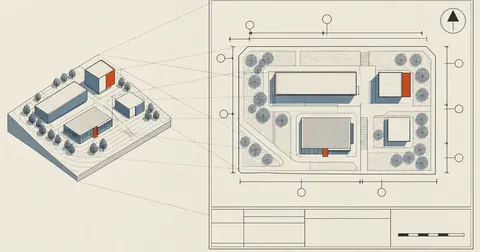
In an already georeferenced model, placing the plan is straightforward: latlong_to_point does the whole job. What I added was one layer per file, because I collected data across multiple sessions and days and wanted to toggle them in the Tags tray for comparison.
require 'json'
m = Sketchup.active_model
raise 'model is not geo-located' unless m.georeferenced?
m.start_operation("CornerMapLayers", true)

mtoi = 39.37007874
# ล้างของรอบก่อนทั้งกลุ่มและ layer เพื่อให้รันซ้ำได้ ไม่ทับซ้อน
m.entities.grep(Sketchup::Group).to_a.each { |g|
  g.erase! if g.valid? && g.name.start_with?("CM ") }
m.layers.to_a.each { |l| m.layers.remove(l) rescue nil if l.name.start_with?("CM ") }

Dir.glob(($cm_dir || '.') + '/cornermap_*.json').sort.each { |path|
  data = JSON.parse(File.read(path, :encoding => 'UTF-8')) rescue next
  grp = m.entities.add_group
  grp.name = "CM " + File.basename(path)
  (data['rooms'] || []).each { |r|
    cor = (r['corners'] || []).select { |c| c['lat'] }.sort_by { |c| c['seq'].to_i }
    next if cor.size < 3
    pts = cor.map { |c| p = m.latlong_to_point([c['lon'], c['lat']])
                        Geom::Point3d.new(p.x, p.y, 0.05.m) }   # ยกกันจมภาพพื้น
    # ตัดจุดปิดลูปฝั่ง Ruby อีกชั้น เผื่อไฟล์ยังไม่ผ่านตัวล้าง
    pts.pop while pts.size > 3 &&
      Math.hypot((pts[-1].x - pts[0].x).to_f, (pts[-1].y - pts[0].y).to_f) < 0.6 * mtoi
    g = grp.entities.add_group
    g.name = r['name'].to_s
    g.entities.add_edges(pts + [pts.first])
    g.entities.grep(Sketchup::Face).each { |f| f.erase! if f.valid? }   # เอาหน้าออก เหลือเส้น
  }
  grp.layer = m.layers.add(File.basename(path, '.json'))
}
m.commit_operation
Two lines are essential: raise z slightly to keep the lines from sinking into the ground plane, and delete automatically created faces, because SketchUp automatically creates a face for a closed coplanar loop, which then hides everything underneath.
Summary and limitations to understand
This method produces plans whose shapes and distances are good enough for preliminary design, along with their heading and position on Earth, without any extra equipment. All it takes is one phone.
There are limitations to accept. First, deep inside a building with no GNSS reception, there will be no samples to fit, so I need to take a walk outside. Second, ARCore drift accumulates during long sessions, so the last rooms will be more distorted than the first; the drift measured when closing a loop is the indicator to watch. Third, a heading uncertainty of 4 degrees means the far end will be off by roughly 3.5 meters at a distance of 50 meters. Getting better results requires walking farther.
Personally, I use it as a starting point. I get a plan of the whole floor in a few tens of minutes, then use a laser distance meter only where I need precise measurements. It is better than measuring everything manually from the start, and certainly better than guessing the heading.
I covered turning the resulting plans into drawing sheets for actual delivery separately in Creating Drawing Sheets from a SketchUp Model. For reconstructing plans from paper drawings that are not to scale, see Reconstructing a Model from a PDF That Is Not to Scale.
Feel free to build on this approach. The entire solver is under a hundred lines long and can be written in any language. If I have left anything out of the explanation or made a typo, I will come back and correct it later.
Hit something like this? Stuck somewhere?
Come trade notes on the LinuxThai board
Comments 0
No comments yet — be the first