Rebuilding an Off-Scale PDF Plan at Real Dimensions

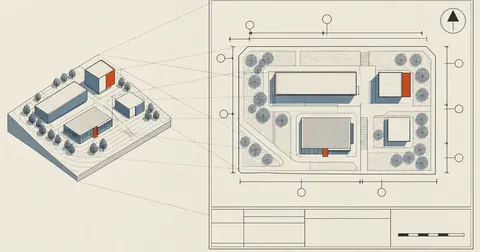
The plan a client sends as a PDF looks good and is easy to read, but putting a ruler to it reveals that the scale is not uniform across the page. The drafter drew each block to fit the paper. The result is misleading geometry on paper, and tracing what I see just repeats those errors in the model.
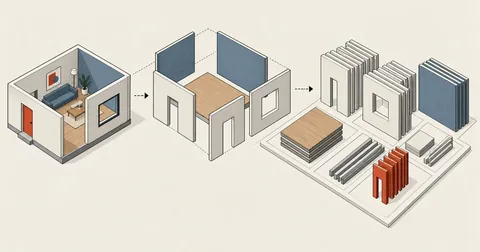
I received a factory layout as a single PDF file. The task was to build a three-dimensional model at real dimensions, covering both the rooms and the objects inside them. At first I thought it would be easy: measure px, multiply by the scale, done. In practice, every object came out distorted. What should have been a thick block became a thin sheet, and circles became ellipses.
The cause was not the code but the plan itself. So I wrote down the whole workflow, from finding the real scale of each room to getting an indisputable object count and using those numbers to draw everything back into the model.
I have already covered extracting land parcel boundaries from the government mapping system in Importing Land Parcel Boundaries into SketchUp. That starts with data that is already numerical. This is a different kind of job: all I have is an image of a drawing, and I have to extract the numbers myself.
A Good-Looking Plan Is Not Necessarily Measurable
A presentation plan and a construction drawing are different things. Presentation plans are drawn to "get the point across." Rooms with lots of equipment are stretched to fit all the symbols. Empty rooms are compressed to save paper. The annotated dimensions are real, but the drawing does not follow those dimensions.
I measured the actual scale of each room in the same file at 300 dpi, in pixels per metre. These were the results.
There are two levels to this. First, even within one room, the x and y axes have different scales. In room A, they differ by almost a factor of two (49.5 and 29.8). That means anything drawn as a circle in that room will always measure as an ellipse in px. Second, the scales differ even more between rooms. Room B's y axis is 22.0, while room C's is 41.0, almost twice as much.
Never calibrate once and apply it to the whole page. Find the walls of each room, recalculate pixels per metre for every room, and always calculate the x and y axes separately. Using one value for the whole page causes errors to accumulate in rooms farther from the calibration point. The problem shows up when the objects inside extend through the walls and outside the room, by which time half the layout has already been drawn.
The clearest example of misleading geometry on paper is in room B.
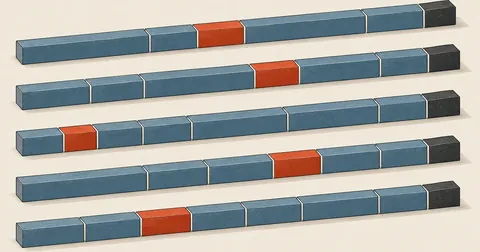
There is a sieve in that room. On paper, it is a long, thin bar, with a measured px ratio of about 4.9 : 1. Tracing what I see would produce a long, thin sheet in the middle of the room.
Dividing by that room's actual scales (x axis 49.4, y axis 22.0) gives 3.43 x 2.00 metres, a ratio of 1.7 : 1. It is a thick, nearly square block, completely different from what it looks like.
For me, this is the reason to follow the whole process instead of just "tracing the picture." Tracing the picture gets this one object wrong by more than a factor of two.
First, Zoom In Before Trusting Anything
I use PyMuPDF (fitz) to crop the room I am interested in and render it again at high resolution. This matters a lot: rendering the whole page at 300 dpi and zooming in with an image viewer makes it too pixelated to count the objects. I need fitz to render that specific region at high dpi from the start.
import fitz

PDF = 'plan/factory_plan.pdf'
DPI = 300                                   # ความละเอียดที่ใช้อ่านพิกัดทั้งไฟล์

doc = fitz.open(PDF)
page = doc[0]

# กรอบที่วัดมาเป็น px ที่ 300 dpi -> ต้องแปลงกลับเป็น point (72 dpi) ให้ fitz
x0, y0, x1, y1 = 1993, 1698, 3072, 2122
r = fitz.Rect(x0 / DPI * 72, y0 / DPI * 72, x1 / DPI * 72, y1 / DPI * 72)

page.get_pixmap(dpi=800, clip=r).save('zoom_room_a.png')
dpi=800 is not there for show. When counting closely packed objects, I had to go up to 600-900 dpi to distinguish a single object from two objects touching. Below that, the outlines merge and cause counting errors.
Find the Walls to Calibrate Each Room Separately
The plan has two types of walls. Solid walls are drawn with continuous lines, while some area boundaries use dashed lines. The same detection criteria will not work for both.
Find the row with the longest black run
A solid wall makes an entire row (or column) contain black pixels across almost the full width of the region. A high threshold works here, such as 60-80% of the width, followed by selecting the row with the highest value.
Lower the threshold and group the results
A dashed line has only about half as many black pixels. Lower the threshold to around 25-45%, then group adjacent rows together. Otherwise, the line will go undetected, or one line will be detected as ten separate lines.
This is the function I use to find lines. It returns the row and column numbers that meet the criteria so I can inspect them first and make the selection myself, instead of leaving it to guess.
import numpy as np

pix = doc[0].get_pixmap(dpi=DPI)
img = (np.frombuffer(pix.samples, dtype=np.uint8)
         .reshape(pix.height, pix.width, pix.n)[:, :, :3].astype(int))
black = (img.sum(axis=2) < 200)


def walls(y0, y1, x0, x1, frac=0.25):
    """frac ต่ำ = จับเส้นประได้  ·  frac สูง = เอาเฉพาะผนังทึบ"""
    s = black[y0:y1, x0:x1]
    rows = [i + y0 for i, v in enumerate(s.sum(axis=1)) if v > (x1 - x0) * frac]
    cols = [i + x0 for i, v in enumerate(s.sum(axis=0)) if v > (y1 - y0) * frac]
    return rows, cols
Once I have the room's left, right, top, and bottom boundaries (L, R, T, B in px), I tie them to the real dimensions read from the model, rather than the dimensions annotated on the plan. Overall dimensions on a plan are wrong more often than expected, while the model is something I have already checked.
ROOM  = dict(L=1993.5, R=3072.0, T=1698.0, B=2122.0)   # ขอบผนังห้อง (px @300dpi)
MODEL = dict(x0=75.0, x1=87.0, y0=100.0, y1=107.0)     # ระยะจริงจากโมเดล (เมตร)

L, R, T, B = ROOM['L'], ROOM['R'], ROOM['T'], ROOM['B']
W = MODEL['x1'] - MODEL['x0']
H = MODEL['y1'] - MODEL['y0']

SX, SY = (R - L) / W, (B - T) / H       # px ต่อเมตร คนละค่ากันได้ = แบบบิด

X = lambda px: round(MODEL['x0'] + (px - L) / (R - L) * W, 2)
Y = lambda py: round(MODEL['y1'] - (py - T) / (B - T) * H, 2)
The bottom two lines are the core of this whole job. X and Y convert px to metres for that specific room, and their values change from room to room. The y axis is reversed because pixels count from top to bottom, while model coordinates count from bottom to top.
Count Objects with Colour-Blob Detection, Not by Eye
This set of plans already colours objects by type: green tanks, blue channels, orange conveyors, and grey cabinets. That is a gift, because I can identify types directly by colour. But never guess the colour values. Always extract the actual colour histogram for that room first. The colours on screen often differ from the values in the file, especially if the PDF has been compressed.
from collections import Counter, deque


def palette(y0, y1, x0, x1, n=10):
    """ดูสีจริงในกรอบห้องก่อน อย่าเดาค่าสี"""
    sub = img[y0:y1, x0:x1].reshape(-1, 3)
    return Counter(map(tuple, sub)).most_common(n)


def mask(rgb, tol=60):
    return np.abs(img - np.array(rgb)).sum(axis=2) < tol
Once I have the colour mask, I use ordinary BFS to find connected components. This is what turns the "object count" into an indisputable number, instead of something obtained by staring at the screen and counting.
def blobs(m, y0, y1, x0, x1, minpx=100):
    sub = m[y0:y1, x0:x1]
    h, w = sub.shape
    vis = np.zeros((h, w), bool)
    out = []
    for i in range(h):
        for j in range(w):
            if not sub[i, j] or vis[i, j]:
                continue
            q = deque([(i, j)]); vis[i, j] = True; pts = []
            while q:
                a, b = q.popleft(); pts.append((a, b))
                for da, db in ((1, 0), (-1, 0), (0, 1), (0, -1)):
                    na, nb = a + da, b + db
                    if 0 <= na < h and 0 <= nb < w and sub[na, nb] and not vis[na, nb]:
                        vis[na, nb] = True
                        q.append((na, nb))
            if len(pts) >= minpx:
                ar = np.array(pts)
                out.append(dict(n=len(pts),
                                y0=int(ar[:, 0].min()) + y0, y1=int(ar[:, 0].max()) + y0,
                                x0=int(ar[:, 1].min()) + x0, x1=int(ar[:, 1].max()) + x0))
    return out
Errors go unnoticed
With a dozen or more objects in a long row, miscounting by one is common. Worse, nobody knows a mistake was made because there is no number to check against.
Get both counts and bounds
This gives the object count along with each object's x0 x1 y0 y1 bounds, ready for calculating dimensions and positions. Running it again produces the same result every time.
Circles That Are Not Round, and Blobs That Are Actually Two Objects
Once I have each blob's bounds, there are two traps I encounter on every job.
Trap one: a circle whose measured w and h differ. I do not immediately assume the plan actually shows an ellipse, because the x and y scales already differ. A real circle will always come out as an ellipse. The correct way to calculate its diameter is to convert w and h to metres first, then take the geometric mean, sqrt(w * h).
Trap two: a blob with unusual proportions. If a blob is twice as tall or wide as the others in its group, it is almost always two objects placed so close together that their pixels connect. BFS sees them as one blob, so I need to zoom back in and split them manually.
def report(bs, label):
    print('==', label, len(bs))
    for b in bs:
        w = (b['x1'] - b['x0']) / SX          # px -> เมตร ด้วยสเกลแกน x ของห้องนี้
        h = (b['y1'] - b['y0']) / SY          # px -> เมตร ด้วยสเกลแกน y ของห้องนี้
        cx = (X(b['x0']) + X(b['x1'])) / 2.0
        cy = (Y(b['y0']) + Y(b['y1'])) / 2.0
        # วงกลม: สเกลบิดทำให้ w != h เสมอ -> เส้นผ่าศูนย์กลางใช้ค่าเฉลี่ยเรขาคณิต
        print('   c=(%.2f,%.2f)  w=%.2f h=%.2f  dia~%.2f' % (cx, cy, w, h, (w * h) ** 0.5))
I always have the script print the numbers and read them myself. I do not let it decide which blobs represent two objects, because automatic rules always miss edge cases. The faster approach is to read the numbers, spot the outlier, and zoom back into that specific part of the image. It takes less than a minute per location.
Writing Back into the Model: Two SketchUp Traps
With all the metre coordinates ready, I write a Ruby script and run it against the model. Two issues here took up a fair amount of my time.
First, groups in the model have non-identity transformations. A room the client previously moved will already have a shifted group origin. Putting world coordinates straight into it shifts every object as well. Every point must be converted into that group's local coordinates.
# ส่งพิกัดโลก (เมตร) เข้ามาเสมอ แล้วให้ lpt แปลงเป็น local ของกลุ่มปลายทางให้
def lpt(parent, x, y, z = 0)
  Geom::Point3d.new(x.m, y.m, z.m).transform(parent.transformation.inverse)
end

def box(parent, x0, y0, x1, y1, rgb, name, z = 0)
  g = parent.entities.add_group
  g.name = name
  f = g.entities.add_face([lpt(parent, x0, y0, z), lpt(parent, x1, y0, z),
                           lpt(parent, x1, y1, z), lpt(parent, x0, y1, z)])
  f.reverse! if f.normal.z < 0
  if rgb
    f.material = rgb
    f.back_material = rgb
  end
  g
end
I always check g.transformation.identity? before starting. If it returns false, lpt is definitely needed.
Second, everything sits on the same plane at z zero. This causes z-fighting: the image flickers as I rotate the view, and I cannot tell what overlaps what. I fix it by raising objects shown "on top" in the plan by 2 centimetres and lowering obscured objects by 2 centimetres. That is enough to make the image stable and the stacking order match the plan.
- Make the script idempotent: delete the subgroup with its own name first, then recreate it. Running it any number of times gives the same result, with no duplicates.
- Have the script's final line return a status string containing the count of each object type, for comparison with the BFS counts.
- Do not put
Sketchup::Textin the model. It breaks during zoom_extents. Draw number labels as outline circles instead (create a face, then delete the face, leaving only the edges). - Raise or lower the z of overlapping objects according to the stacking order visible in the plan.
An Indisputable Check: Warp Back to True Scale and Overlay
Comparing the pictures by eye does not work, because the plan is already distorted. The model image and the paper image will naturally look different. Even a correct model will not look the same.
What works is reversing the process: resample the PDF plan block by block, using each block's pixels per metre, onto a shared canvas measured in metres. This effectively "straightens the plan to scale." Then overlay a SketchUp render covering the same world bounds. If they line up, the model is correct.
from PIL import Image

PPM = 60.0                                   # px ต่อเมตรของภาพผลลัพธ์
X0, X1, Y0, Y1 = 81.0, 97.0, 129.0, 138.0    # กรอบโลก (เมตร) ที่จะ warp
# (Ymin, Ymax, pxAt_Xa, Xa, pxPerM_x, pyAt_Yb, Yb, pyPerM_y) -> หนึ่งบล็อก = หนึ่งสเกล
BANDS = [
    (137.0, 145.0, 2328, 81.0, (3070 - 2328) / 15.0, 619, 145.0, (857 - 619) / 8.0),
    (132.0, 137.0, 2428, 83.0, (3070 - 2428) / 13.0, 887, 137.0, (997 - 887) / 5.0),
]

W, H = int((X1 - X0) * PPM), int((Y1 - Y0) * PPM)
out = np.full((H, W, 3), 255, np.uint8)
for j in range(H):
    Ym = Y1 - (j + .5) / PPM
    b = next((b for b in BANDS if b[0] - .001 <= Ym <= b[1] + .001), None)
    if not b:
        continue
    _, _, pxa, Xa, sx, pyb, Yb, sy = b
    py = int(round(pyb + (Yb - Ym) * sy))
    if not (0 <= py < img.shape[0]):
        continue
    for i in range(W):
        px = int(round(pxa + (X0 + (i + .5) / PPM - Xa) * sx))
        if 0 <= px < img.shape[1]:
            out[j, i] = img[py, px]
Image.fromarray(out).save('warp_true.png')
On the SketchUp side, I set an ortho camera whose bounds match X0-X1 Y0-Y1 above exactly, then export the image.
v = Sketchup.active_model.active_view
ctr    = Geom::Point3d.new(89.0.m, 133.5.m, 0)          # กลางกรอบเดียวกับที่ warp
ctrtop = Geom::Point3d.new(89.0.m, 133.5.m, 500.m)
v.camera = Sketchup::Camera.new(ctrtop, ctr, Geom::Vector3d.new(0, 1, 0))
v.camera.perspective = false
v.camera.height = 9.0.m                                  # = Y1 - Y0
v.write_image('cmp_model.png', 960, 540, true, 0.0)
Once the two images are overlaid and the lines match, the job is done. If they do not match, I can immediately see where they differ and by how many metres, instead of just feeling that something "looks odd."
Rules I Follow Every Time
First, always zoom into that exact location in the original plan before drawing. Never draw from instructions alone, and never guess positions. Second, object counts must match the plan exactly. Only dimensions and positions within the room may be inferred. Third, use real dimensions from the model, not the numbers annotated on the plan, because the plan's overall dimensions can be wrong.
One rule I added later is to report the numbers every time. I state exactly which px values I read, the scale, the resulting coordinates, and which values were "inferred" rather than "measured." When the result does not match the client's expectations, I can trace the mistake back to a specific step instead of rebuilding the whole room.
Conclusion
The whole job comes down to this: do not trust the picture; trust the measured scales for each room. Always separate the x and y axes. Count with BFS, not by eye. Use sqrt(w*h) for circles. Zoom back in on blobs with unusual proportions. Finish by warping the plan back to true scale for verification.
For me, measuring pixels per metre for each room is the step that pays off most. It takes only a few minutes per room but eliminates nearly all the problems that would follow. Compared with drawing things incorrectly and finding out only after the plan is finished, that is very cheap.
For other sets of plans, the same structure can be used as it stands, changing only the colour values and wall bounds. For actual scans of paper drawings, with shadows and skew, a deskew step needs to come first. I have not yet put together a saved workflow for that. If I have left anything out or made a typo, I will come back and fix it later.
Hit something like this? Stuck somewhere?
Come trade notes on the LinuxThai board
Comments 0
No comments yet — be the first