Web
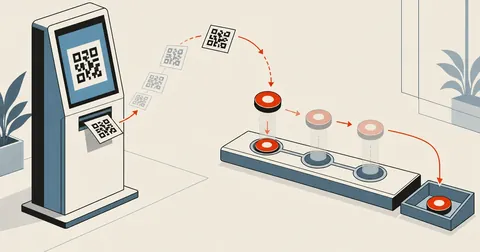
Bank Open API QR Payments — From Sandbox to Status Lifecycle
A static PromptPay QR is easy to build yourself, but nothing tells you whether the customer has paid. This article walks through a bank's Open API sandbox, from requesting a token and issuing a dynamic QR to tracking REQUESTED/PAID/CANCELLED/VOIDED states and the requestDt trap that rejects requests even when the entire payload is correct.

Migrating an Old .aspx Site to a JSON Catalog and Filtering Images
The owner of an old .aspx site asked me to rebuild it, but more than a decade of content was in a database I could no longer access. I collected the pages from the site itself to build a JSON catalog that preserved every legacy_id, then wrote a three-layer image filter to keep stray QR codes from becoming article covers.
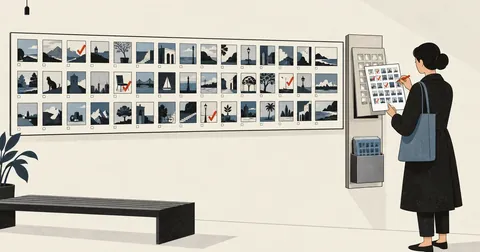
Let Clients Pick Photos on a Web Page Without a Login
When the person choosing photos for a website is not comfortable with computers, adding registration and login means the work stops at the login screen. This article covers a photo picker with no authentication at all, but with a server endpoint that checks every value against an allowlist strict enough to leave nothing from arbitrary input, plus limits at every layer and a backup before every write.
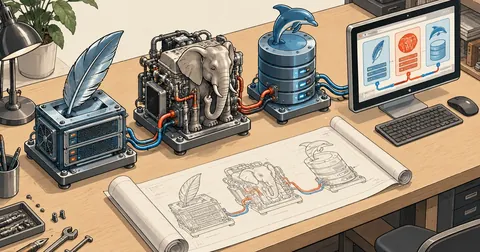
Build APM on Windows: Apache + PHP 8.4 + MariaDB Series Index
A 7-part series on compiling Apache 2.4.69, PHP 8.4.27 and MariaDB 11.8.9 from source on Windows 11, so when PHP releases a security patch, I can change the version number in one file and rebuild within a day. This page covers the contents, overview, time, disk space and three-command shortcut.

Build APM on Windows, Part 7: Deploy, Run, and Apply Security Patches
The final part of the series on building Apache + PHP + MariaDB on Windows. Install into C:\APM, start and test it for the first time, open it to the LAN safely, walk through six real bugs (PidFile, MariaDB plugins, the DB port, the ASLR 500, paths with spaces and brackets), and cover the procedure for the next security release.
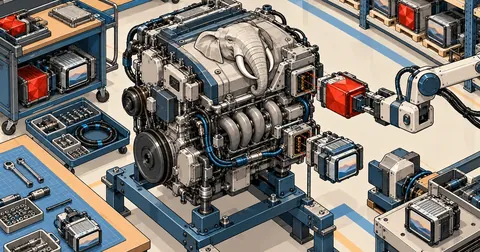
Build APM on Windows Part 6: PHP 8.4 with redis and imagick
Part 6 of the series on building Apache + PHP + MariaDB on Windows from source walks through 30-php.ps1 step by step, from php-sdk and the full configure command to copying DLLs and testing that JIT, redis and imagick actually work.

Build APM on Windows, Part 5: Compile ImageMagick 7 for PHP imagick
Part 5 of the Build APM on Windows series compiles ImageMagick 7.1.2-34 and around 40 delegate libraries from source with the official toolchain, including the channel mask patch from 64 to 32 that lets imagick build, and why HEIC cannot be written
Build APM on Windows, Part 4: Compile MariaDB 11.8 LTS
Part 4 of the Build APM on Windows series walks through compiling MariaDB 11.8.9 from source with CMake and Ninja, from preparing the tools and running the script to testing on port 3399 and explaining why collation must be pinned to utf8mb4_unicode_ci
Build APM on Windows, Part 3: Apache httpd 2.4.69 with CMake
Build APR, APR-util, httpd 2.4.69 and mod_fcgid with CMake and Ninja on Windows. Explain why each option is set, use dumpbin to find the DLLs needed beside httpd.exe, prevent links to debug DLLs, and test the config with httpd -t.

Build APM on Windows, Part 2: Fetch Source and Libs with vcpkg
Steps 1 and 2 of building Apache yourself on Windows. Read 00-fetch.ps1 and 10-deps-vcpkg.ps1 line by line, verify the sha256 of every source archive, then have vcpkg build OpenSSL 3.5 LTS and 8 other libs from source, with commands to check the results at every step.
Build APM on Windows, Part 1: Prepare Tools and Unpack the Build Kit
The first part of a series on building Apache + PHP 8.4 + MariaDB yourself on Windows. Install Visual Studio 2022 Build Tools with the required components, Git, CMake, Ninja and PowerShell 7, configure Defender, unpack the build kit into C:\apm-build, then examine the folders, versions.json and the lib.ps1 and build-all.ps1 scripts line by line.

Building a Graph API Page App with Three Required Endpoints
When a backend needs to read and reply to Page messages on its own, the only proper route is to build an app and pass the platform's review. This article covers three endpoints the platform requires but people forget until they fail review, the correct way to verify incoming request signatures, and the steps to exchange a short-lived token for a Page token stored outside the web root.
A Report Form for a Static Site with No Backend
A calculator site made entirely of static files has no server to handle forms, but users still need a way to report mistakes in the formulas. This article covers the one approach I chose—a single worker file that accepts POST requests on one route, verifies Turnstile on the server using the real client IP, accepts images pasted from the clipboard, and sends email from the network edge—along with three traps that cost me an entire night.
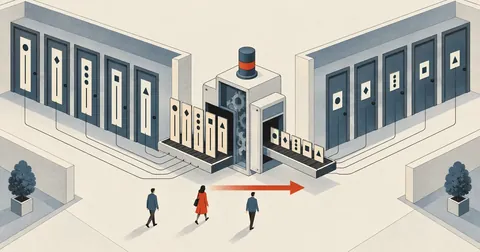
A 26-Page Bilingual Site: Why .php Broke Every Link
The production page displayed PHP tags as raw text because the web server served .html as static files. Changing all 26 pages to .php broke links across the site. Then, after adding clean URLs, subpages bounced back to .php because the rewrite and 301 setup was only half done. This article includes the full .htaccess, eight cases for $base, and scripts that handle the whole site in one pass.
A Cookie Banner That Loads GTM and GA4 Only After Consent
Most cookie banners look good but block nothing, because GTM and GA4 have already loaded from the first line of the page. This article covers a setup that loads the container only after acceptance, puts GA4 inside GTM to prevent double counting, hides AdSense slots initially, and checks that outgoing requests to those services stay at zero.

A Blank Page with No Errors, All Because I Named a Function top
After deployment, the page was blank, the logs had no errors, and node --check found nothing wrong. But the browser stopped the entire script before the first line ran because a function named top collided with window.top. Here are the names to avoid, the script loading order trap, and the Playwright check every project should have.

Images Fail on Mobile in Pages Hidden with display:none
A site switches pages using display:none, but opening another page on mobile leaves blank black images, even though the files return 200 and both fetch and new Image succeed. The culprit is the IntersectionObserver behind loading=lazy not firing when the page changes from none to block, and simply setting loading=eager is still not enough.